Introduction
The Timex Waterbury Classic Chrono 40mm Stainless Steel Quartz Dress Watch is designed for both style and functionality. This manual provides essential information for setting up, operating, and maintaining your watch to ensure its longevity and accurate performance.
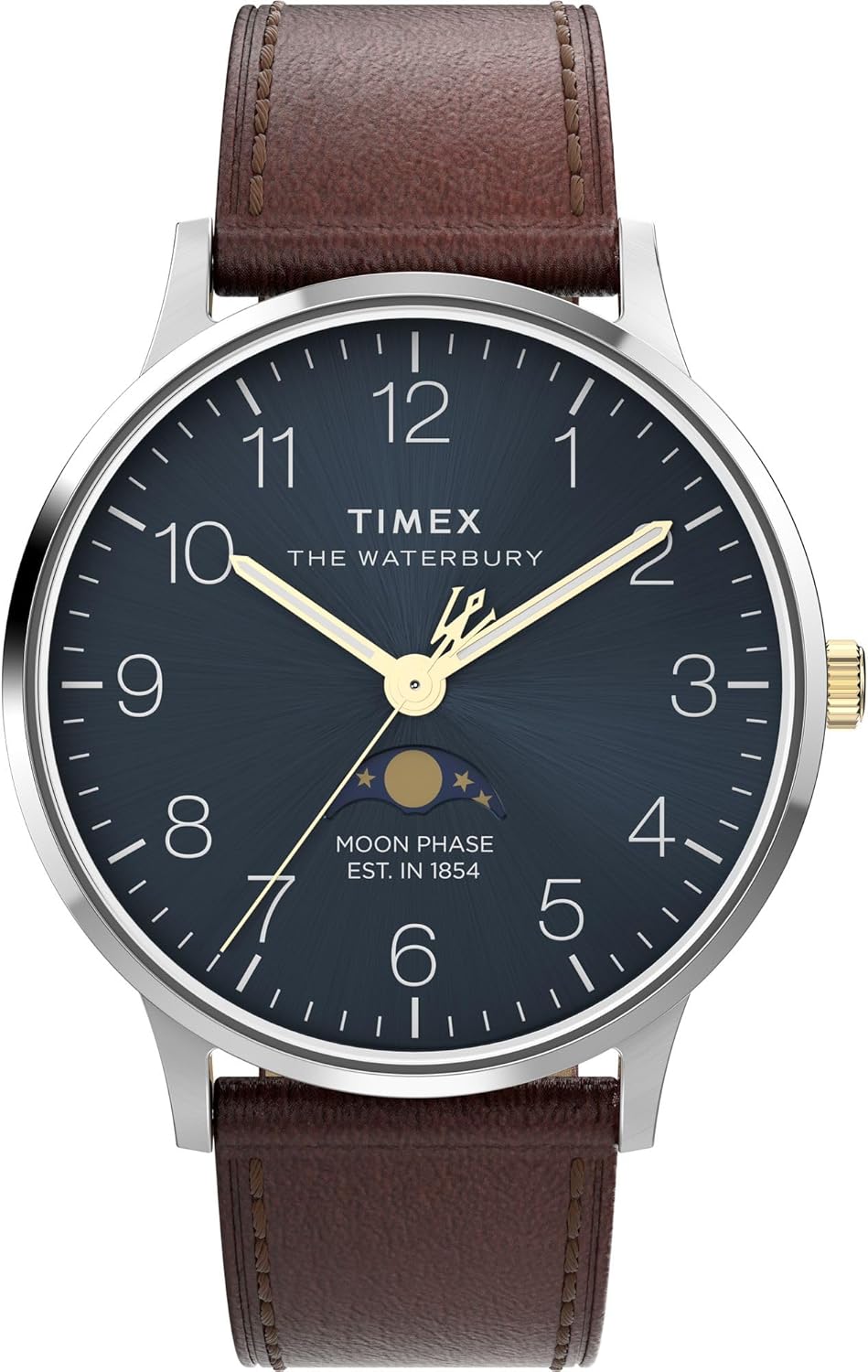
Figure 1: Front view of the Timex Waterbury Classic Chrono watch.
Key Features
- 40mm Stainless Steel Case: Durable and elegant casing.
- Brown Leather Strap: 8-inch two-piece quick-release leather strap for comfort and easy interchangeability.
- Blue Dial: Distinctive blue dial for clear time reading.
- Mineral Glass Lens: Provides protection for the watch face.
- Water Resistance: Water resistant up to 50 meters (164 feet), suitable for short periods of recreational swimming, but not diving or snorkeling.
- Quartz Movement: Ensures precise timekeeping.
- Indiglo® Night Light: Electroluminescent technology for illumination of the watch dial in low light conditions.
- Chronograph Function: Features for measuring elapsed time.
Setup and Initial Use
Setting the Time
- Pull the crown (the knob on the side of the watch) out to position 2.
- Rotate the crown clockwise or counter-clockwise to move the hands until the correct time is displayed.
- Push the crown back into position 1 to start the watch.
Setting the Date (if applicable)
While this model is primarily a chronograph, if a date window is present, it can typically be set by pulling the crown out to position 1 (halfway) and rotating it. Refer to the specific movement instructions if your model includes a date function.

Figure 2: Side view showing the watch crown.
Operating the Chronograph
Your Timex Waterbury Classic Chrono features a precise chronograph function for measuring elapsed time.
- Starting the Chronograph: Press the top pusher (button) to start the chronograph. The chronograph second hand will begin to move.
- Stopping the Chronograph: Press the top pusher again to stop the chronograph. The elapsed time will be displayed.
- Resetting the Chronograph: After stopping, press the bottom pusher to reset all chronograph hands to their zero positions.
- Split Time Function (if applicable): Some chronographs allow for split time measurement. Consult specific movement instructions if your model supports this.
Using Indiglo® Night Light
To activate the Indiglo® night light, simply press and hold the crown (the main knob on the side of the watch). The entire dial will illuminate for easy reading in the dark.
Maintenance and Care
- Cleaning: Wipe the watch case and crystal with a soft, damp cloth. For the leather strap, avoid excessive moisture.
- Water Resistance: While water resistant up to 50 meters, avoid operating the crown or pushers when the watch is wet to prevent water ingress. Not suitable for diving.
- Temperature Extremes: Avoid exposing your watch to extreme temperatures (hot or cold) as this can affect accuracy and battery life.
- Chemicals: Keep the watch away from solvents, detergents, perfumes, and cosmetics, as they can damage the case, strap, or seals.
- Battery Replacement: When the watch stops or the Indiglo light dims significantly, it's time for a battery replacement. It is recommended to have this done by a qualified watch technician to ensure proper sealing and water resistance.
- Strap Care: The leather strap may show signs of wear over time. Avoid prolonged exposure to direct sunlight or water to preserve its condition.

Figure 3: Watch back with water resistance details.
Troubleshooting
| Problem | Possible Cause | Solution |
|---|---|---|
| Watch not running | Dead battery; Crown pulled out. | Replace battery; Push crown fully in. |
| Incorrect time | Time not set correctly; Watch stopped. | Reset time; Check battery. |
| Chronograph hands not resetting to zero | Requires calibration. | Consult Timex support for calibration instructions or professional service. |
| Indiglo light not working | Low battery; Malfunction. | Replace battery; Contact customer service. |
Specifications
- Model Number: TW2W75600VQ
- Case Material: Stainless Steel
- Case Diameter: 40mm
- Case Thickness: Approximately 10.5mm
- Band Material: Leather
- Band Width: 20mm
- Movement: Quartz
- Dial Color: Blue
- Lens Material: Mineral Glass
- Water Resistance: 50 meters (164 feet)
- Weight: Approximately 1.6 ounces (45 grams)
- First Available Date: August 30, 2024
Warranty and Support
Timex watches typically come with a limited warranty covering manufacturing defects. For specific warranty details, registration, and support, please refer to the warranty card included with your purchase or visit the official Timex website.
For customer service inquiries, repairs, or additional assistance, please contact Timex customer support through their official channels.
Official Timex Store: Timex Store on Amazon


