1. Introduction
Thank you for choosing the JOPIX CB-80 Portable CB Radio Transceiver. This manual provides detailed instructions for the proper operation, maintenance, and troubleshooting of your device. Please read this manual thoroughly before using the radio to ensure safe and optimal performance.
The JOPIX CB-80 is a compact and robust CB radio designed for clear communication, featuring AM/FM modulation, 40 channels, 4W output power, and a long-lasting 2600 mAh Li-Ion battery. Its portable design makes it ideal for various applications.
2. Product Overview
2.1. Key Features
- Wide Channel Spectrum: 40 channels with AM/FM modulation for clear and versatile communication.
- Long-Lasting Battery: Equipped with a 2600 mAh Li-Ion battery for extended operational time.
- Automatic Squelch (ASQ): Reduces background noise, enhancing audio quality and clarity.
- Compact and Portable Design: Slim and lightweight, making it easy to carry anywhere.
- Configurable Side Buttons: Customizable functions for quick access.
- Personalizable Channel Names: Ability to name channels and functions directly from the display.
- Integrated Flashlight: Convenient built-in light for low-light conditions.
- Kenwood 2-Pin Connection: Compatible with standard Kenwood 2-pin accessories.
2.2. Package Contents
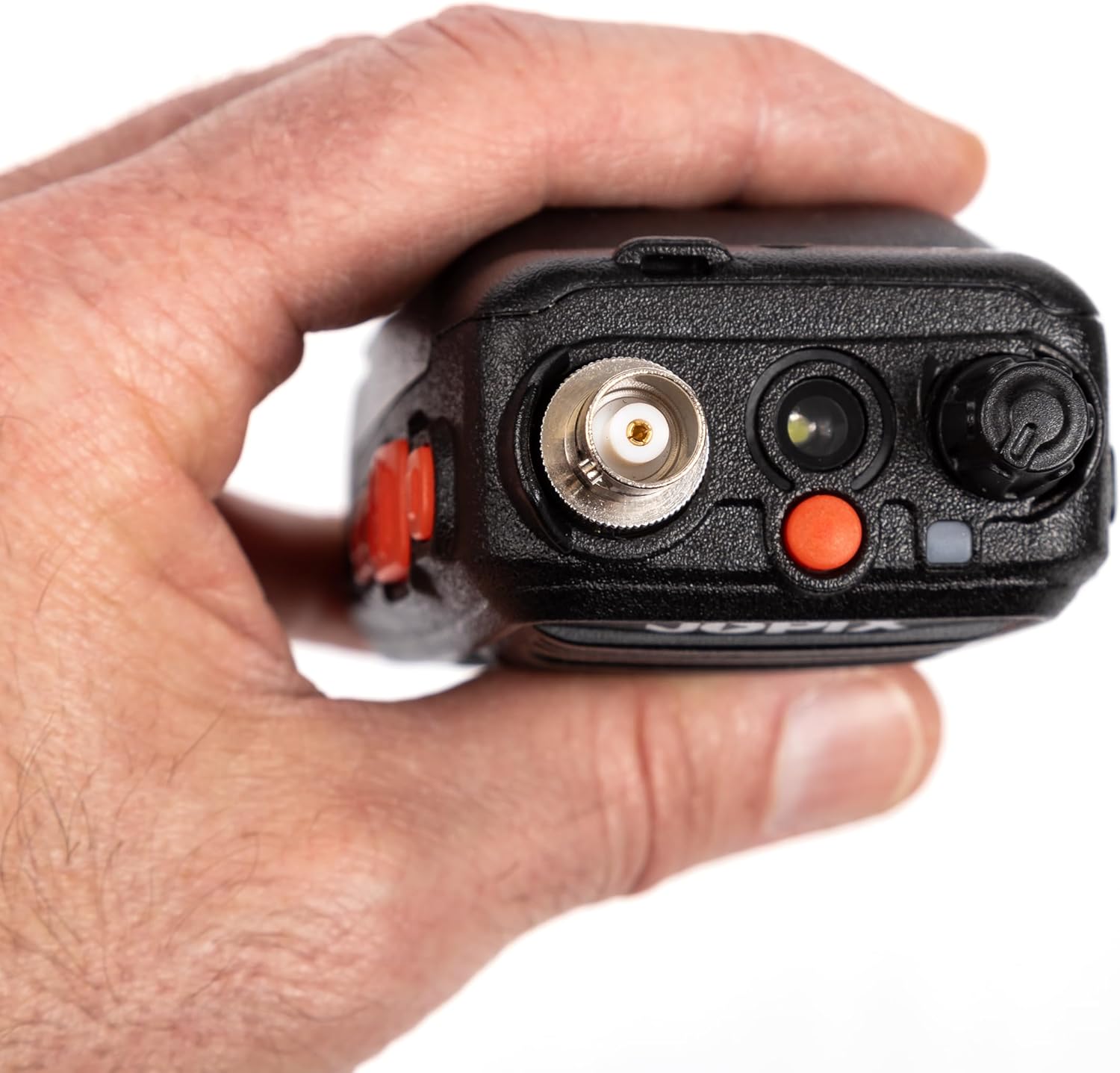
Image: The JOPIX CB-80 radio, antenna, belt clip, wrist strap, charging cradle, and power adapter are shown laid out on a white surface.
Upon unboxing, please verify that all components are present:
- JOPIX CB-80 Transceiver Unit
- Flexible Antenna
- Li-Ion Battery Pack (2600 mAh)
- Desktop Charging Cradle
- AC Power Adapter for Charging Cradle
- Belt Clip and Screws
- Wrist Strap
- User Manual (this document)
2.3. Radio Components
Familiarize yourself with the various parts of your JOPIX CB-80 radio:

Image: Front view of the JOPIX CB-80 showing the display, speaker, microphone, and control buttons.
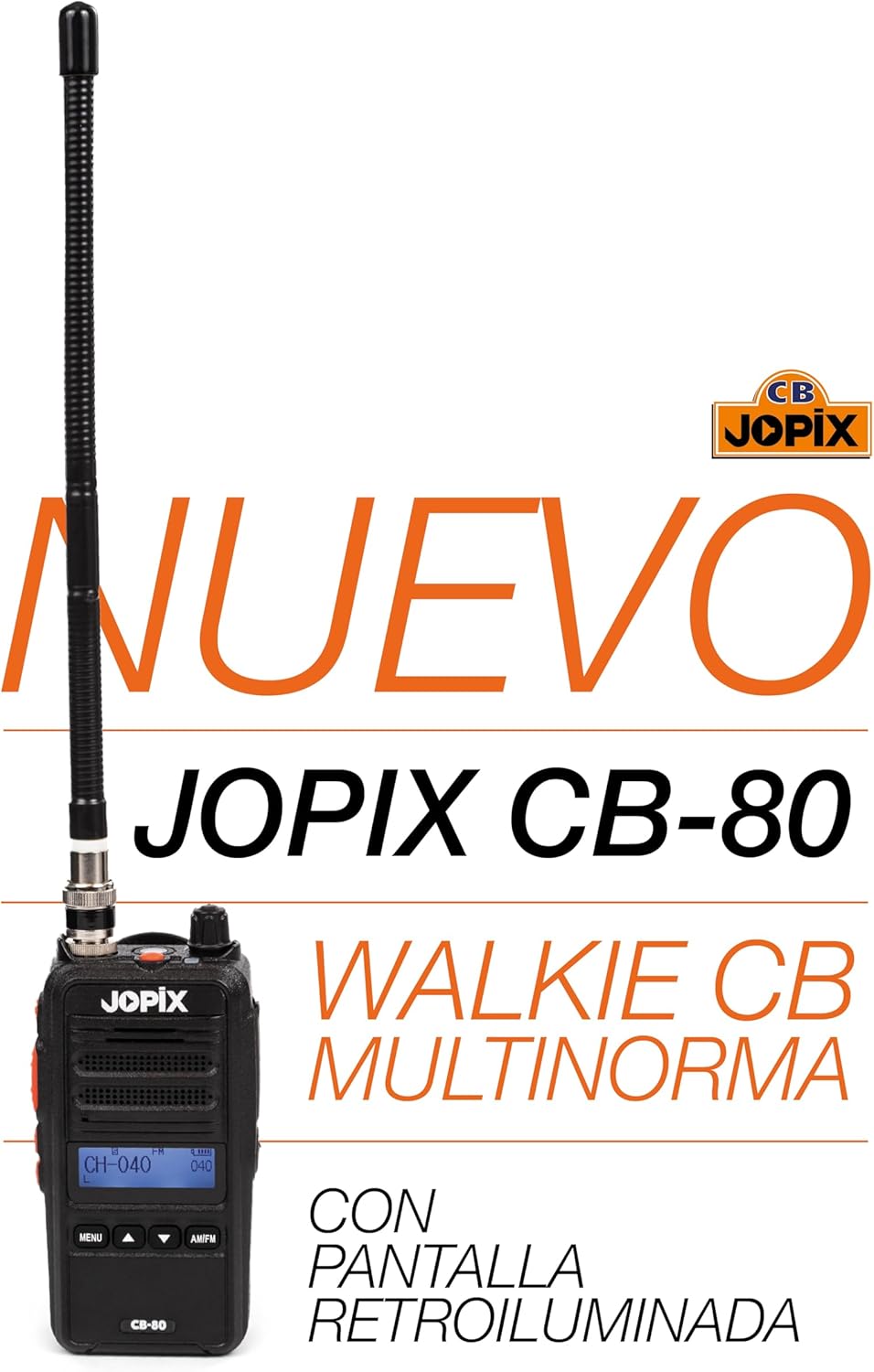
Image: Side view of the JOPIX CB-80 highlighting the Push-To-Talk (PTT) button and programmable side buttons.

Image: Top view of the JOPIX CB-80 showing the antenna connector, flashlight, and Kenwood 2-pin accessory port.

Image: Back view of the JOPIX CB-80 showing the battery pack and belt clip attachment point.
- Antenna Connector: For attaching the flexible antenna.
- Volume/Power Knob: Rotates to adjust volume and turns the radio on/off.
- LCD Display: Shows channel number, frequency, battery status, and other indicators.
- Speaker/Microphone: Integrated for audio output and input.
- MENU Button: Accesses the radio's menu settings.
- Up/Down Buttons: Navigates menu options and changes channels.
- AM/FM Button: Toggles between Amplitude Modulation (AM) and Frequency Modulation (FM).
- Push-To-Talk (PTT) Button: Press and hold to transmit, release to receive.
- Side Buttons (Programmable): Customizable for quick access to functions like ASQ, Scan, etc.
- Accessory Port (Kenwood 2-pin): For connecting external speaker-microphones or headsets.
- Flashlight: Built-in LED light.
- Battery Pack: Rechargeable Li-Ion battery.
- Belt Clip: For attaching the radio to clothing or a belt.
3. Setup
3.1. Battery Installation and Charging
The JOPIX CB-80 comes with a rechargeable Li-Ion battery. For optimal performance, fully charge the battery before first use.
- Install Battery: Align the battery pack with the grooves on the back of the radio and slide it into place until it clicks securely.
- Attach Charging Cradle: Connect the AC power adapter to the charging cradle and plug it into a standard wall outlet.
- Place Radio in Cradle: Carefully place the radio into the charging cradle. Ensure the charging contacts on the radio align with those in the cradle.
- Charging Indicator: The charging indicator light on the cradle will typically show red while charging and turn green when fully charged.
- Charging Time: A full charge typically takes 3-4 hours.

Image: The JOPIX CB-80 radio placed in its desktop charging cradle, indicating the charging process.
3.2. Antenna Attachment
Screw the flexible antenna clockwise onto the antenna connector at the top of the radio until it is finger-tight. Do not overtighten.
3.3. Belt Clip and Wrist Strap
- Belt Clip: Attach the belt clip to the back of the radio using the provided screws. This allows for convenient carrying.
- Wrist Strap: Thread the wrist strap through the designated loop on the radio for added security against accidental drops.

Image: The back of the JOPIX CB-80 radio with the belt clip attached, ready for carrying.
4. Operating Instructions
4.1. Power On/Off and Volume Adjustment
Rotate the Volume/Power knob clockwise to turn the radio on. Continue rotating clockwise to increase the volume. Rotate counter-clockwise to decrease volume and turn the radio off.
4.2. Channel Selection
Use the Up and Down buttons on the front panel to select your desired channel (1-40). The selected channel number will be displayed on the LCD screen.
4.3. AM/FM Modulation
Press the AM/FM button to switch between Amplitude Modulation (AM) and Frequency Modulation (FM). Ensure you are on the correct modulation type for the channel you wish to use.
4.4. Transmitting and Receiving
- Receiving: When the radio is on and tuned to a channel, it will automatically receive incoming transmissions.
- Transmitting: To transmit, press and hold the PTT (Push-To-Talk) button on the side of the radio. Speak clearly into the microphone. Release the PTT button to stop transmitting and return to receive mode.
- Important: Do not transmit without the antenna properly attached.
4.5. Automatic Squelch (ASQ)
The JOPIX CB-80 features Automatic Squelch (ASQ) to automatically suppress background noise when no signal is present. This feature is typically enabled by default. Refer to the menu settings for manual squelch adjustment if needed.
4.6. Menu Settings and Customization
Press the MENU button to access the radio's settings. Use the Up and Down buttons to navigate through options and the PTT button (or another designated button) to confirm selections. Options may include:
- Adjusting squelch level (if ASQ is off)
- Programming side button functions
- Customizing channel names
- Display backlight settings
- Key beep settings
Consult the on-screen prompts for specific menu navigation.
4.7. Using the Flashlight
The integrated flashlight can be activated via a dedicated side button or through the menu, depending on configuration. Press the assigned button once to turn it on, and again to turn it off.
5. Maintenance
- Cleaning: Use a soft, damp cloth to clean the radio's exterior. Do not use harsh chemicals or abrasive cleaners.
- Battery Care:
- Avoid fully discharging the battery frequently.
- Store the radio with a partially charged battery if not used for extended periods.
- Do not expose the battery to extreme temperatures.
- Antenna: Ensure the antenna is securely attached but not overtightened. Avoid bending or stressing the antenna excessively.
- Storage: Store the radio in a cool, dry place away from direct sunlight and extreme temperatures.
- Water Resistance: While the radio is designed to be water-resistant, it is not fully submersible. Avoid exposing it to heavy rain or submersion in water.
6. Troubleshooting
| Problem | Possible Cause | Solution |
|---|---|---|
| Radio does not power on. | Battery is dead or not properly installed. | Charge the battery. Ensure the battery pack is securely installed. |
| Cannot transmit or receive. | Incorrect channel/modulation, antenna not attached, out of range, low battery. | Verify channel and AM/FM setting. Ensure antenna is attached. Move closer to other radios. Charge battery. |
| Poor audio quality / Static. | Weak signal, high squelch level, interference. | Adjust squelch level (if ASQ is off). Move to an area with better signal. Check for sources of interference. |
| Battery drains quickly. | Frequent transmission, old battery, extreme temperatures. | Reduce transmission time. Consider replacing the battery if it's old. Avoid using in extreme temperatures. |
If the problem persists after trying these solutions, please contact customer support.
7. Specifications
| Model Number | CB-80 |
| Brand | JOPIX |
| Frequency Range | 26.565 - 27.99125 MHz |
| Number of Channels | 40 Channels |
| Modulation Type | AM / FM |
| Output Power | 4W |
| Battery Type | 2600 mAh Li-Ion (Rechargeable) |
| Operating Voltage | 7.4 Volts |
| Maximum Range | Up to 5 Kilometers (environment dependent) |
| Water Resistance | Water-resistant (not submersible) |
| Dimensions (D x W x H) | 6 cm x 11 cm x 3.5 cm (approx.) |
| Color | Black |
8. Warranty and Support
The JOPIX CB-80 comes with a manufacturer's warranty of 24 months from the date of purchase. This warranty covers defects in materials and workmanship under normal use.
The warranty does not cover:
- Damage caused by improper use, accident, abuse, or negligence.
- Damage caused by unauthorized repairs or modifications.
- Normal wear and tear, including battery degradation over time.
- Damage from exposure to extreme temperatures or liquids beyond its water-resistant capabilities.
For warranty claims or technical support, please contact your retailer or the official JOPIX customer service. Please have your proof of purchase and the product's serial number ready when contacting support.