
1. Introduction
The VenirCool 7-in-1 Spy Camera Detector is a versatile and portable device designed to enhance your personal privacy and security. It integrates seven key functions to help detect various hidden surveillance devices, including wireless cameras, infrared cameras, GPS trackers, and more. Its compact design and user-friendly interface make it an ideal tool for use in hotels, offices, cars, or any location where privacy is a concern.

Figure 1: Front and back view of the VenirCool 7-in-1 Spy Camera Detector.
2. Product Features
This device offers a comprehensive suite of detection capabilities:
- Wireless Signal Detection: Detects wireless cameras, bugs, and trackers within a frequency range of 1MHz to 6.5GHz.
- Infrared Detection: Identifies hidden cameras that emit infrared light, often used for night vision.
- Red Light Scanning (Hidden Camera Detection): Uses a red light and optical filter to visually locate hidden pinhole cameras by reflecting their lenses.
- Strong Magnetic Detection: Locates dormant strong magnetic trackers, commonly used for GPS tracking on vehicles.
- Vibration Monitoring: Acts as an anti-theft alarm, triggering an alert upon sensing slight vibrations.
- SOS Sound and Light Distress: Provides an emergency alert function with sound and light signals.
- Flashlight Lighting: Built-in LED flashlight for illumination in dark environments.

Figure 2: Overview of the 7 integrated functions.
3. Package Contents
Upon opening your VenirCool 7-in-1 Spy Camera Detector package, you should find the following items:
- 1 x VenirCool Detector
- 1 x User Manual (this document)
- 1 x Type-C Charging Cable
- 1 x Portable Lanyard
4. Setup
4.1 Charging the Device
Before first use, fully charge the detector. Connect the provided Type-C cable to the charging port on the device and the other end to a USB power adapter (not included). The charging indicator on the device will show charging status.
4.2 Powering On/Off
To power on the device, long press the power button located on the front. The LED screen will illuminate. To power off, long press the power button again.

Figure 3: The detector features an upgraded intelligent sensor chip for enhanced performance.
5. Operating Instructions
The VenirCool detector features an LED screen and two main buttons for operation. Short press the mode button to cycle through the different detection modes.
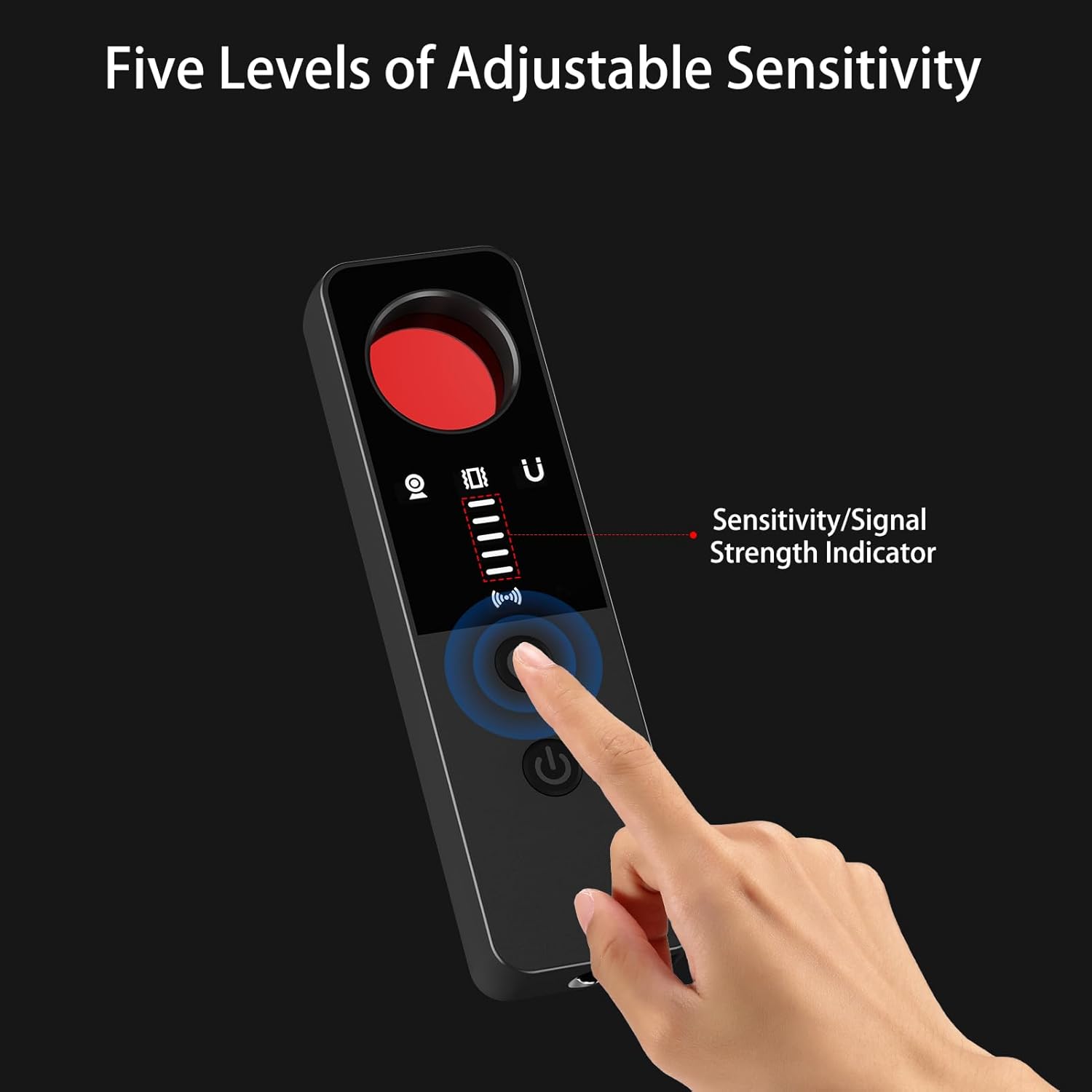
Figure 4: The device offers five levels of adjustable sensitivity, indicated by the signal strength indicator.
5.1 Wireless Signal Detection
This mode helps detect active wireless signals from hidden cameras, listening devices, or GPS trackers. The device will emit a beeping sound and display signal strength on the LED screen when a wireless signal is detected. Adjust sensitivity to narrow down the source.
Video: Demonstrates how to detect wireless signals using the device. The detector beeps and shows signal strength when near a Wi-Fi router.
5.2 Infrared Detection
Activate this mode to find cameras that use infrared for night vision. The detector will help identify the presence of IR emitters.

Figure 5: Using the detector for infrared spectrum detection to find hidden cameras.
5.3 Red Light Scanning (Hidden Camera Detection)
This is a visual detection method. Short press the mode button until the red light appears on the back side of the device. Hold the red lens on the front of the device close to your eye and scan the area. Hidden pinhole cameras will appear as flashing red dots due to the reflection of their lenses.
Video: Illustrates the process of finding hidden cameras using the red light scanning function. The user looks through the lens to spot flashing reflections from camera lenses.
5.4 Strong Magnetic Detection
This mode is specifically designed to find magnetic GPS trackers or other magnetic surveillance devices. Bring the device close to suspicious objects or areas. When a magnetic object is encountered, the device will emit a dripping sound, with the sound becoming louder as the magnetism gets stronger.
Video: Shows how to detect strongly magnetic objects. The device emits a distinct sound when brought near a magnetic item, indicating its presence.
5.5 Vibration Monitoring
Activate this mode for anti-theft protection. Once set, if the device senses a slight vibration, it will emit a beeping alarm. This can be useful for securing doors or luggage.

Figure 6: The vibration alarm function provides immediate security alerts.
Video: Demonstrates the vibration alarm feature. The device beeps when it detects movement, providing a security alert.
5.6 SOS Sound and Light Distress
In an emergency, simultaneously press both main buttons to activate the SOS function. The device will emit a distinctive sound and light signal to attract attention.
5.7 Flashlight Lighting
A small LED flashlight is integrated into the device. It can be turned on by a side switch, providing convenient illumination in dark areas, which is particularly useful during hidden camera detection.
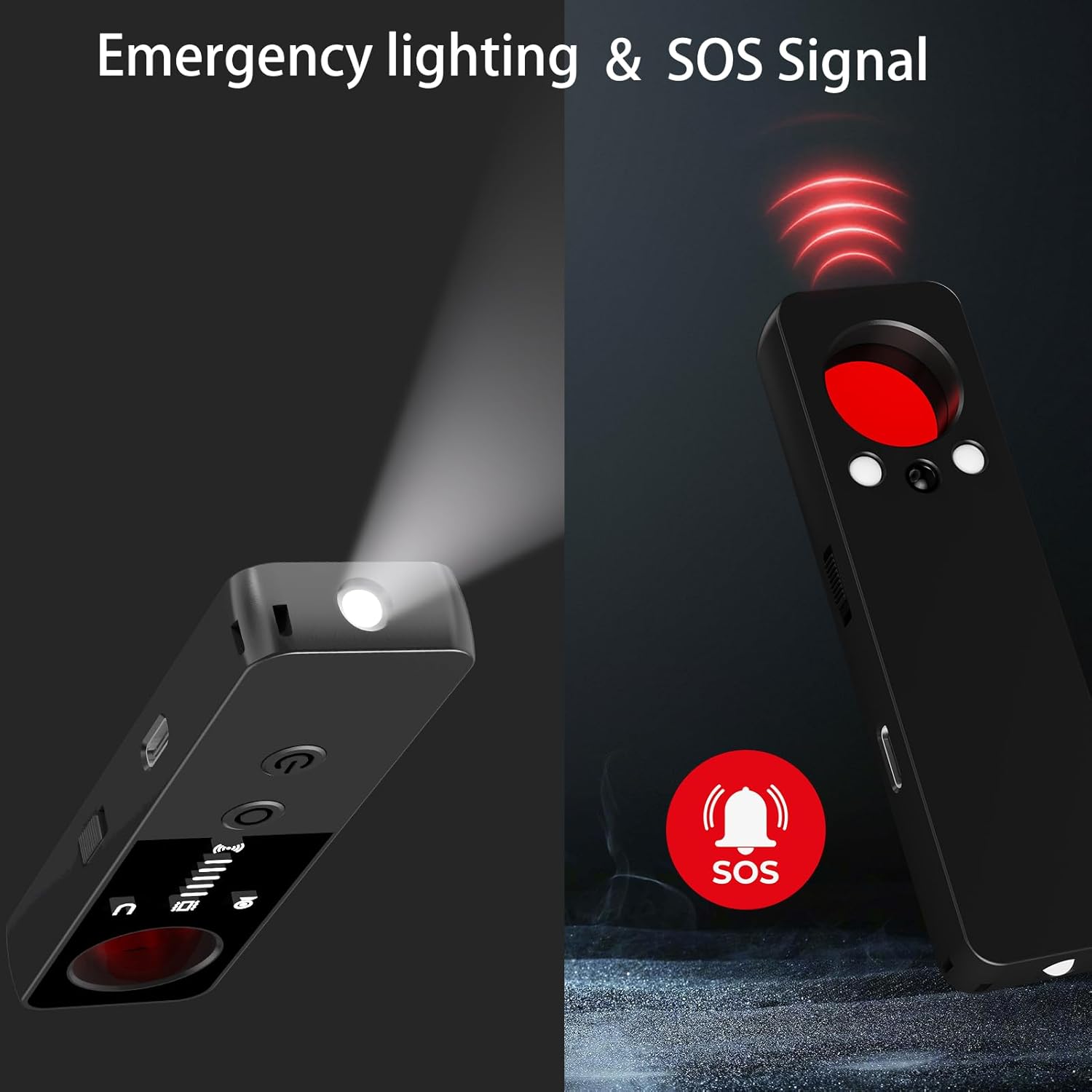
Figure 7: The device offers emergency lighting and an SOS signal for distress situations.
6. Maintenance
To ensure the longevity and optimal performance of your VenirCool detector, follow these maintenance guidelines:
- Keep the device clean by wiping it with a soft, dry cloth.
- Avoid exposing the device to extreme temperatures, direct sunlight, or moisture.
- Store the device in a cool, dry place when not in use.
- Charge the device regularly, even if not in frequent use, to maintain battery health.
7. Troubleshooting
If you encounter issues with your VenirCool detector, please refer to the following common troubleshooting steps:
| Problem | Possible Cause | Solution |
|---|---|---|
| Device does not power on. | Low battery. | Charge the device fully using the provided Type-C cable. |
| No detection in Wireless Signal mode. | Sensitivity too low; no active wireless signals present. | Increase sensitivity. Ensure there are active wireless devices nearby for testing. Note: Cannot detect smartphones or Bluetooth-only devices. |
| Red Light Scanning not effective. | Too much ambient light; incorrect viewing angle. | Perform scan in a darker environment. Adjust viewing angle and distance to the suspected area. |
| Magnetic detection not working. | Not close enough to magnetic object; object is not magnetic. | Bring the device very close to the suspected object. Test on a known magnetic item first. |
If the problem persists after trying these steps, please contact customer support.
8. Specifications
| Specification | Detail |
|---|---|
| Model Name | V-G007 |
| Brand | VenirCool |
| Dimensions (L x W x H) | 1.18 x 0.51 x 3.94 inches |
| Item Weight | 2.11 ounces |
| Color | Black |
| Material | Plastic |
| Power Source | Battery Powered (1 Lithium Polymer battery included) |
| Connectivity Technology | Type-C |
| Wireless Communication Technology | Wireless, Infrared |
| Detection Frequency Range | 1MHz~6.5GHz |
| Detection Range | 0.16 FT~32.8 FT |
| Night Vision Range | 10 Meters |
| International Protection Rating | IP54 |
9. Warranty and Support
For warranty information or technical support, please refer to the contact details provided on the product packaging or the official VenirCool website. Keep your purchase receipt as proof of purchase for any warranty claims.


