
PRUNUS A18 Wired Mic-Black
PRUNUS A18 Wired Voice Amplifier User Manual
Model: A18 Wired Mic-Black
1. Introduction
The PRUNUS A18 Wired Voice Amplifier is a portable audio device designed to amplify your voice, making it ideal for teachers, tour guides, presenters, and anyone needing to project their voice clearly to a group. This compact and lightweight amplifier features a wired microphone headset, long-lasting battery, and multiple connectivity options for versatile use.
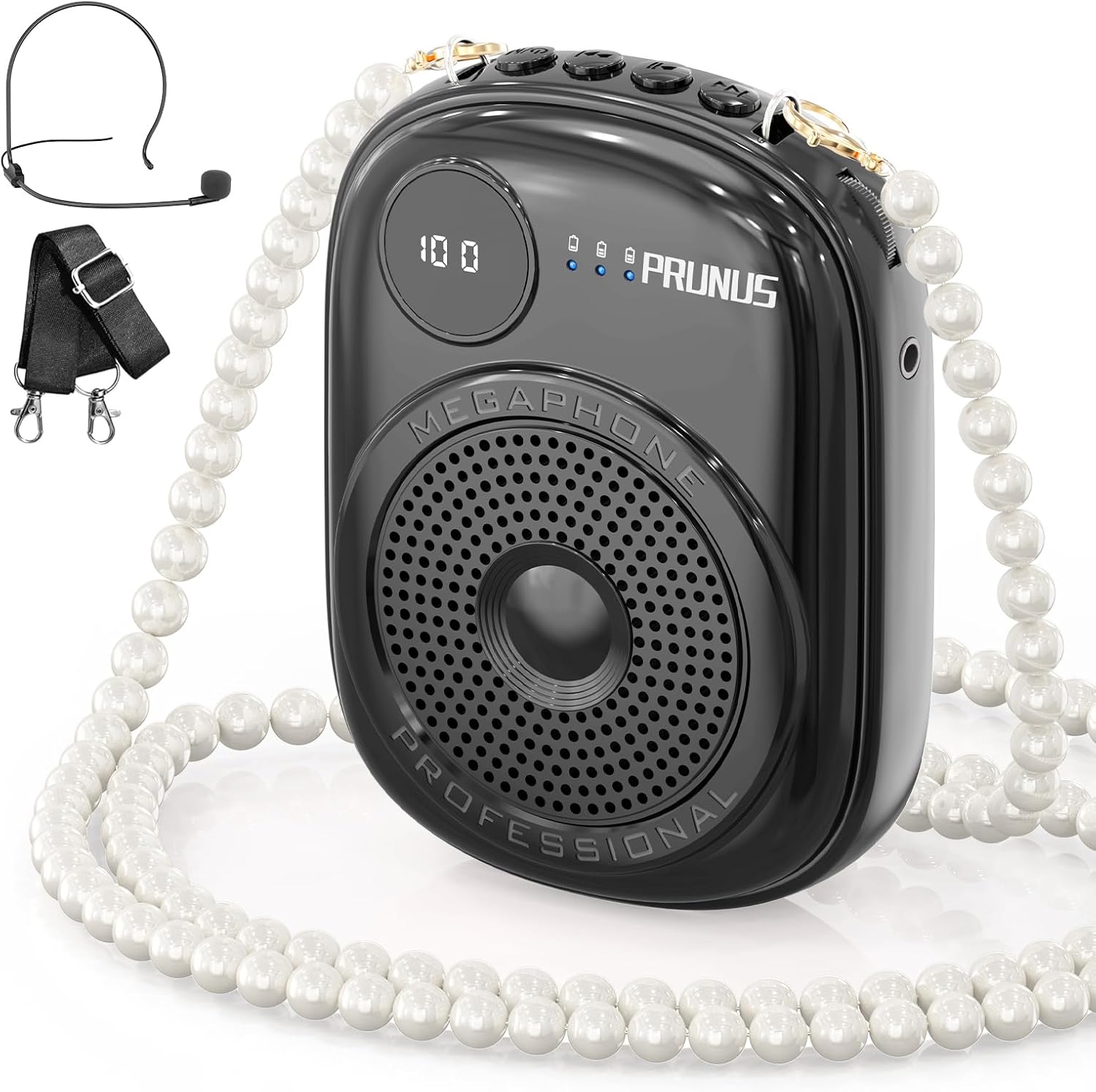
Image: The PRUNUS A18 Wired Voice Amplifier, showing the main unit, wired microphone headset, and the included pearl chain for wearing.
2. What's in the Box
Verify that all items are present in the package:
- Voice Amplifier Unit (A18)
- Wired Microphone Headset
- Pearl Chain
- Shoulder Strap
- USB Charging Cable
- User Manual

Image: A visual representation of the items included in the product packaging, such as the amplifier, microphone, cables, and straps.
3. Product Overview
3.1 Key Features
- 10W Powerful Output: Covers up to 10,000 sq-ft, suitable for classrooms up to 180 people.
- Smart LED Battery Monitoring: LCD screen displays battery status.
- Multiple Connectivity: Supports Bluetooth 5.0, TF card, and wired microphone input.
- Recording Function: Ability to record lectures or speeches.
- Long Battery Life: 1800mAh battery provides 8-10 hours of amplification.
- Lightweight & Portable: Compact design for comfortable all-day wear.
- Unique Pearl Chain Design: Offers various wearing options.
3.2 Component Identification
Familiarize yourself with the amplifier's components:
- Power Button/Volume Knob: Turn on/off and adjust volume.
- Microphone Input Port: Connect the wired microphone headset.
- USB Charging Port: For charging the device.
- TF Card Slot: Insert a TF (MicroSD) card for audio playback.
- Mode Button: Switch between amplification, Bluetooth, and TF card modes.
- Play/Pause Button: Control audio playback.
- Next/Previous Track Buttons: Navigate audio tracks.
- LED Display: Shows battery level and mode.
- Speaker Grille: Audio output.
- Belt Clip: For attaching to clothing.

Image: Close-up views highlighting the Smart LED Battery Display, Detachable Belt Clip, and the Detachable Microphone of the PRUNUS A18 Voice Amplifier.
4. Setup
4.1 Initial Charge
Before first use, fully charge the amplifier. Connect the provided USB charging cable to the amplifier's charging port and the other end to a USB power adapter (not included) or a computer's USB port. The LED display will indicate charging status.
4.2 Connecting the Microphone
Insert the plug of the wired microphone headset firmly into the microphone input port on the amplifier. Ensure the connection is secure for optimal sound quality.

Image: The amplifier demonstrating its easy connectivity options, including Bluetooth, TF card, and recording mode, with a smartphone showing a Bluetooth connection.
5. Operating Instructions
5.1 Power On/Off and Volume Control
- To power on, rotate the volume knob clockwise until the LED display lights up.
- To power off, rotate the volume knob counter-clockwise until the LED display turns off.
- Adjust the volume by rotating the same knob clockwise to increase and counter-clockwise to decrease.
5.2 Amplification Mode
Once powered on and the microphone is connected, the amplifier will automatically enter amplification mode. Speak into the microphone, keeping it close to your mouth for best results. Adjust the volume as needed.

Image: The PRUNUS A18 amplifier with visual effects illustrating its powerful 10W sound output, capable of covering a large area.
5.3 Bluetooth Mode
- Turn on the amplifier.
- Press the Mode button until the LED display shows "BLUE" or a Bluetooth icon.
- On your device (smartphone, tablet), enable Bluetooth and search for "PRUNUS A18" (or similar).
- Select the amplifier to pair. A confirmation sound will indicate successful pairing.
- You can now play audio from your device through the amplifier.
5.4 TF Card Playback
- Insert a TF (MicroSD) card with audio files (MP3, WAV, etc.) into the TF card slot.
- The amplifier will automatically switch to TF card mode, or you can press the Mode button to select it.
- Use the Play/Pause and Next/Previous Track buttons to control playback.
5.5 Recording Function
To use the recording function, ensure a TF card is inserted. In amplification mode, press and hold the Mode button (or a dedicated recording button if present, refer to specific button labels on your device) to start recording. Press again to stop. Recordings are saved to the TF card.
6. Charging the Amplifier
The PRUNUS A18 amplifier is equipped with an 1800mAh rechargeable Lithium Polymer battery. When the battery is low, the LED display will indicate a low battery warning.
- Connect the USB charging cable to the amplifier's charging port.
- Connect the other end of the cable to a standard USB power source (e.g., wall adapter, computer USB port, power bank).
- Charging time is approximately 2.5-3 hours for a full charge.
- A full charge provides 8-10 hours of amplification time.
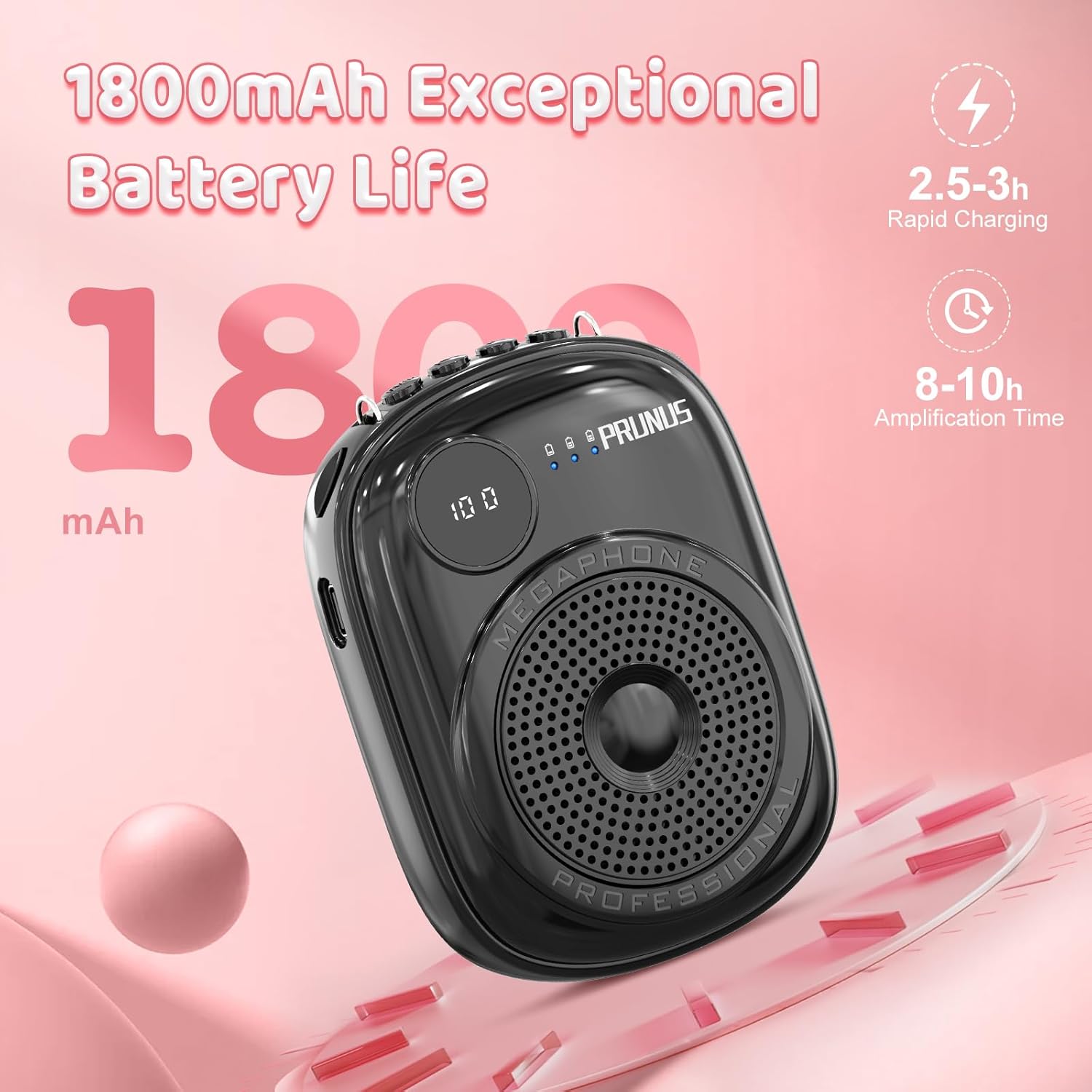
Image: The amplifier highlighting its 1800mAh battery capacity, indicating 2.5-3 hours for rapid charging and 8-10 hours of amplification time.
7. Wearing Options
The PRUNUS A18 offers several versatile wearing options to suit different situations:
- Shoulder Hanging: Use the provided pearl chain or shoulder strap to wear the amplifier over your shoulder.
- Waist Hanging: Attach the amplifier to your waist using the belt clip or a waist strap.
- Neck Hanging: Wear the amplifier around your neck using the pearl chain or shoulder strap.
- Back Buckle/Clip Stand: Utilize the integrated belt clip to attach it to your belt or clothing, or use it as a stand on a flat surface.

Image: Demonstrations of multiple ways to wear the PRUNUS A18 voice amplifier, including shoulder hanging, waist hanging, neck hanging, and using the clip stand.

Image: Illustrations showing two ways to wear the microphone headset: over the head and around the neck for comfort and stability.
8. Maintenance
- Cleaning: Wipe the amplifier and microphone with a soft, dry cloth. Do not use abrasive cleaners or solvents.
- Storage: Store the device in a cool, dry place away from direct sunlight and extreme temperatures.
- Battery Care: To prolong battery life, avoid fully discharging the battery frequently. Charge the device regularly, even if not in use for extended periods.
- Microphone Care: Keep the microphone away from moisture and dust. Handle the microphone headset gently to prevent damage.
9. Troubleshooting
| Problem | Possible Cause | Solution |
|---|---|---|
| No sound from amplifier. |
|
|
| Sound is distorted or has feedback. |
|
|
| Bluetooth not connecting. |
|
|
| TF card not playing. |
|
|
10. Specifications
| Feature | Detail |
|---|---|
| Model Number | A18 Wired Mic-Black |
| Output Wattage | 10 Watts |
| Battery Capacity | 1800mAh Lithium Polymer |
| Charging Time | Approx. 2.5-3 hours |
| Amplification Time | Approx. 8-10 hours |
| Connectivity Technology | Bluetooth 5.0, Wired (3.5mm), TF Card |
| Product Dimensions | 4.25 x 1.27 x 1.25 inches |
| Item Weight | 10.8 ounces |
| Audio Input | Bluetooth, TF card, Wired microphone |
| Mounting Type | Wearable with Clip Stand |
11. Warranty & Support
11.1 Warranty Information
PRUNUS products typically come with a standard manufacturer's warranty. Please refer to the warranty card included in your package or visit the official PRUNUS website for detailed warranty terms and conditions. Keep your purchase receipt as proof of purchase for warranty claims.
11.2 Customer Support
For technical assistance, troubleshooting, or any inquiries regarding your PRUNUS A18 Voice Amplifier, please contact PRUNUS customer support through their official channels. You can often find contact information on the product packaging, the official PRUNUS website, or the retailer's support page.
Note: For the most up-to-date support information, please visit the PRUNUS Store on Amazon.
Ask a question about this manual
Ask about setup, troubleshooting, compatibility, parts, safety, or missing instructions. Manuals+ will review the question and use this page’s manual context to help answer it.