
realme RMX3951
Contents
realme 13 5G User Manual
Model: RMX3951 | Brand: realme
1. Introduction
Welcome to the realme 13 5G user manual. This guide provides comprehensive instructions to help you get the most out of your new smartphone. The realme 13 5G is designed to deliver an exceptional mobile experience with its powerful Dimensity 6300 5G processor, vibrant AMOLED display, and advanced camera system.
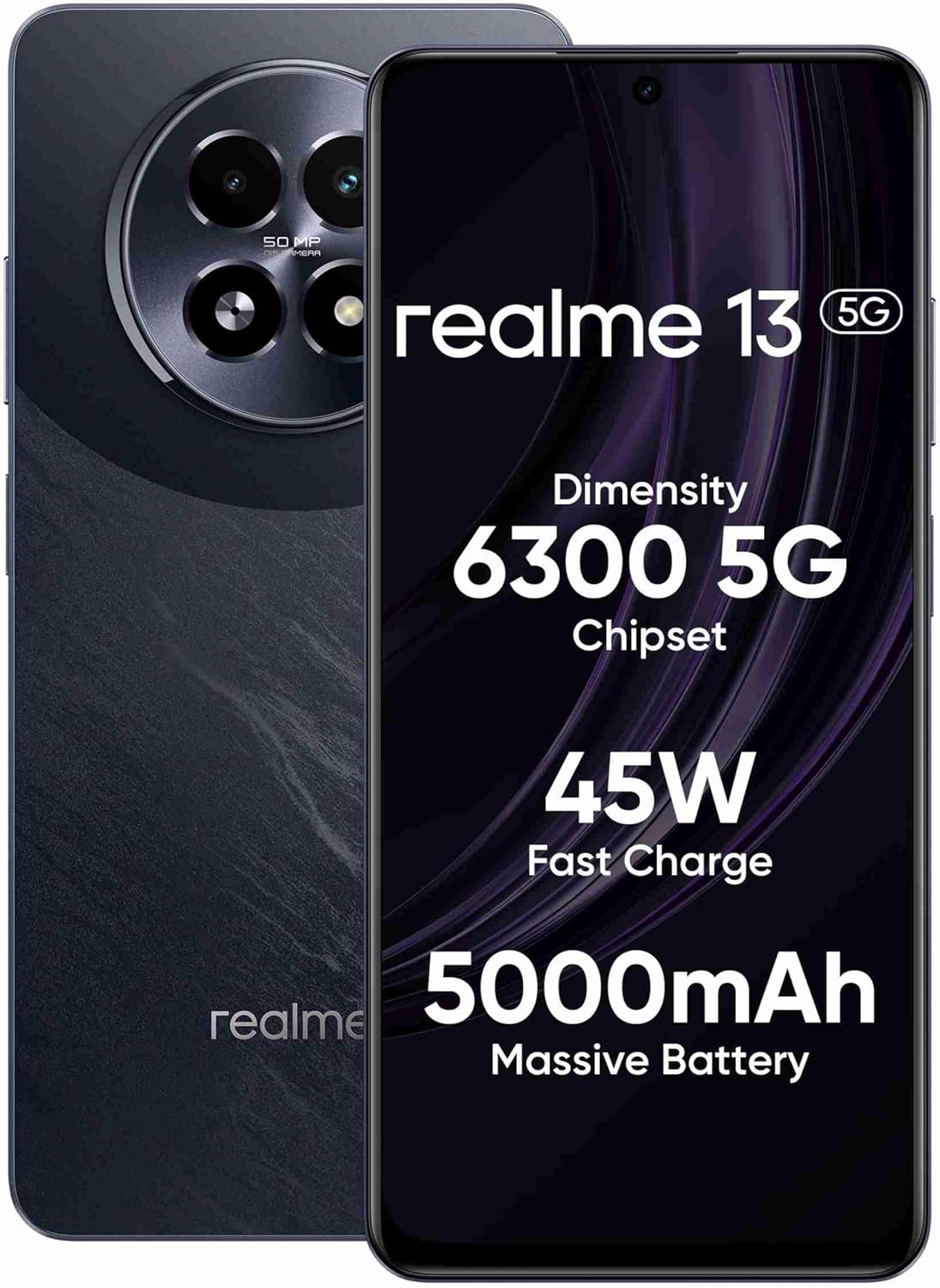
Figure 1.1: realme 13 5G smartphone showcasing its 50MP AI camera, Dimensity 6300 5G Chipset, 45W Fast Charge capability, and 5000mAh Massive Battery.
2. What's in the Box
Ensure all items are present upon unboxing:
- realme 13 5G Smartphone
- USB Type-C Cable
- Power Adapter (45W)
- Protective Case
- Screen Protect Film (pre-applied or included)
- SIM Card Needle
3. Setup Guide
3.1 Inserting SIM Card and microSD Card
- Locate the SIM card tray on the side of your realme 13 5G.
- Insert the SIM card needle into the small hole next to the tray to eject it.
- Place your Nano-SIM card(s) and/or microSD card (for expandable storage up to 2 TB) into the tray, ensuring correct orientation.
- Gently push the tray back into the phone until it clicks into place.
3.2 Initial Power On and Setup
- Press and hold the Power button until the realme logo appears.
- Follow the on-screen prompts to select your language, region, and connect to a Wi-Fi network.
- Sign in with your Google account or create a new one.
- Set up security features such as Fingerprint Unlock and Face Unlock for convenient and secure access.
- Complete the setup process to access the realme UI 5.0 home screen.
4. Operating Instructions
4.1 Basic Navigation
- Power On/Off: Press and hold the Power button. Select 'Power off' or 'Restart'.
- Screen Lock/Unlock: Press the Power button briefly. Use your set security method (fingerprint, face, PIN, pattern) to unlock.
- Volume Control: Use the Volume Up/Down buttons on the side of the device.
- Home Screen: Swipe left/right to navigate between screens. Swipe down from the top for notifications and quick settings.
4.2 Smart Features
- Split Screen Mode: Allows you to use two apps simultaneously. Access from the recent apps menu.
- Mini Window Mode: Play videos or use apps in a floating window.
- Gestures & Motions: Customize various gestures for quick actions (e.g., three-finger screenshot).
- Dark Mode: Enable for a darker interface, reducing eye strain in low light.
- Always-On Display: View time, date, and notifications without waking the screen.
5. Camera Features
The realme 13 5G features a versatile camera system to capture stunning photos and videos.
5.1 Rear Camera System
- 50MP Primary Camera: With f/1.75 aperture and Samsung ISOCELL S5KJNS sensor, equipped with Optical Image Stabilization (OIS) for sharp, blur-free images.
- 2MP Portrait Camera: With f/2.4 aperture for enhanced depth effects.
5.2 Front Camera
- 16MP Front Camera: With f/2.45 aperture for high-quality selfies.
5.3 Camera Modes and Functions
- Photography Functions: Photo Mode, Video Mode, Night Mode, Professional Mode, Portrait Mode, Street Mode, Panoramic view, Slow Motion, Tilt-shift, Time-lapse, Long Exposure Photo, Doc Scanner, Movie Mode, Dual-view Video, Google Lens.
- Video Recording: Supports 4K@30fps, 1080P@60fps/30fps, 720P@60fps/30fps. Features Video stabilization EIS/OIS. Slow motion up to 1080P@120fps, 720P@240fps.
6. Display Features
Experience immersive visuals on the realme 13 5G's display.
- Size: 17.07 cm (6.72 inch) Full HD+ AMOLED Display.
- Resolution: 2400 x 1080 pixels, supporting 16.7 million colors.
- Eye Comfort: Features like Eye Comfort mode and Dimming Mode (PWM at 2160 Hz for brightness <90nit, DC for brightness >90nit) help reduce eye strain.
- Oleophobic Coating: Reduces smudges and fingerprints on the screen.
7. Battery and Charging
The realme 13 5G is equipped with a powerful battery and fast charging technology.
- Battery Capacity: Massive 5000 mAh Lithium Ion battery.
- Charging: Supports 45W Ultra Charging (SuperVOOC Charging) for quick power-ups.
- Talk Time: Up to 24 hours.
8. Connectivity
Stay connected with various communication technologies.
- Network: 5G support for high-speed data.
- Wireless: Wi-Fi (Wi-Fi Direct, Hotspot), Bluetooth.
- Navigation: GPS, Beidou, Galileo, GLONASS, QZSS, NavIC, GNSS.
- Ports: USB Type-C, 3.5 mm Audio Jack.
- OTG: Supports OTG (On-The-Go) for connecting external storage devices up to 2 TB (FAT32, NTFS, EXFAT formats).
9. Security Features
Protect your data and privacy with the realme 13 5G's security options.
- Biometric Unlock: Fingerprint sensor and Facial Recognition for quick and secure access.
- App Lock: Secure individual applications with a password or biometric authentication.
- Private Safe (File Lock): Encrypt and hide private files and documents.
- Firewall/Block & Filter: Manage unwanted calls and messages.
10. Maintenance
Proper maintenance ensures the longevity and optimal performance of your device.
- Cleaning: Use a soft, lint-free cloth to clean the screen and body. Avoid harsh chemicals.
- Software Updates: Regularly check for and install system updates to ensure the latest features and security patches.
- Storage Management: Periodically clear cache, delete unnecessary files, and manage apps to free up storage space.
- Water Resistance: The device has an IP65 waterproof rating, offering protection against dust and low-pressure water jets. Avoid submerging the device in water.
- Battery Care: Avoid extreme temperatures. Do not let the battery drain completely frequently.
11. Troubleshooting
This section addresses common issues you might encounter.
| Problem | Possible Solution |
|---|---|
| Device not powering on | Ensure the battery is charged. Press and hold the Power button for at least 10 seconds to force restart. |
| Apps crashing or freezing | Clear the app's cache and data (Settings > Apps > [App Name] > Storage). If the issue persists, uninstall and reinstall the app. |
| Poor network signal | Check if Airplane Mode is off. Restart the device. Ensure your SIM card is properly inserted. Contact your network provider. |
| Battery drains quickly | Reduce screen brightness, disable unused features (Wi-Fi, Bluetooth, GPS), close background apps, and check battery usage in settings to identify power-hungry apps. |
| Fingerprint sensor not working | Ensure your finger is clean and dry. Re-register your fingerprints in Settings > Security > Fingerprint. |
| Device overheating | Close background apps, avoid using the phone while charging, and reduce heavy gaming or video streaming. If overheating persists, contact support. |
If problems persist, consider performing a factory reset (Settings > System > Reset options > Erase all data). Warning: This will erase all data on your phone. Back up important data before proceeding.
12. Specifications
Detailed technical specifications for the realme 13 5G (Model: RMX3951).
| Feature | Detail |
|---|---|
| Operating System | Android 14 || Realme UI 5.0 |
| RAM | 8 GB (Expandable up to 18GB Dynamic RAM) |
| Internal Storage | 128 GB (Expandable Upto 2 TB via microSD) |
| Processor | Dimensity 6300 5G Chipset (Octa-core, 2.4 GHz) |
| Display Size | 17.07 cm (6.72 inch) Full HD+ AMOLED Display |
| Display Resolution | 2400 x 1080 pixels |
| Rear Camera | 50MP (f/1.75, OIS) + 2MP Portrait (f/2.4) |
| Front Camera | 16MP (f/2.45) |
| Battery | 5000 mAh Lithium Ion |
| Charging | 45W Ultra Charging (SuperVOOC) |
| Connectivity | 5G, Wi-Fi, Bluetooth, GPS, OTG |
| Audio Jack | 3.5 mm |
| Dimensions (LxWxH) | 16.13 x 7.39 x 0.82 cm |
| Weight | 190 g |
| Water Resistance | IP65 Rating |
| Item Model Number | RMX3951 |
| Manufacturer | Oppo Mobiles India Private Limited |
| Date First Available | 29 August 2024 |
13. Warranty and Support
For warranty information and customer support, please refer to the details below:
- Customer Support Number: 18001022777
- realme Customer Helpline No: 18001022777
- Website Link for Customer Support: https://www.realme.com/in/support
- Find realme Service Center (Link) PAN INDIA: https://www.realme.com/in/support/services
- Customer Support Email: service.in@realme.com
- Manufacturer/Importer/Marketer: Realme Mobile Telecommunications (India) Private Limited, Srei, Level 5, Maruti Udyog Sector 18, Plot 14-A, Anath Road, Gurgaon, Haryana 1
- Country of Manufacture: China
- Country of Brand Origin: China
Please retain your proof of purchase for warranty claims. The product was first available on 29 August 2024.
Ask a question about this manual
Ask about setup, troubleshooting, compatibility, parts, safety, or missing instructions. Manuals+ will review the question and use this page’s manual context to help answer it.