Introduction
Thank you for choosing the FYNORI Maxx SL10LEDE 2200 Lumen LED Spotlight. This powerful and versatile spotlight is designed to provide dependable illumination and portable power for various applications. Please read this manual thoroughly before operating your device to ensure safe and optimal performance.
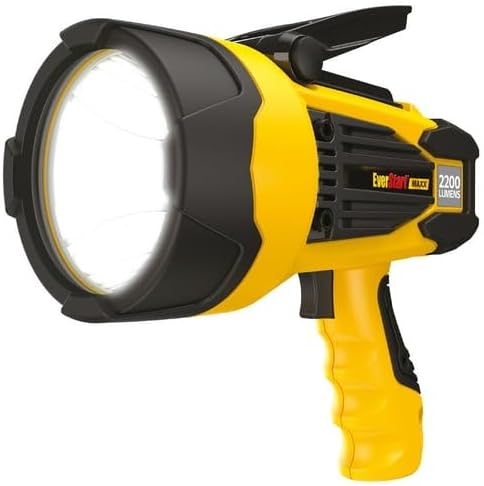
The FYNORI Maxx SL10LEDE 2200 Lumen LED Spotlight, showcasing its robust design and powerful LED light.
What's in the Box
Verify that all components are present in your package:
- FYNORI Maxx SL10LEDE 2200 Lumen LED Spotlight
- USB-A Cable
- Emergency Flash / Red Lens
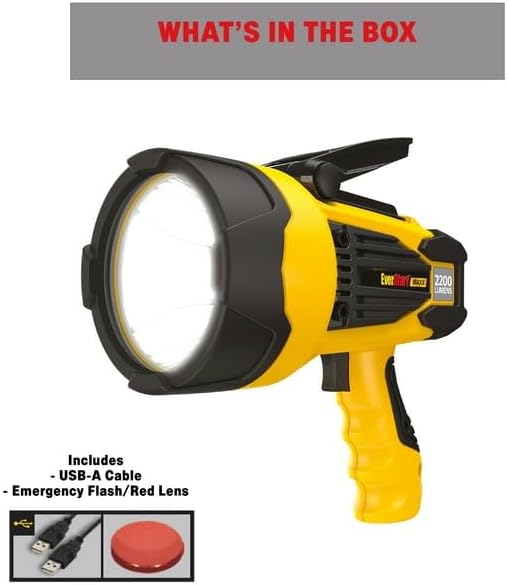
Image illustrating the spotlight along with the included USB-A cable and emergency red lens.
Key Features
- Portable spotlight delivering up to 2200 lumens of dependable LED lighting.
- Up to 10 hours of runtime on a single charge.
- Hands-free operation with a pivoting/collapsible stand.
- Integrated USB portable power bank to charge your devices on the go.
- Ergonomic handle with a 3-position trigger power switch for High, Low, Emergency Flash, and Off modes.
- Included Lithium-ion battery technology allows for up to 12 months without recharging.
Setup
Initial Charging
Before first use, fully charge the spotlight's internal Lithium-ion battery. Connect the included USB-A cable to the spotlight's USB power in/out port and plug the other end into a compatible USB power adapter (not included). The charging indicator will show the charging status. A full charge ensures maximum runtime and optimal performance.

The spotlight's USB port being used to charge a smartphone, demonstrating its portable power bank capability.
Operating Instructions
Power Switch Operation
The spotlight features an ergonomic handle with a 3-position trigger power switch:
- High Mode: Pull the trigger fully to activate the maximum 2200 lumen output.
- Low Mode: Pull the trigger partially to activate a lower, energy-saving light output.
- Emergency Flash Mode: Continue pulling the trigger past the low mode to activate the flashing emergency light.
- Off: Release the trigger to turn the spotlight off.
Hands-Free Use
The spotlight is equipped with a pivoting/collapsible stand located on the top of the unit. Extend the stand to position the spotlight for hands-free illumination, allowing you to direct light precisely where needed.
USB Portable Power Bank
The integrated USB power in/out port allows you to charge other USB-powered devices, such as smartphones or tablets. Simply connect your device's charging cable to the spotlight's USB port. This feature is ideal for emergencies or when away from traditional power sources.

A top-down view of the spotlight, highlighting the USB power in/out port and the collapsible stand mechanism.
Maintenance
- Cleaning: Wipe the spotlight with a soft, damp cloth. Do not use abrasive cleaners or solvents.
- Battery Care: To maintain battery health, recharge the spotlight every 3-6 months if not in regular use. Avoid fully depleting the battery for extended periods.
- Storage: Store the spotlight in a cool, dry place away from direct sunlight and extreme temperatures.
Troubleshooting
| Problem | Possible Cause | Solution |
|---|---|---|
| Spotlight does not turn on. | Battery is depleted. | Recharge the spotlight fully. |
| Light is dim. | Battery is low. | Recharge the spotlight. |
| Cannot charge external device. | Spotlight battery is too low or cable is faulty. | Ensure spotlight is charged. Try a different USB cable. |
Specifications
- Model: SL10LEDE
- Light Output: Up to 2200 Lumens
- Light Source Type: LED
- Power Source: Battery Powered (Lithium-ion)
- Runtime: Up to 10 hours
- Special Feature: Rechargeable, USB Portable Power
- Color: Yellow
- Material: Plastic
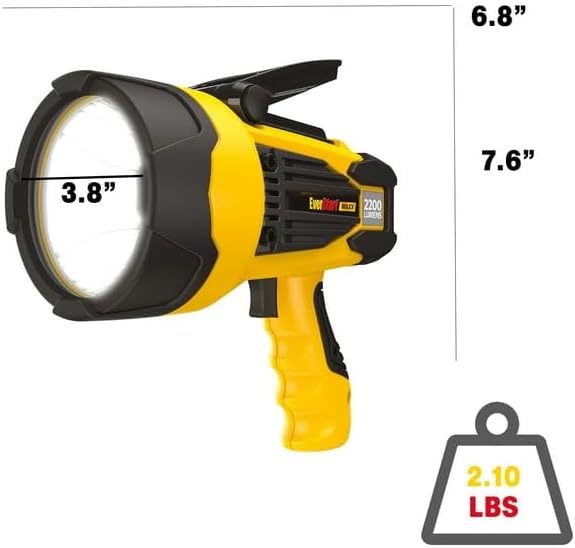
Diagram showing the dimensions (6.8" x 7.6" x 3.8" reflector diameter) and weight (2.10 lbs) of the spotlight.
Warranty and Support
The FYNORI Maxx SL10LEDE 2200 Lumen LED Spotlight comes with a 2-Year Limited Warranty from the date of purchase. This warranty covers defects in materials and workmanship under normal use. For warranty claims or technical support, please contact FYNORI customer service through their official website or the retailer where the product was purchased. Please retain your proof of purchase.
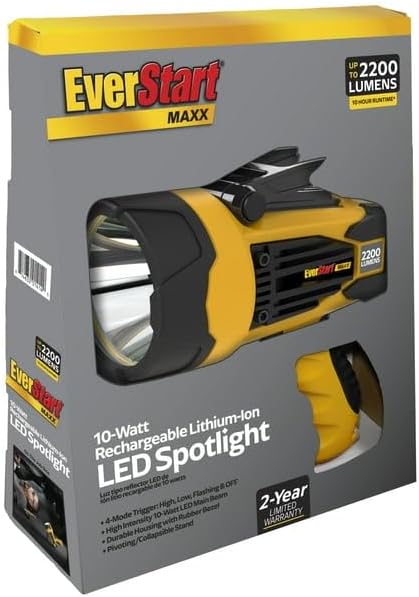
The product packaging, indicating the 2-year limited warranty and key features.