1. Introduction
This manual provides essential instructions for the installation, operation, and maintenance of your new Generic Treadmill Walking Belt. This belt is specifically designed for the Commercial 1750 Treadmill, model number NTL17124, part number 426497. Please read this manual thoroughly before proceeding with installation to ensure proper function and longevity of your treadmill.
2. Product Overview
The Generic Treadmill Walking Belt is a high-quality replacement component manufactured from durable PVC material. Its design aims to provide a softer running surface compared to standard belts, which can contribute to smoother operation and potentially reduce stress on the treadmill's motor and other components. This belt is engineered for optimal performance and durability.
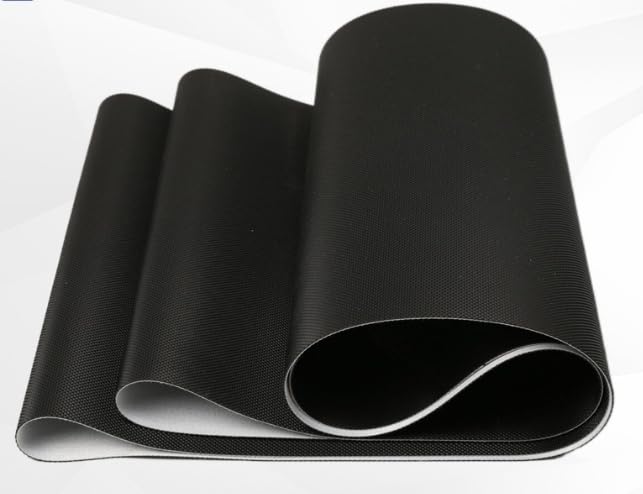
Figure 1: The Generic Treadmill Walking Belt. This image displays the black PVC walking belt, rolled to highlight its texture and the quality of the material. The underside is typically lighter in color, indicating the multi-layered construction.
3. Compatibility
This walking belt is specifically compatible with the following treadmill model:
- Treadmill Model: Commercial 1750
- Model Number: NTL17124
- Part Number: 426497
Ensure your treadmill matches these specifications before attempting installation.
4. Safety Information
Always prioritize safety when performing maintenance or installation on your treadmill. Failure to follow safety guidelines can result in injury or damage to the equipment.
- Disconnect Power: Always unplug the treadmill from the power outlet before beginning any installation or maintenance procedures.
- Read Instructions: Carefully read and understand all instructions in this manual before proceeding.
- Use Proper Tools: Ensure you have the correct tools for the job to prevent damage to fasteners or components.
- Seek Professional Help: If you are unsure about any step or uncomfortable performing the installation, consult a qualified technician.
- Keep Area Clear: Maintain a clear and well-lit workspace.
5. Installation Instructions
Replacing the treadmill walking belt requires careful attention. Follow these steps sequentially.
- Power Disconnection: Unplug the treadmill from the wall outlet.
- Remove Motor Cover: Locate and remove the screws securing the motor cover at the front of the treadmill. Carefully lift off the cover.
- Loosen Rear Roller Bolts: At the rear of the treadmill, locate the two adjustment bolts for the rear roller. Turn them counter-clockwise equally to loosen the walking belt tension. Continue loosening until the belt is slack enough to be removed.
- Remove Old Belt: Carefully slide the old walking belt off the rollers and deck. This may require lifting the treadmill deck slightly.
- Clean Deck: Inspect and clean the treadmill deck thoroughly. Remove any debris, dust, or old lubricant.
- Install New Belt: Slide the new Generic walking belt onto the deck and around the rollers. Ensure the belt is centered and the seam (if visible) is positioned correctly according to your treadmill's manufacturer guidelines (often underneath).
- Tension Adjustment: Gradually tighten the rear roller adjustment bolts clockwise, turning each bolt equally (e.g., half a turn at a time) until the belt is snug but not overly tight. The belt should be able to be lifted approximately 2-3 inches in the center when the treadmill is off.
- Reinstall Motor Cover: Replace the motor cover and secure it with its screws.
- Initial Calibration & Centering: Plug the treadmill back in. Start the treadmill at a low speed (e.g., 1-2 mph) without anyone on it. Observe the belt's movement. If it drifts to one side, adjust the corresponding rear roller bolt (tighten the bolt on the side the belt is drifting towards, or loosen the opposite side) in small increments (quarter turns) until the belt runs centrally. Allow a few minutes of running after each adjustment.
- Lubrication (if required): Refer to your treadmill's original manual for specific lubrication requirements for the deck. Apply lubricant if necessary after the new belt is installed and centered.
6. Operating Instructions (Post-Installation)
After successful installation and centering of the new walking belt, follow these guidelines for initial operation:
- Break-in Period: Operate the treadmill for approximately 30 minutes at a moderate speed (e.g., 3-4 mph) without a user. This helps the new belt settle and ensures proper tracking.
- Check for Friction: Listen for any unusual noises or signs of excessive friction. The belt should run smoothly.
- User Test: After the break-in, carefully step onto the treadmill and begin walking at a slow pace. Gradually increase speed and incline to ensure comfortable and stable operation.
7. Maintenance
Regular maintenance extends the life of your walking belt and treadmill.
- Cleaning: Periodically wipe down the walking belt with a damp cloth to remove dust and sweat. Avoid harsh chemicals.
- Belt Tension: Check belt tension every few months. If the belt slips or feels too loose, adjust the rear roller bolts as described in the installation section. Over-tightening can damage the motor and rollers.
- Lubrication: Follow your treadmill's original manufacturer guidelines for deck lubrication frequency. Proper lubrication reduces friction and wear on the belt and deck.
- Belt Centering: If the belt consistently drifts to one side, perform the centering procedure outlined in the installation section.
8. Troubleshooting
| Problem | Possible Cause | Solution |
|---|---|---|
| Belt slips during use | Belt too loose; Worn belt; Insufficient lubrication | Adjust belt tension; Replace belt (if worn); Lubricate deck |
| Belt drifts to one side | Uneven tension; Misaligned rollers | Adjust belt centering bolts (rear roller); Ensure treadmill is on a level surface |
| Excessive noise from belt | Lack of lubrication; Belt rubbing; Foreign object | Lubricate deck; Check belt alignment; Inspect for debris under belt |
| Treadmill motor strains | Belt too tight; Insufficient lubrication; Worn motor/controller | Loosen belt tension slightly; Lubricate deck; Consult technician for motor issues |
9. Product Specifications
- Material: High quality PVC
- Compatibility: Commercial 1750 Treadmill, Model NTL17124, Part Number 426497
- Manufacturer: treadmill hospital (as per product data)
- ASIN: B0DFMRH8FX
- First Available: August 29, 2024
10. Support and Warranty
For technical assistance or warranty inquiries regarding your Generic Treadmill Walking Belt, please contact the seller, Treadmill Hospital, directly through the Amazon platform or refer to their provided contact information. Specific warranty details are typically provided at the point of purchase or with the product packaging.
For issues related to the treadmill itself, please consult your treadmill's original manufacturer manual or contact their customer support.

