
MASHI 6659
MASHI 8.4'' Large Digital Wall Clock User Manual
Model: 6659
Introduction
Thank you for choosing the MASHI 8.4'' Large Digital Wall Clock. This clock features a clear LED display, dual alarms, date and temperature display, automatic Daylight Saving Time (DST) adjustment, and adjustable brightness. It is designed for versatile placement, suitable for both wall mounting and desktop use. This manual provides detailed instructions for setup, operation, and maintenance to ensure optimal performance and longevity of your device.
Safety Information
- Do not expose the clock to extreme temperatures, direct sunlight, or high humidity.
- Avoid dropping or subjecting the clock to strong impacts.
- Use only the specified power adapter (5V/1A, not included) and cable for continuous power.
- When using batteries, ensure correct polarity. Remove batteries if the clock will not be used for an extended period.
- Keep out of reach of children.
Package Contents

The image displays the packaging accessories for the MASHI Digital Wall Clock. It includes two nails for wall mounting, a 6.56-foot data cable for power, a ruler for precise placement, and the instruction manual.
- MASHI 8.4'' Large Digital Wall Clock (1)
- USB Type-C Power Cable (1) - 6.56 feet (78 inches)
- Mounting Nails (2)
- Ruler (1)
- User Manual (1)
Note: 5V/1A power adapter and 3 AAA batteries are not included.
Product Overview

This image shows the front display of the MASHI 8.4-inch Large Digital Wall Clock. The large green LED digits clearly show the time (20:38), day of the week (Wednesday highlighted), temperature (76°F), and date (October 23). Alarm icons are visible on the left, and 'DST' is indicated at the top. The clock has a sleek, modern design with a white frame.
The MASHI Digital Wall Clock features a large, easy-to-read LED display. Key information such as time, day of the week, temperature, and date are prominently displayed. The clock also includes indicators for Daylight Saving Time (DST) and active alarms.

This image illustrates the key features of the MASHI Digital Wall Clock. The clock is shown mounted on a wall, displaying time, day, temperature, and date. Below it, a series of icons represent its functionalities: temperature display, week display, alarm setting, 12/24-hour time format switch, brightness setting, snooze mode, DST mode, date display, power mode, and voice-controlled wake-up.
The back of the clock includes control buttons for settings and a battery compartment. It also has two hanging holes for wall mounting and a port for the USB power cable.
Setup
Power Modes
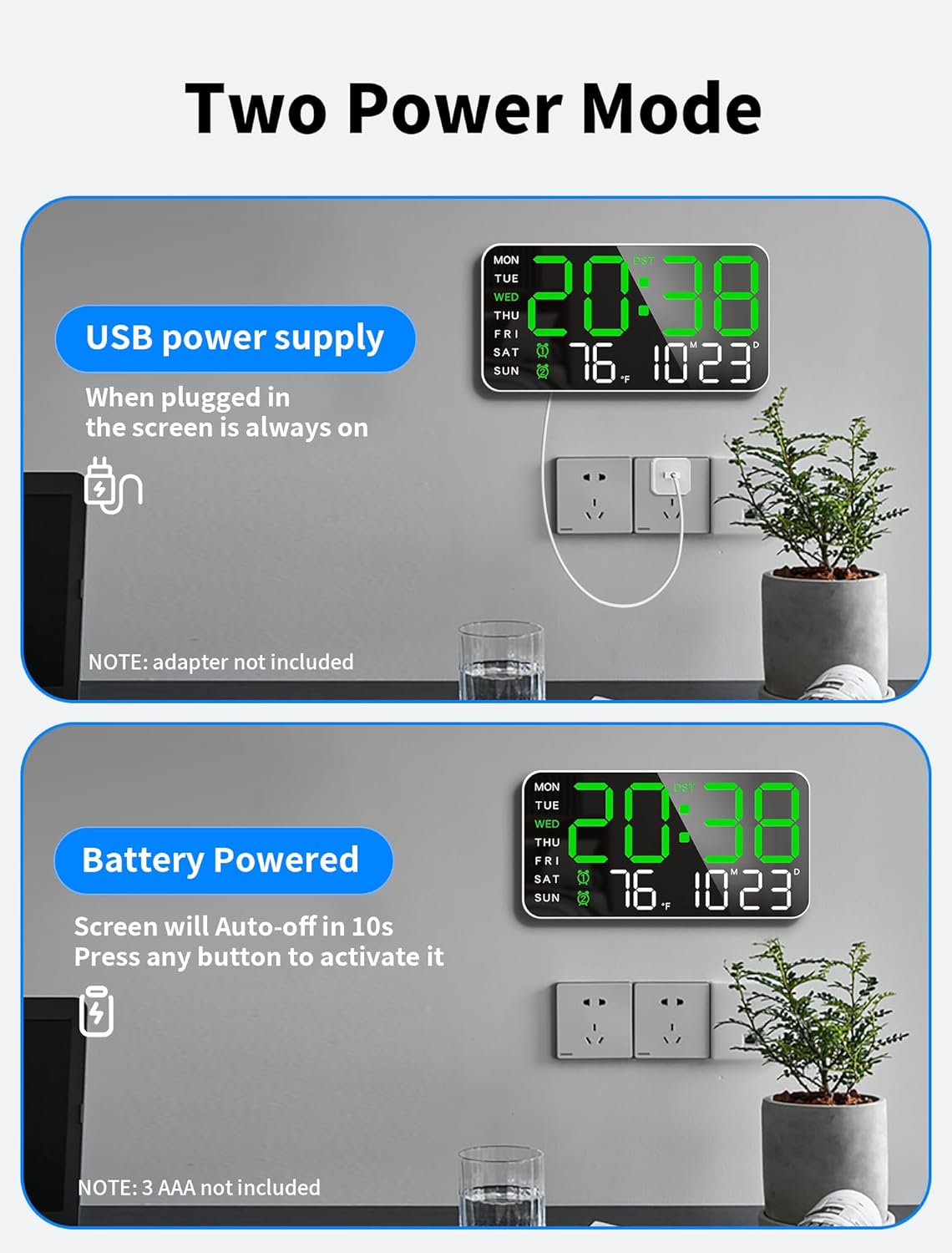
This image illustrates the two power modes for the MASHI Digital Wall Clock. The top section shows the clock powered by a USB cable, indicating that the screen remains always on when plugged in. The bottom section shows the clock powered by 3 AAA batteries (not included), explaining that the screen will auto-off after 10 seconds to conserve power and can be activated by making noise.
- USB Power Supply (Recommended for continuous display): Connect the provided USB Type-C cable to the clock and a 5V/1A power adapter (not included). The display will remain continuously on.
- Battery Powered (Power-saving mode): Insert 3 AAA batteries (not included) into the battery compartment. In this mode, the screen will automatically turn off after 10 seconds to conserve power. You can activate the display by making a noise (e.g., clapping, tapping the table) or pressing any button.
Initial Setup (Time, Date, DST)
Upon first power-up or after a power interruption, you may need to set the time and date.
- Press and hold the SET button for approximately 3 seconds to enter setting mode.
- The hour digits will flash. Use the + and - buttons to adjust the hour. Press SET to confirm and move to minutes.
- Repeat the process for minutes, year, month, and day.
- After setting the date, you can choose between 12-hour and 24-hour time formats. Use + or - to select. Press SET to confirm.
- The clock supports automatic Daylight Saving Time (DST) adjustment. Long press the - button to toggle DST on/off.
Operating Instructions
Alarm Settings

This image highlights the dual alarm clock feature of the MASHI Digital Wall Clock. It shows the clock displaying the current time, with two alarm settings listed on the left: one for 8:00 AM (wake-up time) and another for 1:00 PM (meeting time), demonstrating its ability to meet different scheduling needs.
The clock allows setting two separate alarms.
- Short press the SET button to cycle through time display, Alarm 1, and Alarm 2.
- When Alarm 1 or Alarm 2 is displayed, press and hold SET to enter alarm setting mode.
- Adjust the alarm hour and minutes using the + and - buttons. Press SET to confirm each step.
- You can set the alarm to ring only on weekdays (Monday-Friday) or Saturday. Use the + or - buttons to select the desired mode.
- To turn off a ringing alarm, long press any button for about 5 seconds. To activate snooze, short press any button for 5 minutes of extra sleep.
Brightness Adjustment
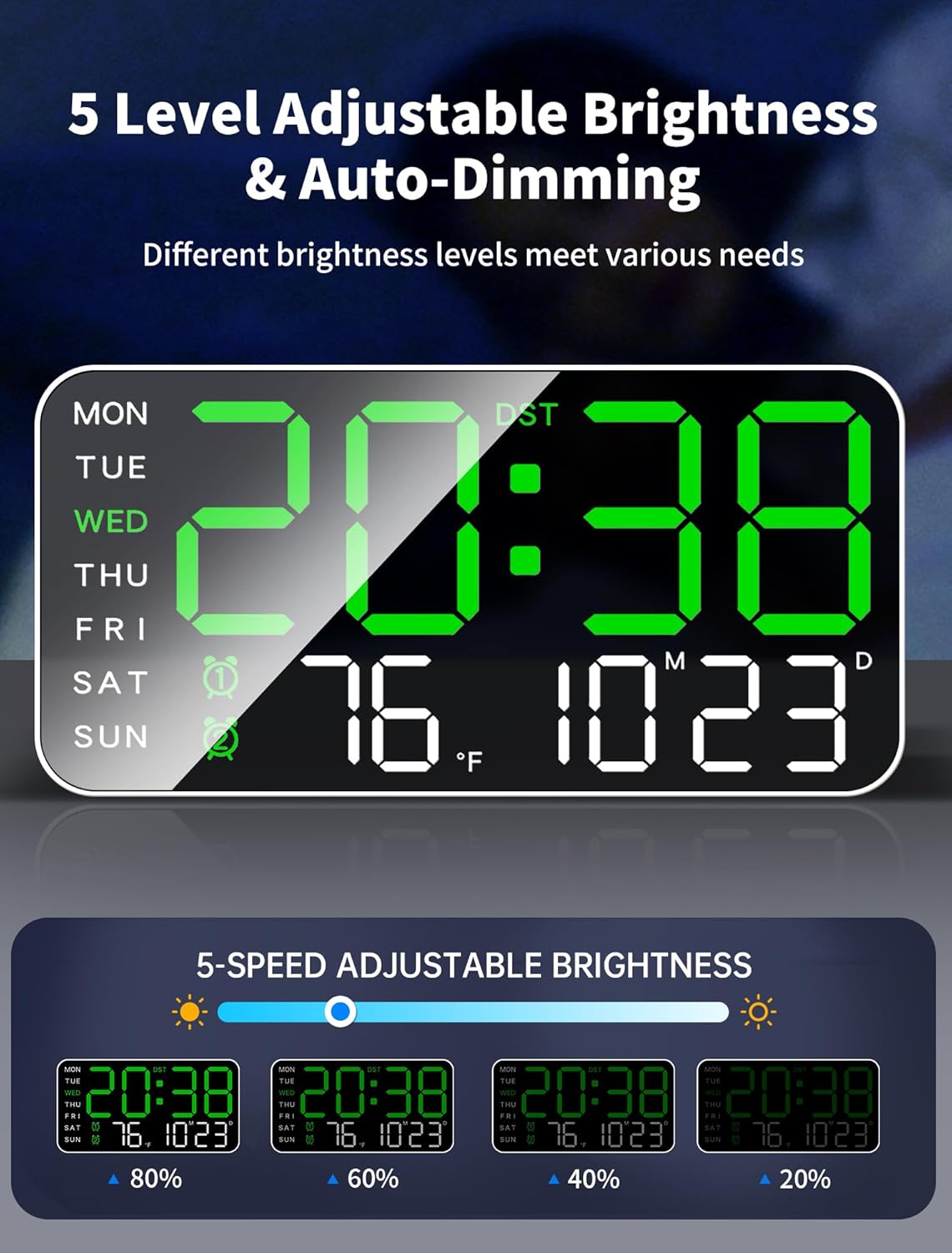
This image demonstrates the 5-level adjustable brightness and auto-dimming feature of the MASHI Digital Wall Clock. It shows the clock's display at various brightness intensities, including 80%, 60%, 40%, and 20%, illustrating how different brightness levels can meet various user needs.
The clock offers 5 levels of brightness and an automatic dimming sensor.
- Press the + button to cycle through the 5 brightness levels (L-01 to L-05).
- To enable automatic brightness adjustment, select 'L-AU'. The built-in sensor will adapt to ambient lighting conditions.
Temperature Display

This image shows the MASHI Digital Wall Clock displaying the time and temperature. Text on the image instructs users to long press the '-' key for 3 seconds to switch the temperature unit between Celsius (°C) and Fahrenheit (°F).
The clock displays the current temperature. To switch between Celsius (°C) and Fahrenheit (°F), long press the - button for 3 seconds.
Placement Options

This image demonstrates the two versatile placement options for the MASHI Digital Wall Clock. On the left, the clock is shown wall-mounted, indicating its suitability for hanging. On the right, it is displayed on a desktop, highlighting its ability to stand freely on a flat surface.
The clock can be placed on a desktop or mounted on a wall.
- Desktop Placement: The clock is designed to stand upright on any flat surface.
- Wall Mounting: Use the two hanging holes on the back of the clock and the provided nails to securely mount it on a wall.
Product Video Overview
This video provides a comprehensive overview of the MASHI 8.4'' Large Digital Wall Clock. It demonstrates key features such as the large LED display, dual alarm settings, automatic brightness adjustment, power options (plug-in for always-on, battery for voice-activated wake-up), and temperature detection. The video also showcases various suitable environments for the clock, including living rooms, bedrooms, studies, and gymnasiums.
Maintenance
- Clean the clock surface with a soft, dry cloth. Do not use abrasive cleaners or solvents.
- If the clock is not used for a long period, remove the AAA batteries to prevent leakage.
Troubleshooting
| Problem | Possible Cause | Solution |
|---|---|---|
| Display is off or dim. | 1. Not plugged in (USB mode). 2. Batteries are low or dead (battery mode). 3. Auto-dimming is active and ambient light is low. | 1. Ensure USB cable is securely connected to a 5V/1A adapter and power source. 2. Replace AAA batteries. 3. Adjust brightness manually or move to a brighter area. |
| Alarm does not sound. | 1. Alarm is not activated. 2. Alarm volume is too low. 3. Weekday mode is incorrectly set. | 1. Ensure alarm icon is displayed. 2. Check alarm settings for volume (if adjustable, though not explicitly stated for this model, it's a common issue). 3. Verify weekday alarm settings. |
| Time/Date is incorrect. | 1. Not set correctly. 2. DST setting is incorrect. | 1. Re-enter setting mode and adjust time/date. 2. Toggle DST setting. |
| Voice-activated wake-up not working. | 1. Clock is in USB power mode (always on). 2. Noise is not loud enough. | 1. This feature only works in battery power-saving mode. 2. Make a louder or closer noise. |
Specifications
- Model: 6659
- Display Type: Digital LED
- Display Size: 8.46" (Width) x 4.33" (Height)
- Power Source: Corded Electric (5V/1A adapter, not included) or 3 x AAA Batteries (not included)
- Brightness Levels: 5 levels + Auto-dimming
- Special Features: Dual Alarms, Snooze, Date Display, Temperature Display (°C/°F), Automatic DST, Voice-activated wake-up (battery mode only), 12/24 Hour Format
- Mounting Type: Wall Mount or Desktop
- Material: Plastic
- Item Weight: 0.5 Pounds (8 ounces)
Warranty and Support
MASHI products are manufactured with high-quality standards. For any questions, technical support, or warranty claims, please refer to the contact information provided on the product packaging or visit the official MASHI website. Please retain your proof of purchase for warranty purposes.
Ask a question about this manual
Ask about setup, troubleshooting, compatibility, parts, safety, or missing instructions. Manuals+ will review the question and use this page’s manual context to help answer it.