
Introduction
This manual provides essential information for the safe and efficient use of your DOOGEE FIRE6 Power Rugged Smartphone. Please read this guide thoroughly before operating your device to ensure optimal performance and longevity. Keep this manual for future reference.
Package Contents
Verify that all items are present in your product package:
- 1 x Fire 6 Power Rugged Phone
- 1 x Type-C USB Cable
- 1 x Charger
- 1 x Thickened Screen Protector
- 1 x Packing Box
- 1 x Manual
- 1 x Service Card

Image: Contents of the DOOGEE FIRE6 Power retail package, including the phone, charger, USB cable, screen protector, manual, and service card.
Device Overview
The DOOGEE FIRE6 Power is a rugged smartphone designed for durability and extended use. It features a robust build, a large battery, and an integrated flashlight.

Image: Front and rear view of the DOOGEE FIRE6 Power smartphone, highlighting its rugged design and camera module.
Key Features:
- Large Battery: 15500mAh capacity with 33W fast charging and 18W reverse fast charging.
- Integrated Flashlight: 120LM brightness with multiple modes.
- High-Resolution Camera: 50MP main camera and 8MP front camera.
- Rugged Design: IP68, IP69K, and MIL-STD-810H certified for dust, water, and drop resistance.
- Powerful Processor: Octa-core processor with 8GB Basic RAM + 12GB Extended RAM and 256GB ROM (expandable up to 2TB).
- Display: 6.56-inch IPS Ultra HD display with 90Hz refresh rate.
- Operating System: Android 14.

Image: Overview of the DOOGEE FIRE6 Power's main features, including battery, flashlight, camera, and display specifications.
Setup
1. SIM Card and SD Card Installation
The DOOGEE FIRE6 Power supports dual SIM cards and expandable storage via an SD card. Locate the SIM card tray on the side of the device.
- Insert the SIM ejector tool into the small hole on the SIM card tray to open it.
- Carefully pull out the tray.
- Place your Nano-SIM card(s) and/or microSD card into the designated slots on the tray, ensuring correct orientation.
- Gently push the tray back into the phone until it clicks into place.

Image: Illustration of the triple card slot for SIM cards and expandable storage on the DOOGEE FIRE6 Power.
2. Initial Power On and Setup
- Press and hold the Power button (usually on the right side) until the DOOGEE logo appears.
- Follow the on-screen prompts to select your language, connect to Wi-Fi, and set up your Google account.
- Configure security settings such as fingerprint recognition or face unlock.
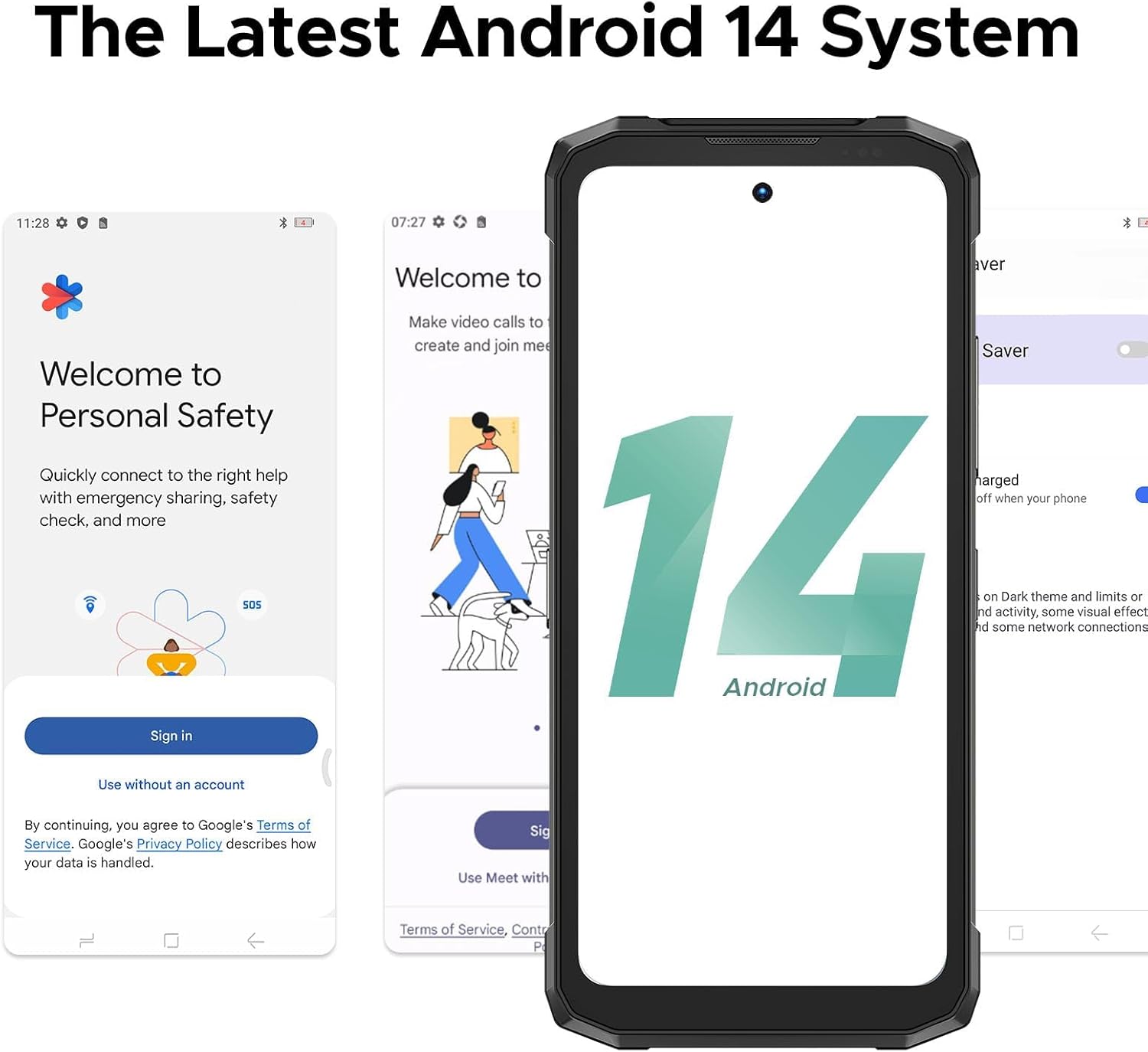
Image: Screenshots demonstrating the initial setup process and the Android 14 interface on the DOOGEE FIRE6 Power.
Basic Operation
Display and Navigation
- Touchscreen: Navigate the interface by tapping, swiping, pinching, and spreading fingers on the 6.56-inch IPS display.
- Home Screen: Access apps, widgets, and notifications.
- Status Bar: Displays time, battery level, signal strength, and notification icons.

Image: The 6.56-inch IPS Ultra HD display of the DOOGEE FIRE6 Power, showcasing its resolution and refresh rate.
Calls and Messaging
- Making Calls: Open the Phone app, enter the number, and tap the call icon.
- Sending Messages: Open the Messages app, start a new conversation, enter the recipient and message, then send.
Camera Usage
The DOOGEE FIRE6 Power features a 50MP main camera and an 8MP front camera.
- Open the Camera app.
- Select your desired mode (e.g., Photo, Video, Portrait).
- Tap the shutter button to capture an image or start/stop recording.

Image: Detailed view of the DOOGEE FIRE6 Power's camera module, indicating the 50MP main camera, 2MP macro camera, and 8MP front camera.

Image: Examples of photography features available on the DOOGEE FIRE6 Power, such as Beauty Mode, HDR Mode, Panorama, Pro Mode, and Bokeh.
Advanced Features
Battery and Charging
The device is equipped with a 15500mAh battery, supporting 33W fast charging and 18W reverse fast charging.
- Charging: Connect the provided Type-C USB cable and charger to the device and a power outlet.
- Reverse Charging: Use the appropriate cable to connect other devices (smartphones, smartwatches, wireless earphones, USB fans, speakers) to your FIRE6 Power for charging.

Image: Visual representation of the 15500mAh battery capacity and 33W fast charging capability of the DOOGEE FIRE6 Power.

Image: The DOOGEE FIRE6 Power demonstrating 18W 3-in-1 OTG fast charging, capable of charging other devices.
Video: Demonstration of the DOOGEE FIRE6 Power's reverse charging capability, showing it charging multiple other smartphones simultaneously.
Integrated Flashlight
The device includes a powerful 120LM flashlight with a beam distance of 10 meters and multiple modes (Extremely Bright, Strong Light, Low Light, Burst Flash, SOS).

Image: The integrated flashlight of the DOOGEE FIRE6 Power, detailing its brightness, color temperature, beam distance, and various operating modes.

Image: The DOOGEE FIRE6 Power's flashlight being used in various outdoor and indoor scenarios, demonstrating its utility.
Connectivity and Navigation
- Wi-Fi: Connect to wireless networks for internet access.
- GPS: Supports GPS, Glonass, Galileo, and Beidou for accurate positioning.
- NFC: For contactless payments and data transfer.
Image: Features like accurate navigation system (GPS, Glonass, Galileo, Beidou), face and side fingerprint recognition, and NFC connectivity on the DOOGEE FIRE6 Power.
Performance and Durability
- Processor: Octa-core processor for smooth performance.
- Cooling: Polymer cooling technology helps manage device temperature.
- Ruggedness: IP68, IP69K, and MIL-STD-810H ratings ensure dust, water, and drop resistance.

Image: Diagram illustrating the powerful octa-core processor and memory configurations (8GB Basic RAM, 12GB Extended RAM, 256GB ROM, 2TB Expandable Storage) of the DOOGEE FIRE6 Power.

Image: Visual representation of the DOOGEE FIRE6 Power's dust-proof, waterproof, and drop-proof capabilities, certified by IP68, IP69K, and MIL-STD-810H standards.
Maintenance
- Cleaning: Use a soft, damp cloth to clean the device. Avoid harsh chemicals.
- Software Updates: Regularly check for and install system updates to ensure optimal performance and security.
- Battery Care: Avoid extreme temperatures. Do not fully discharge the battery frequently.
- Storage Management: Periodically clear unnecessary files and apps to maintain device speed.
Troubleshooting
| Problem | Possible Solution |
|---|---|
| Device does not power on. | Ensure the battery is charged. Connect to the charger for at least 30 minutes before attempting to power on again. |
| Cannot connect to Wi-Fi. | Check if Wi-Fi is enabled. Restart your router and the phone. Verify the Wi-Fi password. |
| Apps are crashing or freezing. | Clear the cache of the problematic app. Update the app to the latest version. If the issue persists, uninstall and reinstall the app. |
| Poor call quality. | Check network signal strength. Move to an area with better reception. Ensure nothing is obstructing the microphone or speaker. |
| Battery drains quickly. | Reduce screen brightness. Close unused apps running in the background. Disable unnecessary features like GPS or Bluetooth when not in use. |
Specifications
| Feature | Detail |
|---|---|
| Model Name | FIRE6 Power |
| Operating System | Android 14 |
| CPU Model | MediaTek Helio P60T |
| CPU Speed | 1.6 GHz |
| RAM Memory Installed Size | 20 GB (8GB Basic + 12GB Extended) |
| Memory Storage Capacity | 256 GB (Expandable up to 2TB) |
| Screen Size | 6.56 Inches |
| Resolution | 720 x 1612 |
| Refresh Rate | 90 Hz |
| Battery Capacity | 15500 mAh |
| Battery Power Rating | 15500 (mAh) |
| Phone Talk Time | 1410 Hours |
| Connectivity Technologies | Wi-Fi, GPS (GPS, Glonass, Galileo, Beidou), NFC |
| Special Features | Large Battery with Fast Charging, Integrated Flashlight, High-Resolution Camera, Rugged (IP68, IP69K, MIL-STD-810H) |
| Main Camera | 50MP |
| Front Camera | 8MP |
| Audio Jack | Type-C |
| Product Dimensions | 6.85 x 3.19 x 0.81 inches |
| Item Weight | 9.2 ounces (262 Grams) |
Warranty and Support
DOOGEE provides support for its products. Based on available information:
- Warranty: The product typically includes a 2-Year Limited Warranty.
- Support: Online support is generally available. Refer to the service card included in your package or visit the official DOOGEE website for detailed support information and contact options.

Image: Information regarding DOOGEE's after-sales support, including warranty and online assistance.


