
Product Overview
The Monster Open AC601 Wireless Earbuds are designed to provide a high-fidelity audio experience with advanced features for everyday use. These clip-on earbuds offer comfort, stable connectivity, and environmental noise cancellation for clear communication.

Image: Monster Open AC601 Wireless Earbuds and their compact charging case.
Key Features:
- Pure Monster Sound: Features 13mm PVK composite sound film for Hi-Fi audio with powerful low frequencies and clear highs.
- Enhanced Call Quality with ENC: Advanced Environmental Noise Cancellation technology reduces background noise for clear conversations.
- Advanced Bluetooth 5.4: Ensures stable connection, synchronized audio-video playback, low latency, and 90% faster transmission rate.
- Quick Charging & Long Battery Life: Total battery life of 32 hours with the charging case, designed for all-day use.
- IPX5 Waterproof: Protects against rain and sweat, suitable for active lifestyles.
- Smart Touch Design: Easy touch controls for calls, track switching, and volume adjustment.
- Comfortable Clip-on Design: Open ear clip design provides a secure, stress-free, and comfortable fit.
Setup Guide
1. Charging Your Earbuds
Before first use, fully charge your Monster Open AC601 earbuds and charging case. Place the earbuds into their respective slots in the charging case. The indicator lights on the case will show the charging status. A full charge provides up to 32 hours of total playtime with the case.
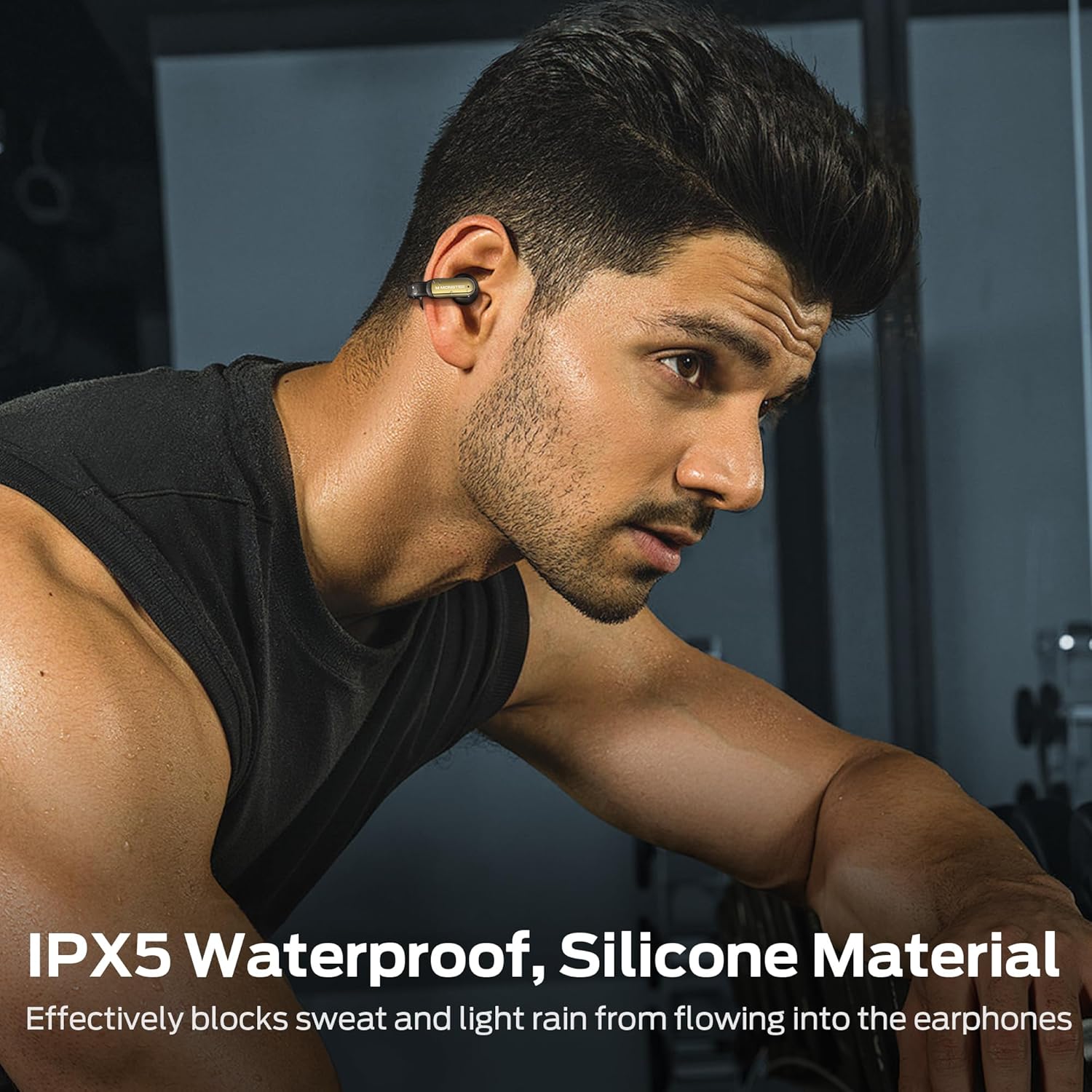
Image: The earbuds and charging case highlighting the 32-hour total playtime and fast charging capability.
2. Wearing Your Earbuds
The Monster Open AC601 earbuds feature a unique clip-on design for secure and comfortable wear. To wear them:
- Place the smaller part of the earbud into your ear canal.
- Clip the larger, curved part of the earbud gently behind your ear.
- Adjust the earbud to a comfortable and secure position. The flexible design ensures a snug fit without causing discomfort, even during vigorous activities.

Image: Step-by-step diagram illustrating the correct way to wear the clip-on earbuds.

Image: A woman demonstrating the comfortable and secure fit of the Monster Open AC601 earbuds.
3. Bluetooth Pairing
To pair your earbuds with a device:
- Open the charging case. The earbuds will automatically enter pairing mode.
- On your device (smartphone, tablet, laptop), enable Bluetooth.
- Search for "Monster Open AC601" in the list of available Bluetooth devices.
- Select it to connect. Once connected, you will hear an audible confirmation.
The earbuds utilize Bluetooth 5.4 for a stable and fast connection, ensuring low latency and synchronized audio-video playback.

Image: Diagram illustrating the advanced Bluetooth 5.4 technology for enhanced connectivity and transmission speed.
Operating Instructions
Touch Control Functions
The Monster Open AC601 earbuds feature intuitive touch controls on each earbud. The following table outlines the common functions:

Image: Visual guide to the touch control functions available on the earbuds.
| Action | Function |
|---|---|
| Tap x2 (L/R) | Answer/End Call, Play/Pause |
| Tap x3 (L) | Decline Phone Call, Previous Song |
| Tap x3 (R) | Next Song |
| Tap x1 (R) | Increase Volume |
| Tap x1 (L) | Reduce Volume |
| Tap x2s (L/R) | Voice Assistant |
Call Management
The earbuds are equipped with Environmental Noise Cancellation (ENC) technology to ensure crystal-clear calls by effectively reducing ambient background noise.

Image: A woman using the earbuds for a call, illustrating the ENC Call Noise Reduction feature.
Audio Playback
Experience Hi-Fi level sound quality with the 13mm PVK composite sound film, delivering rich bass and clear treble for an immersive listening experience.

Image: An exploded view diagram showcasing the internal components of the earbud's 13mm dynamic speaker for upgraded Hi-Fi sound quality.
Care and Maintenance
Proper care ensures the longevity and optimal performance of your Monster Open AC601 earbuds.
Cleaning
- Gently wipe the earbuds and charging case with a soft, dry, lint-free cloth.
- Do not use harsh chemicals, cleaning solvents, or strong detergents.
- Keep charging contacts clean and free of debris.
Water Resistance (IPX5)
The earbuds are rated IPX5 waterproof, meaning they are protected against low-pressure water jets from any direction. This makes them suitable for workouts and light rain.
- Do not submerge the earbuds in water.
- Ensure the earbuds are dry before placing them back into the charging case to prevent damage.

Image: A man wearing the earbuds during a workout, demonstrating their IPX5 waterproof capability against sweat and light rain.
Troubleshooting
If you encounter issues with your Monster Open AC601 earbuds, refer to the following common solutions:
- No Sound/Low Volume: Ensure earbuds are charged, connected to your device, and volume is turned up on both the earbuds and your device.
- Cannot Pair: Make sure Bluetooth is enabled on your device and the earbuds are in pairing mode. Try turning Bluetooth off and on again on your device.
- Intermittent Connection: Ensure earbuds are within range of your device (typically 10 meters/33 feet). Avoid obstacles that may interfere with the Bluetooth signal.
- Earbuds Not Charging: Check if the charging case has power. Ensure the earbuds are correctly seated in the charging case and the charging contacts are clean.
- Touch Controls Unresponsive: Ensure your fingers are clean and dry. Try resetting the earbuds (refer to the full manual for specific reset instructions if needed).
Technical Specifications
| Feature | Specification |
|---|---|
| Brand | Monster |
| Model Name | E62 |
| Connectivity Technology | Wireless (Bluetooth) |
| Bluetooth Version | 5.4 |
| Earpiece Shape | Clip-on |
| Audio Driver Size | 13 Millimeters |
| Audio Driver Type | Dynamic Driver |
| Water Resistance Level | IPX5 (Waterproof) |
| Control Method | Touch |
| Item Weight | 5.3 ounces |
| Battery | 1 Lithium Ion battery required (included) |
| Total Playtime (with case) | Up to 32 hours |
| Color | Black |
| Compatible Devices | Smartphone, Tablet, Laptop, Desktop |
Official Product Videos
No official product videos from the seller are available for this product at this time.
Warranty and Support
For warranty information and customer support, please refer to the documentation included in your product packaging or visit the official Monster website. Keep your proof of purchase for any warranty claims.


