
Proster RD630
Proster 3in1 EMF Meter User Manual
Model: RD630
Brand: Proster
1. Introduction
The Proster 3in1 EMF Meter is a versatile device designed to detect and measure electromagnetic fields (EMF), including electric field (EF), magnetic field (MF), and radio frequency (RF) radiation. This meter is suitable for home EMF inspections, detecting signals from 5G cell towers and Wi-Fi, and can also be used in paranormal research. It features a clear LCD display, sound and light warnings, and an automatic power-off function for convenience and safety.

Image: The Proster 3in1 EMF Meter, showing the device itself, a black and orange carrying case, and a 9V battery.
2. Product Features
- 3-in-1 Multifunction: Measures Electric Field (EF), Magnetic Field (MF), and Radio Frequency (RF) simultaneously.
- Wide Measurement Range:
- RF: 0.01-1800 mW/m²
- EF: 1-1999 V/m
- MF: 0.1-999.9 mG / 0.01-99.99 µT
- High Resolution: RF: 0.01mW/m², EF: 1V/m, MF: 0.1mG/0.1µT.
- 5G Signal Detection: RF function can detect signals up to 10GHz, including 5G.
- Household Appliance EMF Detection: Capable of measuring radiation from TVs, induction cookers, refrigerators, computers, and other electrical devices.
- Clear LCD Display: Large, backlit LCD for easy viewing of readings.
- Sound and Light Warnings: Provides audible and visual alerts when radiation levels exceed safe thresholds (Green for Safe, Yellow for Alert, Red for Avoid).
- Automatic Power Off (APO): Shuts down automatically after 15 minutes of inactivity to conserve battery life.
- Data Hold Function: Allows users to freeze the current reading on the display.
- MAX Mode: Displays the maximum detected radiation value.

Image: A banner highlighting the key features of the Proster 3-in-1 EMF Meter, including its ability to provide audible alarms, measure magnetic and electric field intensity, radio-frequency intensity, data locking, and display battery status.
3. Package Contents
Upon opening the package, please verify that all the following items are included:
- Proster 3in1 EMF Meter (Model: RD630)
- 9V Battery
- User Manual
- Storage Bag

Image: A visual representation of the items included in the EMF Detector kit: the detector unit, its user manual, a 9V battery, and a protective storage bag.
4. Setup
4.1 Battery Installation
- Locate the battery compartment cover on the back of the EMF meter.
- Slide or unclip the cover to open the compartment.
- Insert the provided 9V battery, ensuring the polarity (+ and -) matches the diagram inside the compartment.
- Close the battery compartment cover securely.
4.2 Powering On/Off
- To power on the device, press the Power & Buzzer On/Off button (usually marked with a power symbol and speaker icon).
- The LCD display will light up, and the meter will begin its measurement cycle.
- To power off, press and hold the Power & Buzzer On/Off button until the display turns off.

Image: A detailed diagram of the Proster EMF Meter, labeling its key components: the display screen, indicator lights (green, yellow, red), the Hold/Max button, the Power/Buzzer button, and the Unit/APO button.
5. Operating Instructions
5.1 Understanding the Display
The LCD screen displays readings for Electric Field (EF), Magnetic Field (MF), and Radio Frequency (RF) simultaneously. It also shows the battery indicator, data hold status, and auto power off status.

Image: A detailed view of the EMF Meter's display, illustrating the readings for Electric Field (EF), Magnetic Field (MF), and Radio Frequency (RF), along with their corresponding safety indicators (Safe, Alert, Avoid). It also shows the battery level and an active buzzer alarm icon.
5.2 Interpreting Readings and Alarms
The meter uses a three-color indicator light system (Green, Yellow, Red) and an audible alarm to indicate radiation levels relative to safety thresholds. The thresholds are as follows:
| Alarm Threshold | EF (V/m) | MF (mG) | RF (mW/m²) |
|---|---|---|---|
| Safe (Green Light) | <40 | <4 | <5 |
| Alert (Yellow Light) | 40-80 | 4-8 | 5-10 |
| Avoid (Red Light) | >80 | >8 | >10 |
When the radiation data exceeds the "Safe" threshold, the indicator light will change from green to yellow (Alert) or red (Avoid), and an alarm sound will activate. The alarm sound frequency increases with higher radiation levels.

Image: The Proster EMF Meter demonstrating its sound-light alarm feature. The image shows the meter displaying high radiation levels near a computer, with the red indicator light illuminated and a sound icon indicating an active alarm.
5.3 Button Functions
- Unit / APO Button:
- Short press: Switches the unit for Magnetic Field (mG / µT).
- Long press: Toggles the Auto Power Off (APO) function on or off.
- Hold / Max Button:
- Short press: Activates Data Hold, freezing the current readings on the display. Press again to release.
- Long press: Toggles between current reading mode and MAX mode, which displays the highest value detected since power-on or reset.
- Power & Buzzer On/Off Button:
- Short press: Toggles the audible alarm (buzzer) on or off.
- Long press: Powers the device on or off.

Image: A visual guide to the Proster EMF Meter's functions, detailing how to use the Unit Switch, Data Hold, Mute Function, and Auto Power Off features.
5.4 Measurement Applications
The Proster EMF Meter can be used to detect electromagnetic radiation in various environments:
- Home Environment: Test radiation from household appliances such as microwave ovens, refrigerators, televisions, computers, and Wi-Fi routers.
- Outdoor Environment: Detect signals from cell towers and other high-frequency sources.
- Workplace: Assess EMF levels near office equipment, wiring, and electrical distribution boxes.
- Paranormal Research: Used by enthusiasts to detect unexplained energy fluctuations.
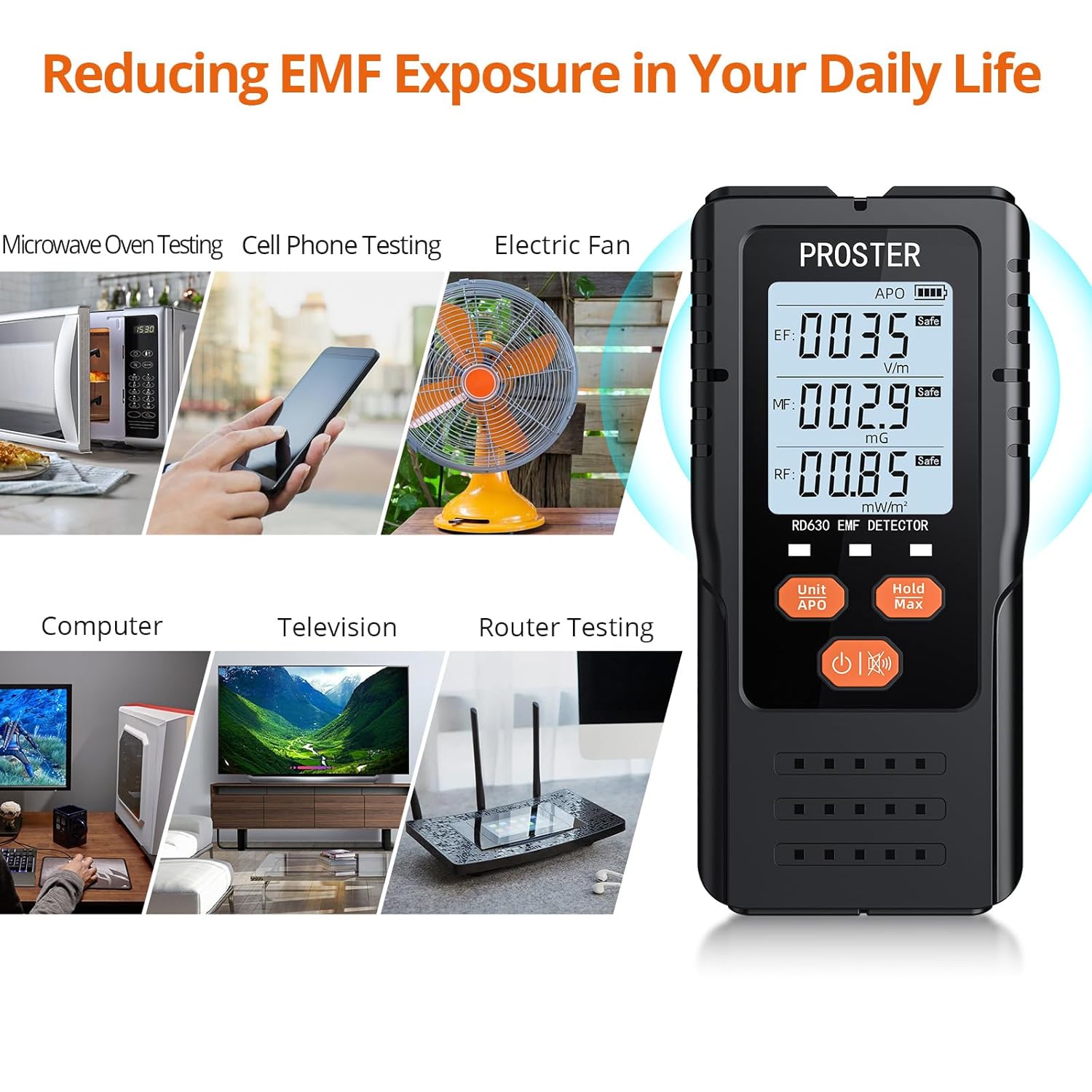
Image: The Proster EMF Meter in use, demonstrating its application in testing common household items such as a microwave oven, cell phone, electric fan, computer, television, and Wi-Fi router for electromagnetic field radiation.
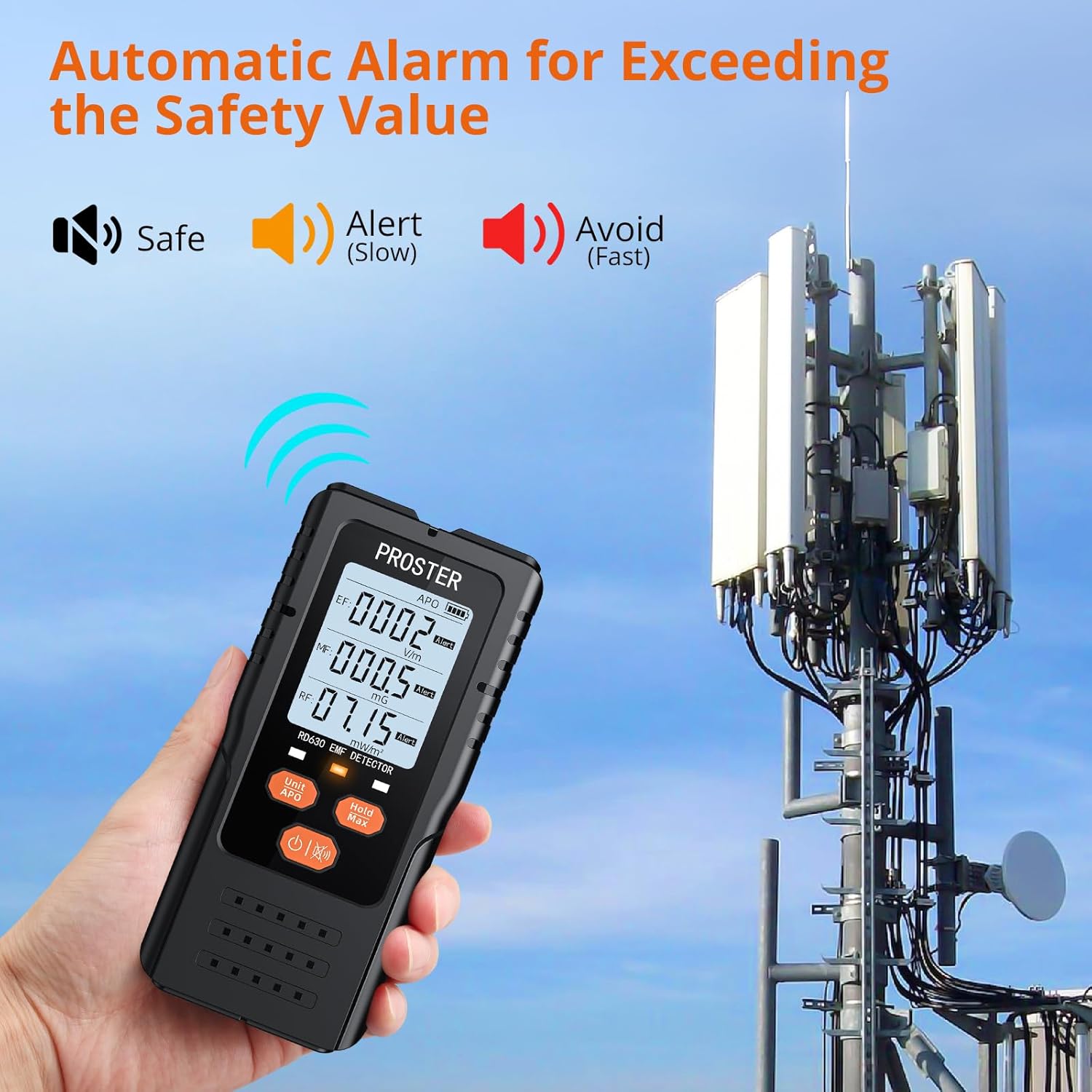
Image: The Proster EMF Meter being used to detect radiation near a cell tower, with the display indicating an "Avoid" alert due to high radiation levels.
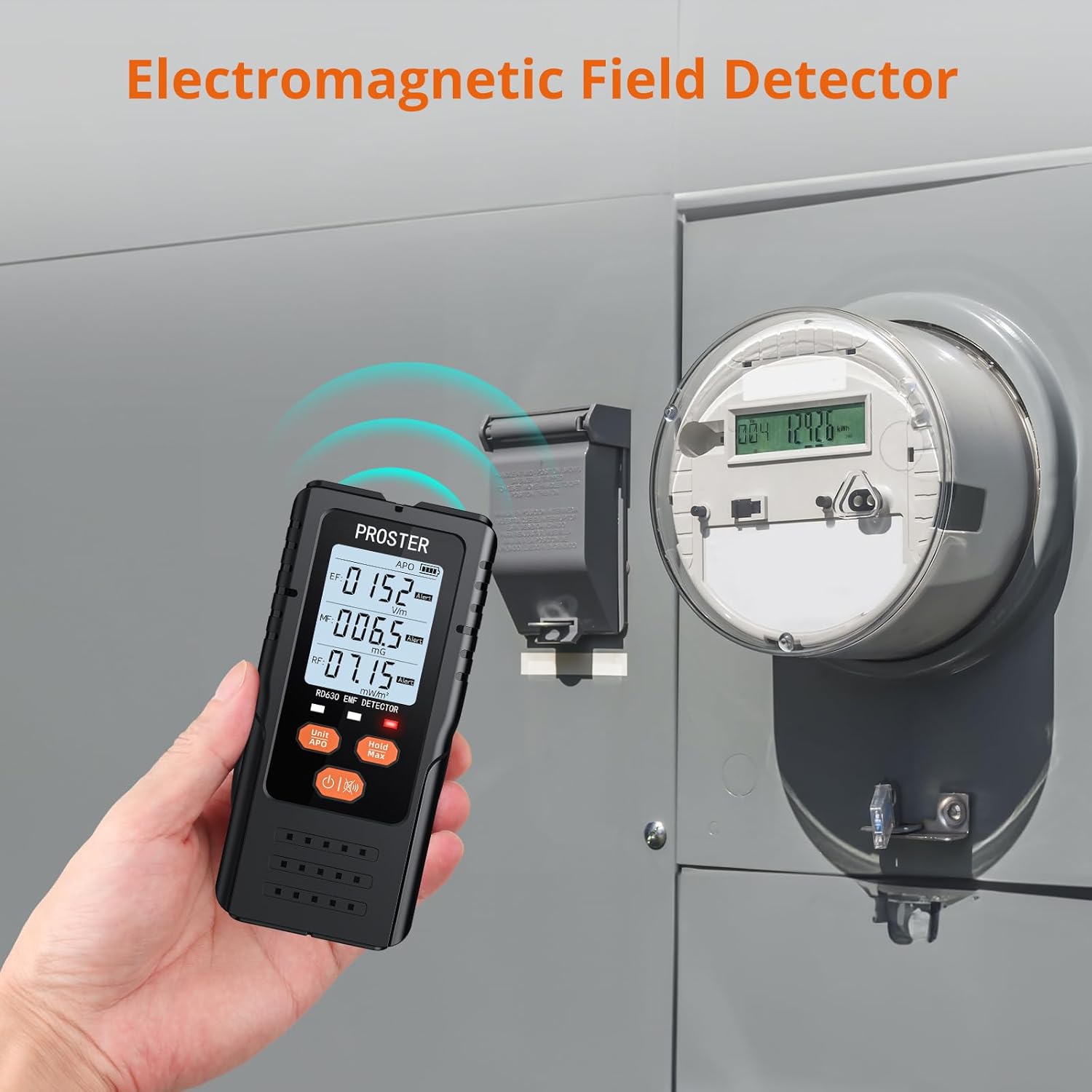
Image: The Proster EMF Meter in action, measuring electromagnetic fields near an electrical meter box, illustrating its use for detecting EMF from power infrastructure.
6. Maintenance
- Cleaning: Use a soft, dry cloth to clean the exterior of the meter. Do not use abrasive cleaners or solvents.
- Storage: When not in use for extended periods, remove the 9V battery to prevent leakage. Store the meter in its provided storage bag in a cool, dry place, away from direct sunlight and extreme temperatures.
- Avoid Impact: Protect the device from drops and impacts, as this can damage internal components.
7. Troubleshooting
| Problem | Possible Cause & Solution |
|---|---|
| Meter does not power on. |
|
| Readings are erratic or zero. |
|
| Audible alarm is not working. |
|
| Auto Power Off (APO) not working. |
|
8. Specifications
| Parameter | Value |
|---|---|
| Model | RD630 |
| Measurement Functions | Electric Field (EF), Magnetic Field (MF), Radio Frequency (RF) |
| EF Range | 1-1999 V/m |
| MF Range | 0.1-999.9 mG / 0.01-99.99 µT |
| RF Range | 0.01-1800 mW/m² |
| EF Resolution | 1 V/m |
| MF Resolution | 0.1 mG / 0.1 µT |
| RF Resolution | 0.01 mW/m² |
| Accuracy | ±5% |
| Bandwidth | 50Hz-3500MHz |
| Power Supply | 1 x 9V Battery (included) |
| Automatic Power Off | After 15 minutes of inactivity |
| Dimensions | 147 x 68.5 x 28 mm (approx. 5.79 x 2.70 x 1.10 inches) |
| Weight | Approx. 9.17 ounces (with battery) |

Image: A comprehensive table outlining the technical specifications of the Proster 3-in-1 EMF Meter, covering its measurement ranges, resolutions, alarm thresholds, accuracy, bandwidth, power requirements, and physical dimensions.
9. Safety Information
- This device is intended for measurement purposes only and should not be used as a substitute for professional health or safety advice.
- Do not attempt to open or modify the device. This will void the warranty and may cause damage or injury.
- Keep the device away from water and high humidity.
- Dispose of batteries according to local regulations.
- Keep out of reach of children.
10. Warranty and Support
Proster products are designed for reliability and performance. For warranty information, technical support, or service inquiries, please refer to the contact information provided with your purchase or visit the official Proster website.
Manufacturer: Proster Trading Limited
For further assistance, you may contact the seller directly via the platform where the purchase was made.
Ask a question about this manual
Ask about setup, troubleshooting, compatibility, parts, safety, or missing instructions. Manuals+ will review the question and use this page’s manual context to help answer it.