
1. Product Overview
This document provides essential instructions for the proper installation, operation, and maintenance of your TOKIT T1 Ultra RO Replacement Water Filter. This filter is designed for use with the TOKIT T1 Ultra water system, providing advanced reverse osmosis filtration to ensure clean and safe drinking water.
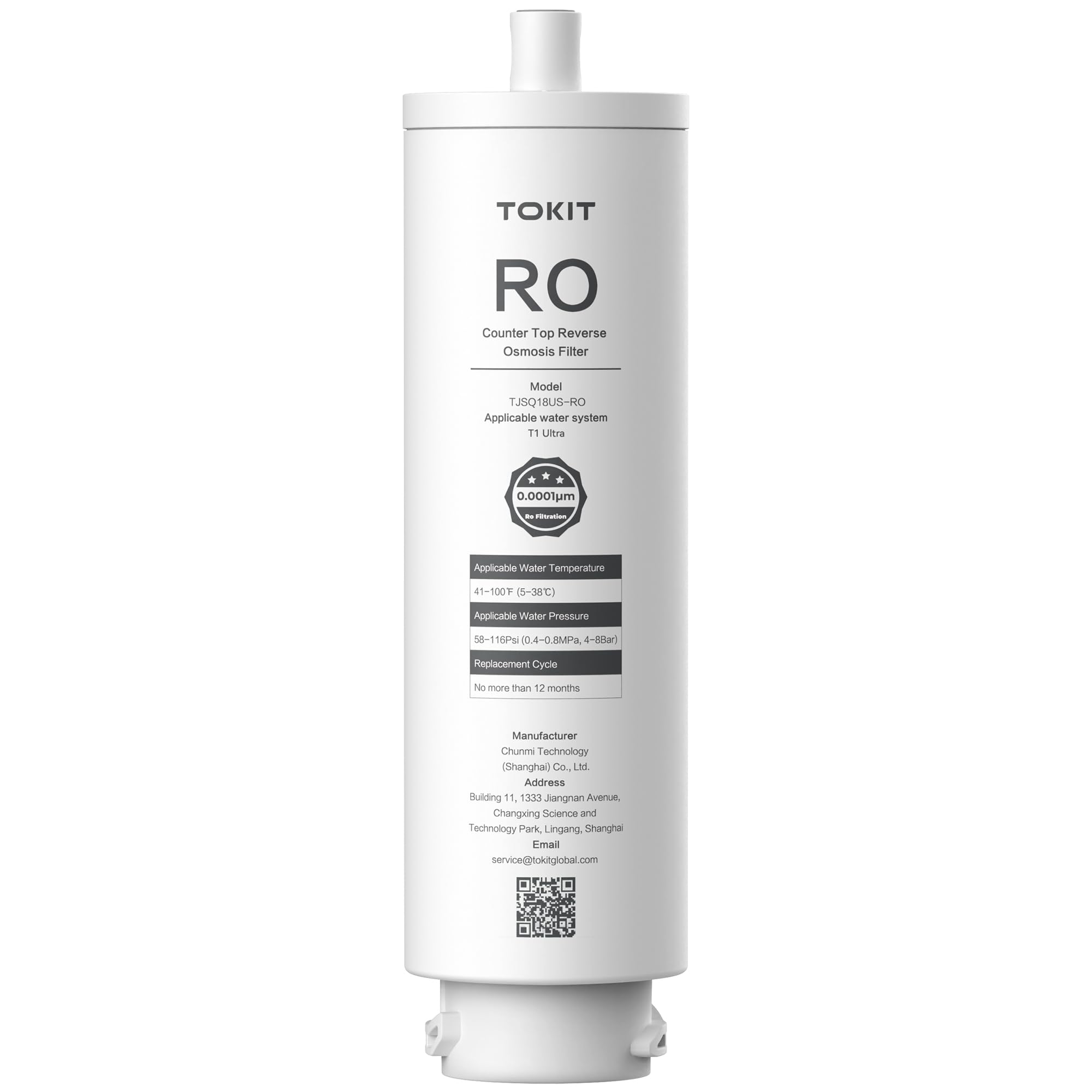
Image 1: The TOKIT T1 Ultra RO Replacement Water Filter shown alongside a TOKIT countertop reverse osmosis water dispenser. The filter is a cylindrical unit, and the dispenser is actively dispensing water into a glass.
2. Specifications
| Model | TJSQ18US-RO |
| Applicable Water System | TOKIT T1 Ultra |
| Filtration Type | Reverse Osmosis (RO) |
| Filtration Precision | 0.0001µm |
| Material | Carbon Fiber |
| Product Dimensions | 5"D x 5"W x 5"H |
| Item Weight | 1.4 Pounds |
| Applicable Water Temperature | 41-100°F (5-38°C) |
| Applicable Water Pressure | 58-116 Psi (0.4-0.8 MPa, 4-8 Bar) |
| Replacement Cycle | No more than 12 months |
| Product Benefits | Removes a wide range of contaminants and is easy to replace |
3. Installation and Setup
This filter is a replacement component for the TOKIT T1 Ultra water system. Refer to your main TOKIT T1 Ultra water system manual for detailed, system-specific filter replacement instructions. The general steps for replacing the RO filter are as follows:
- Prepare the System: Turn off the water supply to your TOKIT T1 Ultra water system. If applicable, unplug the system from the power outlet.
- Release Pressure: Open a faucet connected to the system or use the system's pressure release button (if available) to relieve any residual water pressure.
- Remove Old Filter: Carefully twist or unlatch the old RO filter cartridge from its housing. Be prepared for some water spillage.
- Install New Filter: Remove the new TOKIT T1 Ultra RO Replacement Water Filter from its packaging. Ensure all protective caps or seals are removed. Insert the new filter into the housing, aligning it correctly, and twist or latch it securely until it is firmly in place.
- Restore Water Supply: Slowly turn on the water supply to the TOKIT T1 Ultra system. Check for any leaks around the newly installed filter.
- Flush the System: Before consuming water, flush the system according to your TOKIT T1 Ultra water system's manual. This typically involves running water through the system for several minutes to remove air and any carbon fines from the new filter.
4. Operating Instructions
Once the TOKIT T1 Ultra RO Replacement Water Filter is correctly installed and the system has been flushed, it operates automatically as part of your TOKIT T1 Ultra water system. The system will draw water through the filter for purification as needed.
- Initial Flushing: After installation, ensure the system is thoroughly flushed as described in the installation section. This is crucial for optimal performance and taste.
- System Indicators: Pay attention to any filter life indicators or alerts on your TOKIT T1 Ultra water system, which will signal when the filter is nearing the end of its service life.
5. Maintenance
The primary maintenance for the TOKIT T1 Ultra RO Replacement Water Filter is timely replacement.
- Replacement Cycle: The RO filter should be replaced no more than every 12 months. Actual replacement frequency may vary based on water quality and usage volume.
- Monitoring: Monitor your water system's filter life indicator or note the installation date to ensure timely replacement. Replacing the filter on schedule helps maintain optimal water quality and system performance.
6. Troubleshooting
If you encounter issues after replacing your TOKIT T1 Ultra RO filter, consider the following common troubleshooting steps:
- Reduced Water Flow:
- Ensure the filter is installed correctly and fully seated.
- Check for kinks in water lines or closed shut-off valves.
- If the filter is near or past its replacement cycle, it may be clogged and require replacement.
- Unusual Taste or Odor:
- Thoroughly flush the system for an extended period (e.g., 10-15 minutes) to remove any residual air or carbon fines from the new filter.
- Ensure the filter is correctly installed and sealed.
- If the taste/odor persists after flushing, the filter may be defective or the issue might stem from another component of the water system.
- Leaks Around Filter:
- Turn off the water supply immediately.
- Ensure the filter is properly seated and tightened in its housing.
- Check the O-rings or seals for damage or improper placement.
If these steps do not resolve the issue, please contact TOKIT customer support.
7. Warranty and Support
For warranty information regarding your TOKIT T1 Ultra RO Replacement Water Filter, please refer to the documentation provided with your original TOKIT T1 Ultra water system or contact the manufacturer directly.
Manufacturer Information:
Manufacturer: Chunmi Technology (Shanghai) Co., Ltd.
Address: Building 11, 1333 Jiangnan Avenue, Changxing Science and Technology Park, Lingang, Shanghai
Email: service@tokitglobal.com


