
1. Introduction
This manual provides detailed instructions for the operation and maintenance of your HW HAOWORKS S93 Voice Amplifier. Please read this manual thoroughly before using the device to ensure proper function and longevity.
1.1 Product Overview
The HW HAOWORKS S93 is a portable 30W voice amplifier designed for clear and powerful sound projection. It features a wireless microphone, Bluetooth 5.3 connectivity, and multiple input options, making it suitable for various applications such as teaching, public speaking, tour guiding, and outdoor events.
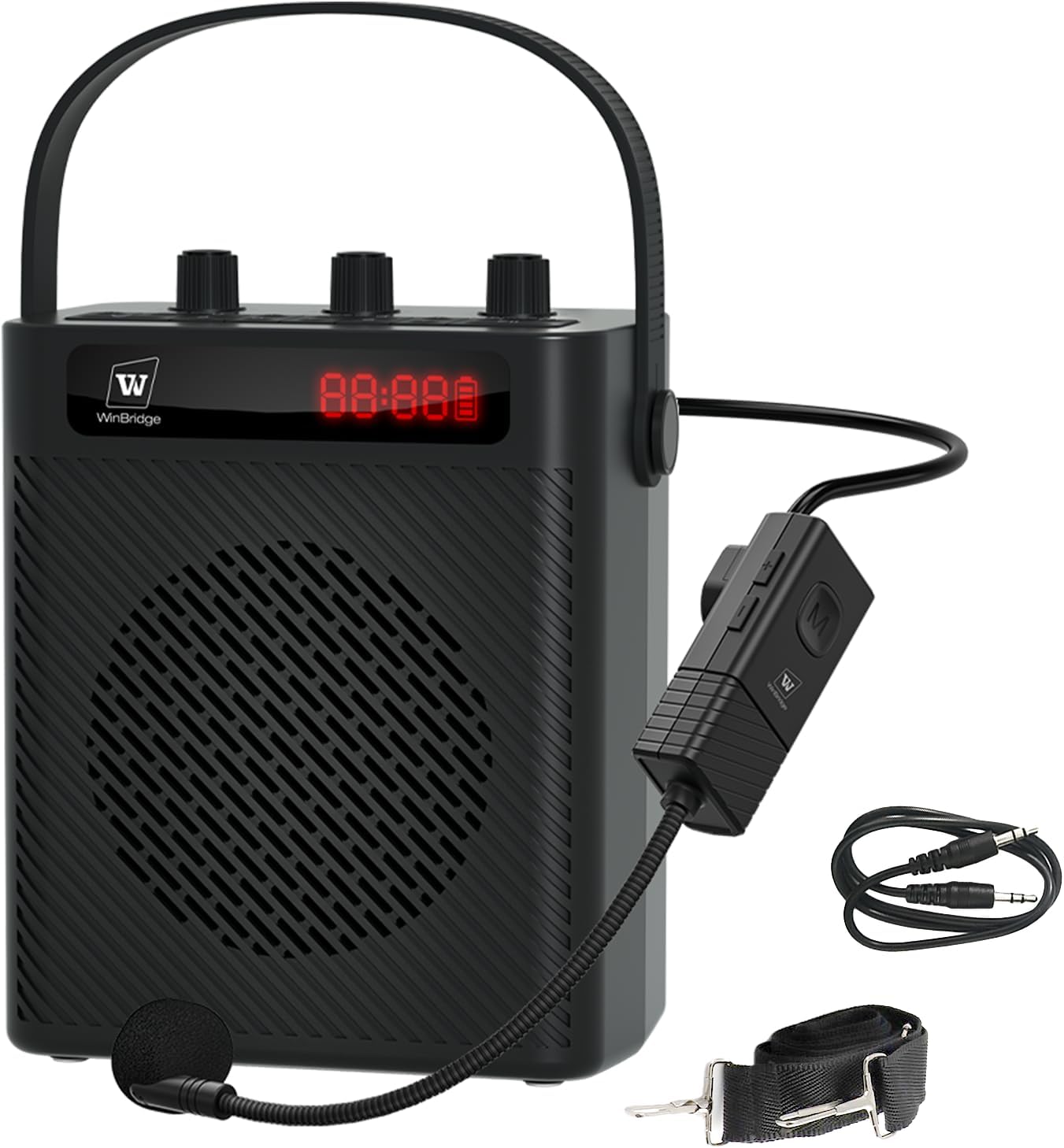
Figure 1: HW HAOWORKS S93 Voice Amplifier with included accessories.
1.2 Key Features
- 30W Powerful Sound: Delivers clear, distortion-free audio across up to 20,000 sq ft.
- Ultra-Lightweight Design: Weighs only 2.2 pounds for enhanced portability.
- UHF Wireless Headset Microphone: Offers one-touch pairing and flexible wearing options.
- Intuitive Control Panel: Features independent knobs for echo, microphone volume, and speaker volume, plus a digital keypad for track selection.
- Versatile Connectivity: Supports Bluetooth 5.3, USB, TF card, and AUX inputs.
- Long-Lasting Battery: Equipped with a 2900mAh rechargeable battery providing 5-6 hours of speaker operation.
- Recording Function: Allows instant audio capture.
2. What's in the Box
Please check the package contents upon receipt to ensure all items are present:
- 1 x S93 Amplifier Speaker
- 1 x Wireless Headset Microphone
- 1 x Strap
- 1 x Aux Cable
- 1 x Type-C Charging Cable

Figure 2: Package contents including the amplifier, microphone, cables, and strap.
3. Setup Guide
3.1 Charging the Device
- Connect the provided Type-C charging cable to the charging port on the S93 amplifier.
- Connect the other end of the cable to a standard USB power adapter (not included) or a computer USB port.
- The LED display will indicate charging status. A full charge typically takes approximately 3 hours.
- Ensure the wireless headset microphone is also charged. It has a separate charging port.

Figure 3: Battery life and charging information for the S93 amplifier and microphone.
3.2 Connecting the Wireless Microphone
- Turn on the S93 amplifier and the wireless headset microphone.
- The microphone and amplifier should automatically pair via UHF technology. A successful connection is usually indicated by a stable light on both devices.
- Adjust the microphone's position for optimal voice capture. The headset can be worn on the head, held as a handheld mic, or hung around the neck for flexibility.

Figure 4: The wireless headset microphone and its versatile wearing styles.
3.3 Carrying Options
The S93 amplifier is designed for portability. Use the integrated soft-grip handle for hand-carrying or attach the adjustable strap for shoulder-carrying.

Figure 5: The compact design and carrying options of the S93 amplifier.
4. Operating Instructions
4.1 Basic Operation
The S93 amplifier features an intuitive control panel:

Figure 6: The S93 amplifier's control panel with knobs and digital keypad.
- Power On/Off: Press and hold the power button to turn the device on or off.
- Volume Control: Use the dedicated 'VOLUME' knob to adjust the overall speaker output.
- Microphone Volume: Use the 'MIC VOL' knob to adjust the volume of the connected microphone.
- Echo Control: Use the 'ECHO VOL' knob to add or remove echo effects to the microphone audio.
4.2 Audio Playback
The S93 supports multiple audio input sources:
- Bluetooth 5.3:
- Turn on the amplifier and enable Bluetooth on your smartphone or other device.
- Select "S93" from the list of available Bluetooth devices to pair.
- Once paired, you can play audio wirelessly from your device.
- USB/TF Card:
- Insert a USB drive or TF card (with audio files) into the respective port on the amplifier.
- The amplifier will automatically detect and begin playing audio files.
- Use the digital keypad (0-9) to quickly switch between tracks.
- AUX Input:
- Connect an external audio source (e.g., MP3 player, laptop) to the AUX input port using the provided AUX cable.
- The amplifier will play audio from the connected device.
- 6.35mm Mic Jack:
- Connect an additional wired microphone or a wireless microphone receiver (with an adapter) to the 6.35mm jack for simultaneous use.
4.3 Recording Function
To record audio:
- Ensure a USB drive or TF card is inserted into the amplifier.
- Press the 'RECORD' button on the control panel to start recording.
- Press the 'RECORD' button again to stop recording. The recorded file will be saved to the inserted storage device.
5. Maintenance
- Keep the device dry and clean. Avoid exposure to water or excessive humidity.
- Clean the exterior with a soft, dry cloth. Do not use abrasive cleaners or solvents.
- Store the amplifier and microphone in a cool, dry place when not in use.
- Charge the battery regularly, even if the device is not used frequently, to maintain battery health.
6. Troubleshooting
- No Sound Output:
- Ensure the amplifier is powered on and charged.
- Check all volume knobs (speaker, microphone) are turned up.
- Verify the microphone is properly paired and charged.
- If using external audio, ensure the cable is securely connected and the source device is playing.
- Sound is Scratchy or Inconsistent:
- Ensure the microphone is within the effective wireless range (approximately 50 feet).
- Check for potential interference from other electronic devices.
- Ensure both the amplifier and microphone are sufficiently charged. Low battery can affect sound quality.
- Adjust the microphone's position to avoid feedback.
- Bluetooth Pairing Issues:
- Ensure Bluetooth is enabled on your device and the amplifier is in pairing mode.
- Forget the device from your phone's Bluetooth list and try pairing again.
- Restart both the amplifier and your Bluetooth device.
- Device Not Charging:
- Verify the charging cable is not damaged and is securely connected.
- Try a different USB power adapter or port.
7. Specifications
| Feature | Detail |
|---|---|
| Brand | HW HAOWORKS |
| Model Number | S93 |
| Power Output | 30W |
| Connectivity Technology | AUX, Bluetooth 5.3, USB, Wireless (UHF) |
| Power Source | Battery Powered |
| Battery Capacity | 2900mAh (Amplifier), 500mAh (Microphone) |
| Charging Time | Approx. 3 hours |
| Operating Time | Speaker: 5-6 hours; Microphone: 5 hours |
| Item Weight | 2.2 Pounds |
| Material | Acrylonitrile Butadiene Styrene (ABS) |
| Audio Input | Microphone, AUX, USB, TF Card |
| Recommended Uses | Classroom teaching, fitness instruction, indoor/outdoor events, public speaking, presentations, training |
8. Warranty and Support
HW HAOWORKS is committed to providing quality products and customer satisfaction. The S93 Voice Amplifier comes with:
- Lifetime After-Sales Support: Our dedicated support team is available to assist you with any questions or concerns regarding your product.
- 24-Hour Response: Expect a response from our support team within 24 hours for inquiries.
For support, please visit the HW HAOWORKS Store on Amazon or contact customer service through your purchase platform.


