Introduction
This manual provides comprehensive instructions for the safe and efficient use of your Pxwaxpy 40,800mAh Portable Charger Power Bank. This device is designed to provide reliable power for your electronic devices on the go, featuring high capacity, fast charging capabilities, and multiple output options.
The power bank incorporates advanced lithium polymer cells for enhanced energy density and safety. Its intelligent controlling IC offers protection against overcharge, overvoltage, overcurrent, and short circuits, ensuring safe operation.

Figure 1: The Pxwaxpy 40,800mAh Portable Charger, highlighting its compact form factor and digital display.
Product Features
- High Capacity: 40,800mAh lithium polymer battery, capable of providing multiple full charges for most smartphones.
- Integrated Cables: Includes built-in iOS (Lightning) and Type-C charging cables for convenience.
- Multiple Outputs: Features 5 output options, including the 2 built-in cables, 2 USB-A ports, and 1 USB-C port, allowing simultaneous charging of up to 5 devices.
- Fast Charging: Supports 25W Power Delivery (PD) and QC 4.0 Quick Charge for rapid device charging.
- Dual Inputs: Can be recharged via the built-in USB-C cable or the dedicated USB-C input port.
- LCD Display: Digital screen indicates the remaining battery percentage of the power bank.
- Advanced Safety: Equipped with an Intelligent Controlling IC to prevent overcharge, overvoltage, overcurrent, and short circuit.
Setup
Initial Charging of the Power Bank
Before first use, it is recommended to fully charge your Pxwaxpy power bank. This ensures optimal battery performance and longevity.
- Locate the built-in USB-C cable or use an external USB-C to USB-C cable.
- Connect the USB-C end of the cable to the power bank's USB-C input port or use the built-in USB-C cable.
- Connect the other end of the cable to a compatible USB wall adapter (not included) or a computer's USB port. For fastest charging, use a 25W PD compatible adapter.
- The LCD display will show the charging progress, indicating the battery percentage. The power bank is fully charged when the display shows "100%".

Figure 2: Charging the Pxwaxpy Power Bank via its Type-C input options.
Operating Instructions
Charging Your Devices
The power bank offers versatile charging options for a wide range of devices.
- Using Built-in Cables:
- For iOS devices (iPhone, iPad): Pull out the built-in Lightning cable and connect it to your device's charging port.
- For Android/USB-C devices: Pull out the built-in Type-C cable and connect it to your device's charging port.
- Using External Ports:
- For USB-A compatible devices: Use your device's original USB-A charging cable and plug it into one of the two USB-A output ports on the power bank.
- For USB-C compatible devices: Use your device's original USB-C charging cable and plug it into the USB-C output port on the power bank. This port also supports Power Delivery (PD) for faster charging.
- Initiating Charge: Once connected, the power bank should automatically begin charging your device. The LCD display will illuminate to show the power bank's remaining battery percentage.
- Simultaneous Charging: You can charge up to 5 devices concurrently using a combination of the built-in cables and external ports.
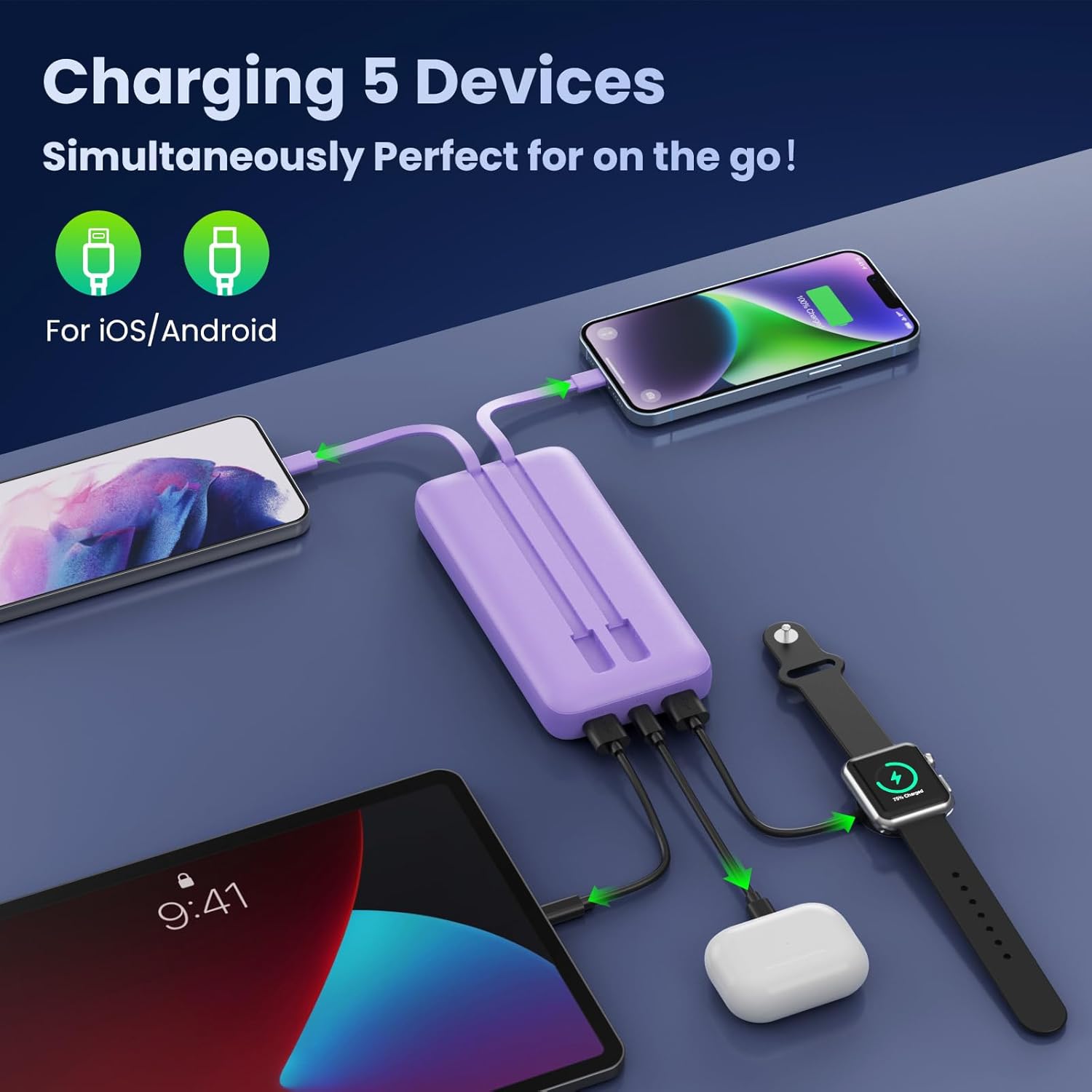
Figure 3: The power bank's capability to charge multiple devices simultaneously.

Figure 4: High-speed charging performance of the Pxwaxpy Power Bank.
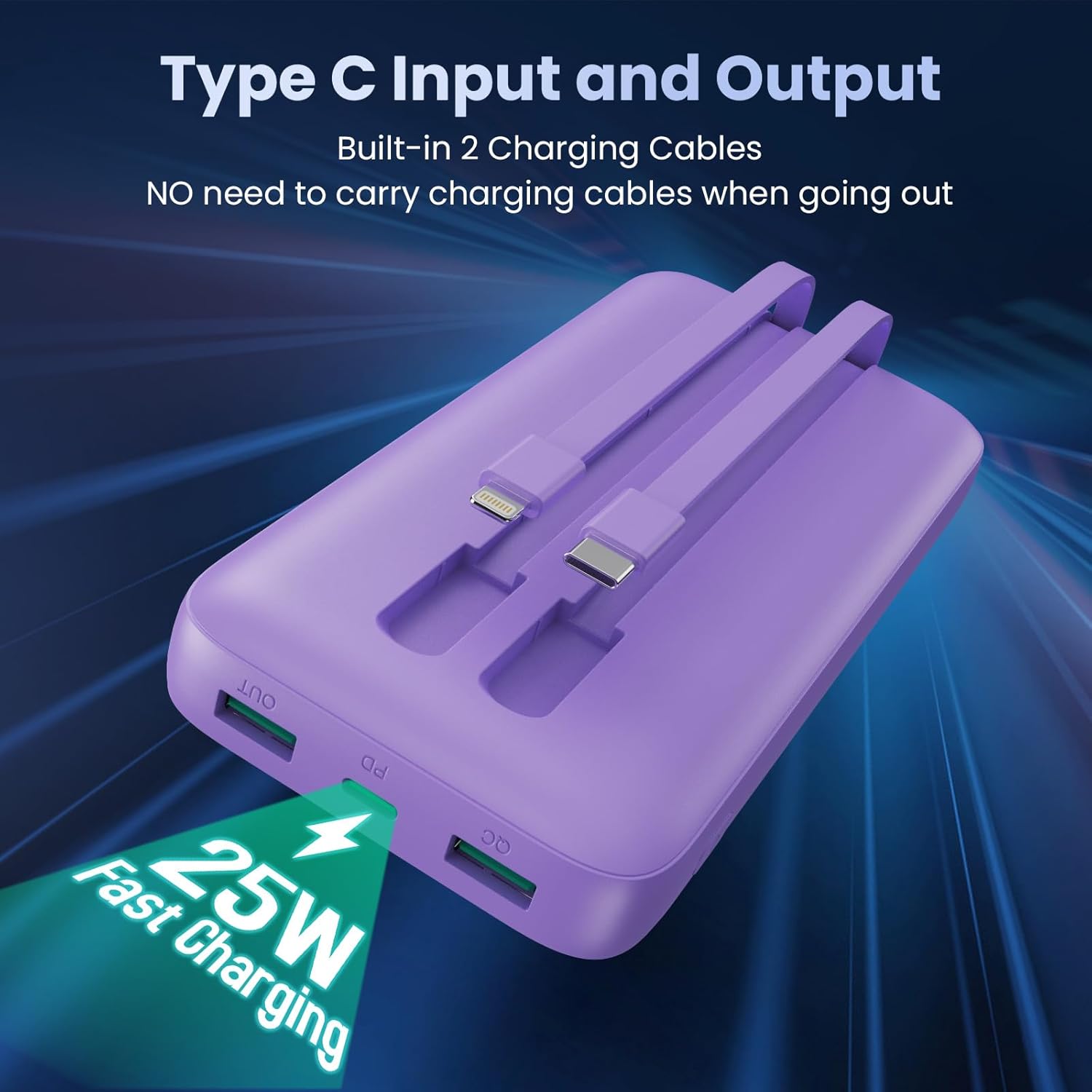
Figure 5: Detail of the built-in charging cables and USB-C input/output port.
Checking Battery Level
The integrated LCD display provides real-time information on the power bank's remaining battery capacity. Simply press the power button once to activate the display and view the percentage.

Figure 6: Internal safety features and high capacity of the power bank.
Maintenance
- Cleaning: Use a soft, dry cloth to clean the exterior of the power bank. Do not use liquid cleaners or abrasive materials.
- Storage: Store the power bank in a cool, dry place away from direct sunlight, extreme temperatures, and humidity.
- Battery Care: To prolong battery life, avoid fully discharging the power bank frequently. Recharge it when the battery level is low. If storing for extended periods, charge it to approximately 50-70% every 3-6 months.
- Avoid Drops: Protect the device from physical shocks and drops, which can damage internal components.
Troubleshooting
| Problem | Possible Cause | Solution |
|---|---|---|
| Power bank not charging. | Charging cable or adapter faulty; power bank fully charged; loose connection. | Check cable and adapter; ensure connections are secure; try a different cable/adapter. |
| Device not charging from power bank. | Power bank battery empty; device cable faulty; device not compatible; power bank in standby. | Recharge power bank; try a different device cable; ensure device is compatible; press power button to activate. |
| Slow charging. | Using a non-fast charging port/cable; device not supporting fast charge; multiple devices charging. | Ensure using PD/QC compatible port/cable; check device's fast charge compatibility; charging multiple devices may reduce individual speed. |
| LCD display not working. | Power bank off; display malfunction. | Press power button to activate; if issue persists, contact customer support. |
Specifications
| Feature | Detail |
|---|---|
| Model Number | HX160Q1 |
| Battery Capacity | 40,800mAh |
| Battery Type | Lithium Polymer |
| Input (USB-C Port) | 25W PD (Power Delivery) |
| Output (Built-in Cables) | 1 x iOS (Lightning), 1 x Type-C |
| Output (Ports) | 2 x USB-A, 1 x USB-C (PD/QC 4.0) |
| Product Dimensions | 5.91 x 2.95 x 0.59 inches |
| Item Weight | 1.1 pounds |
| Color | Purple (Built in 2 Cables) |
| Manufacturer | Dongguan Haoxun Electronic Technology Co., Ltd. |
Warranty and Support
Your Pxwaxpy Portable Charger Power Bank comes with lifetime technical support. For any inquiries, technical assistance, or warranty claims, please refer to the contact information provided on the product packaging or the official Pxwaxpy website. Please retain your proof of purchase for warranty validation.
Note: Specific warranty duration may vary. Please check the product packaging or manufacturer's official documentation for precise warranty terms and conditions.


