
1. Introduction
The NEEWER Q200 is a compact and portable 200Ws outdoor studio flash designed for professional photography. It features advanced smartphone app control, high-speed sync (HSS), and multiple flash modes to meet diverse lighting needs. With its robust battery and efficient cooling system, the Q200 ensures stable and reliable performance for various shooting environments.

Figure 1: NEEWER Q200 200Ws Outdoor Studio Flash with accessories.
2. What's in the Box
- 1 x Q200 Outdoor Strobe Flash
- 1 x Metal Handle
- 1 x Li-ion Battery
- 1 x Battery Dock
- 1 x Power Adapter
- 1 x Carrying Bag

Figure 2: All items included in the NEEWER Q200 package.
3. Setup
3.1 Battery Installation and Charging
- Ensure the Q200 flash is powered off.
- Insert the 14.8V/3200mAh lithium battery into the battery compartment until it clicks into place.
- For optimal battery longevity, fully charge the device before first use. Connect the battery to the included battery dock and power adapter. Charging takes approximately 3 hours.

Figure 3: Battery installation and charging setup for the Q200.
3.2 Mounting the Flash
- Attach the all-metal handle to the Q200 flash using the anti-twist 1/4" screw.
- Mount the flash onto a compatible light stand using the three-way interface at the bottom of the handle. The handle allows for 135° tilt adjustment.

Figure 4: Q200 mounted on a light stand with a softbox.
4. Operating Instructions
4.1 Power On/Off
Locate the power switch on the flash unit and toggle it to the 'ON' position to power on the device. Toggle to 'OFF' to power down.
4.2 Flash Modes
The Q200 offers professional flash modes for various photographic needs:
- TTL Mode: Provides automatic exposure compensation (±3.0 in 19 levels).
- M (Manual) Mode: Offers power output from 1/256 to 1/1 (9 levels) with ±0.1-0.9EV exposure compensation. Activates continuous shooting under ≤1/16 power.
- S1/S2 Modes: Allows optical triggering for slave flash functionality.
- MULTI Mode: Provides power output from 1/256 to 1/4 (7 levels), adjustable flash times (1-100), and frequency (1-100Hz).

Figure 5: Overview of professional flash modes.
4.3 High-Speed Sync (HSS)
The Q200 supports 1/8000s HSS via a compatible QPro trigger (not included) for optimal background exposure control. It also features a 2.5mm sync port for front/rear curtain sync.
4.4 Modeling Light
The 10W high-brightness modeling light offers adjustable brightness (10%-100%) and color temperature (2700K-6500K, ±100K). It supports automatic brightness adjustments with flash power changes in PROP mode.

Figure 6: HSS and Modeling Light features.
4.5 App Control
Control multiple flash modes, menu functions, and perform OTA firmware upgrades directly from your smartphone using the dedicated app.
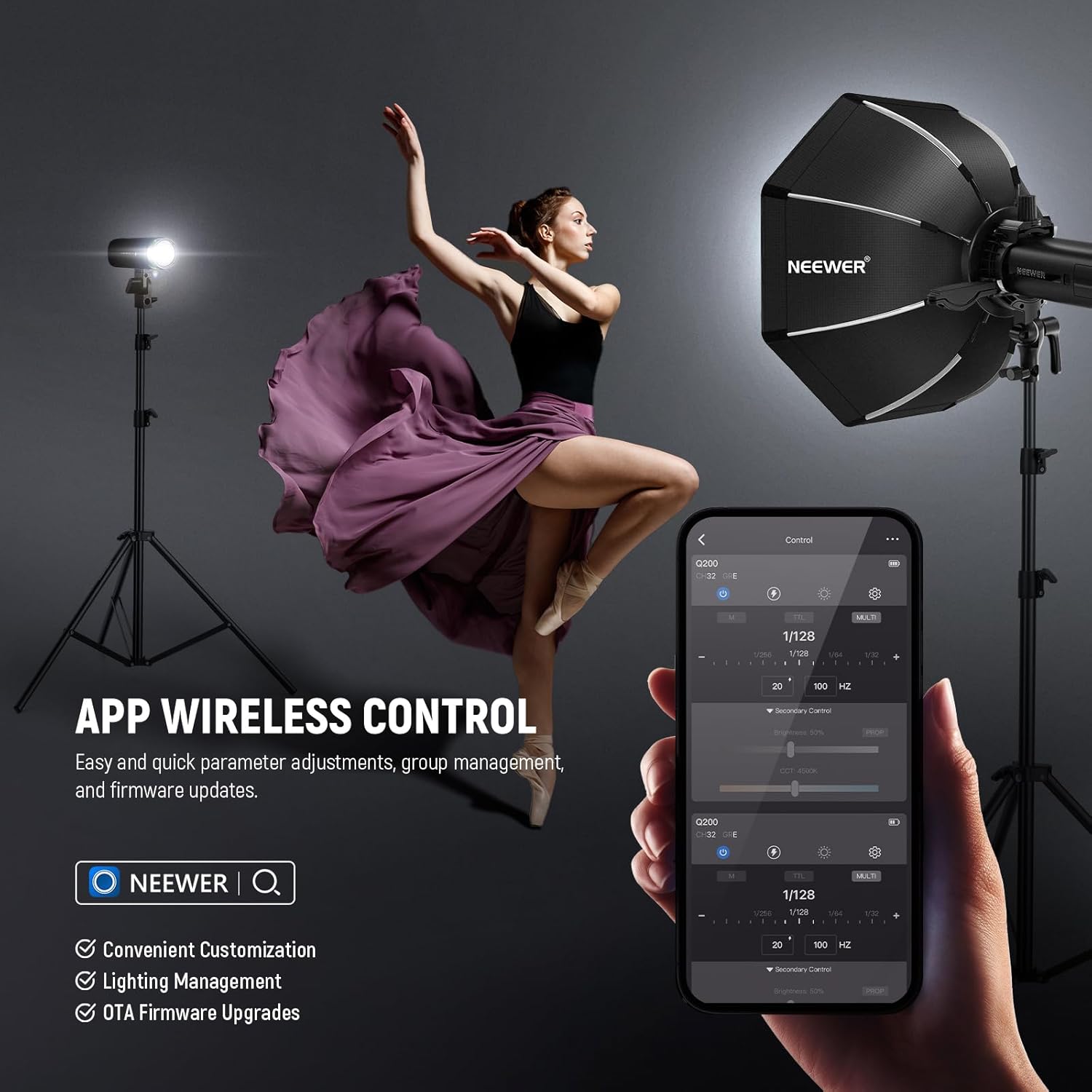
Figure 7: Smartphone app interface for Q200 control.
4.6 Wireless Triggering
The Q200 integrates the NEEWER 2.4G wireless Q system, compatible with QPRO-C/N/S triggers (excluding QPRO-F triggers) and other built-in Q system speedlights. This allows for triggering at distances up to 328ft/100m with efficient group (A/B/C/D/E), channel (CH01-32), and ID (01-99) settings. The mask function aids in separating subjects from backgrounds for post-processing.

Figure 8: Wireless triggering system in action.
5. Maintenance
5.1 Cleaning
Regularly clean the flash unit with a soft, dry cloth. Avoid using harsh chemicals or abrasive materials that could damage the surface or internal components.
5.2 Battery Care
To prolong battery life, store the battery in a cool, dry place when not in use. Avoid fully discharging the battery frequently. Always fully charge the battery before extended storage.
6. Troubleshooting
If you encounter any issues with your NEEWER Q200 flash, please refer to the official NEEWER support resources or contact customer service for detailed troubleshooting guides.
7. Specifications
| Feature | Detail |
|---|---|
| Flash Power | 200Ws |
| Color Temperature | 5600K (±100K) |
| Flash Duration | Up to 1/13510s |
| Recycle Time | 0.01-1.5s |
| Full Power Flashes | Up to 750 |
| Battery Capacity | 14.8V/3200mAh Lithium |
| Modeling Light | 10W, 2700K-6500K (±100K), 10%-100% adjustable brightness |
| Wireless System | NEEWER 2.4G Q System |
| Wireless Range | Up to 328ft/100m |
| Sync Port | 2.5mm |
| Mounting | Anti-twist 1/4" screw, 135° tilt adjustment, three-way interface |
| Dimensions | 3.2" x 3.2" x 8.7" / 81 x 81 x 220mm |
| Item Weight | 2.2lb / 988g (including battery) |
8. Warranty and Support
For detailed warranty information, product registration, and technical support, please visit the official NEEWER website or contact their customer service department. Keep your purchase receipt for warranty claims.


