
1. Product Overview
This manual provides detailed instructions for the installation, operation, and maintenance of your LASERTAIL 10-inch Android 12 car radio. Designed specifically for Toyota RAV4 models from 2013 to 2018, this head unit offers advanced features including an 8-core processor, 32GB ROM, wireless CarPlay, Android Auto, 5Ghz WiFi, GPS navigation, DSP audio processing, and support for AHD backup cameras.
The system is engineered for a seamless upgrade to your vehicle's entertainment and navigation capabilities, ensuring a responsive and user-friendly experience.
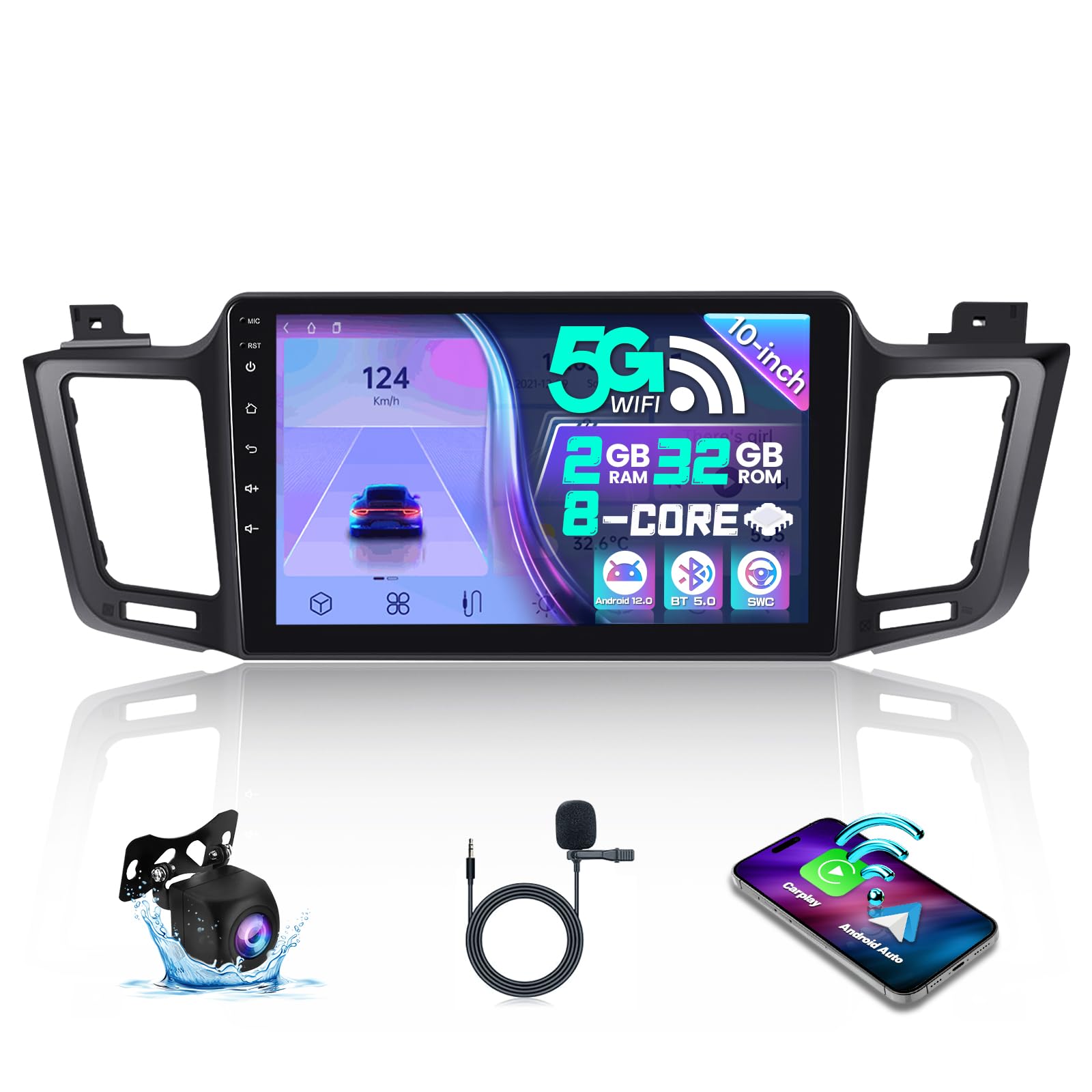
Image: The LASERTAIL 10-inch car radio seamlessly integrated into a Toyota RAV4 dashboard, showcasing its large display and user interface.
2. Setup and Installation
Before beginning installation, ensure your vehicle is turned off and the battery is disconnected. Refer to the included installation instructions for specific steps tailored to your Toyota RAV4 model. Professional installation is recommended.
2.1 Compatibility Check
This unit is compatible with Toyota RAV4 models from 2013 to 2018. Please verify your vehicle's dashboard configuration matches the compatible designs shown below.

Image: A visual guide indicating compatible and incompatible dashboard configurations for the Toyota RAV4 2013-2018 models, ensuring proper fitment.
2.2 Wiring the Harness
Carefully connect the provided wiring harness to the car radio and your vehicle's existing wiring. Ensure all connections are secure to prevent electrical issues.
Video: A step-by-step guide demonstrating how to properly connect the wiring harness to the LASERTAIL car radio.
2.3 Connecting the Backup Camera
The included AHD backup camera requires specific wiring for power and video signal. Connect the camera cable to the designated input on the car radio. Ensure the reverse trigger wire is correctly connected to enable automatic display when reversing.
Video: Instructions on connecting the backup camera to the car radio system, including video and power connections.
3. Operating Instructions
This section covers the primary functions and features of your LASERTAIL car radio.
3.1 CarPlay and Android Auto
The unit supports both wired and wireless Apple CarPlay and Android Auto. Connect your smartphone via USB or Bluetooth to access navigation, music, messages, and voice assistants directly on the car radio's screen.

Image: The car radio displaying both Apple CarPlay and Android Auto interfaces, highlighting voice command functionality.
3.2 GPS Navigation
Utilize the built-in GPS module for online or offline navigation. Download your preferred map applications from the Google Play Store via 5Ghz WiFi connection.

Image: The car radio screen showing a GPS navigation map, with icons for popular navigation apps like Google Maps, Waze, and Here WeGo.
3.3 Bluetooth 5.0 Connectivity
Connect your phone via Bluetooth 5.0 for stable and clear hands-free calling and audio streaming. Access your phonebook directly from the head unit.

Image: Passengers in a car enjoying music and making hands-free calls, illustrating the Bluetooth 5.0 functionality of the car radio.
3.4 Audio Experience (DSP & EQ)
The built-in Digital Sound Processor (DSP) with up to 48 bands of equalization allows you to customize your audio experience. Adjust sound effects and sound fields to create your preferred listening environment.

Image: The car radio's display showing detailed DSP and 48-band equalizer settings, allowing users to fine-tune their audio output.
3.5 Steering Wheel Control (SWC)
Maintain your original steering wheel control functionality. Easily switch music tracks, adjust volume, and answer calls without taking your hands off the wheel, enhancing driving safety.

Image: A driver's hand on the steering wheel, with the car radio screen showing the interface for customizing steering wheel control functions.
3.6 AHD Backup Camera
The included AHD rear view camera provides high-definition, 170° wide-angle views with night vision. When reversing, the screen automatically displays the camera feed with guidelines for safe maneuvering.

Image: An illustration of the AHD backup camera system, showing the camera unit and its high-definition, wide-angle view with parking assistance lines on the car radio screen.
3.7 Cooling Fan
The integrated smart cooling fan helps prevent overheating. It activates automatically based on preset CPU temperature or volume conditions, extending the lifespan of the unit.

Image: A diagram illustrating the smart cooling fan located at the rear of the car radio, with a graph demonstrating its effectiveness in maintaining optimal operating temperatures.
3.8 HD IPS Touch Screen
Experience vivid visuals on the 10-inch 1280*720P IPS capacitive touch screen. Its high-definition display ensures clarity for navigation, videos, and app interfaces.

Image: A visual comparison highlighting the superior clarity and detail of the 1280x720 IPS HD touch screen compared to lower resolution displays.
4. Maintenance
To ensure the longevity and optimal performance of your car radio, follow these maintenance guidelines:
- Cleaning: Use a soft, dry cloth to clean the screen and exterior. Avoid abrasive cleaners or solvents that could damage the display or finish.
- Software Updates: Periodically check for available software updates to ensure you have the latest features and performance enhancements. Updates can typically be downloaded via the unit's WiFi connection.
- Environmental Conditions: Avoid exposing the unit to extreme temperatures, direct sunlight for prolonged periods, or excessive moisture.
5. Troubleshooting
If you encounter any issues with your LASERTAIL car radio, please refer to the following common troubleshooting tips:
- No Power: Check all power connections and fuses. Ensure the vehicle's ignition is on.
- No Sound: Verify speaker connections, volume settings, and audio source selection. Check if the mute function is active.
- GPS Signal Loss: Ensure the GPS antenna is properly installed and has a clear view of the sky. Try restarting the unit.
- CarPlay/Android Auto Not Connecting: Ensure your phone's software is up to date. Try reconnecting the USB cable or re-pairing via Bluetooth. Check phone settings for CarPlay/Android Auto permissions.
- Backup Camera Not Displaying: Verify the camera's power and video connections. Ensure the reverse trigger wire is correctly connected and receiving a signal when the vehicle is in reverse.
- System Lagging: Close unnecessary background applications. If issues persist, consider a factory reset (note: this will erase all user data).
For persistent issues or technical assistance, please contact LASERTAIL customer support as indicated in the Warranty and Support section.
6. Specifications
| Feature | Detail |
|---|---|
| Brand | LASERTAIL |
| Model Number | c42e65e3-5bbd-4c1a-8502-da0c2514ef5f |
| Operating System | Android 12 |
| Processor | UIS8581A 8 Core |
| RAM | 2GB |
| ROM | 32GB |
| Screen Size | 10.1 Inch |
| Display Resolution | 1280*720P IPS |
| Connectivity | Bluetooth 5.0, USB, 5Ghz Wi-Fi |
| Special Features | Android Auto, Apple CarPlay, GPS Navigation, Touchscreen, DSP (48EQ), Split Screen, Voice Assistant, Mirror Link, AHD Backup Camera Support, Smart Cooling Fan |
| Audio Output Mode | Stereo |
| Output Power | 80 watts |
| Compatible Devices | Smartphone |
| Supported Internet Services | Browser, Netflix, YouTube |
| Control Method | Touch, Voice |
| Color | Black |
7. What's in the Box
The product package includes the following items:
- Car radio and Frame (1 unit)
- AHD rear view camera (1 unit)
- Installation kit (1 set)
- Function instruction (1 manual)
- Installation instruction (1 manual)

Image: A comprehensive display of all items included in the LASERTAIL car radio package, such as the head unit, cables, camera, and manuals.
8. Warranty and Support
Your LASERTAIL car radio comes with a 1-year warranty from the date of purchase, covering manufacturing defects. Please retain your proof of purchase for warranty claims.
For technical support, troubleshooting assistance, or warranty inquiries, please contact our technical engineers directly via the contact information provided in the user manual or through the seller's contact channels. We offer one-on-one service to address any issues you may encounter.