
Introduction
Thank you for choosing the INIU P41 Ultra Slim 10000mAh 45W Portable Charger. This power bank is designed for efficient and safe charging of your electronic devices on the go. Featuring a compact design, high-density TinyCell technology, and multiple charging ports, it provides reliable power for various devices.
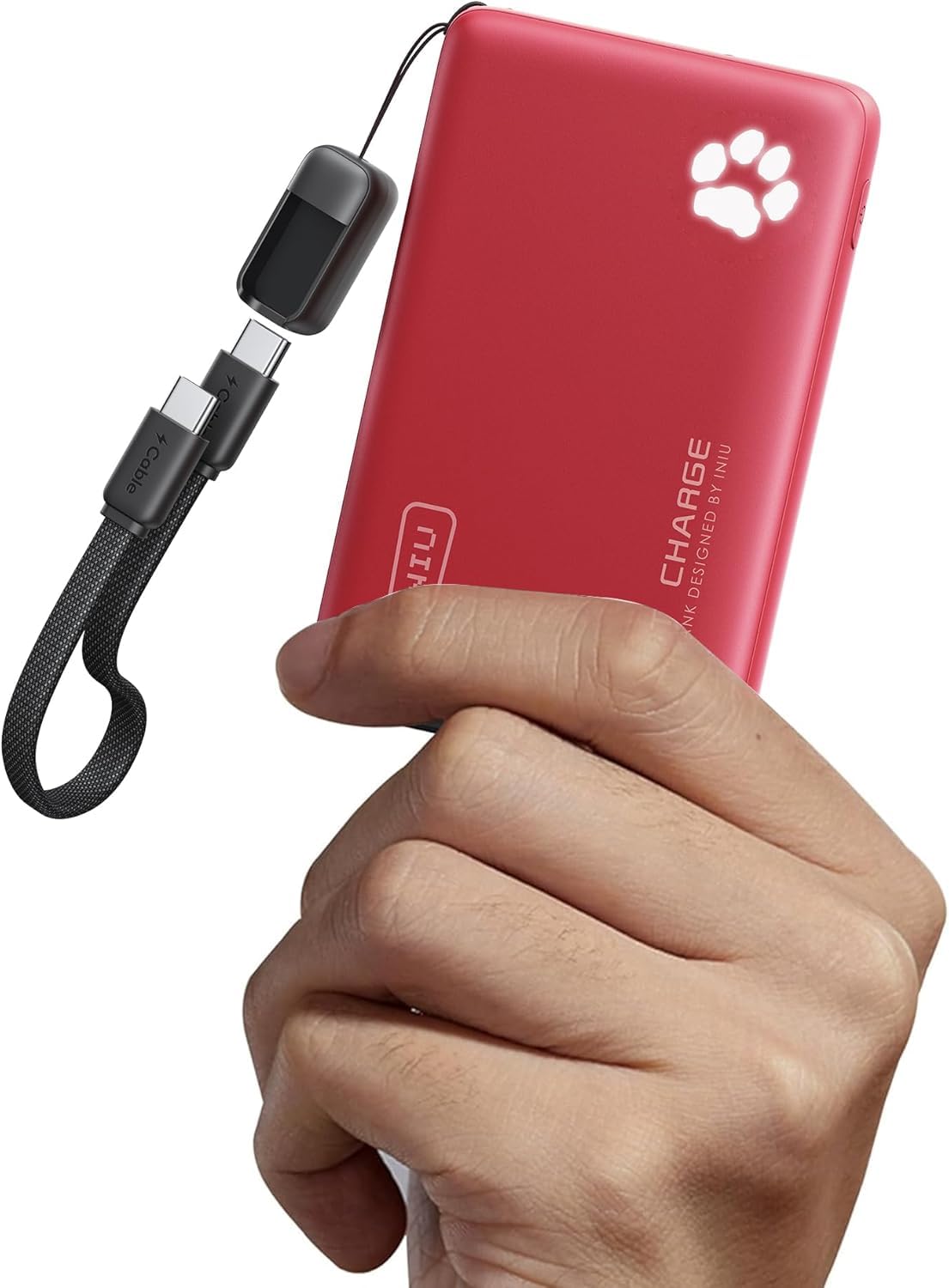
Image: The INIU P41 Portable Charger in red, showcasing its sleek design.
Package Contents
- INIU 10000mAh Portable Charger (P41) x 1
- 0.12M/0.4ft Lanyard USB-C to USB-C Cable x 1
- User Manual x 1
Product Features
Charging Ports
The INIU P41 is equipped with versatile charging ports:
- 2 x USB-C Ports (IN/OUT): Both USB-C ports support both input and output, allowing you to recharge the power bank or charge your devices.
- 1 x USB-A Port (OUT): A standard USB-A port for charging compatible devices.

Image: The INIU P41 Portable Charger connected to a smartphone, earbuds, and a smartwatch, demonstrating its multi-device charging capability.
Paw Print LED Indicator
The unique paw print LED indicator displays the remaining battery level:
- Each paw segment represents approximately 20% of the battery capacity.
- Press the power button once to check the current battery level.
- When charging, the paw segments will light up progressively to indicate charging status.
Built-in Flashlight
The power bank includes a convenient built-in flashlight:
- Double-click the power button to turn the flashlight ON or OFF.
Attached USB-C GoCord
The integrated USB-C to USB-C cable serves as a lanyard and a charging cable, ensuring you always have a cable handy for charging or recharging.
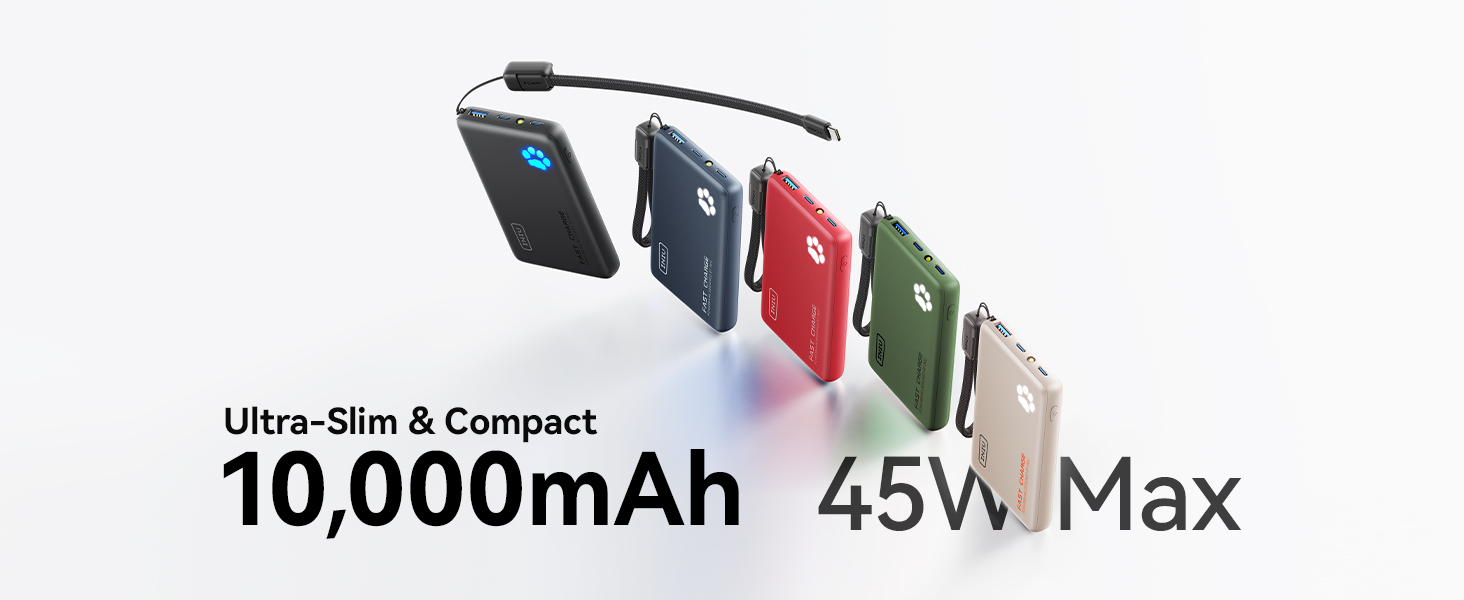
Image: The INIU P41 Portable Charger highlighting the attached USB-C GoCord, which functions as both a lanyard and a charging cable.
Advanced Safety Features
The INIU P41 incorporates an 18-Layer SmartProtect System and Temp°Guard 3.0 technology to ensure safe and optimized charging:
- Protections against overcharge, over-discharge, over-current, short-circuit, and extreme temperatures.
- Temp°Guard dynamically adjusts power output to prevent overheating and protect your devices.

Image: Diagram illustrating the 18-Layer SmartProtect System for the INIU P41 Portable Charger, emphasizing safety features.
Setup and Charging the Power Bank
To ensure optimal performance, fully charge your INIU P41 Portable Charger before first use.
- Connect the attached USB-C to USB-C cable (or another compatible USB-C cable) to one of the power bank's USB-C ports.
- Plug the other end of the cable into a compatible USB wall charger (not included).
- The paw print LED indicator will light up and flash progressively to show the charging status. All segments will remain solid when fully charged.
The power bank supports up to 27W input for fast recharging.

Image: The INIU P41 Portable Charger being recharged via its USB-C port using a wall adapter.
Operating Instructions
Charging Your Devices
To charge your devices:
- Connect your device to one of the power bank's output ports (USB-C or USB-A) using a compatible charging cable.
- The power bank will automatically begin charging your device. The paw print LED indicator will light up to confirm active charging.
- For single device charging, the USB-C output can deliver up to 45W. When charging multiple devices simultaneously, the total output is shared, typically up to 15W per port.
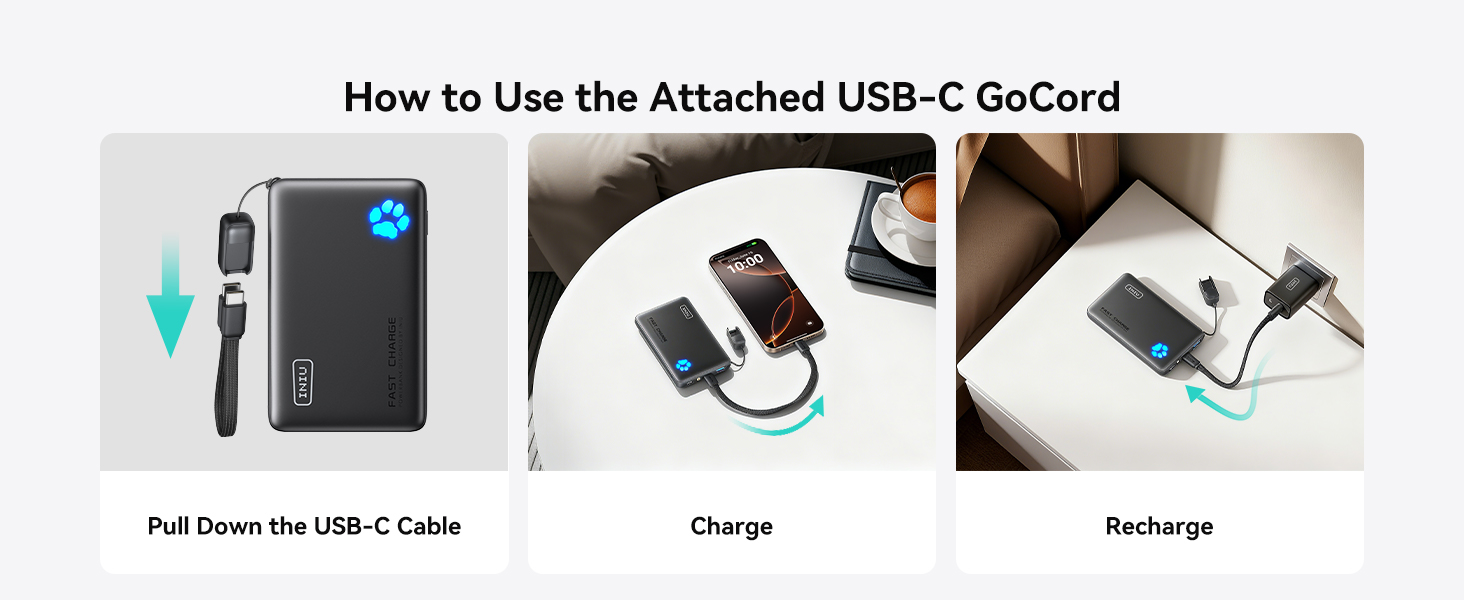
Image: The INIU P41 Portable Charger fast charging a smartphone, indicating 45W PD & PPS capabilities.
Pass-Through Charging
The INIU P41 supports pass-through charging, allowing you to recharge the power bank while simultaneously charging your devices. Connect the power bank to a wall charger and then connect your devices to the power bank's output ports.

Image: The INIU P41 Portable Charger connected to a wall outlet and simultaneously charging a smartphone, demonstrating pass-through charging.
Official Product Videos
Video: An unboxing and overview of the INIU P41 Ultra Slim 10000mAh 45W Power Bank Portable Charger, demonstrating its features and functionality.
Video: A review highlighting the ultra-slim design and various color options of the INIU Portable Charger.
Video: A short clip showcasing the INIU P41 Portable Charger in red, emphasizing its color variant.
Video: A brief video revealing a secret feature of the INIU P41 Portable Charger.
Video: A short demonstration of the INIU P41 Portable Charger's easy-to-carry and compact design.
Maintenance
To maintain the longevity and performance of your INIU P41 Portable Charger:
- Store the power bank in a cool, dry place away from direct sunlight and extreme temperatures.
- Avoid dropping or subjecting the device to strong impacts.
- Clean the exterior with a soft, dry cloth. Do not use harsh chemicals or abrasive materials.
- Recharge the power bank at least once every 3 months if not in regular use to preserve battery health.
Safety Information
CAUTION: Risk of Fire and Burns.
- Do not disassemble, crush, puncture, or incinerate the device.
- Do not expose to temperatures above 40°C (104°F).
- Use only original or certified cables.
- Keep out of reach of children.
- Avoid contact with water or other liquids.
Troubleshooting
- Device not charging: Ensure the power bank is charged. Check that cables are securely connected to both the power bank and your device. Try a different cable or port.
- Power bank not recharging: Verify the charging cable is properly connected to a working power source. Ensure the wall adapter is functional.
- Slow charging: Ensure your cables and wall adapter support fast charging. When charging multiple devices, the output is shared, which may result in slower charging speeds for individual devices.
- Flashlight not working: Double-click the power button to activate/deactivate the flashlight.
Specifications
| Model | P41 |
| Battery Capacity | 10000mAh |
| Product Dimensions | 4.3 x 2.6 x 0.7 inches |
| Item Weight | 6.4 ounces |
| Input (USB-C) | Up to 27W Max |
| Output (USB-C) | Up to 45W Max (single device) |
| Output (USB-A) | Up to 22.5W Max |
| Total Output | 15W Max (multiple devices) |
| Special Features | Ultra-Slim, Paw Print Indicator Lights, Built-in Flashlight, 2 USB-C Ports (In/Out), 1 USB-A Port (Out), Attached USB-C GoCord, 18-Layer SmartProtect System, Temp°Guard 3.0 |
Warranty and Support
INIU provides an Industry-Leading 3-Year INIU Care warranty for this product, along with Lifetime Technical Support.
For any questions or support, please contact us at: support@iniu.shop


