
INIU P62
INIU Power Bank 20000mAh 65W User Manual
Model: P62 | Brand: INIU
1. Introduction
Thank you for choosing the INIU 20000mAh 65W Ultra Small USB C Laptop & Phone Portable Charger. This power bank is designed to provide high-speed, reliable charging for a wide range of devices, including laptops, smartphones, and other small electronics. Its compact size and powerful output make it an essential accessory for travel, work, and daily use.
Key Features:
- 20000mAh High Capacity: Provides multiple charges for phones and significant power for laptops.
- 65W Fast Charging: Supports high-speed charging for compatible devices, including MacBook Air and iPhone 15.
- Ultra Compact Design: Market's smallest 65W 20000mAh power bank, ideal for portability.
- Digital Display: Clear percentage display for remaining battery power.
- Multiple Outputs: Features USB-C and USB-A ports for versatile charging.
- Advanced Safety Features: Equipped with 15-Layer SmartProtect for safe charging.

Figure 1: The INIU 20000mAh 65W Power Bank, showcasing its compact size when held in hand.
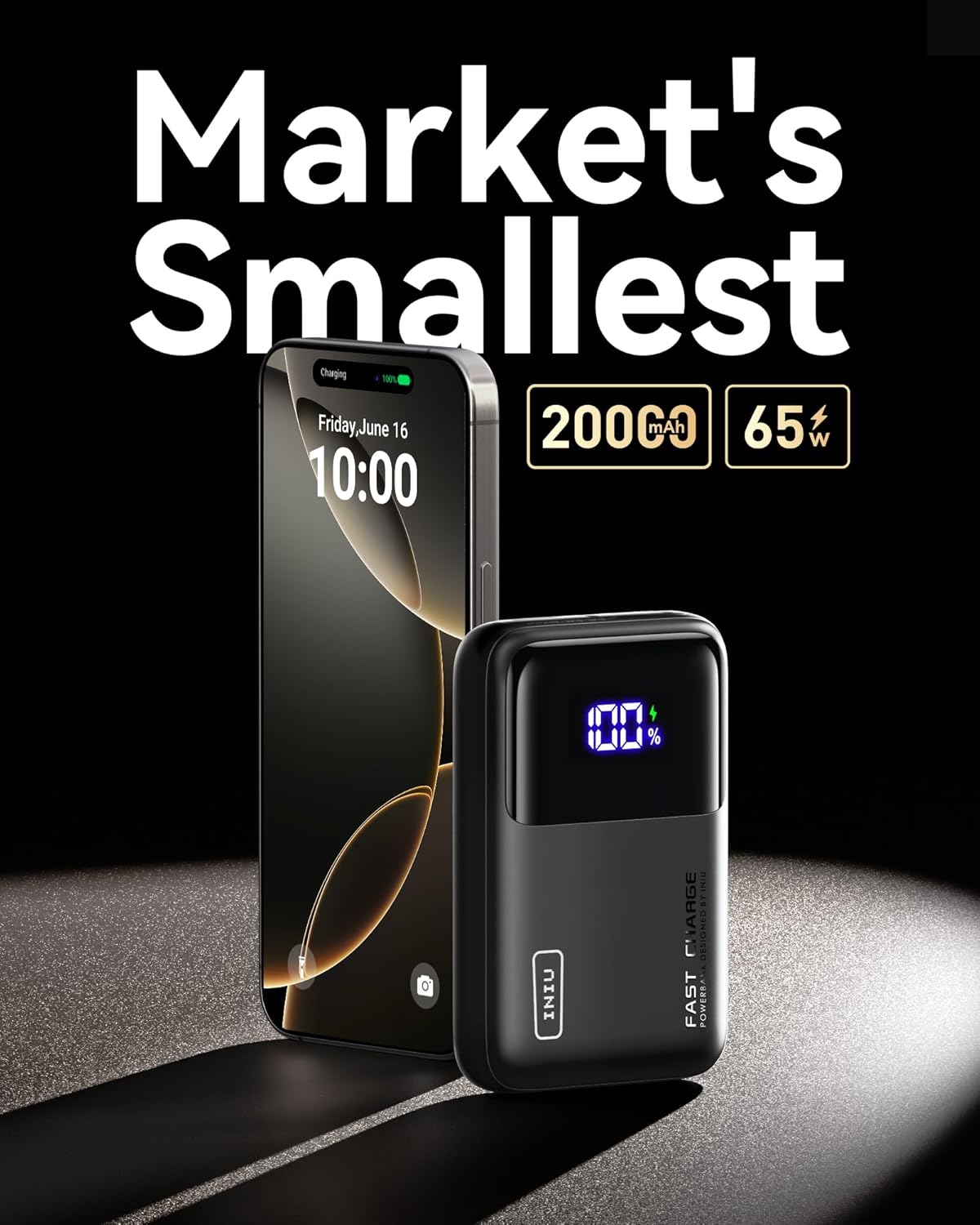
Figure 2: The INIU Power Bank's ultra-small design, positioned next to a modern smartphone to illustrate its compact form factor.
2. Setup and Initial Use
2.1 Initial Charging of the Power Bank
Before first use, fully charge your INIU Power Bank. Use a USB-C to USB-C cable (included) and a 45W or higher power adapter for optimal charging speed. The digital display will show the charging percentage, reaching 100% when fully charged.
- Connect the included USB-C to USB-C cable to the 'IN/OUT1' USB-C port on the power bank.
- Connect the other end of the cable to a compatible USB-C wall charger (not included).
- The digital display will illuminate and show the charging progress.
- Charging typically takes approximately 1.7 hours with a 45W input.
2.2 Connecting Devices for Charging
The power bank features multiple output ports to charge various devices simultaneously.
- USB-C (IN/OUT1 - 65W): Use this port for fast charging compatible laptops, tablets, and smartphones.
- USB-C (OUT2 - 36W): Provides fast charging for a wide range of USB-C devices.
- USB-A (OUT3 - 18W): Standard USB-A port for charging various devices.
- Connect your device using an appropriate charging cable to one of the available output ports. The power bank will automatically begin charging.

Figure 3: Overview of the power bank's vast compatibility, showing various devices it can charge and the different output ports (USB-C 65W, USB-C 36W, USB-A 18W).

Figure 4: The power bank simultaneously charging a laptop and a smartphone, demonstrating its dual fast charge capability.
3. Operation
3.1 Checking Battery Level
To check the remaining battery percentage, simply press the power button located on the side of the power bank. The digital display will show the current charge level.
3.2 Using the Built-in LED Light
The power bank includes a convenient LED light for illumination in low-light conditions.
- To turn on the LED light, press and hold the power button for approximately 2 seconds.
- To cycle through different intensity levels (if available) or activate strobe/SOS modes, briefly press the power button again while the light is on.
- To turn off the LED light, press and hold the power button again for approximately 2 seconds.
3.3 Simultaneous Charging
The INIU Power Bank supports charging multiple devices at once. The total output power will be distributed among the connected devices. For optimal fast charging, it is recommended to charge one high-power device at a time.
Note: No official product videos from the seller were available for embedding in this manual.
4. Maintenance and Care
Proper care will extend the lifespan of your power bank.
- Storage: Store the power bank in a cool, dry place away from direct sunlight and extreme temperatures.
- Cleaning: Use a soft, dry cloth to clean the surface of the power bank. Do not use harsh chemicals or abrasive materials.
- Avoid Drops: Protect the device from drops and impacts, which can damage internal components.
- Water Exposure: Keep the power bank away from water and high humidity. It is not waterproof.
- Regular Charging: If not used for extended periods, charge the power bank at least once every three months to maintain battery health.
5. Troubleshooting
If you encounter issues with your INIU Power Bank, refer to the following common problems and solutions:
| Problem | Possible Cause | Solution |
|---|---|---|
| Power bank not charging | Faulty cable or adapter; loose connection; power bank fully discharged. | Try a different cable and adapter. Ensure connections are secure. Allow a few minutes for the display to activate if fully discharged. |
| Device not charging from power bank | Power bank is out of charge; incompatible cable; device not compatible; loose connection. | Recharge the power bank. Use the correct cable for your device. Ensure connections are secure. Verify device compatibility. |
| Slow charging speed | Using a non-fast charging port/cable; multiple devices charging simultaneously; device not supporting fast charge. | Use the 65W USB-C port and a compatible fast-charging cable. Charge one high-power device at a time. Ensure your device supports fast charging. |
| Digital display not working | Minor software glitch; severe damage. | Try pressing the power button multiple times. If the issue persists and the unit is otherwise functional, contact support. |
If the problem persists after trying these solutions, please contact INIU customer support for further assistance.
6. Specifications
| Feature | Detail |
|---|---|
| Model Number | P62 |
| Battery Capacity | 20000 Milliamp Hours (mAh) |
| Product Dimensions | 4.3 x 2.8 x 1.1 inches |
| Item Weight | 11.4 ounces |
| Connector Type (Output) | USB-C*2 + USB-A*1 |
| Special Features | 20000mAH High Capacity, 65W Fast Charging, Digital Display, Mini Size, Ultra Compact Design |
| Color | Orange (for this variant) |
| Manufacturer | Shenzhen Topstar Industry Co.,Ltd. |
7. Warranty and Support
INIU stands behind the quality of its products. The INIU Power Bank comes with an industry-leading 4-Year iNiu Care warranty, providing peace of mind for your purchase. Additionally, lifetime technical support is available for all customers.

Figure 5: The INIU Power Bank packaging, manual, and accessories, highlighting the product's warranty.
For warranty claims, technical assistance, or any other inquiries, please contact INIU customer support through their official website or the platform where you purchased the product. Please have your product model number (P62) and purchase details ready when contacting support.
Related documentsP62


Ask a question about this manual
Ask about setup, troubleshooting, compatibility, parts, safety, or missing instructions. Manuals+ will review the question and use this page’s manual context to help answer it.