
Introduction
This manual provides essential information for setting up, operating, and maintaining your Motorola Moto G85 5G smartphone. Please read through this guide to ensure optimal performance and longevity of your device.
What's in the Box
Upon unboxing your Motorola Moto G85 5G, you should find the following items:
- Motorola Moto G85 5G Smartphone
- Clear Protective Case
- (Note: Charger and USB cable may be sold separately depending on region and package contents.)

Image: The Motorola Moto G85 5G smartphone, showcasing its design and the retail packaging.
Setup
1. Inserting the SIM Card
- Locate the SIM tray on the side of your device.
- Insert the SIM ejector tool into the small hole next to the tray and push gently until the tray pops out.
- Place your Nano-SIM card(s) into the tray with the gold contacts facing down. Ensure proper orientation.
- Carefully push the tray back into the slot until it is flush with the phone's body.
2. Powering On Your Device
- Press and hold the Power button (located on the right side of the phone) until the Motorola logo appears on the screen.
- Follow the on-screen prompts to complete the initial setup, including language selection, Wi-Fi connection, Google account setup, and security settings.
Operating Your Device
Display and Visual Experience
The Moto G85 5G features a vibrant 6.67-inch 3D Curved pOLED display with a 120Hz refresh rate. This high refresh rate ensures smooth scrolling, fluid animations, and an immersive viewing experience for all your content, from browsing to gaming.

Image: The phone's display highlighting its immersive entertainment capabilities with vibrant colors and smooth visuals.
Performance
Powered by the Snapdragon 6 Gen 3 chip and equipped with 8GB of RAM, the Moto G85 5G delivers responsive performance for daily tasks, multitasking, and even demanding applications. With 256GB of internal storage, you have ample space for apps, photos, and videos.

Image: An illustration demonstrating the optimized performance of the device, featuring the Snapdragon processor.
Camera System
Capture sharp and bright photos with the 50MP main camera featuring Optical Image Stabilization (OIS). This sensor, combined with Quad Pixel technology, enhances light sensitivity for clearer images in various lighting conditions.
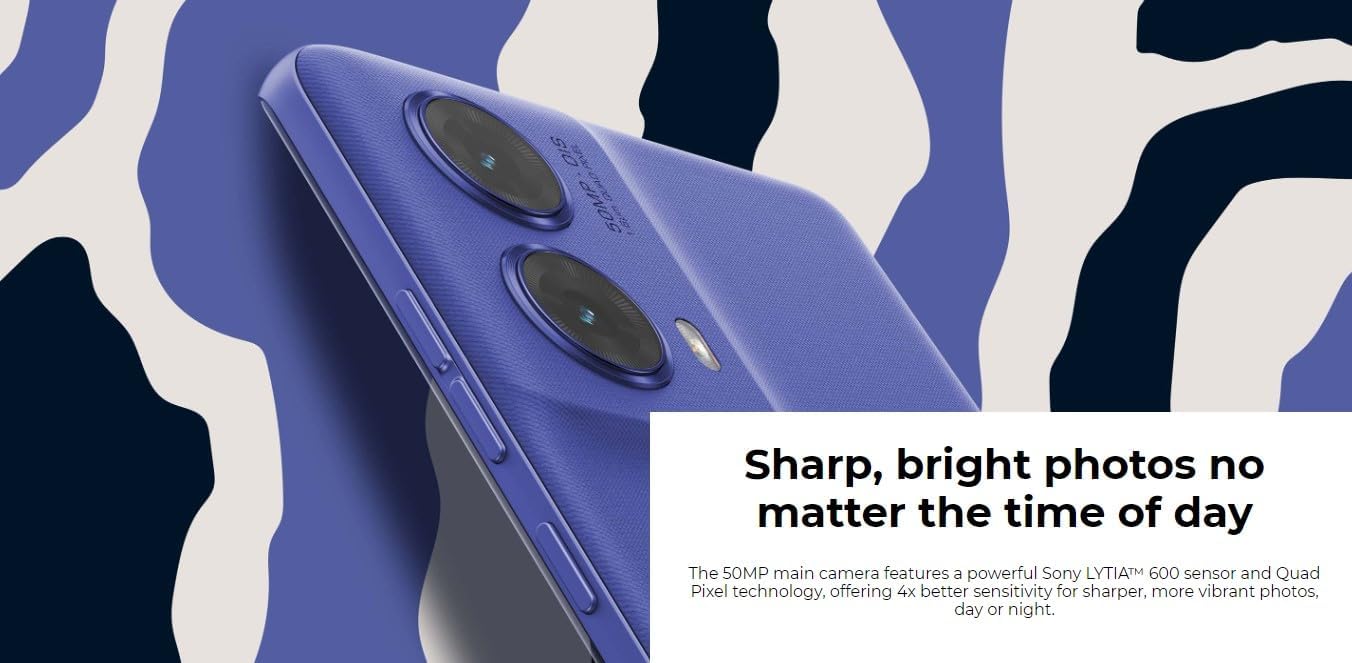
Image: A detailed view of the phone's camera system, emphasizing its ability to capture sharp and bright photos.
Battery and Charging
The device is equipped with a 5000 mAh battery, designed to provide all-day power. It supports 30W TurboPower charging, allowing for quick recharges to get you back to using your phone faster.

Image: The phone being charged, illustrating its fast-charging capability.
Audio Experience
Enjoy rich, multidimensional sound with stereo speakers and Dolby Atmos® support. This enhances your audio experience for music, videos, and games, providing clearer sound and deeper bass.
Maintenance
- Software Updates: Regularly check for and install system updates to ensure your device has the latest features, security patches, and performance improvements. (Settings > System > System updates).
- Cleaning: Use a soft, lint-free cloth to clean the screen and body of your phone. Avoid abrasive materials or harsh chemicals.
- Battery Care: To prolong battery life, avoid extreme temperatures and try to keep the battery charge between 20% and 80% when possible.
- Storage Management: Periodically review your installed apps and files. Uninstall unused apps and delete unnecessary files to free up storage space and maintain optimal performance.
Troubleshooting
Common Issues and Solutions:
| Issue | Possible Solution |
|---|---|
| Device not powering on | Ensure the battery is charged. Connect to a charger for at least 15 minutes, then try powering on again. If unresponsive, perform a force restart by holding the Power button for 10-15 seconds. |
| Slow performance/Lag | Close unused apps, clear app caches (Settings > Apps > [App Name] > Storage > Clear cache), restart the device, or check for system updates. |
| Battery draining quickly | Reduce screen brightness, disable unnecessary background apps, turn off Wi-Fi/Bluetooth/GPS when not in use, or check battery usage in settings to identify power-hungry apps. |
| Network connectivity issues | Toggle Airplane Mode on/off, restart the device, check SIM card insertion, or reset network settings (Settings > System > Reset options > Reset Wi-Fi, mobile & Bluetooth). |
Specifications
| Feature | Detail |
|---|---|
| Model Name | Moto G85 5G (XT2427-1) |
| Display | 6.67-inch 3D Curved pOLED, 2400 x 1080 Resolution, 120Hz Refresh Rate |
| Operating System | Android 14 |
| Processor | Snapdragon 6 Gen 3 |
| RAM | 8 GB |
| Storage | 256 GB |
| Main Camera | 50 MP with OIS |
| Battery Capacity | 5000 mAh |
| Charging | 30W TurboPower |
| Connectivity | 5G, 4G LTE, Wi-Fi, Bluetooth, GPS |
| Dimensions | 6 x 4 x 2 inches |
| Weight | 14.9 ounces |
| Color | Cobalt Blue |
Warranty and Support
Your Motorola Moto G85 5G comes with a standard manufacturer's warranty. For detailed warranty information, terms, and conditions, please refer to the warranty card included with your product or visit the official Motorola support website. For technical assistance, troubleshooting, or service inquiries, please contact Motorola customer support.
Motorola Support Website: www.motorola.com/support


