
Motorola XT2427-1
Contents
Motorola Moto G85 5G User Manual
Model: XT2427-1 | Brand: Motorola
Introduction
The Motorola Moto G85 5G is a sophisticated smartphone designed for everyday elegance and robust performance. It features a stunning 6.67-inch 3D Curved pOLED display, a powerful 50 MP camera system, and a long-lasting 5000 mAh battery. This manual provides essential information to help you set up, operate, and maintain your device, ensuring an optimal user experience.
Device Overview
Familiarize yourself with the physical components of your Moto G85 5G.

Front and Back View: This image displays the overall design of the Motorola Moto G85 5G, highlighting its curved display and the dual camera setup on the rear. The device features a sleek, contoured side profile and a vibrant Cobalt Blue finish.

Front View: The front of the Moto G85 5G showcases its 6.67-inch 3D Curved pOLED display, designed for immersive visuals. The front camera is discreetly placed at the top center of the screen.

Back View: The rear of the device features the 50 MP main camera system with Optical Image Stabilisation (OIS) and a flash. The Motorola logo is centrally located, and the soft vegan leather finish is visible.
Key Components:
- Display: 6.67-inch FHD+ pOLED with 120 Hz refresh rate.
- Rear Cameras: 50 MP main sensor with OIS, macro, and ultrawide lenses.
- Front Camera: 32 MP Quad Pixel.
- Power Button/Fingerprint Sensor: Located on the side for convenient access and secure unlocking.
- Volume Buttons: Adjacent to the power button for adjusting audio levels.
- USB-C Port: For charging and data transfer.
- Speaker Grilles: For stereo sound output.
- SIM Card Tray: For inserting your SIM card(s).
Setup
1. Insert SIM Card:
- Locate the SIM card tray on the side of your device.
- Insert the SIM ejector tool (usually included in the box) into the small hole on the tray and push gently until the tray pops out.
- Place your Nano-SIM card(s) into the tray with the gold contacts facing down.
- Carefully push the tray back into the slot until it clicks into place.
2. Power On:
Press and hold the Power button on the side of the phone until the Motorola logo appears on the screen.
3. Initial Configuration:
Follow the on-screen prompts to complete the initial setup, including selecting your language, connecting to a Wi-Fi network, signing in with your Google account, and setting up security features like fingerprint unlocking.
Operating
Making Calls:
- Open the Phone app.
- Enter the phone number using the dial pad or select a contact from your address book.
- Tap the call icon to initiate the call.
Sending Messages:
- Open the Messages app.
- Tap the Start chat button.
- Enter the recipient's name or phone number.
- Type your message and tap the send icon.
Internet Connectivity:
- Wi-Fi: Go to Settings > Network & internet > Internet. Select your desired Wi-Fi network and enter the password if required.
- Mobile Data: Ensure your SIM card is active and mobile data is enabled in Settings > Mobile network.
Camera Usage
The Moto G85 5G features a powerful 50 MP main camera with Optical Image Stabilisation (OIS) and a 32 MP Quad Pixel front camera.
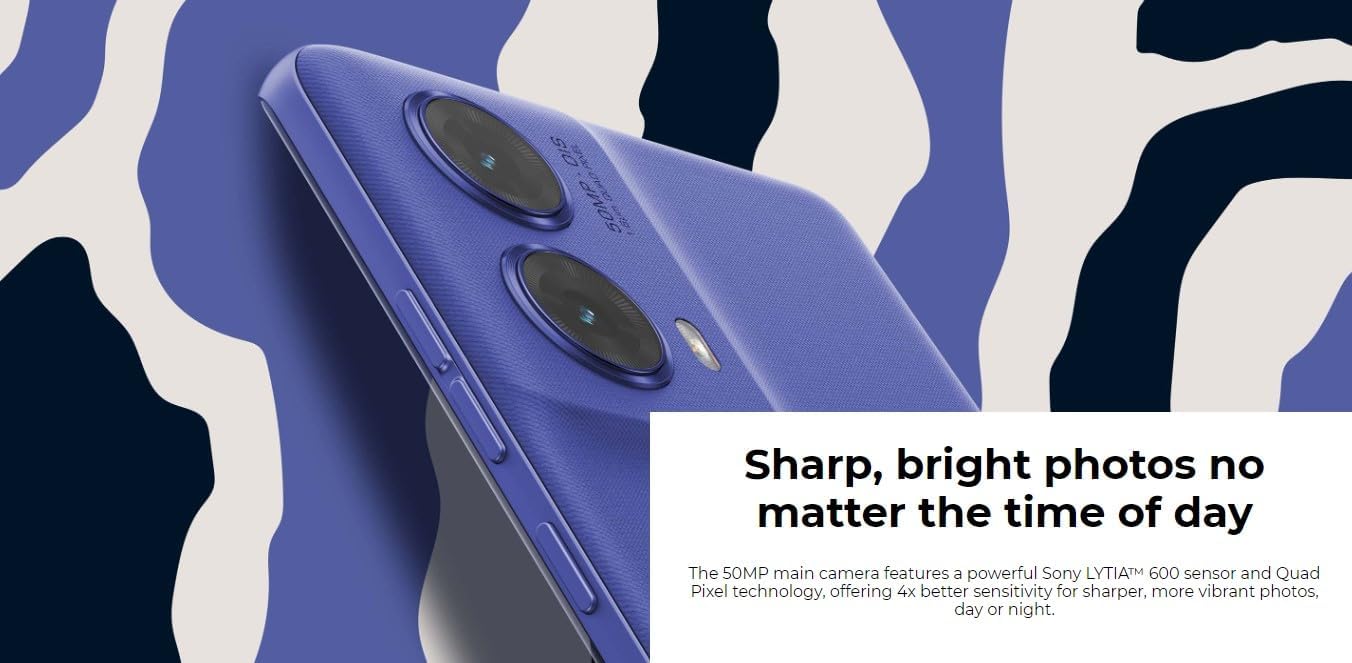
Camera System: This image highlights the advanced 50MP camera system with Sony LYTIA 600 sensor, designed for sharp and bright photos in various lighting conditions. It includes versatile macro and ultrawide lenses.
Taking Photos:
- Open the Camera app.
- Point the camera at your subject.
- Tap the shutter button to capture the photo.
- Utilize AI-driven features like Auto Enhance for optimized shots.
Video Recording:
- In the Camera app, swipe to select Video mode.
- Tap the record button to start and stop recording.
Display and Audio
Experience immersive visuals and rich audio with your Moto G85 5G.

Immersive Entertainment: This image showcases the vibrant 6.7-inch pOLED display with a 120Hz refresh rate, providing a smooth and visually rich experience for media consumption. It also highlights the Dolby Atmos enhanced stereo speakers.
- Display: The 6.7-inch FHD+ pOLED display offers vibrant colors and deep blacks. The 120 Hz refresh rate ensures smooth scrolling and fluid animations.
- Audio: Enjoy rich stereo sound enhanced by Dolby Atmos, providing a more immersive audio experience with four times more bass.
Performance and Battery
The Moto G85 5G is engineered for smooth, responsive performance and extended battery life.

Power and Performance: This image illustrates the robust 5000 mAh battery with 30W TurboPower charging capability, providing up to 34 hours of use. It also highlights the Snapdragon processor and RAM Boost technology for optimized performance.
- Processor: Powered by a Snapdragon processor, ensuring efficient multitasking and smooth app usage.
- RAM: Generous RAM, complemented by RAM Boost technology, enhances responsiveness.
- Battery: A robust 5000 mAh battery provides up to 34 hours of use on a single charge.
- Charging: Supports 30W TurboPower charging for quick power-ups.
Security and Privacy
Your Moto G85 5G includes features to protect your data and manage device access.
- On-Display Fingerprint Unlocking: Securely unlock your device with a touch.
- Moto Secure: Access privacy controls and security settings to manage app permissions and data protection.
- Family Space: Tools for customizing experiences and managing usage for different users.
Maintenance
Software Updates:
Regularly check for and install software updates to ensure your device has the latest features, security patches, and performance improvements. Go to Settings > System > System updates.
Cleaning Your Device:
- Use a soft, lint-free cloth to clean the screen and body of the phone.
- Avoid using harsh chemicals or abrasive materials.
- For stubborn smudges, slightly dampen the cloth with water or a screen cleaner designed for electronics.
Battery Care:
- Avoid extreme temperatures, as they can degrade battery life.
- Use only approved chargers and cables.
- For optimal battery longevity, avoid frequently discharging the battery completely or keeping it at 100% charge for extended periods.
Troubleshooting
Device Not Turning On:
- Ensure the battery is charged. Connect the device to its charger for at least 15 minutes.
- Press and hold the Power button for 10-20 seconds to force a restart.
Apps Crashing or Freezing:
- Close and reopen the app.
- Clear the app's cache and data in Settings > Apps > [App Name] > Storage & cache.
- Ensure the app is updated to its latest version from the Google Play Store.
Poor Battery Life:
- Reduce screen brightness.
- Disable unused features like Wi-Fi, Bluetooth, or GPS when not needed.
- Identify and restrict background activity of power-consuming apps in Settings > Battery.
Specifications
| Feature | Detail |
|---|---|
| Model Name | Moto G85 5G |
| Item Model Number | XT2427-1 |
| Operating System | Android 14 |
| Display Size | 6.7 Inches |
| Display Resolution | 2400 x 1080 |
| Refresh Rate | 120 Hz |
| Processor | Snapdragon |
| RAM | 8 GB |
| Memory Storage Capacity | 256 GB |
| Main Camera | 50 MP with OIS |
| Front Camera | 32 MP Quad Pixel |
| Battery Capacity | 5000 mAh |
| Charging | 30W TurboPower |
| Connectivity | 4G LTE, 5G |
| Item Weight | 14.9 ounces |
| Product Dimensions | 6 x 4 x 2 inches |
Warranty and Support
For detailed warranty information, please refer to the warranty card included with your product or visit the official Motorola support website. If you encounter any issues not covered in this manual, please contact Motorola customer support for assistance.
Online Support: Visit the Motorola Store on Amazon for FAQs, troubleshooting guides, and contact options.
Documents and downloads
Ask a question about this manual
Ask about setup, troubleshooting, compatibility, parts, safety, or missing instructions. Manuals+ will review the question and use this page’s manual context to help answer it.