
Dreo DR-HHM001 Gray
Dreo Smart Humidifier User Manual
Model: DR-HHM001 Gray
Brand: Dreo
1. Product Overview
The Dreo Smart Humidifier is designed to provide precise humidity control for various indoor environments, including bedrooms, living rooms, nurseries, offices, and study rooms. Featuring a 4L top-fill tank, it offers up to 36 hours of continuous cool mist operation. This ultrasonic humidifier is equipped with advanced features such as a nightlight, digital display, timer, and smart control options via Wi-Fi, app, and voice commands (compatible with Alexa and Google Assistant). Its quiet operation, at just 28dB, ensures minimal disturbance.

Image: Dreo Smart Humidifier with accompanying smartphone app interface.
2. Setup and Installation
2.1 Unpacking and Placement
Carefully remove all packaging materials. Place the humidifier on a flat, stable, and water-resistant surface, away from direct sunlight or heat sources. Ensure there is adequate space around the unit for proper mist dispersion.
2.2 Filling the Water Tank
The Dreo Smart Humidifier features a convenient top-fill design. Simply remove the top cover and pour clean, cool tap water directly into the water tank. Do not exceed the maximum fill line. For best results and to prevent mineral buildup, consider using distilled or demineralized water.

Image: Demonstrates the top-fill design for easy water refilling.
2.3 Power Connection
Plug the power cord into a standard 120V electrical outlet. The unit will enter standby mode.
2.4 App and Voice Control Setup
To utilize the smart features, download the Dreo app from your device's app store. Follow the in-app instructions to pair your humidifier. This allows for remote control, scheduling, and integration with voice assistants like Amazon Alexa and Google Assistant.

Image: The Dreo Smart Humidifier shown alongside a smartphone running the Dreo app, illustrating smart control capabilities.
3. Operating Instructions
3.1 Control Methods
The humidifier can be controlled via its touch panel, the Dreo app, or voice commands through compatible smart assistants.
3.2 Mist Levels and Direction
Select from three different mist levels to suit your preference. The 30° tiltable nozzle allows you to direct the mist precisely where needed. Dreo's Dual-intake design produces a supersized mist for faster dry air relief.

Image: The humidifier releasing a significant amount of mist, highlighting its supersized mist capability.
3.3 Auto Mode and Humidity Control
In Auto Mode, the humidifier's advanced algorithm and precise humidistat automatically sense and adjust humidity levels to maintain optimal comfort. The smart ambient light indicates current humidity levels.

Image: A user interacting with the Dreo app to control humidity settings on the humidifier.
3.4 Nightlight and Timer Functions
Utilize the integrated nightlight for a soft glow. Set timers for automatic operation or scheduling through the app to fit your daily routine.
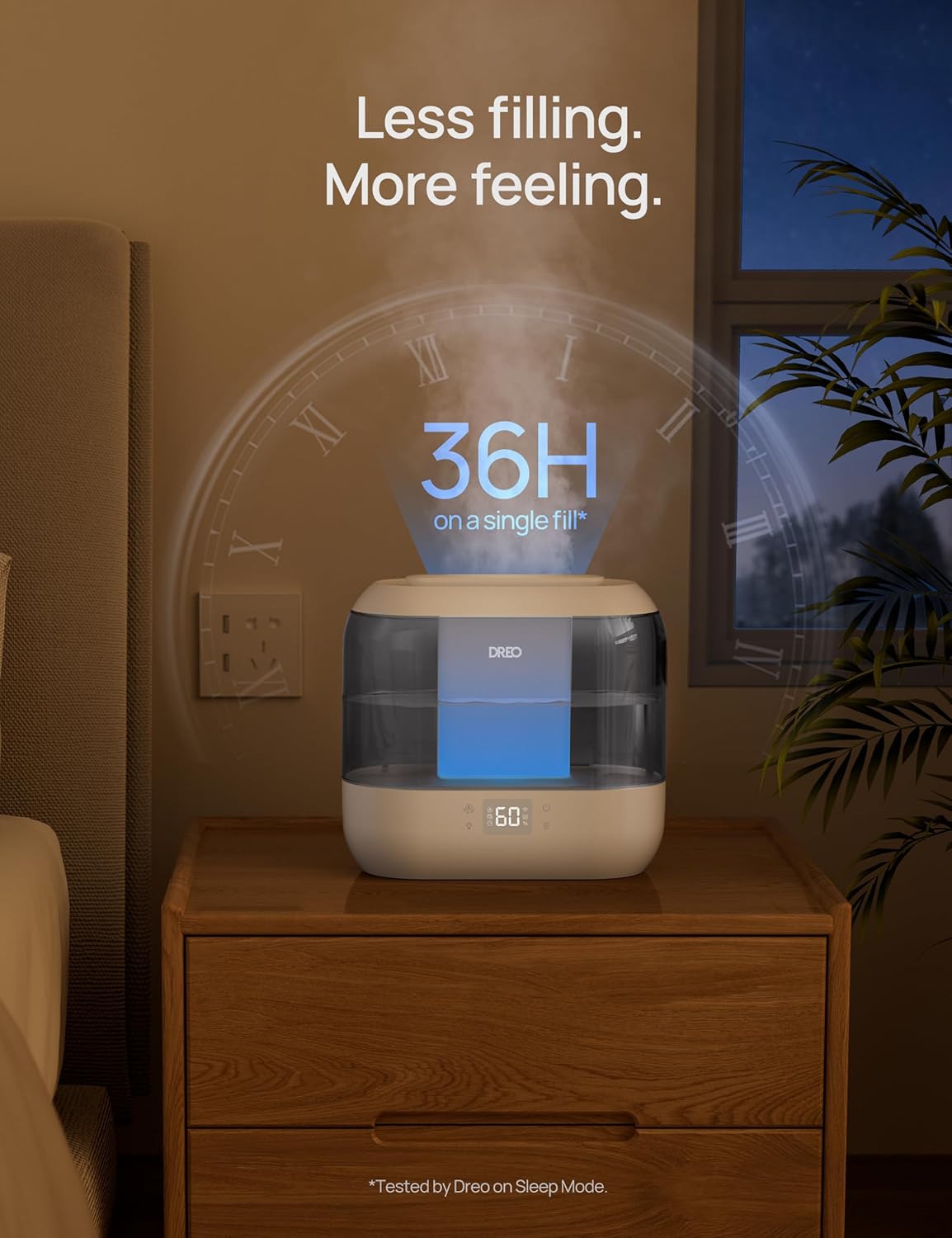
Image: The Dreo app displaying smart scheduling features for the humidifier, allowing users to tailor operation to their lifestyle.
4. Maintenance
4.1 Regular Cleaning
To ensure optimal performance and hygiene, regularly clean the humidifier. The open interior design facilitates easier deep cleaning. Refer to the detailed cleaning instructions in the included user manual for specific steps.
4.2 Aromatherapy Feature
The humidifier includes a built-in aromatherapy feature. Add a few drops of your favorite essential oils to the aroma pad for a relaxing experience. Ensure to use only water-soluble essential oils and clean the aroma pad regularly.
Image: Illustrates the easy cleaning process and the aromatherapy feature of the humidifier.
5. Troubleshooting
If you encounter any issues with your Dreo Smart Humidifier, please refer to the troubleshooting section in the full user manual for common problems and solutions. Ensure the unit is properly connected to power, the water tank is filled, and the app is updated to the latest version. For persistent issues, contact Dreo customer support.
6. Specifications
| Feature | Detail |
|---|---|
| Brand | Dreo |
| Model Name | HM311S |
| Item Model Number | DR-HHM001 Gray |
| Color | Gray |
| Water Tank Capacity | 4 Liters |
| Max Runtime | 36 Hours |
| Control Method | App, Touch, Voice (Alexa/Google Assistant) |
| Noise Level | 28dB |
| Floor Area Coverage | 300 Square Feet |
| Product Dimensions | 11.02"D x 10.16"W x 5.51"H |
| Item Weight | 3.12 Pounds |
| Voltage | 120 Volts |
| Wattage | 26 watts |
| Included Components | User Manual, Aroma Pad x 2, Cleaning Brush, Humidifier Body |

Image: Dimensional specifications of the Dreo Smart Humidifier.
7. Warranty and Support
Dreo products come with a standard manufacturer's warranty. For detailed warranty information, product registration, or technical support, please visit the official Dreo website or contact their customer service directly. Keep your purchase receipt for warranty claims.
For additional support, you may visit the Dreo Store on Amazon.
Related documentsDR-HHM001 Gray


Ask a question about this manual
Ask about setup, troubleshooting, compatibility, parts, safety, or missing instructions. Manuals+ will review the question and use this page’s manual context to help answer it.