1. Product Overview
The ciciglow Phone Game Grip is an adjustable mobile controller handle designed to enhance your mobile gaming experience. It features integrated semiconductor and fan cooling technology to prevent phone overheating during extended use. The grip also includes colorful light effects and is compatible with a wide range of smartphones running Android and iOS operating systems.

Image 1.1: The ciciglow Phone Game Grip, showcasing its central cooling fan and ergonomic handle design.
2. Key Features
- Effective Heat Dissipation: Equipped with a semiconductor cooling element and a quiet fan, this grip actively reduces phone temperature, ensuring stable performance during intense gaming sessions.
- Low Noise Operation: Advanced noise control technology ensures the cooling fan operates below 25dB, providing a quiet gaming environment.
- Full-Fit Cooling Plate: The press-type cooling plate provides upgraded, large-area contact for efficient heat transfer from your phone to the cooling system.
- Wide Compatibility: Compatible with most smartphones (Android and iOS) with a stretch length of approximately 134-174mm (5.3-6.9 inches). It accommodates phones with cases and screen protectors.
- Ergonomic Design: Features a fluid curve grip and silicone anti-slip pads for comfortable, fatigue-free handling during long gaming sessions.
- Colorful Light Effect: Integrated lighting enhances the gaming atmosphere.
- Reserved Charging Ports: Outlets on both sides allow for uninterrupted phone charging while gaming.

Image 2.1: Visual representation of the semiconductor cooling process, illustrating heat reduction on the phone's surface.

Image 2.2: A graphic demonstrating the low noise output of the cooling fan, comparing it to common sound levels.
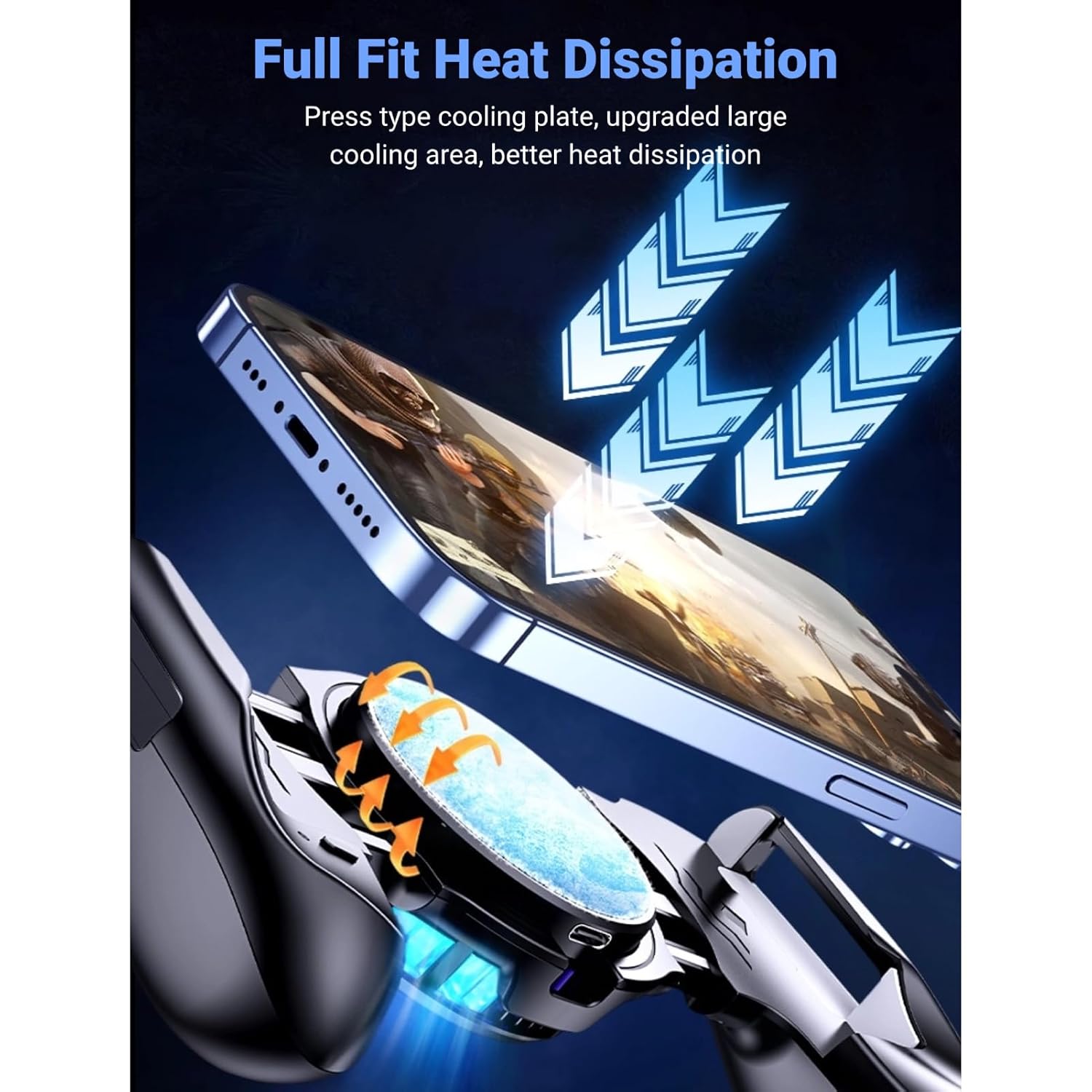
Image 2.3: A detailed view of the cooling plate ensuring full contact with the phone for optimal heat dissipation.

Image 2.4: The game grip demonstrating its compatibility by securely holding different smartphone models.
3. Setup Instructions
- Unpack: Carefully remove the Phone Game Grip from its packaging.
- Adjust Grip: Gently pull the adjustable clamps outwards to extend the grip. The maximum stretch length is approximately 174mm.
- Insert Phone: Place your smartphone into the grip, ensuring it is centered and securely held by the clamps. The cooling plate should make direct contact with the back of your phone for optimal performance.
- Connect Power: Connect the provided Type-C cable to the input port on the game grip. Connect the other end to a USB power source (e.g., wall adapter, power bank, computer USB port). The cooling function and light effects will activate upon connection.

Image 3.1: Demonstrates how to adjust the grip's length to securely fit your smartphone.
4. Operating Instructions
- Power On/Off: The device does not feature a dedicated power switch. It powers on automatically when connected to a power source via the Type-C port and powers off when disconnected.
- Cooling Function: Once powered on, the semiconductor cooling element and fan will begin to cool your phone. Ensure the cooling plate is in full contact with your phone's back for maximum efficiency.
- Light Effects: The colorful light effects will illuminate when the device is powered on, enhancing your gaming experience.
- Charging During Gameplay: Utilize the reserved charging outlets on either side of the grip to connect your phone's charging cable, allowing you to charge your phone without interrupting your game.
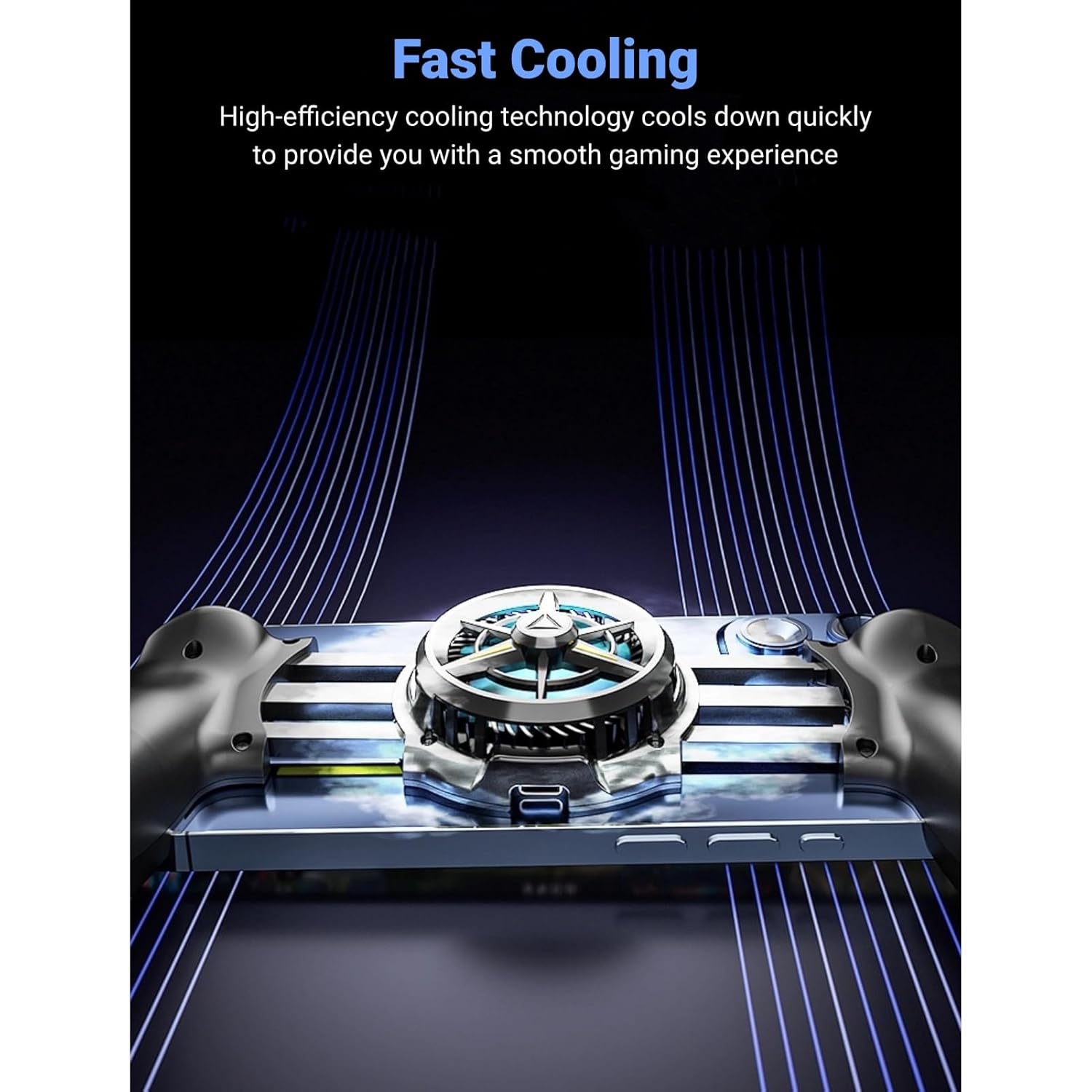
Image 4.1: The fast cooling technology actively reducing the phone's temperature during use.
Video 4.1: A short demonstration of the ciciglow Phone Game Grip in use, highlighting its features and ergonomic design.
5. Maintenance
- Cleaning: Use a soft, dry cloth to wipe the surface of the game grip. Avoid using abrasive cleaners or solvents.
- Storage: Store the device in a cool, dry place away from direct sunlight and extreme temperatures when not in use.
- Cable Care: Handle the Type-C cable gently to prevent damage. Do not bend or crimp the cable excessively.
6. Troubleshooting
| Problem | Possible Cause | Solution |
|---|---|---|
| Device not powering on / Cooling not working | No power connection or faulty cable. | Ensure the Type-C cable is securely connected to both the grip and a working power source. Try a different cable or power source. |
| Phone still overheating | Poor contact with cooling plate or extreme ambient temperature. | Ensure the phone is centered and the cooling plate makes full, direct contact with the back of the phone. Avoid gaming in excessively hot environments. |
| Phone does not fit in grip | Phone dimensions exceed maximum stretch length. | Verify your phone's dimensions are within the 134-174mm range. Ensure the grip is fully extended. |
| Lights not illuminating | Device not powered on. | Check power connection as described above. |
7. Specifications
- Model Number: ciciglowe0ymxg4vn5
- Cooling Technology: Semiconductor with Fan
- Compatibility: Android, iOS (smartphones with width 134-174mm / 5.3-6.9 inches)
- Input Port: Type-C
- Noise Level: < 25dB
- Item Weight: Approximately 6.2 ounces (175.77 grams)
- Package Dimensions: 6.3 x 4.49 x 1.81 inches (16 x 11.4 x 4.6 cm)
8. Warranty and Support
For warranty information and customer support, please refer to the product packaging or contact ciciglow customer service directly through their official website or the retailer where the product was purchased. Keep your purchase receipt for warranty claims.