Introduction
This manual provides detailed instructions for the setup, operation, maintenance, and troubleshooting of your new fezawio 2025 Android 14 Tablet. Please read this manual thoroughly to ensure proper use and to maximize the performance and longevity of your device.
The fezawio 2025 Android 14 Tablet is a versatile 2-in-1 device featuring a 10.1-inch HD IPS display, a powerful Octa-core processor, 20GB RAM (6GB physical + 14GB virtual), 128GB ROM (expandable up to 1TB), 5G WiFi 6 connectivity, and a 6000mAh battery. It comes with a keyboard, mouse, and protective case, transforming into a mini-laptop for enhanced productivity.
What's in the Box
- 10.1 inch Tablet
- Premium protective Case
- 3-layer Screen Protector
- Charging Adapter with Type-C Cable
- Bluetooth Keyboard
- Wireless Mouse

Image: All components included with the fezawio tablet.
Setup
Initial Power On and Setup
- Charge the Tablet: Before first use, fully charge the tablet using the provided Type-C cable and charging adapter.
- Power On: Press and hold the power button located on the side of the tablet until the screen lights up.
- Initial Configuration: Follow the on-screen prompts to select your language, connect to a Wi-Fi network, and set up your Google account.
- Screen Protector: The tablet comes with a pre-applied screen protector. An additional 3-layer screen protector is included in the box for future use.
Connecting Accessories (Keyboard & Mouse)
The fezawio tablet transforms into a 2-in-1 laptop with the included Bluetooth keyboard and wireless mouse.
- Bluetooth Keyboard:
- Turn on the Bluetooth keyboard.
- On your tablet, go to Settings > Connected devices > Pair new device.
- Select the Bluetooth keyboard from the list of available devices and follow the pairing instructions.
- Wireless Mouse:
- Open the battery cover of the mouse and insert the required batteries (not included).
- Take out the USB signal receiver from the mouse's battery compartment.
- Connect the provided USB Type-C adapter to the tablet's Type-C port.
- Insert the USB signal receiver into the female end of the adapter. The mouse should now be connected and ready for use.

Image: Instructions for connecting the Bluetooth keyboard and wireless mouse.
Video Guide: Connecting Accessories
Video: Official demonstration of the fezawio Android 14 Tablet, including a brief overview of its features and accessories like the keyboard and mouse.
Operating the Tablet
Android 14 Operating System
Your tablet runs on the latest Android 14 operating system, offering enhanced performance, improved privacy features, and a user-friendly interface. Explore customizable themes, media players, and personalized settings to tailor your experience.

Image: Overview of the Android 14 system and its features.
Display and Visuals
The 10.1-inch HD IPS display provides clear, rich colors and wide viewing angles. With Widevine L1 certification, you can enjoy high-definition streaming from platforms like Amazon Prime Video and Hulu. The display also features blue light protection to reduce eye strain.

Image: Widevine L1 certification and brilliant 10.1-inch HD screen features.
Connectivity
Equipped with Wi-Fi 6 and 5G Wi-Fi technologies, the tablet ensures faster network transmission, larger network capacity, and wider coverage. Bluetooth 5.0 provides low-power transmission for connecting various peripherals.
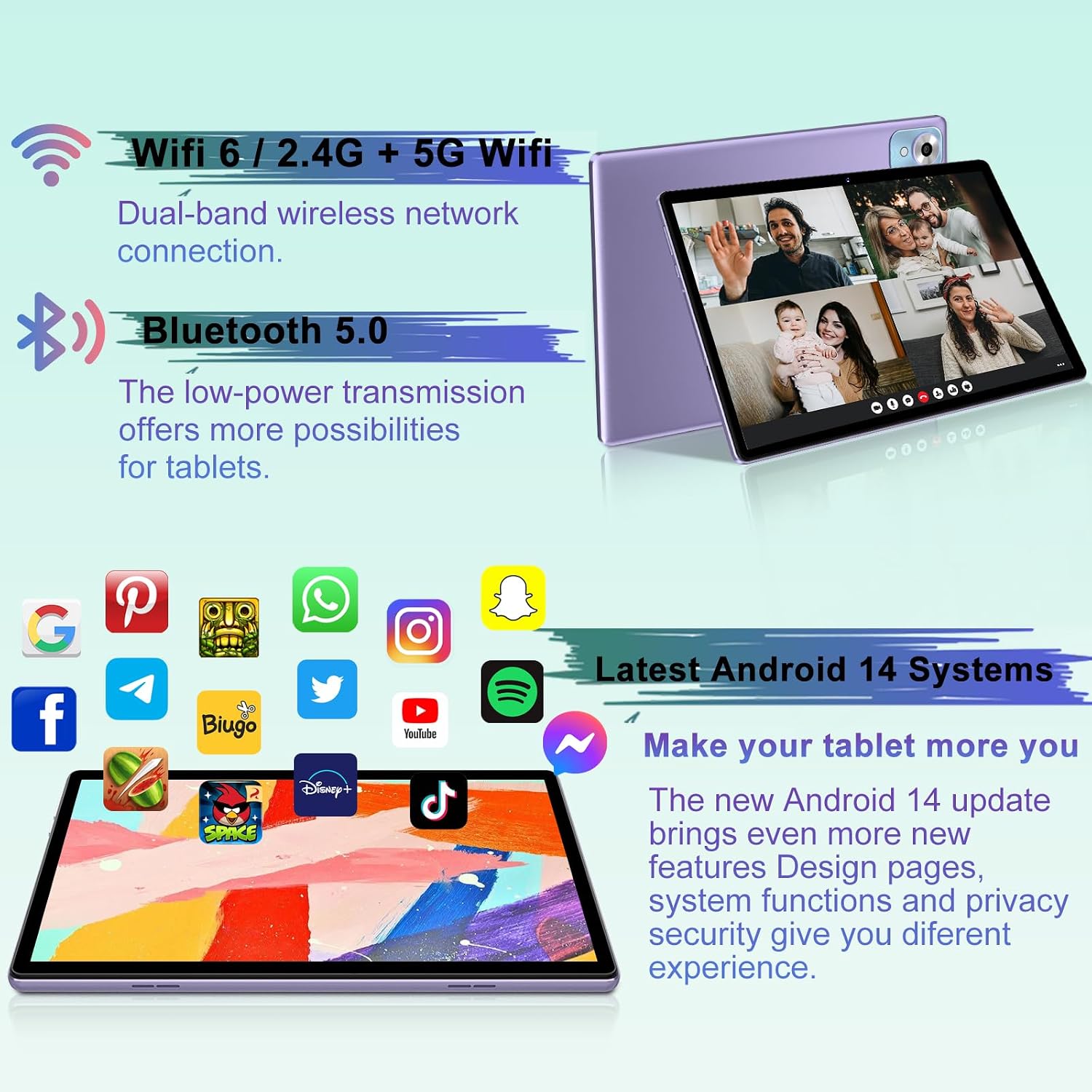
Image: Wi-Fi 6 and 5G Wi-Fi, and Bluetooth 5.0 features.
Additional Features
- Face Unlock: Securely access your device with facial recognition.
- Split Screen: Utilize the split-screen feature for enhanced multitasking.
- Wireless Projection: Cast your screen content to a compatible TV when linked to the same Wi-Fi network.
- Parental Control: Manage screen time, monitor app usage, and remotely lock the device to help children develop good online habits.

Image: Various features of the fezawio tablet.

Image: Wireless projection feature demonstration.
Maintenance
Battery Care
The tablet is equipped with a 6000mAh battery for extended use. To prolong battery life:
- Avoid extreme temperatures.
- Do not let the battery completely drain frequently.
- Use the original charging adapter and cable.

Image: 6000mAh enduring battery features.
Screen Protection
The tablet's HD IPS display includes built-in blue light protection. For physical protection, ensure the screen protector is properly applied and use the provided protective case.

Image: Blue light protection and parental control features.
Troubleshooting
If you encounter any issues with your tablet, please refer to the following common troubleshooting steps:
- Tablet Not Turning On: Ensure the tablet is fully charged. Connect it to the charger and wait a few minutes before attempting to power it on again.
- Screen Unresponsive: If the touchscreen is unresponsive, try restarting the tablet by holding down the power button for about 10-15 seconds until it reboots.
- Wi-Fi Connectivity Issues: Check if your Wi-Fi router is working correctly. Restart both the tablet and the router. Ensure you are within range of the Wi-Fi signal.
- App Crashing/Freezing: Close the problematic app and reopen it. If the issue persists, clear the app's cache and data in Settings > Apps. As a last resort, uninstall and reinstall the app.
- Slow Performance: Close unnecessary background apps. Clear cached data regularly. Consider uninstalling apps you no longer use to free up storage space.
- Factory Reset: If problems persist, you may need to perform a factory reset. Go to Settings > System > Reset options > Erase all data (factory reset). Warning: This will erase all data on your tablet. Back up important files before proceeding.
Specifications
| Feature | Specification |
|---|---|
| Brand | fezawio |
| Model Name | F11 (A523) |
| Operating System | Android 14 |
| Screen Size | 10.1 Inches |
| Screen Resolution | 1280 x 800 pixels (HD IPS) |
| Processor | Octa-Core (1.8 GHz Allwinner A523) |
| RAM | 20GB (6GB Physical + 14GB Virtual) |
| Internal Storage (ROM) | 128GB |
| Expandable Storage | Up to 1TB via Micro SD/TF card |
| Battery Capacity | 6000mAh |
| Average Battery Life | 8 Hours |
| Wireless Type | 802.11ax (Wi-Fi 6), 5G Wi-Fi |
| Bluetooth | Bluetooth 5.0 |
| Front Camera | 5MP |
| Rear Camera | 8MP |
| Dimensions (LxWxH) | 9.45 x 6.3 x 0.3 inches |
| Item Weight | 1.54 pounds |
| Color | Purple |
Warranty and Support
fezawio offers a 1 + 1 year warranty service and lifetime technical support for your product. If you have any questions or require assistance, please contact us through your Amazon account:
- Log in to your Amazon account.
- Navigate to Order history.
- Locate the corresponding order for your fezawio tablet.
- Click on Contact seller to reach our support team.


