
1. Introduction
The Cinnado S2 Solar Wireless Security Camera is an integrated security solution combining a 2K resolution camera with a bright LED spotlight. Designed for outdoor use, it features a built-in rechargeable battery powered by a solar panel, ensuring truly wireless operation. This manual provides essential information for setting up, operating, and maintaining your security camera system.
2. Package Contents
Please check the package for the following items:
- 2 x Cinnado S2 Solar Security Cameras
- 2 x Base Mounts
- 16 x Mounting Accessories (screws, anchors)
- 2 x Type-C Power Cables
- 1 x Quick Installation Guide
3. Product Overview
The Cinnado S2 camera integrates advanced features for comprehensive outdoor surveillance.
- 2K Resolution: Captures clear and detailed video footage.
- 2-Way Audio: Allows for real-time communication through the camera.
- LED Lighting: Integrated spotlight for illumination and enhanced night vision.
- TF Card/Cloud Storage: Supports local storage up to 128GB and optional cloud storage.
- Color Night Vision: Provides full-color video even in low-light conditions.
- IP65 Waterproof: Ensures durability and reliable operation in various weather conditions.
- Works with Alexa: Compatible with Amazon Alexa for voice control and integration.
- PIR and AI Person Detection: Intelligent motion detection to minimize false alarms.
- Solar Powered: Built-in solar panel recharges the 5000 mAh battery.
- 2.4GHz Wi-Fi: Supports wireless connection (5GHz Wi-Fi is not compatible).

Image: Overview of Cinnado S2 camera features, including 2K resolution, 2-way audio, LED lighting, storage options, night vision, IP65 rating, Alexa compatibility, and PIR/AI detection. Note: Only 2.4GHz Wi-Fi is supported.
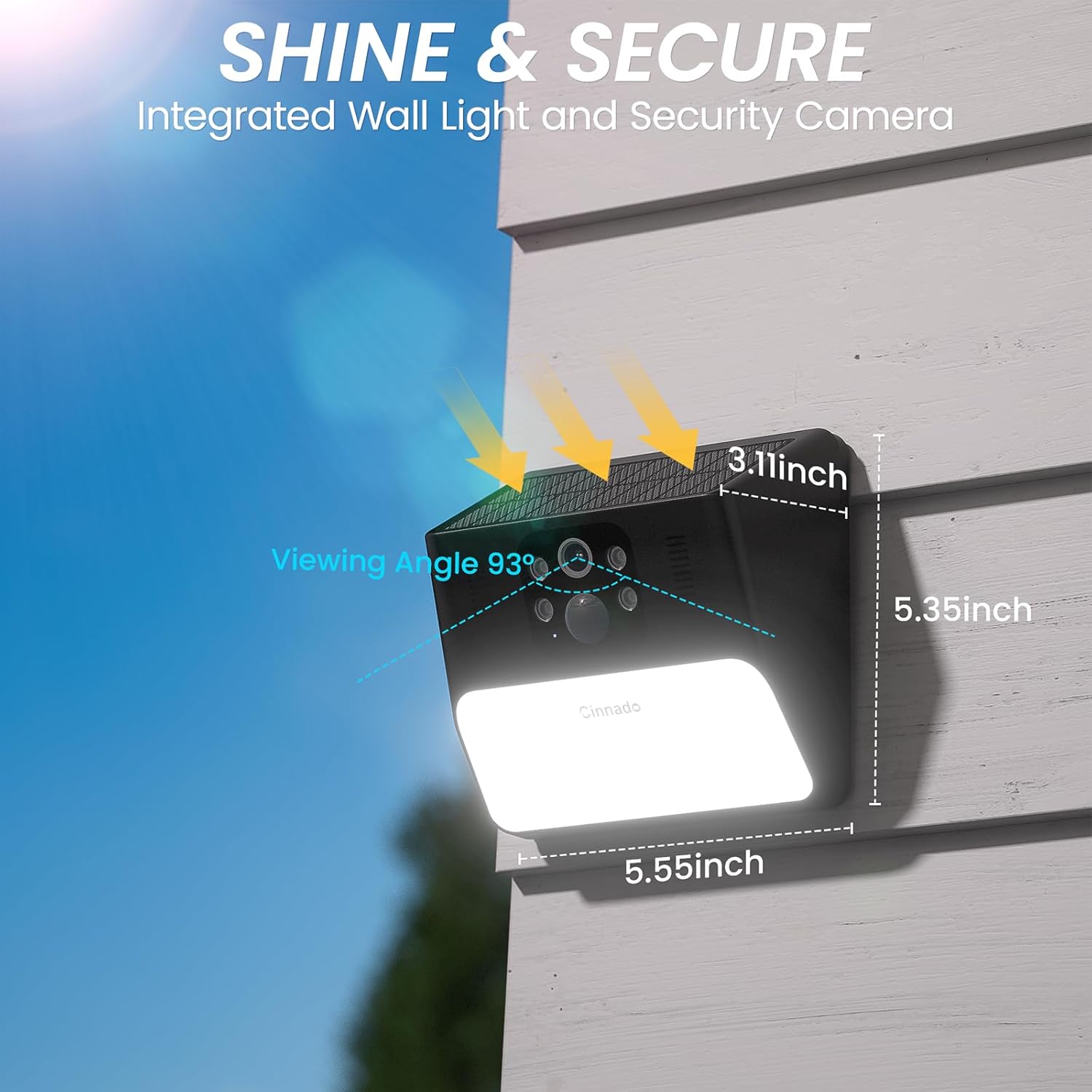
Image: Cinnado S2 camera showing approximate dimensions (5.55 inches width, 5.35 inches height, 3.11 inches depth) and a 93-degree viewing angle.

Image: Cinnado S2 camera mounted outdoors in rain, illustrating its IP65 weather resistance. The camera operates in temperatures from -10°C to 50°C and humidity from 10% to 90%.
4. Setup
4.1 Initial Charging
Before mounting, fully charge the camera's built-in 5000 mAh battery using the provided Type-C power cable. This ensures optimal performance from the start.
4.2 App Installation and Account Creation
- Download the dedicated mobile application from your smartphone's app store (iOS or Android).
- Open the app and create a new account. Follow the on-screen instructions for registration.
- If you encounter issues receiving a verification code during registration, check your spam folder or contact customer support.
4.3 Camera Pairing
- Ensure your smartphone is connected to a 2.4GHz Wi-Fi network. The camera does not support 5GHz Wi-Fi.
- In the app, select "Add Device" and follow the prompts to pair your camera.
- During pairing, ensure the camera's reset button is not stuck down, as this can prevent proper setup.
- Scan the QR code displayed in the app with the camera lens when prompted.
4.4 Mounting the Camera
- Choose a mounting location that receives ample direct sunlight throughout the day to ensure continuous charging of the solar panel.
- Use the provided base mounts and accessories (screws, anchors) to securely attach the camera to a wall or desired surface.
- Adjust the camera angle to cover your desired surveillance area. The camera has a 93-degree field of view.
5. Operating Instructions
5.1 Live View and Two-Way Audio
Access the live video feed through the mobile app. Use the integrated microphone and speaker for two-way communication with visitors or to deter intruders.
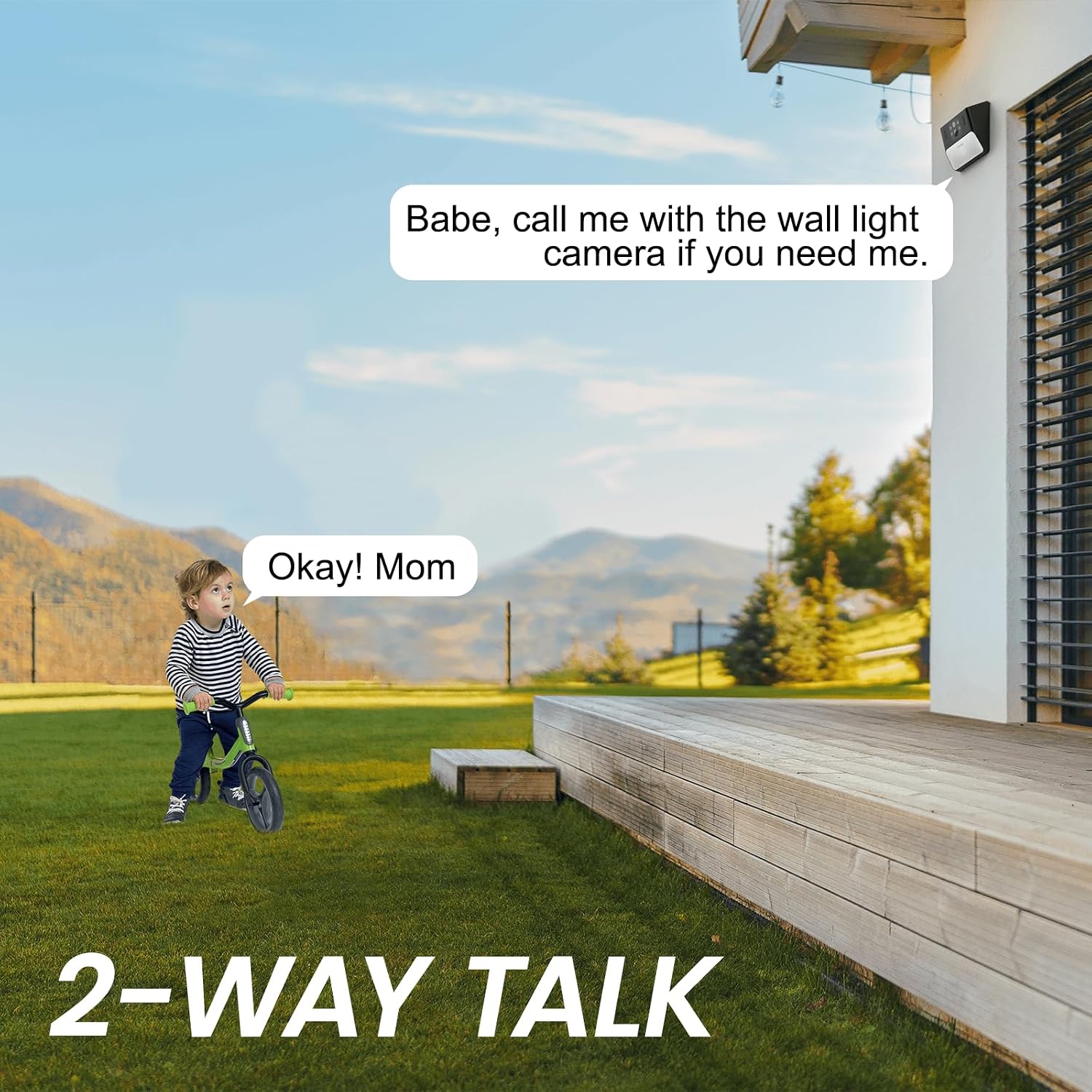
Image: Illustration of the two-way talk feature, showing a child communicating with an adult via the camera.
5.2 Motion Detection and Alerts
The camera features an intelligent PIR (Passive Infrared) sensor and AI person detection to accurately identify motion and minimize false alarms. When motion is detected, the camera can:
- Send real-time notifications to your smartphone.
- Activate the integrated LED spotlight.
- Trigger a smart siren (if enabled in settings).
Adjust PIR sensitivity settings within the app to optimize detection for your environment.

Image: A person approaching the camera, with icons indicating motion activation, two-way talk, and smart siren features.
5.3 Night Vision
The Cinnado S2 offers both infrared and color night vision modes. The integrated LED lights enable full-color video recording even in complete darkness, providing clearer details than traditional infrared black-and-white footage. You can switch between modes in the app settings.
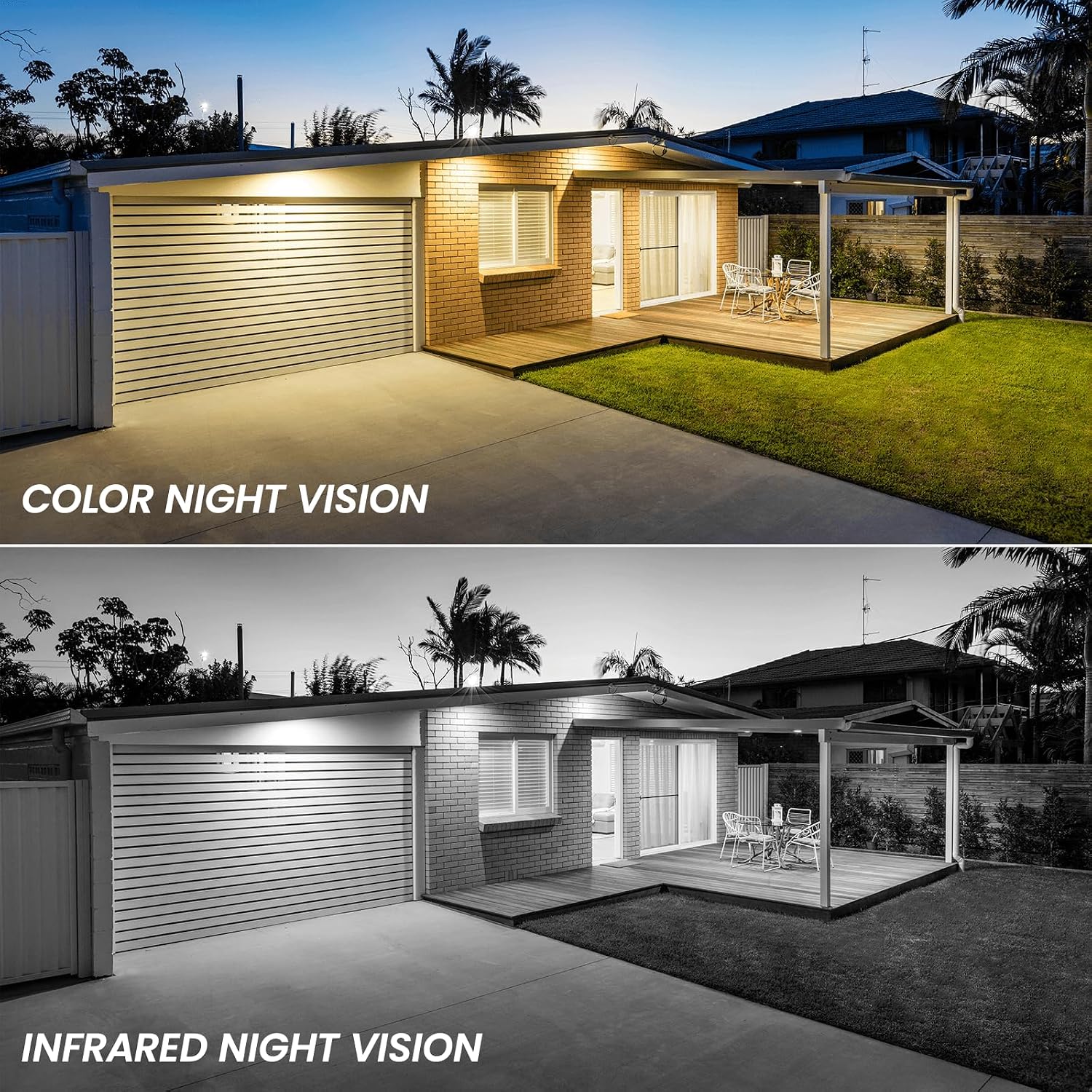
Image: Comparison showing a scene at night with color night vision (top) and infrared night vision (bottom), highlighting the enhanced detail of color night vision.
5.4 Video Storage
The camera supports two storage options:
- Local Storage: Insert a Micro SD card (up to 128GB, not included) into the designated slot for continuous or event-based recording.
- Cloud Storage: A 30-day trial of cloud storage is available. Cloud storage provides off-site backup and extended recording times. Subscription may be required after the trial period.

Image: Depicts the camera's cloud and SD card storage capabilities, showing a Micro SD card slot and a mobile app interface for reviewing recorded footage and managing storage.
5.5 Smart Home Integration (Alexa)
The Cinnado S2 camera is compatible with Amazon Alexa. Link your camera to your Alexa account through the Alexa app to enable voice commands for live viewing on compatible devices (e.g., "Alexa, show me the back door").

Image: A person interacting with an Amazon Echo Show device, demonstrating the "Works with Alexa" feature to view the camera feed.
6. Maintenance
- Solar Panel Cleaning: Regularly clean the solar panel surface with a soft, damp cloth to ensure maximum sunlight absorption and efficient battery charging.
- Lens Cleaning: Gently wipe the camera lens with a microfiber cloth to maintain clear image quality.
- Battery Health: Monitor the battery level in the app. Ensure the camera receives adequate sunlight to keep the battery charged.
- Firmware Updates: Check the app periodically for firmware updates. Install updates to ensure optimal performance and access to new features.
7. Troubleshooting
- Camera not connecting to Wi-Fi:
- Ensure your router is broadcasting a 2.4GHz Wi-Fi signal. The camera does not support 5GHz Wi-Fi.
- Check that the Wi-Fi password is entered correctly.
- Move the camera closer to the Wi-Fi router to improve signal strength.
- Restart your router and the camera.
- App registration issues (e.g., no verification code):
- Verify your email address is correct.
- Check your email's spam or junk folder for the verification code.
- If the issue persists, contact Cinnado customer support for assistance.
- Battery not charging or low battery:
- Ensure the solar panel is clean and free from obstructions.
- Relocate the camera to an area that receives more direct sunlight throughout the day.
- Verify the camera was fully charged before initial installation.
- Frequent false alarms:
- Adjust the PIR motion detection sensitivity settings in the app to a lower level.
- Ensure the camera is not pointed at areas with constant movement (e.g., busy roads, swaying trees).
- Reset button stuck:
- If the reset button feels stuck, gently try to free it. A stuck reset button can prevent proper camera setup or operation.
- Poor image quality:
- Clean the camera lens with a soft, dry cloth.
- Ensure there are no obstructions in the camera's field of view.
- Check your Wi-Fi connection stability, as poor connection can affect streaming quality.
8. Specifications
| Model Number | S2 |
| Dimensions (L x W x H) | 14.05 x 13.55 x 8.1 cm (5.55 x 5.35 x 3.11 inches) |
| Weight | 300 Grams |
| Resolution | 3 Megapixels (2K, 2304 effective resolution) |
| Connectivity Technology | Wireless (2.4GHz Wi-Fi) |
| Power Source | Solar-powered and Battery-operated (5000 mAh Lithium-ion battery included) |
| Water Resistance Level | IP65 (Waterproof) |
| Night Vision Range | 10 Meters (Infrared and Color Night Vision) |
| Field of View | 93 Degrees |
| Storage Options | Micro SD Card (up to 128GB), Cloud Storage |
| Operating Temperature | -10°C to 50°C |
| Humidity | 10% to 90% |
| Special Features | Two-way audio, Motion detector, HD resolution, Night vision, Works with Alexa |
9. Warranty and Support
For warranty information, please refer to the documentation included with your product or contact Cinnado customer service directly. For technical support, troubleshooting assistance, or inquiries, please use the support features within the mobile application or visit the official Cinnado website.


