
viqee S24
viqee S24 5G Unlocked Smartphone User Manual
Model: S24
1. Introduction
This manual provides essential instructions for setting up, operating, and maintaining your viqee S24 5G Unlocked Smartphone. Please read this guide thoroughly to ensure proper use and to maximize the device's capabilities. Keep this manual for future reference.

Image 1.1: The viqee S24 5G Unlocked Smartphone in Gold, shown with an accompanying stylus pen.
2. Package Contents
Verify that all items are present in your product package:
- viqee S24 Smartphone
- USB Cable
- Charger Head (one of four types)
- Mobile Phone Cases
- Screen Protector
- Mobile Manual (this document)
- Headset
- SIM Card Pin
- Stylus Pen (as indicated in product title)
- 64GB SD Card (pre-installed or included separately)

Image 2.1: Visual representation of the items included in the viqee S24 smartphone package.
3. Device Overview
The viqee S24 features a sleek design with a metal integrated frame and is available in various colors. It is equipped with a multi-camera system on the rear and a vibrant display.
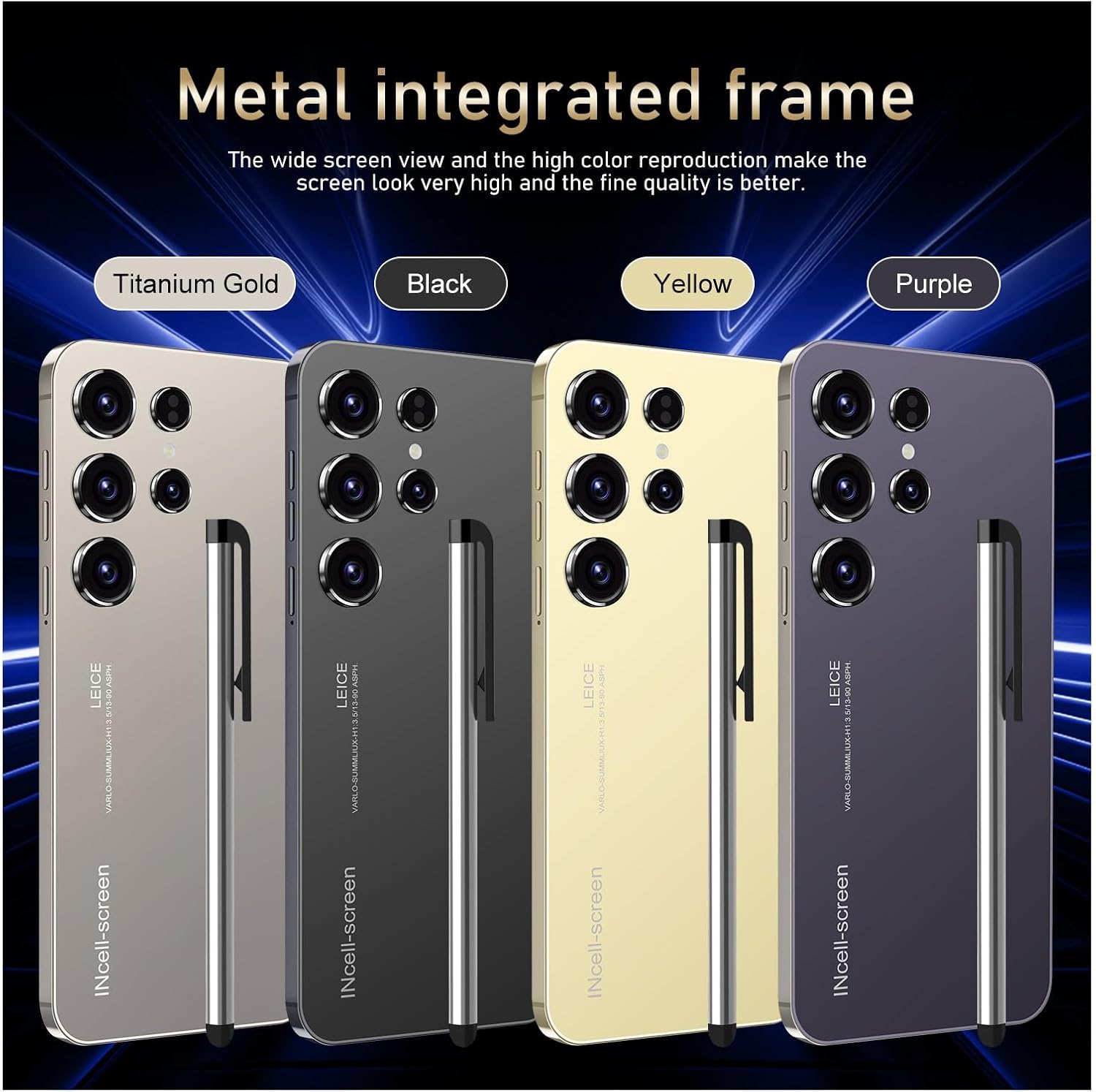
Image 3.1: The viqee S24 smartphone showcasing its metal integrated frame and available color options.
4. Setup
4.1. Inserting SIM and SD Card
The viqee S24 supports dual SIM cards and a dedicated Micro SD card for expandable storage. Use the provided SIM card pin to open the SIM tray.
- Locate the SIM tray on the side of your phone.
- Insert the SIM card pin into the small hole on the SIM tray and press gently until the tray ejects.
- Carefully pull out the SIM tray.
- Place your Nano-SIM cards (up to two) and the Micro SD card into their respective slots on the tray. Ensure the gold contacts face downwards.
- Gently push the tray back into the phone until it clicks into place.

Image 4.1: Illustration of how to correctly insert dual SIM cards and a dedicated Micro SD card into the viqee S24.
4.2. Initial Power On and Basic Setup
- Press and hold the Power button (usually on the right side) until the viqee logo appears.
- Follow the on-screen prompts to select your language, region, and connect to a Wi-Fi network.
- Sign in with your Google account or create a new one to access Google services and the Play Store.
- Set up your preferred screen lock method (PIN, pattern, password, fingerprint, or face unlock).
5. Operating Instructions
5.1. Display and Navigation
The viqee S24 features a 6.3-inch display with 2340 x 1080 resolution and a 120Hz refresh rate for smooth visuals. Navigation is primarily touch-based, utilizing gestures or on-screen navigation buttons.
5.2. Security Features
Your device offers advanced security options to protect your privacy:
- Fingerprint Unlock: The S24 features an on-screen fingerprint sensor. To set it up, navigate to Settings > Security > Fingerprint and follow the instructions to register your fingerprint.
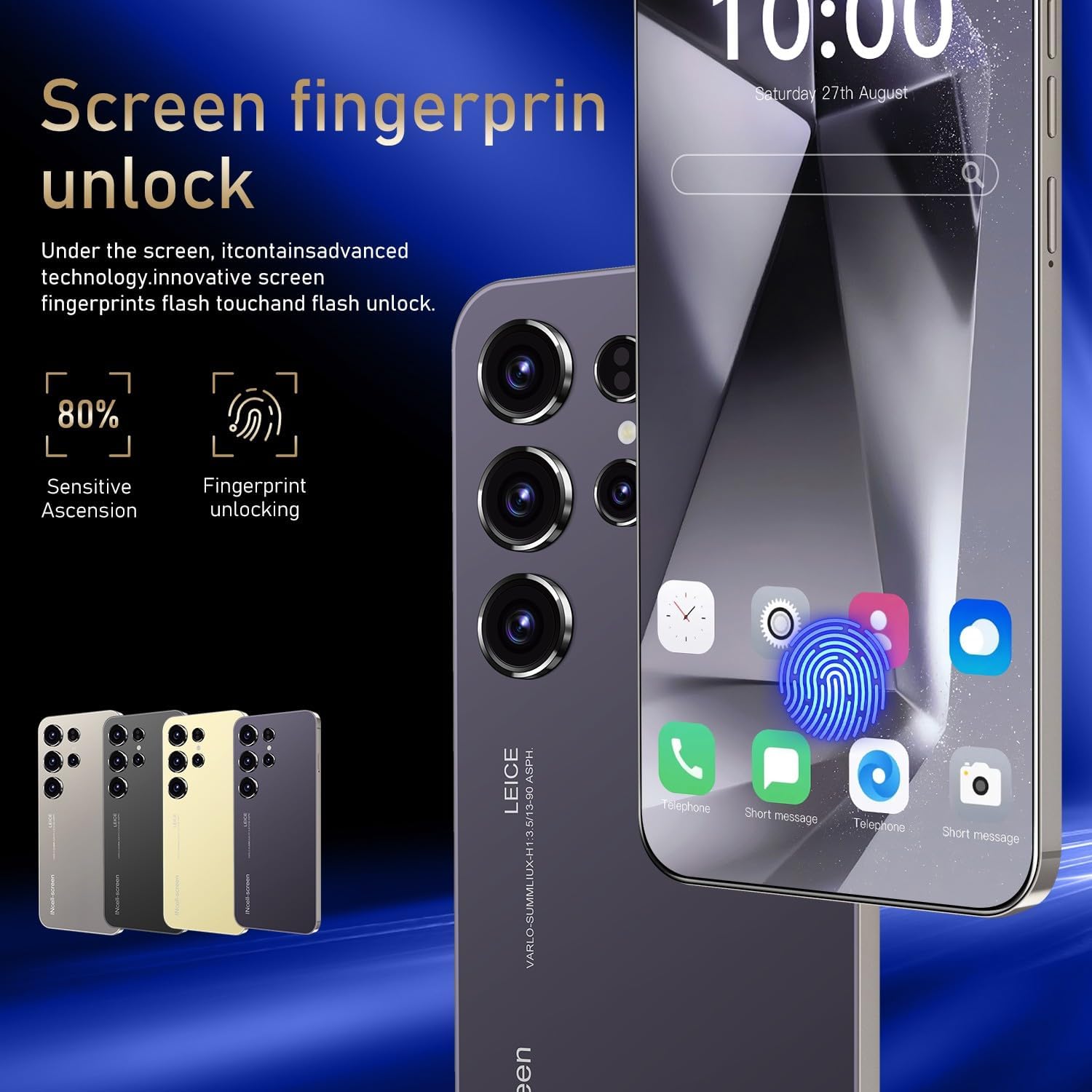
Image 5.1: The viqee S24 displaying the on-screen fingerprint unlock feature.
- Face Recognition: Utilize the front camera for quick and secure face unlock. Set this up via Settings > Security > Face Unlock. The device uses zero-light face recognition for accurate identification even in low-light conditions.

Image 5.2: A user demonstrating the zero-light face recognition feature of the viqee S24.
5.3. Camera Usage
The S24 is equipped with a 64MP front camera and a 12MP rear camera. Open the Camera app to access various modes such as Photo, Video, Portrait, and more. Tap the screen to focus and press the shutter button to capture images or start recording.
5.4. Connectivity
- 5G Mobile Network: The S24 supports 5G connectivity for fast data transmission. Ensure your SIM card and network provider support 5G services.
- Wi-Fi: Connect to wireless networks via Settings > Network & internet > Wi-Fi.
- Bluetooth: Pair with Bluetooth devices like headsets or speakers via Settings > Connected devices > Bluetooth.
- GPS: The device includes GPS for navigation and location services. Access navigation apps to utilize this feature.

Image 5.3: The viqee S24 demonstrating its GPS navigation capabilities with a map interface.
6. Maintenance
6.1. Battery Management
The S24 is equipped with a 6000 mAh battery. To optimize battery life:
- Adjust screen brightness.
- Close unused apps running in the background.
- Enable battery saver mode when needed.
- Avoid extreme temperatures.
6.2. Software Updates
Regularly check for software updates to ensure your device has the latest features and security patches. Go to Settings > System > System update to check for and install updates.
7. Troubleshooting
If you encounter issues with your viqee S24, try the following common troubleshooting steps:
- Device not turning on: Ensure the battery is charged. Connect the phone to the charger and wait a few minutes before attempting to power on again.
- Apps crashing or freezing: Close the problematic app and reopen it. If the issue persists, restart your phone.
- Poor network signal: Check your SIM card insertion. Move to an area with better network coverage.
- Fingerprint/Face unlock not working: Ensure your fingers are clean and dry for fingerprint scanning. For face unlock, ensure adequate lighting and that your face is clearly visible to the front camera. Re-register your biometrics if necessary.
- Slow performance: Clear cache, uninstall unused apps, or perform a factory reset (back up your data first).
For more complex issues, please refer to the support section or contact customer service.
8. Specifications
| Feature | Specification |
|---|---|
| Model Name | S24 |
| Operating System | Android 13.0 |
| Processor | Qualcomm Snapdragon 8 Gen 2 |
| Display Size | 6.3 Inches |
| Display Resolution | 2340 x 1080 |
| Refresh Rate | 120 Hz |
| RAM | 4 GB |
| Internal Storage | 128 GB |
| Expandable Storage | 64GB SD Card included, dedicated slot |
| Front Camera | 64 MP |
| Rear Camera | 12 MP |
| Connectivity | 5G, Wi-Fi, Bluetooth, GPS |
| Battery Capacity | 6000 mAh |
| Security Features | Face ID, Fingerprint Lock |
| Item Weight | 4.4 ounces |
| Manufacturer | viqee |
9. Warranty and Support
For warranty information and customer support, please refer to the documentation included with your purchase or visit the official viqee website. If you have any questions or require assistance, please contact the seller directly. Customer satisfaction is a priority, and support will be provided within 24 hours for inquiries.
Ask a question about this manual
Ask about setup, troubleshooting, compatibility, parts, safety, or missing instructions. Manuals+ will review the question and use this page’s manual context to help answer it.