
Introduction
This manual provides detailed instructions for the installation, operation, and maintenance of your Uckazy 7-inch Android 13 Car Stereo. Please read this manual thoroughly before using the product to ensure proper function and to prevent damage.
Safety Information
- Professional Installation Recommended: Due to the complexity of car electrical systems, professional installation is highly recommended.
- Power Disconnection: Always disconnect the vehicle's battery before performing any installation or maintenance.
- Wiring: Ensure all wiring connections are secure and correctly matched to avoid short circuits or damage.
- Driving Safety: Do not operate the device in a manner that distracts you from driving. Always prioritize road safety.
- Temperature: Avoid exposing the device to extreme temperatures or direct sunlight for prolonged periods.
Package Contents
Verify that all items are present in the package:
- 7 Inch Android Screen
- Plug and Play Power Cable and Canbus
- USB/RCA Cable
- Microphone and Reverse camera
- Installation tools and touch pens
- GPS Antenna

Image: Overview of the Uckazy car stereo package contents, showing the main unit, various cables, GPS antenna, reverse camera, microphone, and installation tools.
Setup and Installation
This unit is designed for plug-and-play installation in Mercedes Benz E Class W211 models (2002-2009). However, specific considerations are necessary for certain vehicle configurations.
Compatibility Note: Fiber Optic Decoder
Important: If your original vehicle is equipped with a factory navigation or amplifier system (e.g., JBL, BOSE, Harman Kardon), an additional fiber optic decoder will be required for the audio system to function correctly. Without this decoder, there will be no sound output from the new stereo. This decoder is not included and must be purchased separately.
General Installation Steps:
- Prepare Vehicle: Disconnect the negative terminal of the car battery.
- Remove Old Unit: Carefully remove the existing car stereo unit from the dashboard. Refer to your vehicle's service manual for specific removal instructions.
- Connect Wiring:
- Connect the provided Plug and Play Power Cable and Canbus to the vehicle's wiring harness.
- If applicable, install the fiber optic decoder and connect it according to its instructions.
- Connect the GPS antenna, USB/RCA cables, microphone, and reverse camera (if installing).
- Ensure all connections are secure.
- Mount New Unit: Carefully slide the Uckazy stereo into the dashboard opening. Ensure it fits securely.
- Test Functionality: Reconnect the car battery. Turn on the vehicle and test all functions of the new stereo (audio, navigation, Bluetooth, camera, etc.) before fully reassembling the dashboard.
- Final Assembly: Once all functions are verified, reassemble the dashboard components.

Image: The Uckazy 7-inch Android 13 car stereo unit, showcasing its display and control buttons.

Image: Visual comparison showing the original Mercedes Benz W211 dashboard radio (top) and the Uckazy 7-inch car stereo installed (bottom), demonstrating a seamless fit.
Operating Instructions
Basic Interface and Navigation
The unit operates on Android 13, providing a familiar smartphone-like interface. Navigate using the 7-inch multi-point capacitive touchscreen or the physical buttons on the unit.
- Home Screen: Access frequently used applications and widgets.
- App Drawer: Swipe up or tap the app icon to view all installed applications.
- Settings: Customize system preferences, network settings, display, sound, and more.
Connectivity Features
- Wireless Apple CarPlay & Android Auto:
Connect your smartphone wirelessly or via USB to access navigation, music, calls, and messages directly on the stereo display. Follow the on-screen prompts to pair your device.

Image: Display of the car stereo showing both Wireless Carplay and Wireless Android Auto interfaces, indicating smartphone integration.
- Bluetooth 5.1:
Pair your phone for hands-free calling and audio streaming. Go to Bluetooth settings, enable Bluetooth on your phone, and select the stereo from the list of available devices.
- Wi-Fi:
Connect to a Wi-Fi hotspot (e.g., from your phone or a portable hotspot) to access online features, download apps, and update software. Navigate to Settings > Network & Internet > Wi-Fi.
Navigation and Multimedia
- GPS Navigation:
The unit comes with built-in North American maps. Access the navigation application from the home screen or app drawer. Enter your destination for turn-by-turn directions.
- DSP 16-Band EQ:
Utilize the Digital Sound Processor (DSP) with 16-band equalization to customize audio output. Adjust bass, treble, and other sound parameters to your preference. The P2BASS feature enhances low-frequency response.
- AM/FM RDS Radio:
Tune into local radio stations. The Radio Data System (RDS) displays station information where available.
- 1080P Video Playback:
The IPS 1024x600 high-resolution screen supports playback of 1080P videos. Use the built-in media player or download compatible apps from the Google Play Store.
- Google Play Store:
Download and install various applications, including streaming services, games, and utility apps, to expand the stereo's functionality.
Advanced Features
- Voice Assistant:
Activate Siri (for Apple CarPlay) or Google Voice Assistant (for Android Auto/Android OS) to control navigation, make calls, play music, and more using voice commands. This feature enhances driving safety by minimizing manual interaction.
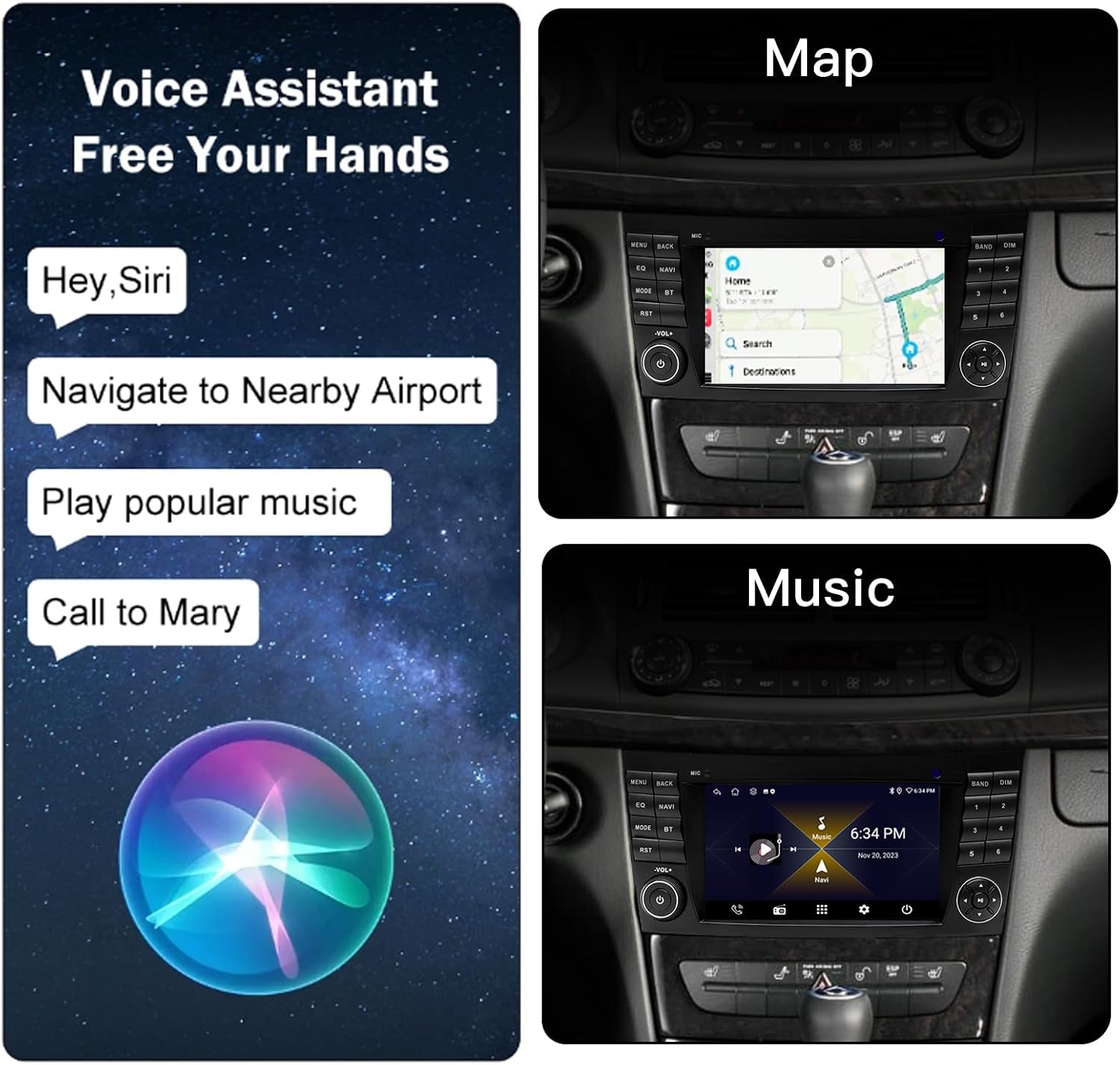
Image: The car stereo display illustrating voice commands for tasks like navigation, playing music, and making phone calls, with a visual representation of a voice assistant icon.
- Steering Wheel Control:
The unit supports integration with your vehicle's existing steering wheel controls, allowing you to manage audio, calls, and other functions without taking your hands off the wheel.
- Split Screen Functionality:
Run two applications simultaneously on the screen, such as navigation on one side and music playback on the other.
- Rear Reversing Camera:
When the vehicle is shifted into reverse, the display automatically switches to the rear camera view, assisting with parking and maneuvering. The camera supports night reversing mode.

Image: A visual summary of key features: steering wheel control integration, GPS navigation, an internal cooling fan for heat dissipation, AM/FM RDS radio, customizable button backlighting, and split-screen multitasking.
Maintenance
- Screen Cleaning: Use a soft, lint-free cloth to gently wipe the touchscreen. Avoid abrasive cleaners or solvents.
- Software Updates: Periodically check for system software updates via Wi-Fi to ensure optimal performance and access to new features.
- Environmental Care: Keep the unit free from dust and moisture. Ensure proper ventilation around the unit to prevent overheating.
Troubleshooting
| Problem | Possible Cause | Solution |
|---|---|---|
| No sound output. | Missing fiber optic decoder for vehicles with factory amplifier systems (JBL, BOSE, Harman Kardon). | Purchase and install the appropriate fiber optic decoder. Ensure all audio connections are secure. |
| Unit does not power on. | Incorrect wiring or blown fuse. | Check all power connections and fuses. Ensure the vehicle battery is connected. Professional inspection recommended. |
| Bluetooth/CarPlay/Android Auto not connecting. | Incorrect pairing procedure, device Bluetooth off, or software glitch. | Ensure Bluetooth is enabled on both devices. Restart both the stereo and your phone. Try re-pairing the devices. Check for software updates. |
| GPS signal is weak or inaccurate. | GPS antenna improperly installed or obstructed. | Ensure the GPS antenna is mounted in a clear location with an unobstructed view of the sky. Check antenna connection. |
For issues not listed here, please refer to the support section.
Specifications
| Feature | Detail |
|---|---|
| Model Number | 2+64G |
| Operating System | Android 13 |
| Screen Size | 7 Inches |
| Display Resolution | IPS 1024x600 |
| Processor | MTK Android Quad Core |
| Connectivity | Bluetooth 5.1, Wi-Fi |
| Special Features | Wireless CarPlay, Wireless Android Auto, DSP 16-band EQ, GPS Navigation (North America maps), Touchscreen, Steering Wheel Control, Rear Camera Support, Split Screen |
| Audio Output Mode | Stereo |
| Mounting Type | Dashboard Mount |
| Item Weight | 3.65 pounds |
| Package Dimensions | 11.8 x 7.88 x 4.72 inches |
Warranty Information
This Uckazy product comes with a 1-year warranty from the date of purchase. This warranty covers manufacturing defects and malfunctions under normal use. It does not cover damage caused by improper installation, misuse, accidents, unauthorized repairs, or modifications.
Please retain your proof of purchase for warranty claims.
Support
If you encounter any issues or have questions regarding your Uckazy car stereo, please contact the manufacturer's customer support. Refer to the product packaging or the seller's information for contact details.
When contacting support, please have your product model number (2+64G) and purchase information ready.