
Introduction
Thank you for choosing the RAVPOWER RP-BH1018 True Wireless Bluetooth Earbuds. This manual provides essential information for the safe and efficient use of your new earbuds. Please read it thoroughly before use and retain it for future reference.
Important Safety Information
- Do not disassemble or modify the earbuds or charging case.
- Keep away from extreme temperatures, humidity, and liquids.
- Avoid prolonged exposure to loud volumes to prevent hearing damage.
- Clean with a dry, soft cloth only.
- Dispose of the product responsibly according to local regulations.
Package Contents
Verify that all items are present in your package:
- RAVPOWER RP-BH1018 True Wireless Earbuds (L/R)
- Charging Case
- USB-C Charging Cable
- Multiple Sizes of Eartips
- User Manual

Image: The package contents include the earbuds, charging case, USB-C cable, various eartip sizes, and the user manual.
Product Overview
The RAVPOWER RP-BH1018 earbuds feature a compact, ergonomic design for comfortable wear. Each earbud is equipped with a touch control area and a microphone. The charging case provides additional battery life and protects the earbuds when not in use.
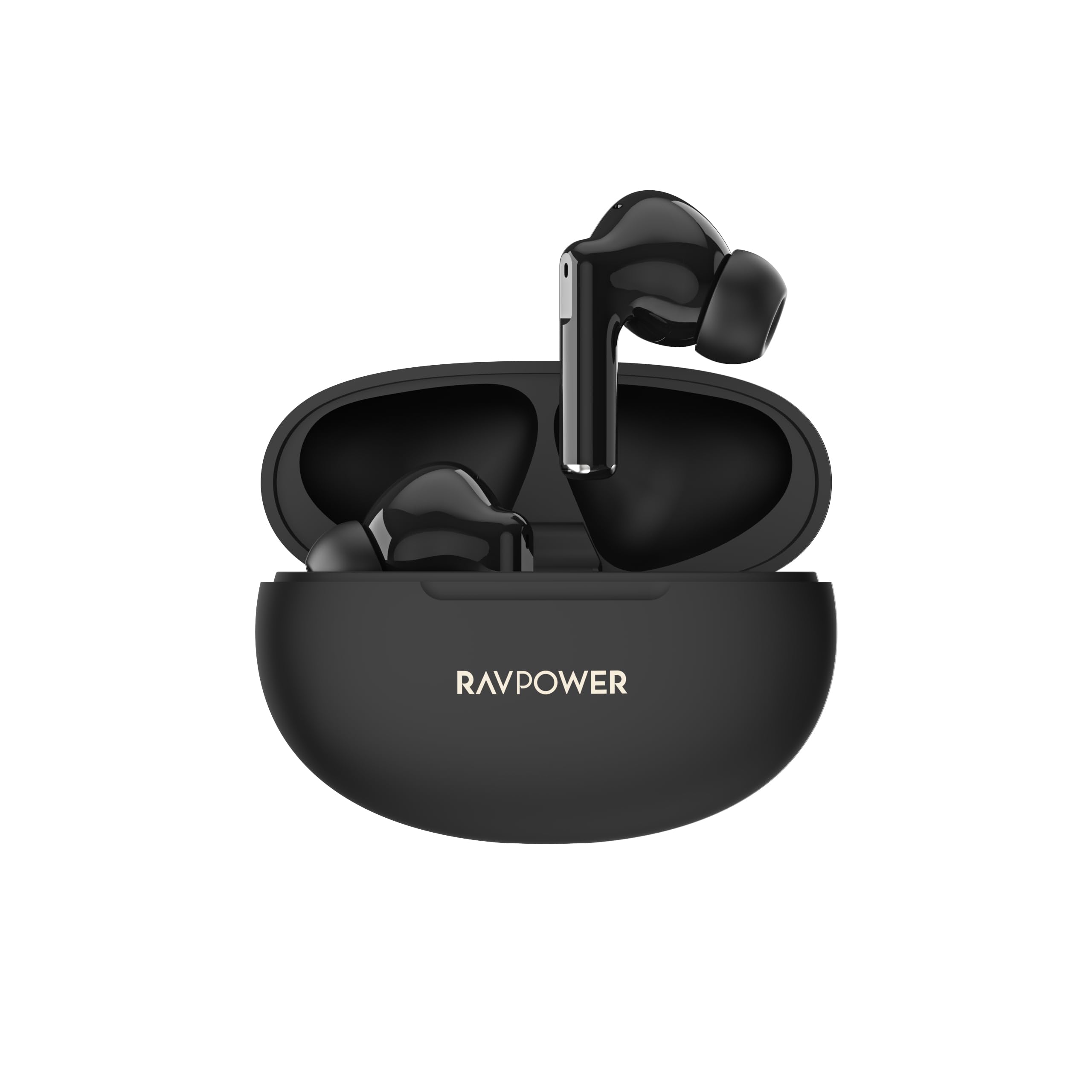
Image: The RAVPOWER RP-BH1018 True Wireless Earbuds in their charging case.
Setup
1. Charging the Earbuds and Case
Before first use, fully charge both the earbuds and the charging case.
- Place the earbuds into the charging case.
- Connect the USB-C charging cable to the charging port on the case and to a power source.
- The indicator lights on the case will show the charging status. Once fully charged, the lights will indicate completion.
The earbuds provide up to 6 hours of continuous playtime on a single charge, with the charging case offering an additional 18 hours, totaling 24 hours of playtime.

Image: The earbuds in their charging case, illustrating the 6 hours of continuous playtime and an additional 18 hours from the case.
2. Pairing with Your Device
The earbuds feature one-step auto-pairing for convenience.
- Open the charging case. The earbuds will automatically enter pairing mode.
- On your device (smartphone, tablet, laptop), enable Bluetooth.
- Search for "RAVPOWER RP-BH1018" in the list of available Bluetooth devices and select it to connect.
- Once connected, the earbuds will automatically pair with your device whenever the case is opened, provided Bluetooth is enabled on your device.

Image: A visual representation of the one-step auto-pairing process, showing the earbuds and a smartphone's Bluetooth settings screen.
Operating Instructions
1. Power On/Off
- Power On: Open the charging case, and the earbuds will power on automatically.
- Power Off: Place the earbuds back into the charging case and close the lid. They will power off and begin charging.
2. Wearing the Earbuds
Select the most comfortable eartips for a secure and ergonomic fit. Insert the earbuds into your ears and gently twist them to ensure a snug seal. This optimizes sound quality and comfort.

Image: Examples of individuals wearing the earbuds comfortably during different activities, highlighting the ergonomic design.
3. Touch Controls
The earbuds feature intuitive touch controls for managing audio and calls:
| Action | Function |
|---|---|
| Single Tap | Play/Pause Music, Answer Call, End Call |
| Double Tap (Left Earbud) | Volume Down |
| Double Tap (Right Earbud) | Volume Up |
| Triple Tap (Left Earbud) | Previous Track |
| Triple Tap (Right Earbud) | Next Track |
| Long Press (2 seconds) | Reject Call, Activate Voice Assistant (Siri, Google Assistant) |

Image: An infographic detailing the various touch control functions for music playback, calls, and voice assistance.
4. Sound Quality
The RP-BH1018 earbuds are engineered with 13mm dynamic drivers to deliver crystal-clear audio, powerful deep bass, and crisp highs for an immersive listening experience.

Image: An exploded diagram showcasing the internal components of the earbud's 13mm speaker, emphasizing its design for powerful bass and clear sound.
5. Bluetooth Connectivity
Equipped with advanced Bluetooth 5.4 technology, the earbuds provide a stable and fast wireless connection with a range of up to 10 meters. This ensures seamless audio transmission and instant pairing with compatible devices.

Image: A graphic highlighting the integration of Bluetooth 5.4 technology within the earbud, indicating higher security and efficient connectivity.
Maintenance
1. Cleaning
- Regularly clean the earbuds and charging case with a soft, dry, lint-free cloth.
- Do not use harsh chemicals, cleaning solvents, or strong detergents.
- Gently remove any earwax or debris from the eartips and speaker mesh using a small, soft brush or cotton swab.
2. Storage
- When not in use, always store the earbuds in their charging case to protect them and ensure they remain charged.
- Store in a cool, dry place, away from direct sunlight and extreme temperatures.
3. Water Resistance (IPX5)
The earbuds are rated IPX5 water resistant, meaning they can withstand sweat and light splashes of water. They are suitable for workouts and outdoor activities. However, they are not designed for submersion in water or exposure to heavy rain. Ensure the earbuds are dry before placing them back into the charging case.
Troubleshooting
| Problem | Possible Solution |
|---|---|
| Earbuds not turning on | Ensure the earbuds and charging case are fully charged. |
| Earbuds not pairing | Make sure Bluetooth is enabled on your device. Place earbuds back in case, close, then reopen to re-enter pairing mode. Forget the device on your phone and try pairing again. |
| No sound or low volume | Check volume levels on both your device and the earbuds. Ensure earbuds are properly seated in your ears. Re-pair the earbuds. |
| Intermittent connection | Ensure you are within the 10-meter Bluetooth range. Avoid obstacles between the earbuds and your device. Try disconnecting and reconnecting. |
| Microphone not working | Ensure the earbuds are properly connected. Check your device's audio input settings to confirm the earbuds are selected as the microphone. |
Specifications
| Feature | Detail |
|---|---|
| Brand Name | RAVPOWER |
| Model Name | BH1018 |
| Model Number | BH1018 |
| Color | Black |
| Connectivity Technology | Wireless |
| Wireless Communication Technology | Bluetooth |
| Bluetooth Version | 5.4 |
| Bluetooth Range | 10 Meters |
| Ear Placement | In-Ear |
| Headphone Form Factor | In-Ear |
| Earbud Shape | Bud |
| Control Method | Touch |
| Audio Driver Type | Dynamic Driver |
| Battery Life (Earbuds) | 6 Hours |
| Total Playtime (with Case) | 24 Hours |
| Water Resistance Level | IPX5 (Sweat and Splash Resistant) |
| Special Features | Hi-Fi Stereo Sound, IPX5 Water Resistant, Touch Control, Bluetooth 5.4 |
| Item Weight | 90 Grams |
| Included Components | 1 x Earbuds, Charging Case, USB-C Cable, Eartips |
| Country of Origin | China |
Warranty and Support
Warranty Information
This product comes with an 18-month warranty from the date of purchase. Please retain your proof of purchase for warranty claims. The warranty covers manufacturing defects but does not cover damage caused by misuse, accidents, unauthorized modifications, or normal wear and tear.
Customer Support
For any questions, technical assistance, or warranty inquiries, please contact RAVPOWER customer support. You can usually find contact information on the official RAVPOWER website or through the retailer where you purchased the product.
Website: www.ravpower.com (Please check the official website for the most up-to-date contact details.)