
1. Important Safety Information
Please read this entire manual before operating the ANCHEER Under Desk Elliptical. Keep this manual for future reference.
- Consult your physician before starting any new exercise program.
- Ensure the elliptical is placed on a stable, level surface during use.
- Keep children and pets away from the equipment during operation.
- The maximum user weight for this elliptical is 390 pounds. Do not exceed this limit.
- Wear appropriate footwear when using the elliptical.
- Inspect the elliptical for any loose or damaged parts before each use. Do not use if damaged.
- Do not place hands or feet near moving parts during operation.
- Stop exercising immediately if you feel faint, dizzy, or experience pain.
2. What's in the Box & Initial Setup
Your ANCHEER Under Desk Elliptical is designed for immediate use with no assembly required.
Included Components:
- 1 x ANCHEER Under Desk Elliptical (fully assembled)
Initial Setup:
- Remove the elliptical from its packaging.
- Place the elliptical on a flat, stable surface where you intend to use it.
- Ensure there is enough clear space around the elliptical for safe operation.

Figure 2.1: The ANCHEER Under Desk Elliptical comes 100% pre-assembled and ready to use.
3. Product Overview
The ANCHEER Under Desk Elliptical is a compact, low-impact exercise machine designed for use while sitting or standing. It features adjustable magnetic resistance and a digital monitor to track your workout progress.
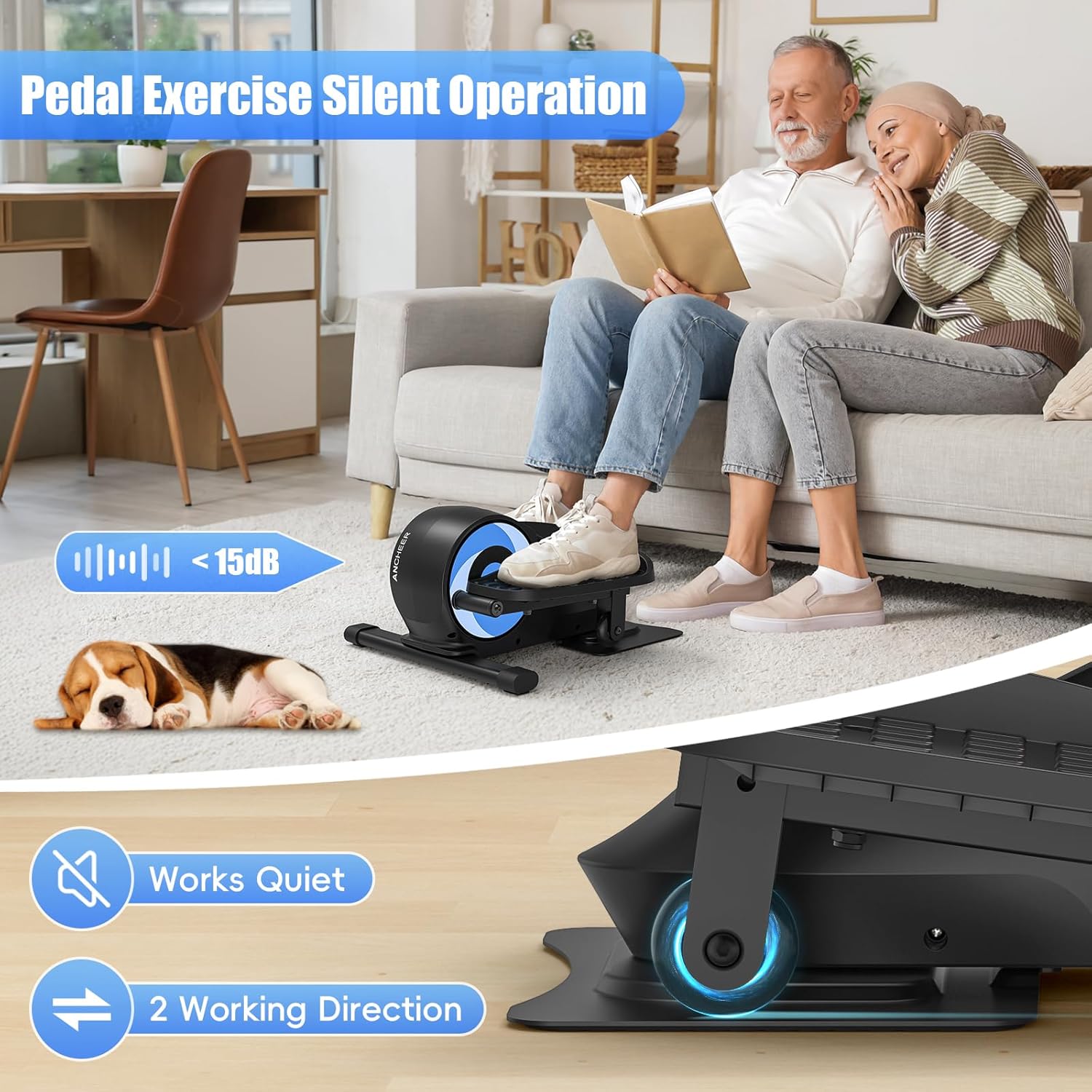
Figure 3.1: General view of the ANCHEER Under Desk Elliptical.
4. Operating Instructions
4.1 Using the Elliptical
The elliptical offers versatile workout options for both sitting and standing positions, allowing for forward and backward pedaling.
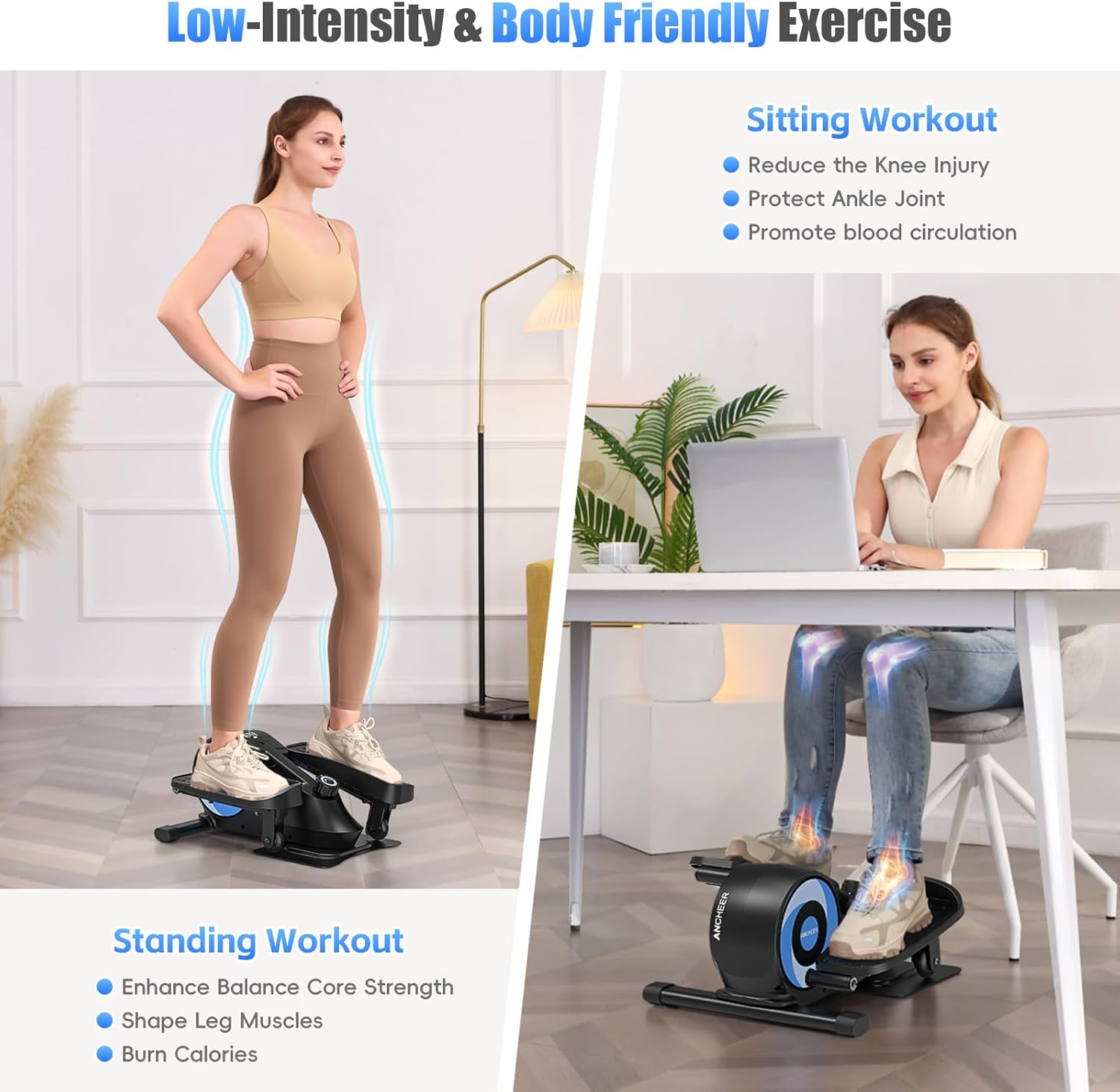
Figure 4.1: The elliptical supports both standing and sitting workouts.
Sitting Workout:
- Place the elliptical on the floor in front of your chair or desk.
- Sit comfortably with your feet on the pedals.
- Begin pedaling in a forward or backward motion. This mode is ideal for reducing knee injury risk, protecting ankle joints, and promoting blood circulation.

Figure 4.2: Sitting workouts offer low-impact exercise to maintain or improve joint flexibility.
Standing Workout:
- Ensure the elliptical is on a stable surface.
- Stand on the pedals, maintaining balance. You may hold onto a stable object for support if needed.
- Begin pedaling. This mode helps enhance balance strength, shape leg muscles, and burn calories.

Figure 4.3: Standing workouts can enhance balance and strengthen leg muscles.
4.2 Adjusting Resistance
The elliptical features 8 levels of magnetic resistance, allowing you to customize your workout intensity. To adjust the resistance:
- Locate the tension control knob on the front of the elliptical.
- Turn the knob clockwise to increase resistance (levels 1-8).
- Turn the knob counter-clockwise to decrease resistance.

Figure 4.4: Adjust the resistance using the tension control knob.
4.3 Using the Digital Monitor
The built-in LCD monitor tracks your workout data to help you stay informed about your progress.
Monitor Functions:
- Time: Duration of your workout.
- Speed: Current pedaling speed.
- Distance: Total distance covered.
- Calories: Estimated calories burned.
- ODO (Odometer): Total accumulated distance.
Operating the Monitor:
- The monitor automatically turns on when you start pedaling.
- Press the button on the monitor to cycle through the different display functions (Time, Speed, Distance, Calories, ODO).
- To reset the values, press and hold the button for a few seconds.
- The monitor will automatically turn off after a period of inactivity to conserve battery.

Figure 4.5: The LCD monitor displays various workout metrics.
4.4 Quiet Operation
The ANCHEER Under Desk Elliptical is designed with silent wheel technology, ensuring a quiet workout experience. This allows you to exercise without disturbing others, whether you are working, watching TV, or in a shared space.

Figure 4.6: Enjoy a quiet workout experience with the elliptical's silent operation.
5. Portability and Storage
The compact design and integrated carry handle make the ANCHEER Under Desk Elliptical easy to move and store.
- To move: Use the built-in carry handle to lift and transport the elliptical.
- To store: Its compact size allows it to fit neatly under desks or in small spaces when not in use.
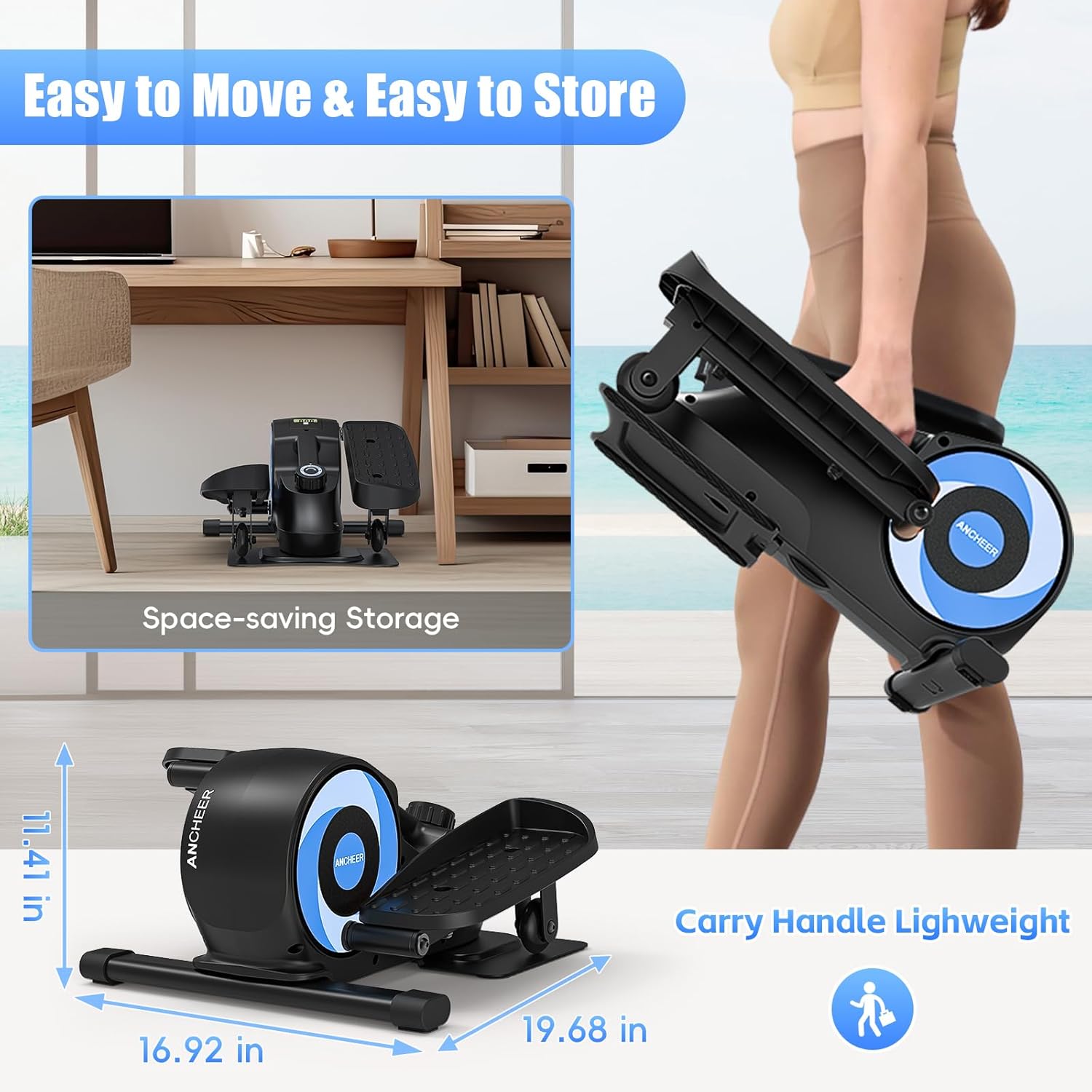
Figure 5.1: The elliptical features a carry handle for easy transport and compact storage.
6. Maintenance
Regular maintenance ensures the longevity and optimal performance of your elliptical.
- Cleaning: Wipe down the elliptical with a damp cloth after each use to remove sweat and dust. Avoid abrasive cleaners.
- Inspection: Periodically check all bolts, nuts, and moving parts for tightness and wear. Tighten any loose fasteners.
- Storage: Store the elliptical in a dry, cool place away from direct sunlight and extreme temperatures.
7. Troubleshooting
If you encounter any issues with your ANCHEER Under Desk Elliptical, refer to the following common problems and solutions:
| Problem | Possible Cause | Solution |
|---|---|---|
| Monitor not displaying data | Battery drained or incorrectly installed. | Replace the battery (typically a button cell battery) or ensure it is correctly inserted. |
| Resistance feels too easy or too hard | Resistance knob not set correctly. | Adjust the tension control knob to your desired resistance level (1-8). |
| Squeaking or unusual noise during use | Loose parts or friction. | Check all bolts and connections for tightness. Apply a small amount of silicone-based lubricant to moving joints if necessary. |
| Elliptical slides on the floor | Smooth floor surface. | Place the elliptical on a non-slip mat or carpet to prevent movement during use. |
If the problem persists after attempting these solutions, please contact ANCHEER customer support.
8. Product Specifications
| Specification | Detail |
|---|---|
| Brand | ANCHEER |
| Model Name | 6625B |
| Display Type | LCD |
| Number of Resistance Levels | 8 (Magnetic) |
| Maximum Stride Length | 12 Inches |
| Item Dimensions (LxWxH) | 10"D x 12"W x 10"H |
| Package Dimensions (LxWxH) | 20 x 12 x 11 inches |
| Item Weight | Approximately 20 Pounds (Package Weight) |
| Material | Alloy Steel |
| Maximum Weight Recommendation | 390 Pounds |
9. Warranty and Support
The ANCHEER Under Desk Elliptical Model 6625B comes with a Lifetime Warranty, ensuring peace of mind regarding the quality and durability of your product.
Customer Support:
For any questions, concerns, or warranty claims, please contact ANCHEER customer support through the retailer's platform or the official ANCHEER website.
Please have your model number (6625B) and purchase information ready when contacting support.

