
Introduction
This manual provides detailed instructions for the setup, operation, maintenance, and troubleshooting of your Dpofirs 64MP 4K Digital Camera. Please read this manual thoroughly before using the camera to ensure optimal performance and longevity of the device.
Package Contents
Verify that all items listed below are included in your package. If any items are missing or damaged, please contact Dpofirs customer support.
- 1 x Dpofirs 64MP 4K Digital Camera
- 1 x Data Cable
- 1 x Lanyard
- 1 x Cleaning Cloth
- 1 x Screwdriver
- 1 x Card Slot Cover
- 2 x Screws
- 1 x OTG Adapter
- 1 x User Manual
Video Description: This video demonstrates the unboxing of the Dpofirs 64MP 4K Digital Camera and its included accessories, such as the data cable, lanyard, cleaning cloth, and OTG adapter. It also shows a brief overview of the camera's physical features.
Setup
- Unpack the Camera: Carefully remove the camera and all accessories from the packaging.
- Insert Memory Card: Locate the memory card slot on the camera. Insert a compatible memory card (up to 128GB, not included) into the slot until it clicks into place. Ensure the card is inserted in the correct orientation.
- Charge the Battery: Connect the camera to a power source using the provided data cable. The camera features a built-in 3600mAh lithium-ion battery. A full charge is recommended before first use.
- Remove Protective Films: Gently peel off any protective films from the camera screen and lens to ensure clear viewing and optimal image quality.
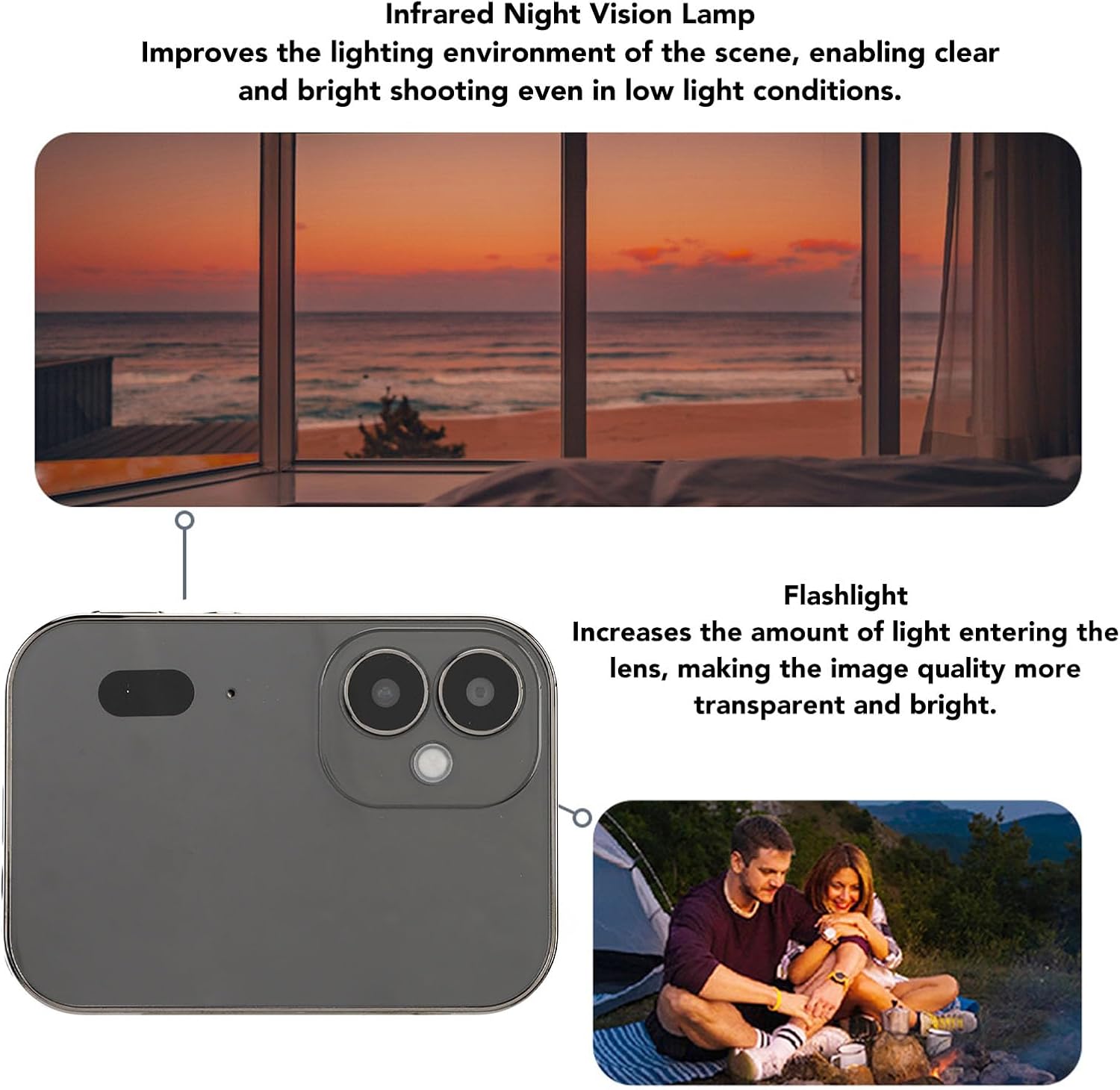
Image Description: A close-up view of the Dpofirs 64MP 4K Digital Camera with its screen illuminated, showing the user interface. This image highlights the camera's compact design and display.
Operating the Camera
Power On/Off
Press and hold the power button located on the side of the camera to turn it on or off. The 3-inch HD touch display will illuminate upon startup.
Photography and Video Recording
The camera features a 64MP 4K triple camera system with a 10x telephoto and 120-degree wide-angle lens. It supports 16X digital zoom for capturing detailed images and videos.

Image Description: The Dpofirs 64MP 4K Digital Camera is shown capturing a vibrant landscape, demonstrating its high-definition photography capabilities.
Touchscreen Operation
Navigate the camera's menus and settings using the responsive 3-inch HD touch display. The screen is designed to be scratch and wear-resistant.
Live Streaming and Webcam Functionality
The camera supports live streaming on major social platforms and can function as a computer webcam. Connect the camera to your computer via USB to use it as a webcam.

Image Description: A person is shown using the Dpofirs 64MP 4K Digital Camera as a webcam for live streaming, with the camera mounted on a small tripod and connected to a smartphone.
OTG Connection for File Transfer
Utilize the Quick OTG connection feature for easy file transfer between the camera and compatible smartphones. This allows for effortless sharing of photos and videos.

Image Description: The Dpofirs 64MP 4K Digital Camera is shown next to a smartphone, illustrating the OTG connection for quick and easy file transfer between the devices.
Music Playback
The camera supports local music playback from a memory card through its sealed cavity speaker or via 3.5MM wired headphones. No internet connection is required for this feature.

Image Description: A person is shown listening to music through wired headphones connected to the Dpofirs 64MP 4K Digital Camera, demonstrating its music playback feature.
Screen Lock and Power Saving
The camera can continue to take photos, record videos, and record audio even when the screen is off, helping to conserve battery life. The 3600mAh battery provides extended usage.

Image Description: The Dpofirs 64MP 4K Digital Camera is displayed with its screen in a locked or off state, illustrating its power-saving capability while still being operational for recording.
Infrared Night Vision and Flash
An infrared night vision light improves visibility in low-light conditions, enabling clear and bright shooting. The built-in flash further enhances light input for transparent and bright image quality.

Image Description: A detailed view of the Dpofirs 64MP 4K Digital Camera's rear, highlighting the infrared night vision lamp and flash components, crucial for low-light photography.
Maintenance
- Cleaning: Use the provided cleaning cloth to gently wipe the camera body and screen. For lenses, use a specialized lens cleaning solution and cloth to avoid scratches.
- Battery Care: To prolong battery life, avoid fully discharging the battery frequently. Store the camera in a cool, dry place when not in use for extended periods. Charge the battery regularly, even if not in use, to maintain its health.
- Storage: Store the camera in a protective case to prevent dust accumulation and physical damage.
Troubleshooting
If you encounter any issues with your Dpofirs 64MP 4K Digital Camera, please refer to the following common solutions:
- Camera not turning on: Ensure the battery is fully charged. If the issue persists, try connecting the camera to a different power source.
- Screen unresponsive: Restart the camera. If the touchscreen remains unresponsive, ensure there are no protective films or debris interfering with its operation.
- Poor image quality: Check that the lens is clean and free from smudges. Ensure adequate lighting for your shooting environment. Adjust camera settings such as exposure and white balance if necessary.
- Cannot transfer files: Verify that the OTG adapter and data cable are correctly connected. Ensure your smartphone or computer is compatible with OTG functionality.
For further assistance, please contact Dpofirs customer support.
Specifications
| Feature | Detail |
|---|---|
| Highest Image Resolution | 64MP |
| Highest Video Resolution | 4K (2160p) |
| Screen Size | 3 Inch Organic Light Emitting Diode Touch Screen |
| Battery Type | Lithium Ion (Built-in) |
| Battery Capacity | 3600mAh |
| Storage Support | Up to 128GB Memory Card (Not Included) |
| Optical Zoom | 10x |
| Digital Zoom | 16x |
| Lens Type | Telephoto, Wide Angle (120-degree) |
| Webcam Functionality | Yes |
| Music Playback | Yes (via speaker or 3.5mm headphones) |
| Night Vision | Infrared Night Vision Light |
| Flash | Built-In |
| Connectivity | OTG, USB |
| Model Number | Dpofirsuvpm2zr6nd-11 |
Warranty and Support
For warranty information and details regarding product support, please refer to the official Dpofirs website or contact their customer service directly. Keep your purchase receipt as proof of purchase for warranty claims.
Dpofirs Customer Support: Please visit the Dpofirs Store on Amazon for contact information and additional resources.