
havit H668BT
Contents
havit NC01 Active Noise Cancelling Headphones
Model: H668BT
Introduction
Thank you for choosing the havit NC01 Active Noise Cancelling Headphones. These headphones are designed to provide an immersive audio experience with advanced noise cancellation, Hi-Res audio, and extended playtime. This manual will guide you through the setup, operation, and maintenance of your new headphones.
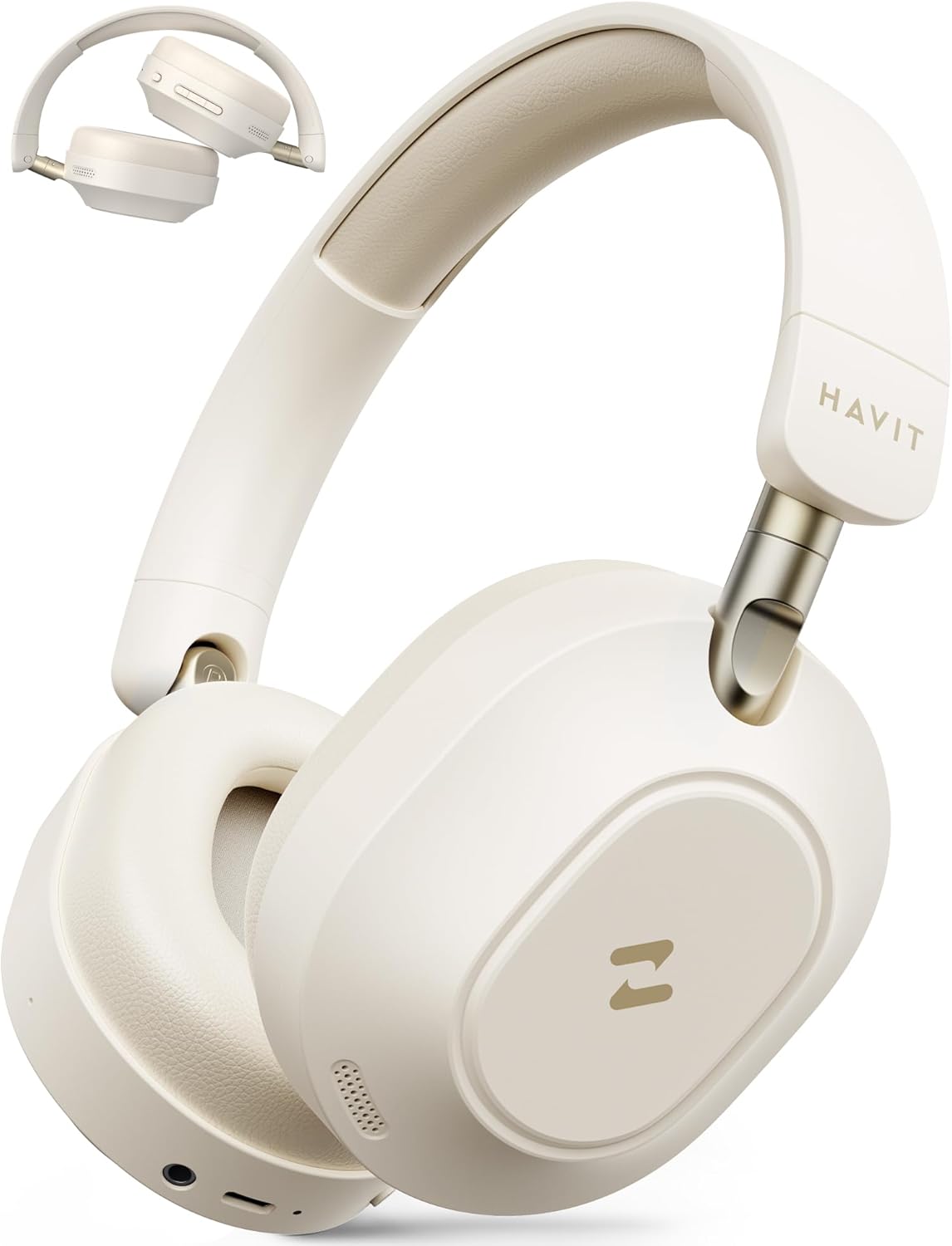
Figure 1: havit NC01 Headphones
Package Contents
Please check the package for the following items:
- Hybrid Active Noise Cancelling Headphone (H668BT)
- 3.5 mm Backup Audio Cable
- USB Charging Cable
- User Manual
Product Overview
The havit NC01 headphones feature a sleek design with intuitive controls and advanced audio technology.
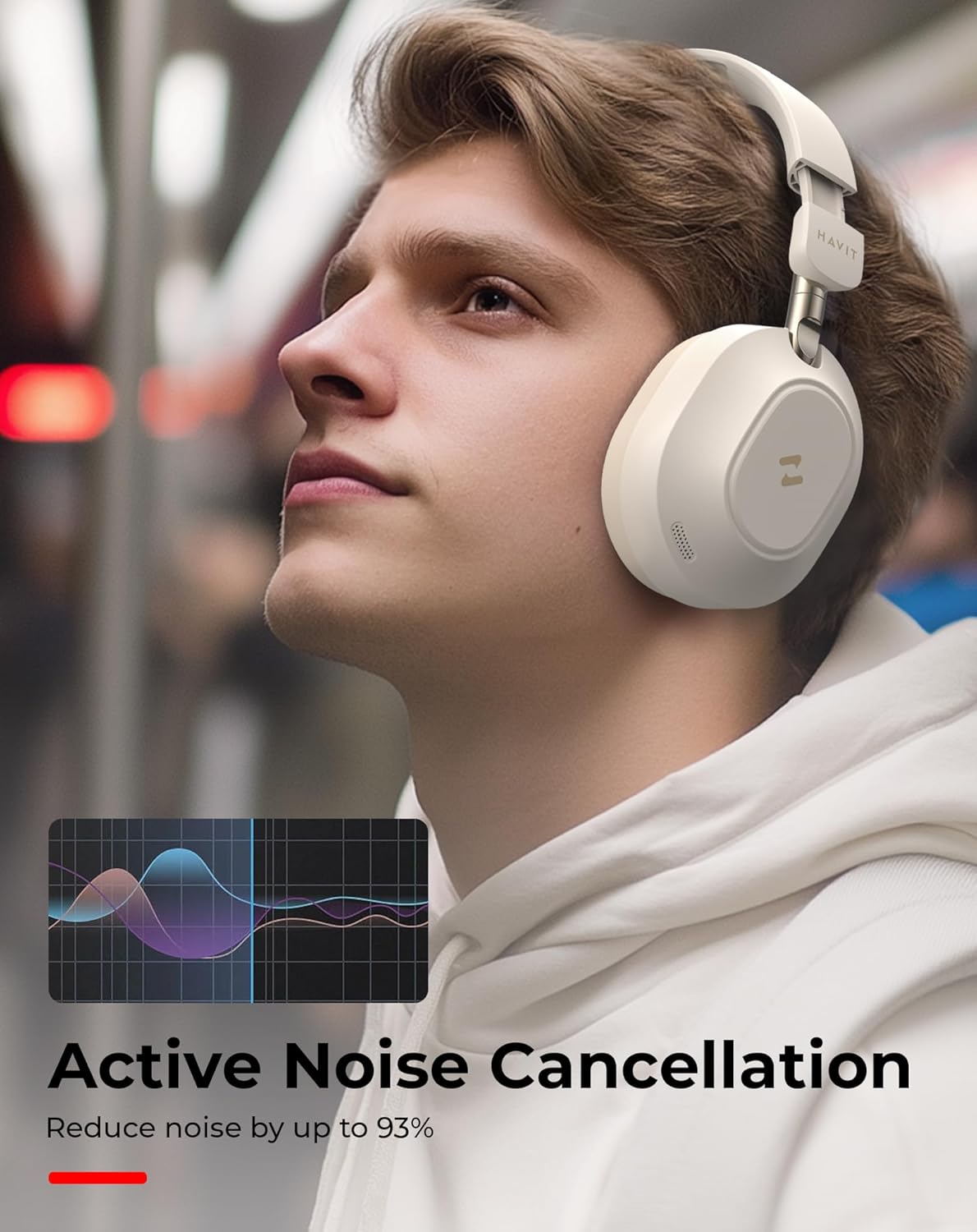
Figure 2: Headphones in use, demonstrating noise cancellation.
Key features include 40mm dynamic drivers for Hi-Res audio, a foldable design for portability, and long battery life.

Figure 3: 40mm Dynamic Drivers for Hi-Res Audio.
Setup
1. Charging the Headphones
Before first use, fully charge your headphones. Connect the USB charging cable to the charging port on the headphones and to a USB power source. The LED indicator will show charging status.
- Up to 80 hours of playtime in standard mode (ANC OFF).
- Up to 50 hours of playtime with Active Noise Cancelling (ANC ON).

Figure 4: Battery Playtime Overview.
2. Bluetooth Pairing
- Ensure the headphones are powered off.
- Press and hold the Power button until the LED indicator flashes blue and red, indicating pairing mode.
- On your device (smartphone, tablet, laptop), enable Bluetooth and search for available devices.
- Select "HAVIT NC01" (or similar name) from the list.
- Once connected, the LED indicator will turn solid blue.
The headphones support Bluetooth 5.4 for stable connections and can connect to multiple devices simultaneously.

Figure 5: Dual Device Connection.
3. Wired Connection
For a wired audio experience or when the battery is depleted, use the included 3.5mm audio cable. Plug one end into the headphone's 3.5mm jack and the other end into your audio device's headphone jack.
Operating Instructions
Power On/Off
- Power On: Press and hold the Power button for 3 seconds.
- Power Off: Press and hold the Power button for 3 seconds.
Active Noise Cancelling (ANC)
The havit NC01 features hybrid ANC technology to reduce ambient noise.
- Activate ANC: Press the ANC button (specific button location may vary, refer to product diagram if available).
- Deactivate ANC: Press the ANC button again.
Audio Playback and Call Management
| Function | Action |
|---|---|
| Play/Pause | Press the Multi-function button once. |
| Next Track | Press and hold Volume Up button. |
| Previous Track | Press and hold Volume Down button. |
| Volume Up | Short press Volume Up button. |
| Volume Down | Short press Volume Down button. |
| Answer/End Call | Press the Multi-function button once. |
| Reject Call | Press and hold the Multi-function button. |
HAVIT LIFE App Control
Enhance your audio experience by downloading the HAVIT LIFE app. The app allows you to:
- Fine-tune audio with 6 EQ modes.
- Activate Super BASS feature for enhanced low frequencies.
- Manage other settings and features.

Figure 6: HAVIT LIFE App Interface.
Maintenance
- Cleaning: Use a soft, dry cloth to clean the headphones. Do not use abrasive cleaners or solvents.
- Storage: When not in use, store the headphones in a cool, dry place. The foldable design allows for compact storage in carrying bags or travel cases.
- Avoid Moisture: The headphones are not water-resistant. Avoid exposure to water or excessive moisture.

Figure 7: Folding Compact Design for easy storage.
Troubleshooting
| Problem | Solution |
|---|---|
| Headphones do not power on. | Ensure the headphones are fully charged. |
| Cannot pair with device. |
|
| No sound or low volume. |
|
| ANC not effective. |
|
Specifications
| Feature | Detail |
|---|---|
| Model Name | NC01H (H668BT) |
| Noise Control | Active Noise Cancellation |
| Audio Driver Type | Dynamic Driver |
| Audio Driver Size | 40 Millimeters |
| Frequency Response | 20 Hz - 20,000 Hz |
| Sensitivity | 103 dB |
| Impedance | 32 Ohm |
| Connectivity Technology | Wireless (Bluetooth), Wired (3.5mm Jack) |
| Wireless Communication Technology | Bluetooth 5.4 |
| Bluetooth Range | 10 Meters |
| Playtime (ANC OFF) | Up to 80 Hours |
| Playtime (ANC ON) | Up to 50 Hours |
| Charging Port | USB-C |
| Material | Aluminum, Leather, Acrylonitrile Butadiene Styrene (ABS) |
| Item Weight | 380 Grams (13.4 ounces) |
| Color | Beige |
| Water Resistance Level | Not Water Resistant |
Warranty and Support
Your havit NC01 headphones come with a 2-year warranty. For any technical assistance or support, please contact our 24/7 technical support team. Refer to the contact information provided on the product packaging or the official havit website.
Ask a question about this manual
Ask about setup, troubleshooting, compatibility, parts, safety, or missing instructions. Manuals+ will review the question and use this page’s manual context to help answer it.