
luckeu S24 - Gray
C25 Ultra 5G Unlocked Cell Phone User Manual
Brand: luckeu | Model: S24 - Gray
1. Introduction
Thank you for choosing the luckeu C25 Ultra 5G Unlocked Cell Phone. This smartphone is designed to provide a seamless and powerful mobile experience with its advanced features and robust performance. This manual will guide you through the setup, operation, and maintenance of your new device.
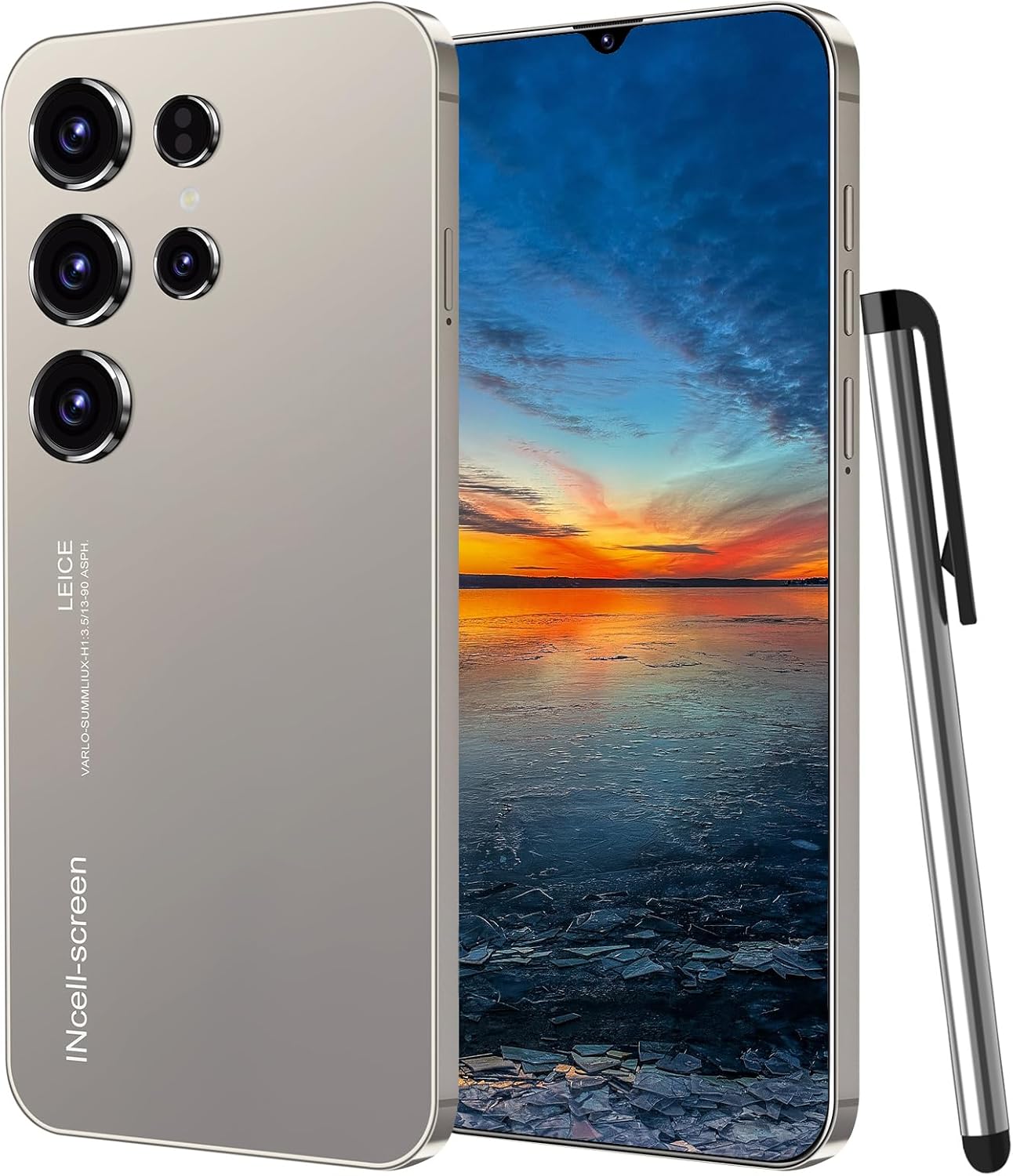
Figure 1: C25 Ultra 5G Unlocked Cell Phone with included stylus.
2. What's in the Box
Please check the contents of your package to ensure all items are present:
- C25 Ultra 5G Smartphone
- Phone Case
- USB-C Cable
- Power Adapter
- Screen Protector
- Earphone
- User Manual
- SIM Tray Ejector

Figure 2: Contents of the C25 Ultra 5G package.
3. Setup Guide
3.1. Inserting SIM Cards and Micro SD Card
The C25 Ultra 5G supports dual SIM cards and a dedicated micro SD card slot for expandable storage. Ensure the phone is powered off before inserting or removing cards.
- Locate the SIM tray on the side of the phone.
- Insert the SIM tray ejector tool into the small hole next to the tray and press firmly until the tray pops out.
- Carefully place your Nano-SIM cards (SIM1 and SIM2) and/or micro SD card into the designated slots on the tray. Ensure the gold contacts are facing down.
- Gently push the tray back into the phone until it clicks into place.

Figure 3: Dual SIM and Micro SD card installation.
3.2. Initial Power On and Setup
- Press and hold the Power button (usually on the right side) until the screen lights up.
- Follow the on-screen prompts to select your language, connect to a Wi-Fi network, and set up your Google account.
- Set up your preferred screen lock method, including AI Face Unlock for quick and secure access.
4. Operating Your Device
4.1. Display and Navigation
Your C25 Ultra 5G features a 6.3-inch FHD+ display, providing a vibrant and immersive viewing experience. Navigate through the Android 13 interface using touch gestures.

Figure 4: 6.3-inch FHD+ Large Display.
4.2. Camera Functions
The phone is equipped with an 80MP main rear camera and an 8MP front camera, allowing you to capture high-quality photos and videos.
- Rear Camera: The 80MP main camera utilizes advanced image processing algorithms for clear and detailed shots. It supports AI scene recognition and AI portrait composition.
- Front Camera: The 8MP front camera is ideal for selfies and video calls, enhancing facial features with clarity.

Figure 5: 8.0MP Front Camera features.

Figure 6: Rear Camera system overview.
4.3. GPS Navigation
The C25 Ultra 5G includes built-in GPS for accurate positioning and navigation. This feature helps protect you and provides reliable indoor and outdoor navigation.

Figure 7: GPS Navigation functionality.
4.4. Battery and Charging
The device is powered by a large 6800mAh battery, providing extended usage time. It supports 18W fast charging for quick power-ups.
- Use the provided Power Adapter and USB-C Cable for optimal charging performance.
- Avoid using damaged cables or chargers.
5. Maintenance
- Cleaning: Use a soft, lint-free cloth to clean the screen and body of the phone. Avoid using harsh chemicals or abrasive materials.
- Temperature: Operate the phone within recommended temperature ranges (typically 0°C to 35°C or 32°F to 95°F) to prevent damage to the battery and internal components.
- Water Resistance: This phone is not rated for water resistance. Avoid exposure to water or excessive moisture.
- Software Updates: Regularly check for and install system updates to ensure optimal performance and security.
6. Troubleshooting
If you encounter issues with your C25 Ultra 5G, please refer to the following common solutions:
| Problem | Possible Solution |
|---|---|
| Phone does not turn on | Ensure the battery is charged. Connect the phone to the charger for at least 30 minutes. If it still doesn't turn on, try a forced restart by holding the Power button for 10-15 seconds. |
| Poor network signal | Check if your SIM card is properly inserted. Try restarting the phone. Ensure you are in an area with network coverage. Contact your carrier if the issue persists. |
| Apps are crashing or freezing | Close background apps. Clear the cache of the problematic app (Settings > Apps > [App Name] > Storage > Clear Cache). Restart the phone. If the issue continues, consider uninstalling and reinstalling the app. |
| Battery drains quickly | Reduce screen brightness. Turn off Wi-Fi, Bluetooth, and GPS when not in use. Close unnecessary background apps. Check battery usage in Settings to identify power-hungry apps. |
| Cannot connect to Wi-Fi | Ensure Wi-Fi is enabled on your phone. Restart your Wi-Fi router. Forget the network and reconnect. Check if other devices can connect to the same Wi-Fi network. |
7. Specifications
Detailed technical specifications for the luckeu C25 Ultra 5G (Model: S24 - Gray):
| Feature | Detail |
|---|---|
| Model Name | S24 - Gray |
| Operating System | Android 13.0 |
| Processor | Octa-Core |
| RAM | 4 GB |
| Internal Storage | 128 GB |
| Expandable Storage | Yes, via Micro SD Card slot |
| Screen Size | 6.3 Inches |
| Display Resolution | 2340 x 1080 (FHD+) |
| Refresh Rate | 90 Hz |
| Main Camera | 80MP |
| Front Camera | 8MP |
| Battery Capacity | 6800 mAh |
| Charging | 18W Fast Charging |
| Connectivity | 5G Cellular Technology, Bluetooth, GPS |
| SIM Support | Dual SIM |
| Unlock Features | AI Face ID |
| Audio Jack | USB Type C |
| Dimensions | 7.13 x 3.7 x 2.05 inches (Package) |
| Item Weight | 14 ounces |

Figure 8: Key specifications overview.
8. Warranty and Support
8.1. Warranty Information
The luckeu C25 Ultra 5G comes with a one-year warranty from the date of purchase. This warranty covers manufacturing defects and malfunctions under normal use. It does not cover damage caused by misuse, accidents, unauthorized repairs, or normal wear and tear.
Please retain your proof of purchase for warranty claims.
8.2. Customer Support
For any questions, technical assistance, or warranty claims, please contact luckeu customer support. We are committed to providing excellent service and will respond to your inquiries within 24 hours.
Contact Information:
- Email: support@luckeu.com
- Website: www.luckeu.com
Note: Specific contact details may vary. Please refer to the packaging or official luckeu website for the most current support information.
Related Documents - S24 - Gray
 |
21V Li-ion Battery User Manual User manual for the 21V 6800mAh rechargeable lithium-ion battery compatible with WORX power tools. Includes specifications, usage instructions, and safety notes. |
 |
GAOLAG RC Toy Battery Safety Instructions and Warnings Important safety instructions and warnings for GAOLAG RC toy batteries (NiMH/NiCd, 9.6V). Learn about safe charging, discharging, and storage to prevent fire, injury, and property damage. |
 |
Bestely AAA Rechargeable Battery User Manual User manual and safety instructions for the Bestely AAA rechargeable lithium-ion battery, including specifications, charging guidelines, and support contact information. |
 |
LIEFOX Lithium-ion Battery User Manual User manual for LIEFOX Lithium-ion batteries, including safety warnings, usage instructions, maintenance tips, and after-sales service information. |
 |
DAWEIKALA 9V 6800mAh Polymer Li-Ion Battery User Manual User manual for the DAWEIKALA/DAWEILALA 9V 6800mAh rechargeable polymer lithium-ion battery. Includes specifications, charging instructions, safety notes, and application guide. |
 |
Rscrola AA/AAA Rechargeable Lithium Battery Set User Manual Comprehensive user manual for Rscrola AA and AAA rechargeable lithium batteries. Includes charging instructions, technical specifications, safety warnings, and troubleshooting tips. |
Ask a question about this manual
Ask about setup, troubleshooting, compatibility, parts, safety, or missing instructions. Manuals+ will review the question and use this page’s manual context to help answer it.