
Introduction
This manual provides detailed instructions for the installation, operation, and maintenance of your LEONLITE 3CCT Bullet Flood Light. This versatile LED spotlight features selectable wattage (35W/28W/21W) and color temperature (3000K/4000K/5000K), a built-in photocell for dusk-to-dawn operation, and a durable IP65 waterproof aluminum housing. Please read these instructions carefully before installation and use.
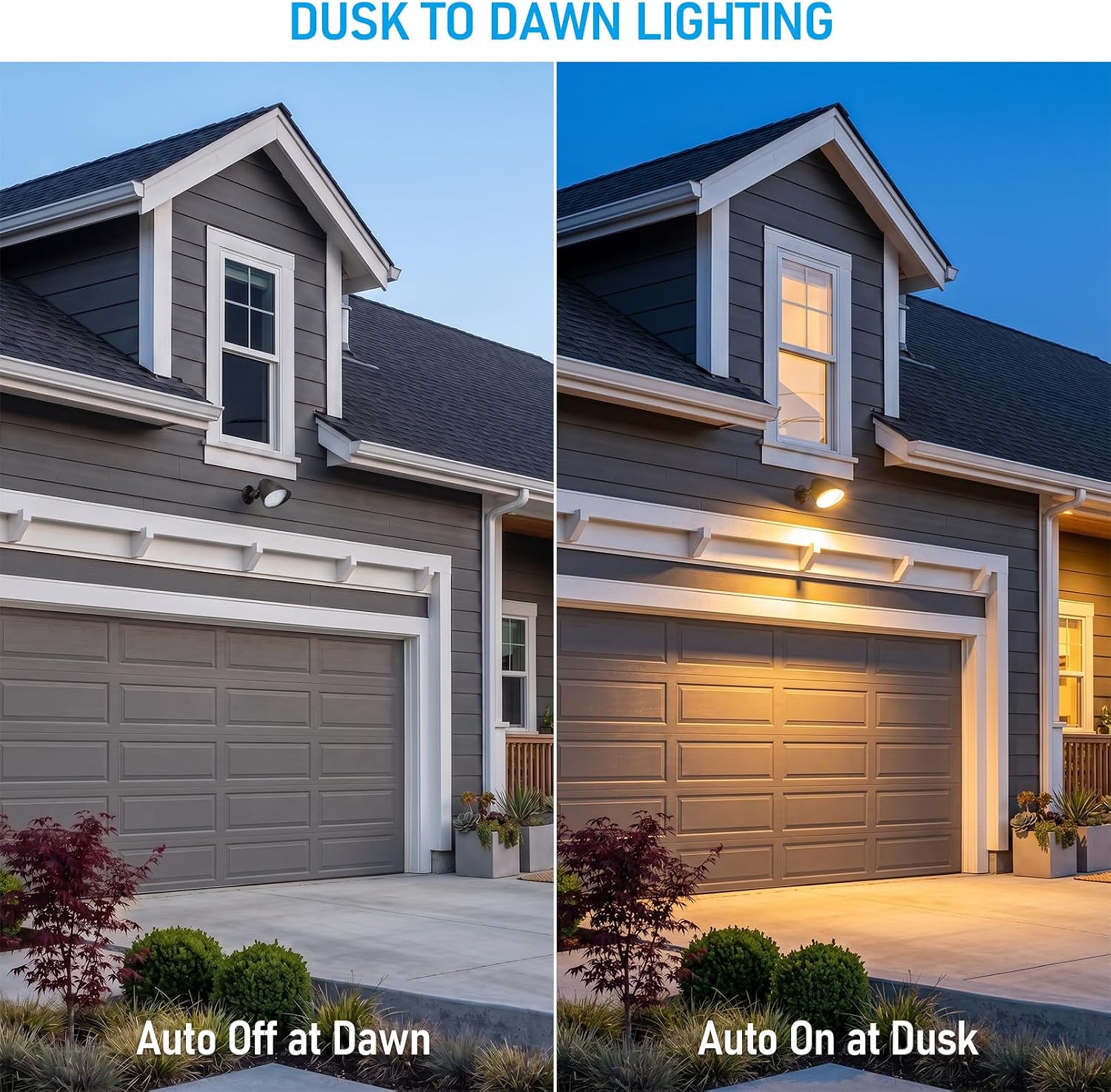
Image: The LEONLITE 3CCT Bullet Flood Light, showcasing its robust design and knuckle mount.
Setup and Installation
Safety First: Before beginning installation, ensure the power supply is turned off at the circuit breaker to prevent electrical shock. All wiring should comply with local and national electrical codes.
- Unpack: Carefully remove the flood light and all components from the packaging. Verify all parts are present: flood light fixture, knuckle mount, and mounting hardware.
- Mounting Location: Choose a suitable outdoor location for wall mounting. Ensure the surface is sturdy enough to support the fixture.
- Attach Knuckle Mount: Secure the knuckle mount to the desired surface using the provided mounting hardware. Ensure it is firmly attached.
- Wiring: Connect the fixture's wires to your electrical supply.
- Connect the black wire (Live) from the fixture to the black wire (Live) from the power supply.
- Connect the white wire (Neutral) from the fixture to the white wire (Neutral) from the power supply.
- Connect the green/yellow wire (Ground) from the fixture to the green/yellow wire (Ground) from the power supply.
- For 0-10V dimming, connect the purple wire (Dim+) to the dimmer's positive output and the gray wire (Dim-) to the dimmer's negative output. If not using dimming, cap these wires individually.
- Attach Fixture: Screw the flood light fixture onto the knuckle mount. Tighten securely.
- Adjust Angle: Loosen the adjustment screw on the knuckle mount to set the desired light direction. Tighten the screw firmly once the angle is set.

Image: Product dimensions for installation planning.
Operating Instructions
1. Wattage and Color Temperature Selection
The LEONLITE 3CCT Bullet Flood Light features adjustable wattage and color temperature settings via internal DIP switches. These switches are located on the control panel, typically under a protective cap on the side of the fixture.
Important: Adjust these settings before final installation or with power disconnected to avoid accidental changes or electrical hazards.
- Wattage Selection (35W/28W/21W): Use the designated DIP switches to select the desired power output. Refer to the diagram below or on the fixture itself for specific switch positions for each wattage.
- Color Temperature Selection (3000K/4000K/5000K): Use the designated DIP switches to select the desired color temperature.
- 3000K Warm White: For a cozy, inviting ambiance.
- 4000K Cool White: For a neutral, balanced light.
- 5000K Daylight: For bright, crisp illumination.
Video: Demonstrates how to adjust wattage and color temperature settings using the internal DIP switches on the LEONLITE Bullet Flood Light.

Image: Visual representation of the three selectable color temperatures (3000K, 4000K, 5000K) in a landscape setting.
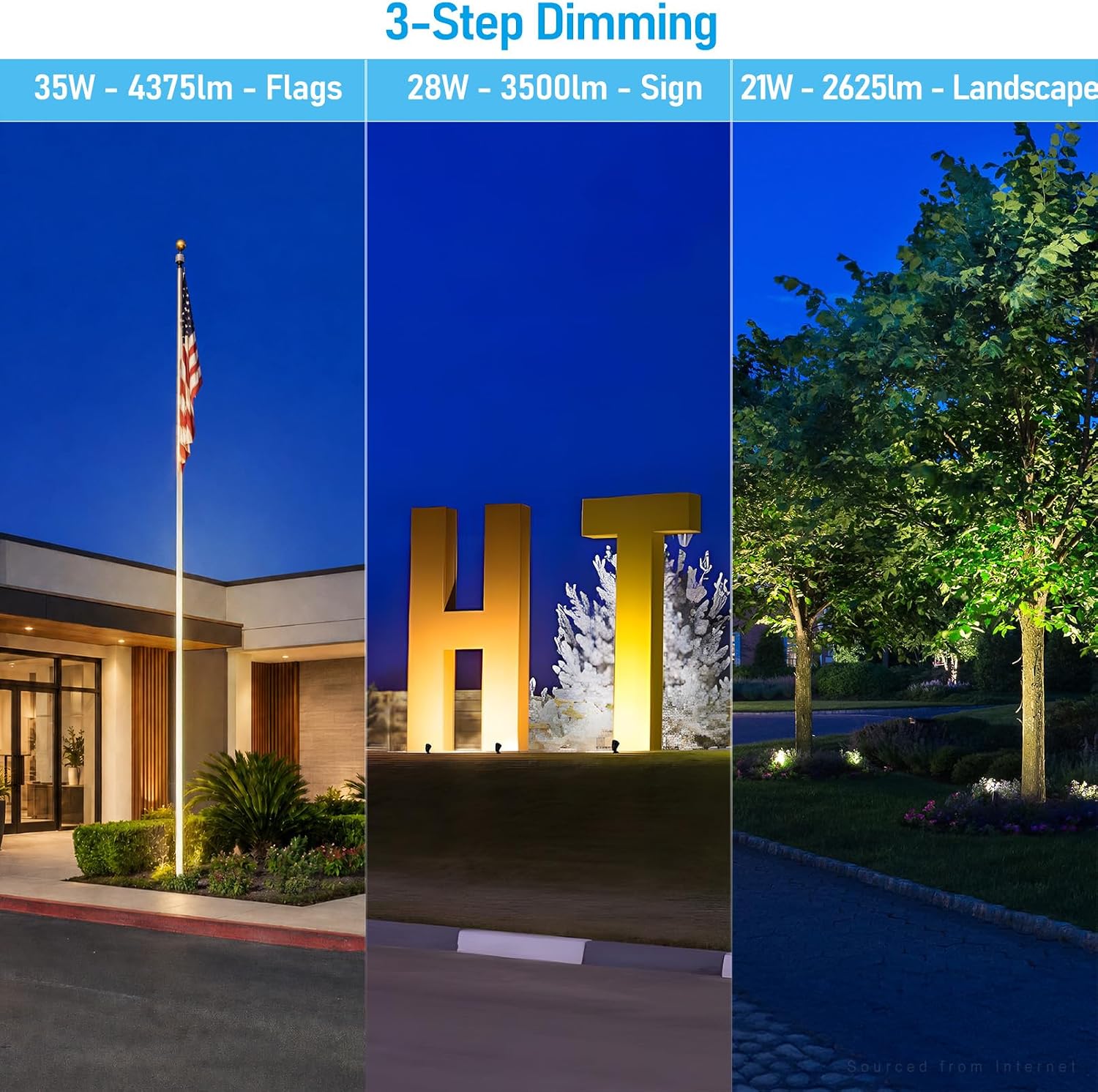
Image: Examples of light output at 35W, 28W, and 21W, suitable for flags, signs, and general landscape lighting.
2. Dusk-to-Dawn Operation
The flood light is equipped with a built-in photocell for automatic dusk-to-dawn functionality. This sensor detects ambient light levels and turns the fixture on at dusk and off at dawn.
- Activation: Ensure the photocell is not obstructed by any objects or covers. For continuous operation (bypassing dusk-to-dawn), some models may have a removable cover or a specific switch setting. Refer to the product diagram for details.
- Testing: To test the dusk-to-dawn feature, cover the photocell (e.g., with electrical tape) during daylight hours. The light should turn on. Remove the cover, and the light should turn off after a short delay.

Image: Comparison of the flood light operating at dawn (auto off) and dusk (auto on).
3. 0-10V Dimming (Optional)
This fixture is compatible with 0-10V dimming systems, allowing for smooth brightness control from 10% to 100% within the selected wattage setting. If you are using a 0-10V dimmer, ensure it is properly wired as described in the Setup section.
- Dimmer Compatibility: Use only compatible 0-10V dimmers. Consult your dimmer's instructions for proper operation.
- Brightness Adjustment: Adjust the dimmer control to achieve the desired light intensity.
Maintenance
Regular maintenance ensures optimal performance and longevity of your flood light.
- Cleaning: Periodically clean the lens and housing with a soft, damp cloth to remove dirt, dust, and debris. Do not use abrasive cleaners or solvents. Ensure the power is off before cleaning.
- Inspection: Annually inspect the fixture for any signs of damage, loose connections, or wear. Check the mounting hardware for tightness.
- Photocell: Ensure the photocell remains clear of obstructions (e.g., leaves, snow, paint) to maintain proper dusk-to-dawn functionality.
Troubleshooting
| Problem | Possible Cause | Solution |
|---|---|---|
| Light does not turn on. | No power, faulty wiring, photocell obstructed, incorrect DIP switch settings. | Check circuit breaker. Verify wiring connections. Ensure photocell is clear. Confirm DIP switch settings for wattage and CCT. |
| Light stays on during the day. | Photocell obstructed or faulty. | Clear any obstructions from the photocell. If problem persists, contact support. |
| Light flickers or dims unexpectedly. | Loose wiring, incompatible dimmer, power fluctuations. | Check all wiring connections. Ensure 0-10V dimmer is compatible. Consult an electrician for power supply issues. |
| Incorrect color temperature or brightness. | DIP switch settings are incorrect. | Refer to the "Wattage and Color Temperature Selection" section and adjust DIP switches accordingly. |
Specifications
| Brand | LEONLITE |
| Model Number | A-54282 |
| Material | Aluminum |
| Power Source | AC (120-277V) |
| Wattage Selectable | 35W / 28W / 21W |
| Brightness (Max) | 4375 Lumens (at 35W) |
| Color Temperature Selectable | 3000K / 4000K / 5000K |
| Dimming | 0-10V Dimmable (10%-100%) |
| Indoor/Outdoor Usage | Outdoor |
| Water Resistance Level | IP65 Waterproof |
| Lifespan | Up to 50,000 hours |
| Mounting Type | Wall Mount (Knuckle Mount) |
| Item Dimensions (L x W x H) | 6.57"L x 5.55"W x 8.94"H |
| Item Weight | 3.85 Pounds |
| Included Components | Mounting Hardware |

Image: Features highlighting the IP65 waterproof rating, working temperature range, and wide voltage compatibility.
Warranty Information
This LEONLITE 3CCT Bullet Flood Light is backed by a 3-year guarantee from the date of purchase. This warranty covers defects in materials and workmanship under normal use. Please retain your proof of purchase for warranty claims. The warranty does not cover damage due to improper installation, misuse, abuse, or acts of nature.
Customer Support
For technical assistance, troubleshooting not covered in this manual, or warranty inquiries, please contact LEONLITE customer support.
- Online Support: Visit the official LEONLITE website for FAQs and support resources.
- Email Support: Refer to your product packaging or the LEONLITE website for contact email.
- Phone Support: Refer to your product packaging or the LEONLITE website for contact phone number.
When contacting support, please have your product model number (A-54282) and proof of purchase readily available.