
Introduction
Welcome to the Kenmore 4.5 cu. ft. Front Load Washer instruction manual. This high-efficiency appliance is designed to simplify your laundry routine with advanced features and a spacious capacity. It is equipped with innovative technologies such as Steam Treat for stain removal, Accela Wash for faster cycles, and a Sanitize cycle for deep cleaning. Please read this manual thoroughly before operating your new washer to ensure safe and efficient use.
Setup and Installation
Proper installation is crucial for the optimal performance and longevity of your Kenmore Front Load Washer. Follow these steps carefully:
- Unpacking: Carefully remove the washer from its packaging. Ensure all packing materials, including the foam base and protective films, are removed.
- Remove Shipping Bolts: Before moving or operating the washer, it is essential to remove the shipping bolts located at the rear of the unit. These bolts secure the drum during transit and must be removed to prevent damage during operation. Refer to the diagram below for bolt locations.
- Positioning: Place the washer on a level, solid floor. Adjust the leveling feet to ensure the appliance is stable and does not rock.
- Water Connections: Connect the hot and cold water supply hoses to the corresponding inlets at the back of the washer. Ensure the rubber washers are properly seated to prevent leaks. Tighten connections securely by hand, then an additional two-thirds turn with pliers.
- Drain Hose Installation: Securely attach the drain hose to the drain outlet on the washer and route it into a standpipe or laundry tub. Ensure the hose is not kinked and is properly secured to prevent dislodging during the drain cycle.
- Power Connection: Plug the washer's power cord into a grounded electrical outlet.

Figure 1: Front view of the Kenmore Front Load Washer, illustrating its compact design suitable for various laundry spaces.

Figure 2: Side view of the washer, highlighting its depth and overall dimensions for installation planning.

Figure 3: Rear view of the washer, showing the hot and cold water inlets and the drain hose connection point.
Operating Instructions
Your Kenmore Front Load Washer features intuitive controls for easy operation. Familiarize yourself with the control panel and available cycles:
Control Panel Overview
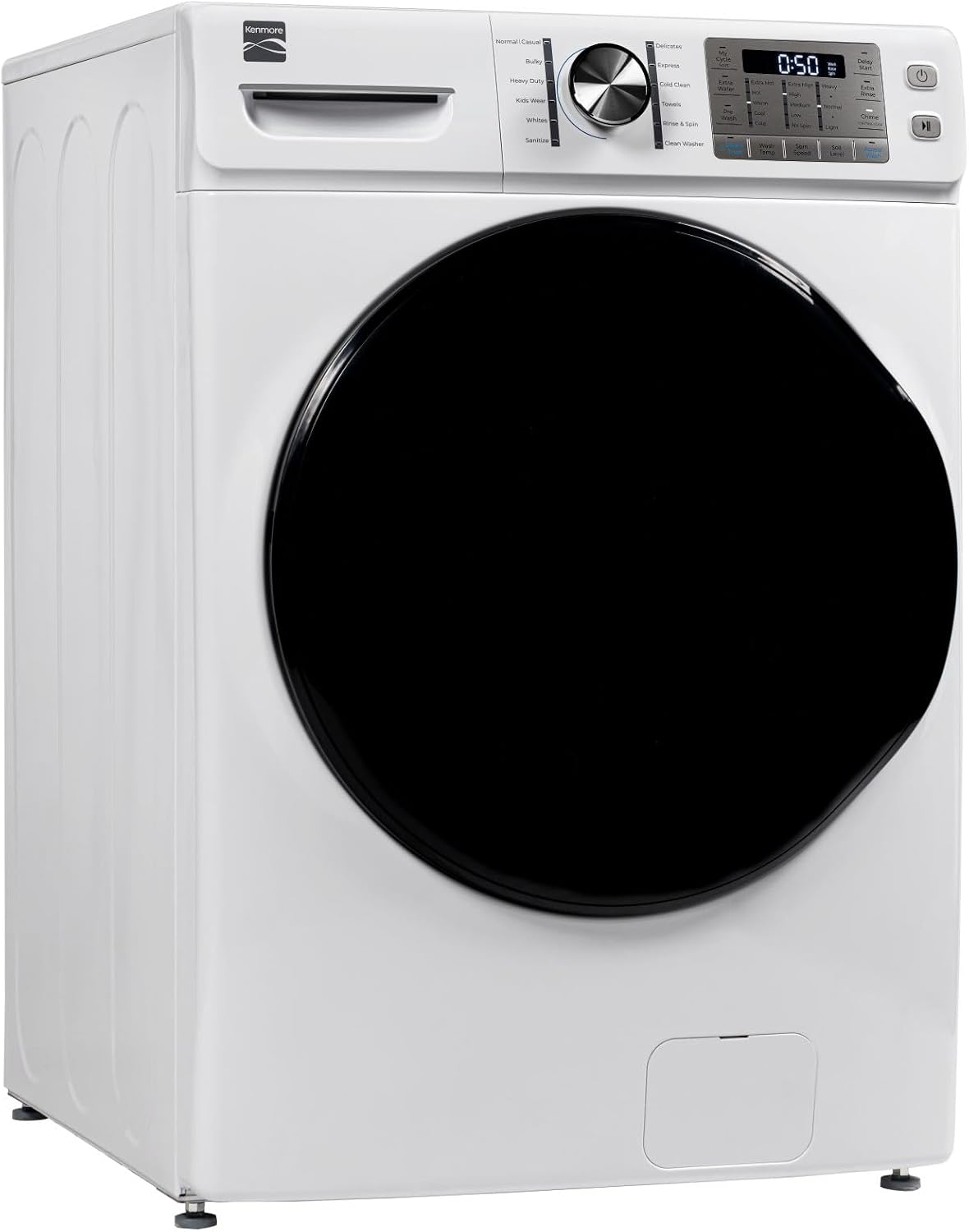
Figure 4: Close-up of the control panel, showing the cycle selector knob, LED display, and touch controls for various settings.
- Cycle Selector Knob: Turn the knob to select your desired wash cycle.
- LED Display: Shows remaining time, cycle status, and selected options.
- Touch Controls: Customize settings such as Wash Temp, Spin Speed, Soil Level, and activate special features like Steam Treat and Accela Wash.
Loading the Washer
Open the washer door and load items loosely into the drum. Avoid overloading to ensure thorough cleaning and proper rinsing. The 4.5 cu. ft. capacity can accommodate large items like a queen-sized comforter.

Figure 5: The spacious interior of the washer drum, capable of handling large loads.
Selecting a Wash Cycle
Choose the appropriate cycle based on fabric type and soil level:
- Normal/Casual: For daily laundry with average soil.
- Bulky: Ideal for blankets, comforters, and large items.
- Heavy Duty: For heavily soiled, durable fabrics.
- Kids Wear: Specifically designed to tackle common messes on children's clothing.
- Whites: Optimizes cleaning for white fabrics.
- Sanitize: Uses high heat to remove 99.9% of bacteria (Per NSF International Protocol P172).
- Delicates: Gentle cycle for fragile items.
- Express Wash: Cleans small, lightly soiled loads in approximately 25 minutes.
- Cold Clean: Efficiently cleans using cold water, saving energy.
- Towels: Optimized for thick, absorbent fabrics.
- Rinse & Spin: For items that need a quick rinse or extra spin.
- Clean Washer: A self-cleaning cycle to maintain the washer's interior.
Special Features
- Steam Treat: Adds steam to the wash cycle to help loosen and remove tough stains.
- Accela Wash: Reduces wash time for full-size loads by up to 26% by optimizing wash, rinse, and spin actions.
- Extra Water: Adds more water to the wash for heavily soiled items or when extra rinsing is desired.
- Pre Wash: An additional wash phase before the main cycle for heavily soiled items.
- Delay Start: Allows you to set the washer to start at a later time, up to several hours.
- Extra Rinse: Adds an additional rinse cycle to ensure all detergent is removed.
Maintenance
Regular maintenance ensures your Kenmore Front Load Washer operates efficiently and extends its lifespan.
Cleaning the Washer
- Exterior: Wipe down the exterior surfaces with a soft, damp cloth. Avoid abrasive cleaners.
- Dispenser Drawer: Periodically remove and clean the detergent and fabric softener dispenser drawer to prevent buildup. Rinse with warm water and dry thoroughly before reinserting.
- Drum: Use the 'Clean Washer' cycle regularly (e.g., once a month) with a washer cleaner or bleach to prevent odors and residue buildup in the drum.
- Door Gasket: After each use, wipe the rubber gasket around the door opening to remove any moisture, lint, or debris. This helps prevent mold and mildew growth.
Winterizing (if applicable)
If the washer is to be stored in an area subject to freezing temperatures, follow the winterizing procedure in the full user manual to prevent damage from frozen water.
Troubleshooting
Before contacting service, try these solutions for common issues:
| Problem | Possible Cause | Solution |
|---|---|---|
| Washer does not start | Power cord unplugged; door not closed properly; circuit breaker tripped. | Ensure power cord is securely plugged in. Close door firmly. Check and reset circuit breaker. |
| Excessive vibration/noise | Shipping bolts not removed; washer not level; unbalanced load. | Remove all shipping bolts. Level the washer using the adjustable feet. Redistribute laundry evenly in the drum. |
| Water leaks | Loose hose connections; clogged drain hose; excessive suds. | Check and tighten all water hose connections. Clear any obstructions in the drain hose. Use only HE (High-Efficiency) detergent and the recommended amount. |
| Clothes not clean | Overloading; incorrect cycle/detergent; water temperature too low. | Do not overload the washer. Select appropriate cycle and use HE detergent. Adjust water temperature as needed for soil level. |
For more detailed troubleshooting, refer to the complete user manual or visit the Kenmore support website.
Specifications
- Brand: Kenmore
- Model Number: 4.5 cu. ft.
- Capacity: 4.5 Cubic Feet
- Color: White
- Access Location: Front Load
- Product Dimensions (D x W x H): 34.02" x 27.01" x 39.6"
- Item Weight: 216.1 Pounds
- Installation Method: Freestanding
- Display Style: LED
- Controls Type: Knob & Touch
- Special Features: Steam Treat, Accela Wash
- Certification: ENERGY STAR Certified
- Included Components: Instruction Manual, Inlet Hose Screen Washers (2), Drain Hose Guide, and Cable Tie
Warranty
Your Kenmore 4.5 cu. ft. Front Load Washer is covered by a One Year on Appliance warranty from the date of purchase. This warranty covers defects in materials and workmanship under normal household use. Please retain your proof of purchase for warranty claims. For full warranty details and terms, refer to the complete warranty statement included with your appliance or visit the official Kenmore website.
Support
For further assistance, technical support, or to schedule service, please contact Kenmore Customer Support. You can also find additional resources, FAQs, and product information by visiting the official Kenmore Store online:


