Introduction
Welcome to the Panasonic FlashXpress Toaster Oven NB-G200P user manual. This guide provides essential information for the safe and efficient operation of your new appliance. Please read all instructions carefully before use and retain this manual for future reference.

Front view of the Panasonic FlashXpress Toaster Oven NB-G200P, showcasing its stainless steel finish and control panel with temperature dial and preset buttons.
Important Safety Instructions
To prevent personal injury or property damage, always follow basic safety precautions when using electrical appliances.
- Read all instructions.
- Do not touch hot surfaces. Use handles or knobs.
- To protect against electrical shock, do not immerse cord, plugs, or appliance in water or other liquid.
- Close supervision is necessary when any appliance is used by or near children.
- Unplug from outlet when not in use and before cleaning. Allow to cool before putting on or taking off parts.
- Do not operate any appliance with a damaged cord or plug or after the appliance malfunctions or has been damaged in any manner.
- The use of accessory attachments not recommended by the appliance manufacturer may cause injuries.
- Do not use outdoors.
- Do not let cord hang over edge of table or counter, or touch hot surfaces.
- Do not place on or near a hot gas or electric burner, or in a heated oven.
- Extreme caution must be used when moving an appliance containing hot oil or other hot liquids.
- Do not use appliance for other than intended use.
- Extreme caution should be exercised when using containers constructed of other than metal or glass in the oven.
- Do not place any of the following materials in the oven: paper, cardboard, plastic, or any materials that could catch fire.
- Do not cover crumb tray or any part of the oven with metal foil. This will cause overheating of the oven.
- Do not bake bread with butter or jam. There is a chance the bread will catch fire.
- After use: Turn off the unit by pressing the power button. Remove the power plug.
Product Components
Familiarize yourself with the parts of your Panasonic FlashXpress Toaster Oven NB-G200P.

Diagram showing the dimensions of the Panasonic FlashXpress Toaster Oven NB-G200P: approximately 13 inches wide, 12 inches deep, and 10.75 inches high.
- Main Unit: Stainless steel exterior with tempered glass door.
- Control Panel: Features a temperature dial, preset buttons, digital timer, and power button.
- Wire Rack: For holding food items during cooking.
- Baking Pan: A square-shaped inner tray suitable for various foods.
- Removable Crumb Tray: Located at the bottom for easy cleaning.
- Infrared Heating Elements: Double infrared heaters for efficient cooking without preheating.
- Interior Light: Allows viewing of food during cooking.
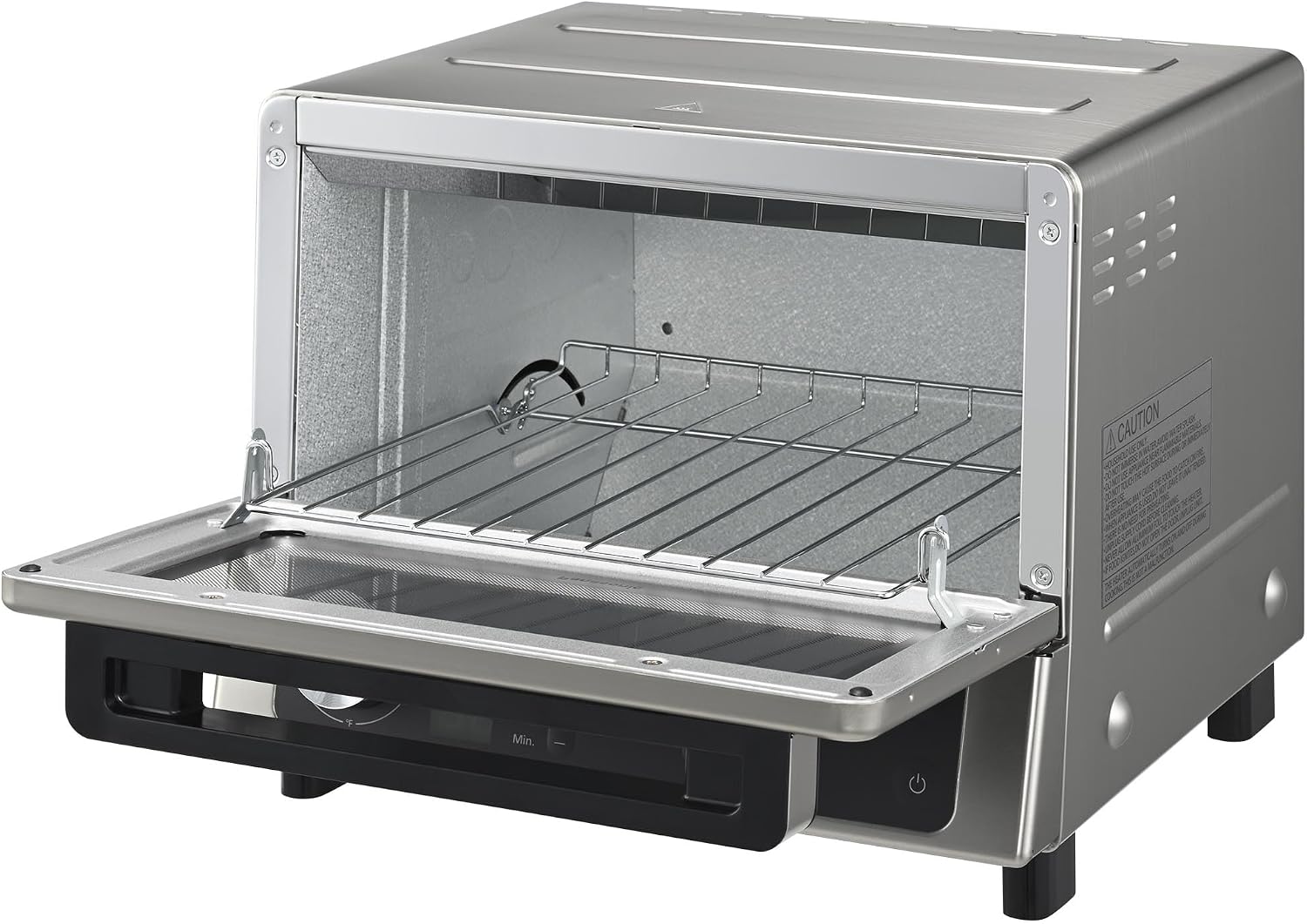
Interior view of the toaster oven with the door open, showing the wire rack and heating elements.
Setup and First Use
- Unpacking: Carefully remove the toaster oven and all accessories from the packaging. Retain packaging for future transport or storage.
- Placement: Place the oven on a stable, heat-resistant, and level surface. Ensure there is at least 4 inches (10 cm) of clearance on all sides and 12 inches (30 cm) above the oven for proper ventilation. Do not place near flammable materials.
- Cleaning: Before first use, wipe the interior and exterior with a damp cloth. Wash the wire rack, baking pan, and crumb tray with warm, soapy water. Rinse and dry thoroughly.
- Power Connection: Plug the power cord into a grounded electrical outlet.
- Initial Burn-Off: It is recommended to run the oven empty for about 10-15 minutes at the highest temperature setting (500°F) to burn off any manufacturing residues. A slight odor or smoke may be present during this process; ensure adequate ventilation.
Operating Instructions
The Panasonic FlashXpress Toaster Oven features intuitive controls for various cooking tasks.
Control Panel Overview

A hand adjusting the temperature control dial, showing the precise temperature settings available.
- Temperature Dial: Adjusts temperature from 250°F to 500°F.
- Preset Buttons: Six dedicated buttons for common foods: Toast, Waffle, Roll, Pizza, Quick Reheat, Hash Brown.
- Digital Timer: Sets cooking time up to 25 minutes.
- Darkness Control: Adjusts toast darkness.
- Power Button: Turns the oven on/off.
- Light Button: Controls the interior light.
Using Preset Functions

A visual representation of the six preset cooking functions, including Toast, Waffle, Roll, Pizza, Hash Brown, and Reheat, with a pizza as an example.
- Place food on the wire rack or baking pan.
- Close the oven door.
- Press the desired preset button (e.g., "Toast" for bread, "Pizza" for frozen pizza). The oven will automatically set the optimal temperature and time.
- For "Toast", "Waffle", or "Roll", adjust the darkness control if needed.
- The oven will start heating immediately. No preheating is required.
- A beep will sound when cooking is complete.

Four bagels toasting inside the oven, demonstrating the FlashXpress technology that eliminates the need for preheating.
Manual Operation
- Place food on the wire rack or baking pan.
- Close the oven door.
- Turn the Temperature Dial to your desired temperature (250°F - 500°F).
- Use the timer buttons to set the cooking duration (up to 25 minutes).
- The oven will begin heating. Monitor food through the glass door.
- The oven features an auto shut-off function to prevent overcooking.

A plate of perfectly cooked stuffed bell peppers, highlighting the oven's auto shut-off feature that helps prevent food from burning.
Special Features
- Double Infrared Heating: Provides instant heat, eliminating the need for preheating.
- Smart Sensor: Ensures even heating and helps prevent burning.
- Connected Baking Rack: The wire rack pulls out automatically with the door for safe and easy access to food.

A user safely removing a baking pan with fries and hash browns from the oven, demonstrating the connected baking rack feature.
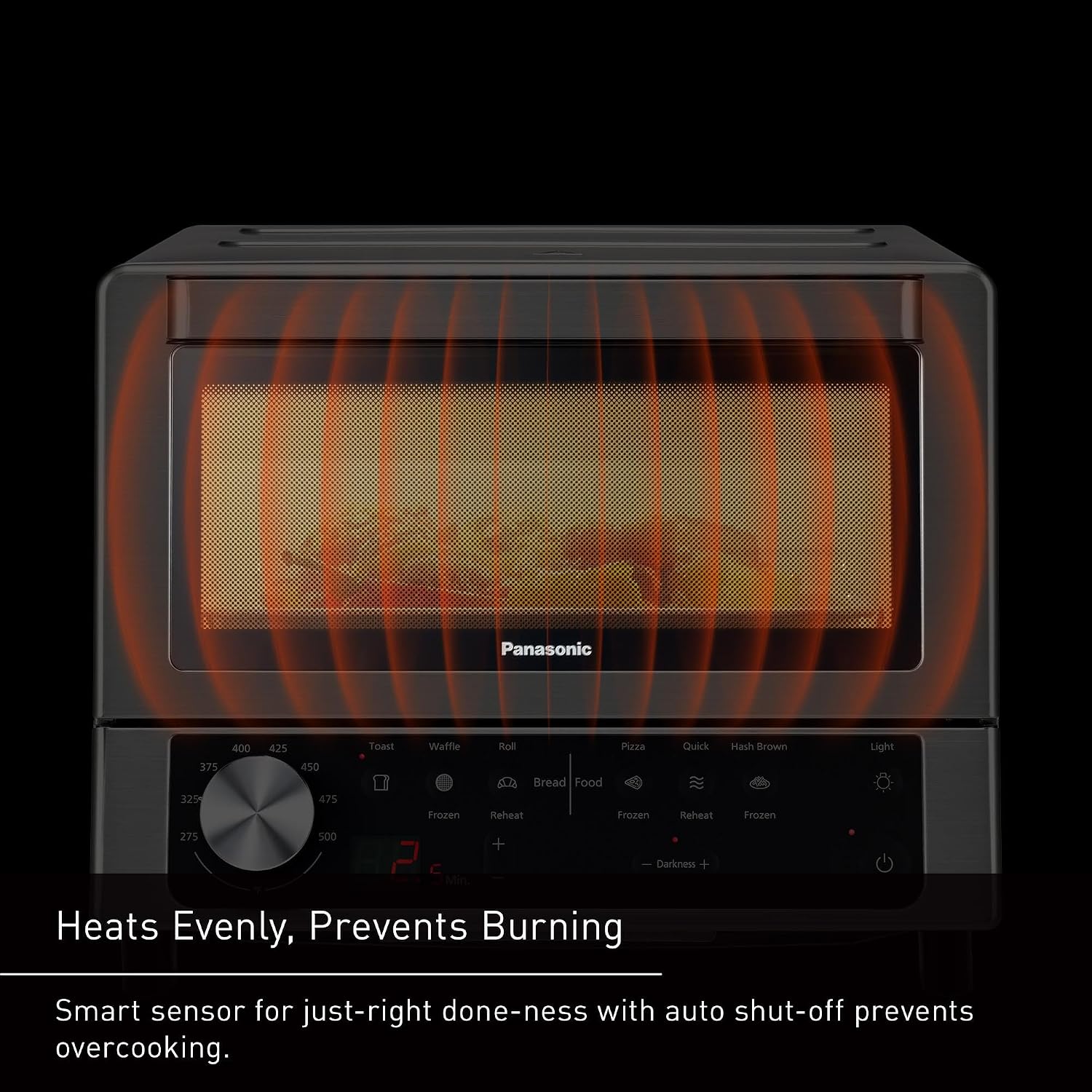
An illustration showing infrared waves heating food evenly inside the toaster oven, preventing burning.
Care and Maintenance
Regular cleaning and proper care will extend the life of your toaster oven.
- Always unplug the oven and allow it to cool completely before cleaning.
- Crumb Tray: Pull out the removable crumb tray from the bottom of the oven. Discard crumbs and wash the tray with warm, soapy water. Rinse and dry thoroughly before replacing.
- Wire Rack and Baking Pan: Wash with warm, soapy water. For stubborn food residue, soak in warm water before scrubbing. Rinse and dry completely.
- Interior: Wipe the interior walls with a damp cloth and mild detergent. Do not use abrasive cleaners or metal scouring pads, as they can damage the non-stick coating (if applicable) or heating elements. Be careful around the infrared heating elements.
- Exterior: Wipe the exterior with a soft, damp cloth. For stainless steel surfaces, use a stainless steel cleaner if necessary, following product instructions.
- Door: Clean the tempered glass door with a glass cleaner or a damp cloth.
- Do not immerse the main unit in water or any other liquid.

The removable crumb tray and baking pan, designed for easy cleaning and maintenance.
Troubleshooting
Refer to this section for common issues and their solutions.
| Problem | Possible Cause | Solution |
|---|---|---|
| Oven does not turn on. | Not plugged in; power outage; faulty outlet. | Ensure the power cord is securely plugged into a working outlet. Check circuit breaker. |
| Food is not cooking evenly. | Food placed incorrectly; crumb tray not clean; uneven food thickness. | Ensure food is centered on the rack. Clean crumb tray. Flip food halfway through cooking if necessary. |
| Smoke or odor during operation. | Initial burn-off; food residue; excessive grease. | Normal for first use. Ensure proper ventilation. Clean interior and crumb tray thoroughly. Reduce grease on food. |
| Controls are unresponsive. | Temporary electrical glitch. | Unplug the oven for 1 minute, then plug it back in. |
| Food is burning. | Incorrect temperature/time setting; food too close to heating elements. | Adjust temperature and time. Use the auto shut-off feature. Ensure food is placed appropriately. |
If the problem persists, contact Panasonic customer support.
Specifications
- Model: NB-G200P
- Brand: Panasonic
- Power: 1300W
- Capacity: Fits 9-inch pizza or 4 slices of bread
- Dimensions (W x D x H): Approximately 13" x 12" x 10.2"
- Temperature Range: 250°F to 500°F (120°C to 260°C)
- Timer: Up to 25 minutes
- Heating Elements: Double Infrared
- Material: Stainless Steel, Tempered Glass
- Included Components: Baking Pan, Crumb Tray, Wire Rack
Warranty and Support
For warranty information and customer support, please refer to the warranty card included with your product or visit the official Panasonic website.
Online Support: na.panasonic.com/us/support
Product Registration: Register your product to receive important updates and support information.
Protection Plans: Extended protection plans may be available for purchase. Please check with your retailer or Panasonic for details.