Introduction
This manual provides essential information for the safe and efficient operation, installation, and maintenance of your Samsung WW12DG5B24AXTL 12kg Front Load Washing Machine. Please read this manual thoroughly before using the appliance and retain it for future reference.
Safety Information
Always follow basic safety precautions when using this appliance to reduce the risk of fire, electric shock, or injury. Ensure the washing machine is properly grounded. Do not allow children to play on or in the appliance. Disconnect the power supply before performing any maintenance or cleaning. Do not wash items that have been contaminated with flammable substances.
Setup Instructions
1. Unpacking and Placement
Carefully remove all packaging materials. Ensure the machine is placed on a firm, level surface. Avoid direct sunlight or extreme temperatures. Leave adequate space around the machine for ventilation and connections.
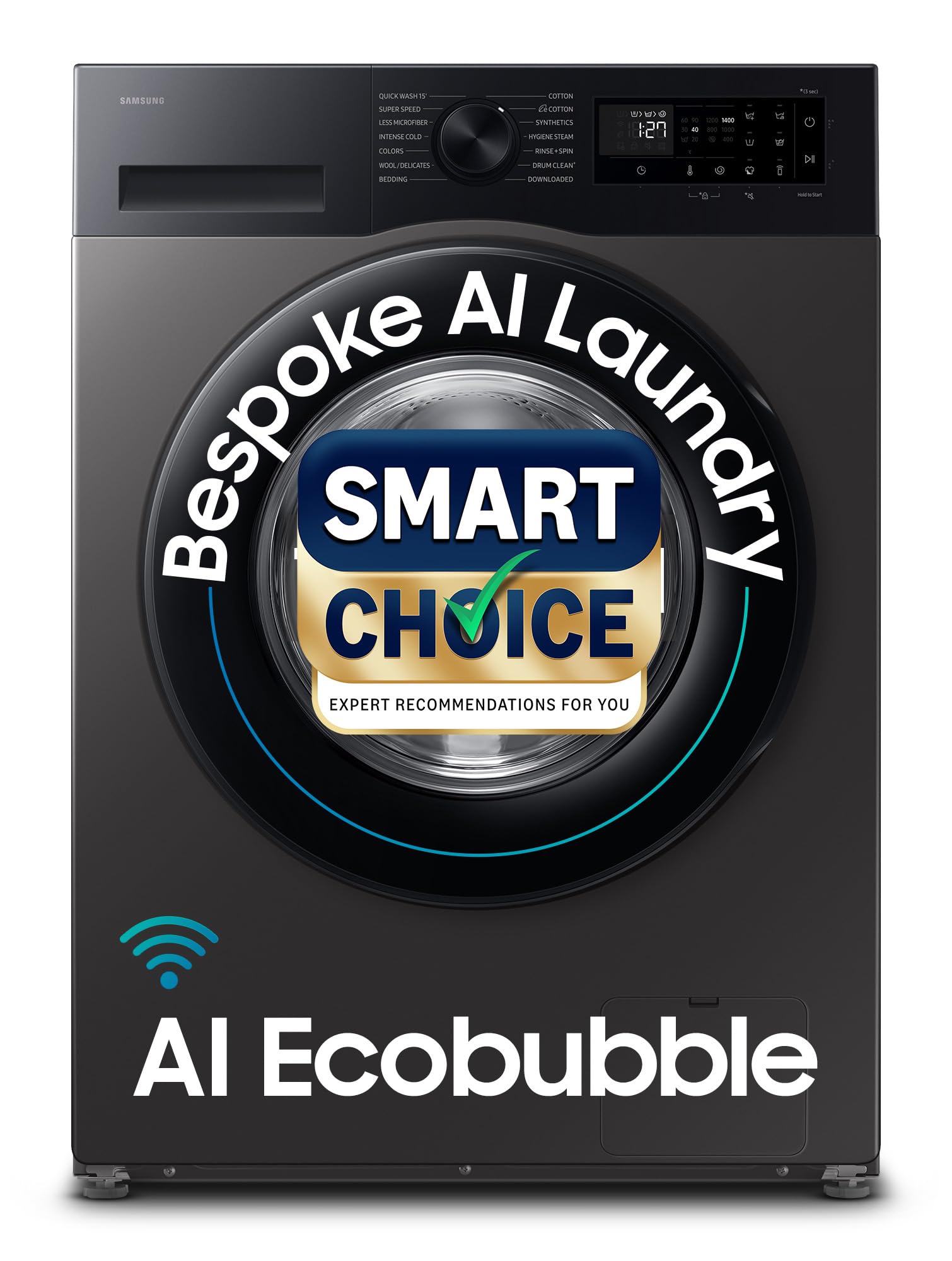
Image: Front view of the Samsung WW12DG5B24AXTL washing machine, showcasing its modern design and front-load door.
2. Water Supply Connection
Connect the inlet hose to the water tap and the washing machine's inlet valve. Ensure connections are tight to prevent leaks. The water pressure should be between 50-800 KPa.
3. Drain Hose Installation
Securely attach the drain hose to a standpipe or laundry tub, ensuring it is not kinked or blocked. The drain hose should be positioned at an appropriate height to prevent siphoning.
4. Leveling the Washing Machine
Use a spirit level to ensure the machine is perfectly level. Adjust the leveling feet as necessary to prevent excessive vibration and noise during operation.
5. Power Connection
Plug the power cord into a grounded electrical outlet. Ensure the voltage matches the machine's requirements (230 Volts).
Included Components:
- 1 Washing Machine Unit
- Hose Drain
- Hose Inlet
- Clip Ring
- Screw Fitting
Operating Instructions
1. Control Panel Overview
The AI Control LED Touch Panel features an intuitive interface with an easy-to-use Jog Dial for program selection and a touch panel for additional settings. The display shows cycle time, temperature, spin speed, and other relevant information.

Image: Detailed view of the AI Control LED Touch Panel, showing the Jog Dial and various touch-sensitive buttons for cycle selection and settings.
2. Loading Laundry
Open the door and load laundry into the drum. Do not overload the machine; ensure there is enough space for clothes to tumble freely. The machine has a 12 kg capacity, suitable for large families.

Image: The washing machine with its door open, revealing the spacious stainless steel drum, designed for effective and gentle washing.
3. Adding Detergent and Softener
Pull out the detergent drawer. Add the appropriate amount of detergent to the main wash compartment and fabric softener to the softener compartment. Refer to detergent packaging for recommended amounts.

Image: The detergent drawer, clearly showing compartments for detergent and fabric softener, designed for easy loading.
4. Selecting a Wash Cycle
Turn the Jog Dial to select one of the 14 available wash programs. Common programs include:
- Super Speed: Washes in just 39 minutes.
- Quick Wash 15': For lightly soiled items.
- Cotton: Standard wash for cotton fabrics.
- Synthetics: For synthetic fabrics.
- Hygiene Steam: Removes 99.9% germs and allergens using steam.
- Bedding: For washing heavy loads like blankets.
- Colours: Protects colored garments.
- Drum Clean+: For cleaning the washing machine drum.
- Less Microfiber: Reduces microfiber release into drain water.
- Wool/Delicates: Gentle wash for delicate items.
Additional cycles can be downloaded via the SmartThings App.
5. Starting a Wash
Press the Start/Pause button to begin the selected cycle. The machine will automatically adjust water levels and wash times based on the load and program.
Key Technologies:
- AI Ecobubble: Generates bubbles that penetrate fabric faster, offering up to 45% better fabric care and 70% energy savings.
- AI Energy Mode: Optimizes energy consumption, providing up to 70% energy savings. Monitor and control via the SmartThings app.
- Hygiene Steam: Releases steam from the bottom of the drum, removing ingrained dirt and 99.9% of bacteria and allergens.
- Super Speed: Completes a full wash cycle in just 39 minutes without compromising cleaning performance.
- Wi-Fi Embedded & SmartThings: Connect your washing machine to your home Wi-Fi network and control it remotely using the SmartThings app. Features include cycle selection, monitoring, and self-diagnosis.
- SpaceMax: Provides a larger drum capacity (12kg) within a standard external dimension.

Image: A visual representation of AI Ecobubble technology, highlighting its benefits in energy saving, soil removal, and fabric care.

Image: Illustration of the AI Energy Saving mode, demonstrating how it connects to a smartphone via Wi-Fi for energy monitoring and optimization.
Maintenance
1. Drum Clean+ Cycle
Regularly run the Drum Clean+ cycle to remove dirt and 99.9% of odor-causing bacteria from the drum. This helps maintain hygiene and extends the life of your machine.
2. Cleaning the Detergent Drawer
Periodically remove and clean the detergent drawer to prevent residue buildup. Rinse it under running water and dry thoroughly before reinserting.
3. Cleaning the Debris Filter
Locate the debris filter at the bottom front of the machine. Open the cover, drain any residual water, and carefully remove and clean the filter. This prevents blockages and ensures efficient drainage.
4. Exterior Cleaning
Wipe the exterior of the washing machine with a soft, damp cloth. Avoid abrasive cleaners or solvents that could damage the finish.
Troubleshooting
If you encounter issues with your washing machine, refer to the following common problems and solutions:
| Problem | Possible Cause | Solution |
|---|---|---|
| Machine does not start | Power cord unplugged, door not closed properly, cycle not selected. | Check power connection, ensure door is latched, select a wash cycle and press Start. |
| No water filling | Water tap off, inlet hose kinked, water pressure too low. | Open water tap, straighten hose, check household water pressure. |
| Excessive vibration/noise | Machine not level, transport bolts not removed, uneven load. | Adjust leveling feet, ensure transport bolts are removed (during installation), redistribute laundry. |
| Water not draining | Drain hose kinked/blocked, debris filter clogged. | Check and clear drain hose, clean the debris filter. |
| Error Code Displayed | Specific internal issue (e.g., 3C error for motor issues). | Refer to the full user manual on the Samsung website or contact customer support. |
For more detailed troubleshooting or persistent issues, please contact Samsung customer support.
Specifications
- Model: WW12DG5B24AXTL
- Capacity: 12 Kilograms
- Type: Fully-Automatic Front Load
- Color: Inox
- Energy Star Rating: 5 Star
- Annual Energy Consumption: 0.05 Kilowatt Hours Per Year
- Maximum Rotational Speed: 1400 RPM
- Number of Wash Cycles: 14 (plus downloadable cycles)
- Drum Material: Stainless Steel (Swirl Drum)
- Motor: Digital Inverter Motor
- Controller Type: Jogdial, SmartThings, WiFi
- Voltage: 230 Volts
- Item Weight: 71 Kilograms
- Product Dimensions (DxWxH): 60D x 60W x 85H Centimeters
- Special Features: AI Ecobubble, AI Energy Mode, Hygiene Steam, Super Speed, Wi-Fi, SmartThings, Drum Clean+, Child Lock, Rat Mesh Protection, Rust Proof Body.

Image: The Power Savings Guide label, indicating the 5-star energy rating and energy consumption of 0.05 kWh/kg/cycle for the WW12DG5B24AXTL model.
Warranty Information
Your Samsung WW12DG5B24AXTL washing machine comes with:
- 2 Year Comprehensive Warranty on the product.
- 10 Year Warranty on the Digital Inverter Motor.
Note: A 20 Year Warranty on the Digital Inverter Motor is applicable for purchases made between 1st December 2022 and 31st March 2026. Terms and Conditions apply. The brand warranty can be availed using the seller invoice.

Image: A graphic emphasizing the durability and warranty of the Digital Inverter Motor, a key component of the washing machine.
Customer Support
For all product-related complaints or assistance, please contact Samsung India Customer Care:
- Email: support.india@samsung.com
- Toll-Free Tel: 1800 40 7267864 (1800 40 SAMSUNG)
You can also access the full user manual from the official Samsung website.