1. Product Overview
The Gisam Cordless Impact Wrench is a powerful and versatile tool designed for various tightening and loosening tasks. Featuring a high-torque brushless motor, multiple speed settings, and an auto-off reverse function, it is ideal for mechanics, car owners, and heavy-duty DIY projects. The integrated LED work light enhances visibility in dark environments, and the included 4.0Ah batteries ensure efficient and durable performance.

Figure 1: Gisam Cordless Impact Wrench and included accessories.
2. Package Contents
Your Gisam Cordless Impact Wrench kit includes the following items:
- 1 x Cordless Impact Wrench
- 2 x 4.0Ah Lithium-Ion Batteries (21V)
- 1 x Quick Charger
- 5 x Socket Wrenches (17mm, 19mm, 21mm, 22mm, 24mm)
- 1 x Extension Bar
- 1 x User Manual (this document)
- 1 x Carrying Case
- Additional seals and hardware
3. Product Components
Familiarize yourself with the main components of your impact wrench:

Figure 2: Key components of the Gisam Cordless Impact Wrench.
- Square Chuck: 1/2" drive for attaching sockets.
- Brushless Motor: Provides high efficiency and long endurance with reduced noise and no sparks.
- Forward & Reverse Switch: Controls the direction of rotation.
- Variable Speed Switch: Adjusts speed and torque based on trigger pressure.
- Soft Rubberized Handle: Ergonomic design for comfortable grip.
- Battery Release Button: For detaching the battery pack.
- Smart Control Panel: Displays speed, battery power, and brake stop indicator.
- LED Light: Illuminates the work area.
- Impact Socket: For various bolt and nut sizes.
4. Setup
4.1 Charging the Battery
The Gisam Impact Wrench comes with two 4.0Ah Lithium-Ion batteries and a quick charger. Ensure batteries are fully charged before first use.
- Connect the quick charger to a standard power outlet.
- Slide the battery pack onto the charger until it clicks into place.
- The charger indicator light will show charging status. A full charge typically takes 2 hours.
- Once fully charged, remove the battery from the charger.

Figure 3: Charging the 4.0Ah Lithium-Ion battery.
4.2 Attaching/Detaching Battery
- To attach: Align the battery with the base of the impact wrench and slide it in until it clicks securely.
- To detach: Press the battery release button and slide the battery out.
4.3 Attaching Sockets and Extension Bar
- Select the appropriate socket size (17/19/21/22/24mm) for your task.
- Push the socket firmly onto the 1/2" square chuck until it locks into place.
- For extended reach, first attach the extension bar to the chuck, then attach the desired socket to the extension bar.
- To remove, pull the socket/extension bar off the chuck.
5. Operating Instructions
5.1 Powering On/Off
The tool is activated by pressing the variable speed trigger. Release the trigger to turn off the tool.
5.2 Speed Selection
The Gisam Impact Wrench offers 3 speed selections, indicated on the smart control panel:
- L (Low): 0-1520 RPM (Suitable for home improvement tasks)
- M (Medium): 0-1990 RPM (Ideal for tire disassembly)
- H (High): 0-2370 RPM (For engineering and industrial use)
The speed and torque can be infinitely adjusted by varying the pressure on the switch trigger. Pressing the trigger harder increases the RPM.

Figure 4: Stepless speed control based on trigger pressure.
5.3 Forward & Reverse Operation
The forward/reverse switch controls the direction of rotation:
- Push the switch to the right for forward rotation (tightening).
- Push the switch to the left for reverse rotation (loosening).
- When the button is centered, the tool is locked, preventing accidental operation.

Figure 5: Forward, Reverse, and Locked positions of the switch.
5.4 Auto-Off Reverse (Brake Stop)
In reverse mode, with the brake stop indicator light switched on, the brake stop function is activated. This feature automatically reduces the torque and stops the tool as soon as the nut or screw is unscrewed, preventing over-loosening or damage.
5.5 LED Work Light
The built-in super bright LED light illuminates the working environment. Each click of the trigger activates the light, which remains on for more than 10 seconds after the trigger is released, providing continuous illumination for safer operation in dark areas.
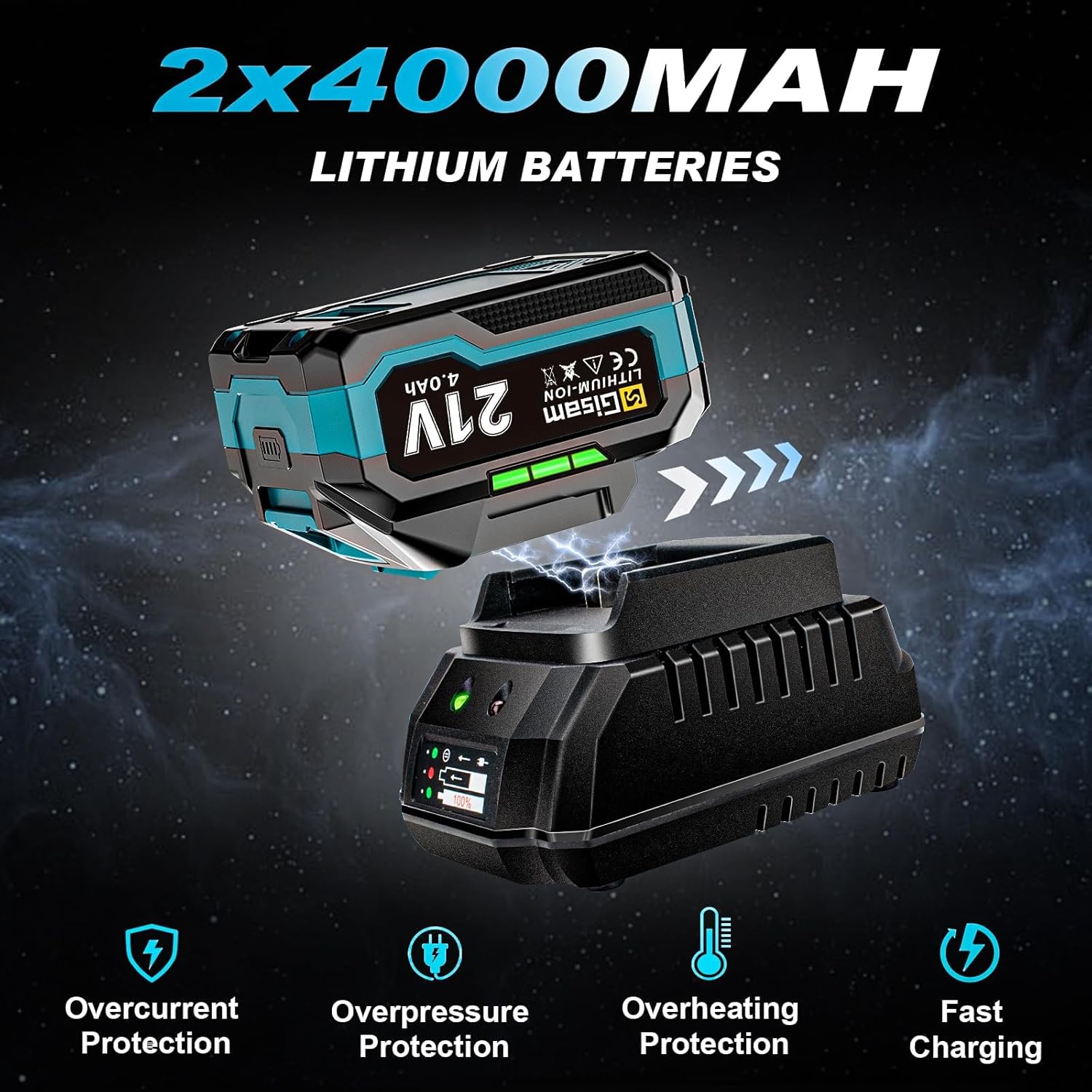
Figure 6: Integrated LED work light for improved visibility.
6. Maintenance
6.1 General Cleaning
- Always disconnect the battery pack before cleaning.
- Wipe the tool with a clean, damp cloth. Do not use harsh chemicals or abrasive cleaners.
- Keep ventilation openings clear of dust and debris to prevent overheating.
6.2 Battery Care and Storage
- Store batteries in a cool, dry place away from direct sunlight and extreme temperatures.
- Do not store fully discharged batteries for extended periods. Charge them periodically to maintain battery health.
- Avoid exposing batteries to water or moisture.
6.3 Tool Storage
When not in use, store the impact wrench and all accessories in the provided carrying case to protect them from dust, moisture, and damage.
7. Troubleshooting
| Problem | Possible Cause | Solution |
|---|---|---|
| Tool does not operate. | Battery not installed correctly or discharged. | Ensure battery is securely clicked into place. Charge the battery fully. |
| Battery not charging. | Charger not connected, faulty battery/charger, or battery too hot/cold. | Check charger connection. Allow battery to reach room temperature. Contact customer support if issue persists. |
| Reduced power/torque. | Low battery charge or incorrect speed setting. | Recharge battery. Select a higher speed setting if needed. |
| Socket not attaching securely. | Debris in chuck or worn socket. | Clean the chuck. Ensure socket is compatible and not worn. |
8. Specifications
| Feature | Detail |
|---|---|
| Brand | Gisam |
| Model Number | BS001269 |
| Max Torque | 900 Ft-lbs (1200 N.m) |
| Voltage | 21 Volts |
| Speed Settings | 0-1520 RPM (Low), 0-1990 RPM (Medium), 0-2370 RPM (High) |
| Motor Type | Brushless |
| Drive Size | 1/2 inch |
| Battery Capacity | 4.0Ah Lithium Ion |
| Charging Time | Approx. 2 hours |
| Material | Chrome Vanadium Steel |
| Item Weight | 4.4 pounds (2 Kilograms) |
| Wattage | 1000 watts |
9. Warranty and Support
Gisam is committed to providing quality products and excellent customer service. Your Cordless Impact Wrench is covered by a 1-Year After-sales Service.
If you have any questions, concerns, or require assistance with your product, please contact us via the "Contact Seller" option on your order page. We aim to reply within 12 hours on working days.
