1. Product Overview
The WayPonDEV RM520N-GL is a high-performance 5G Sub-6 GHz module specifically engineered for Internet of Things (IoT) and enhanced Mobile Broadband (eMBB) applications. It adheres to the 3GPP Release 16 specification, supporting both 5G Non-Standalone (NSA) and Standalone (SA) modes, offering robust data transfer capabilities.
This industrial-grade module is designed in an M.2 form factor, ensuring compatibility with a wide range of devices. It integrates a multi-constellation high-precision GNSS receiver, enhancing positioning accuracy and simplifying product design for location-based services.
Key features include:
- High-Speed Connectivity: Supports NSA data rates up to 3.4Gbps (DL) / 550Mbps (UL) and SA data rates up to 2.4Gbps (DL) / 900Mbps (UL).
- Broad Compatibility: M.2 package compatible with Quectel's 5G modules (RM50xQ series) and LTE-A modules (EM06, EM12/EM12xR/EM120K, EM160R-GL), facilitating seamless migration from LTE-A to 5G.
- Global Coverage: Covers nearly all mainstream carriers worldwide.
- Integrated GNSS: Supports GPS, GLONASS, BDS, and Galileo for accurate positioning.
- Wide Application Scope: Suitable for industrial routers, home gateways, set-top boxes, industrial and consumer laptops, industrial PDAs, rugged tablets, video transmission, and digital signage.
- Operating Temperature: Extended temperature range of -40°C to +85°C.
2. What's in the Box
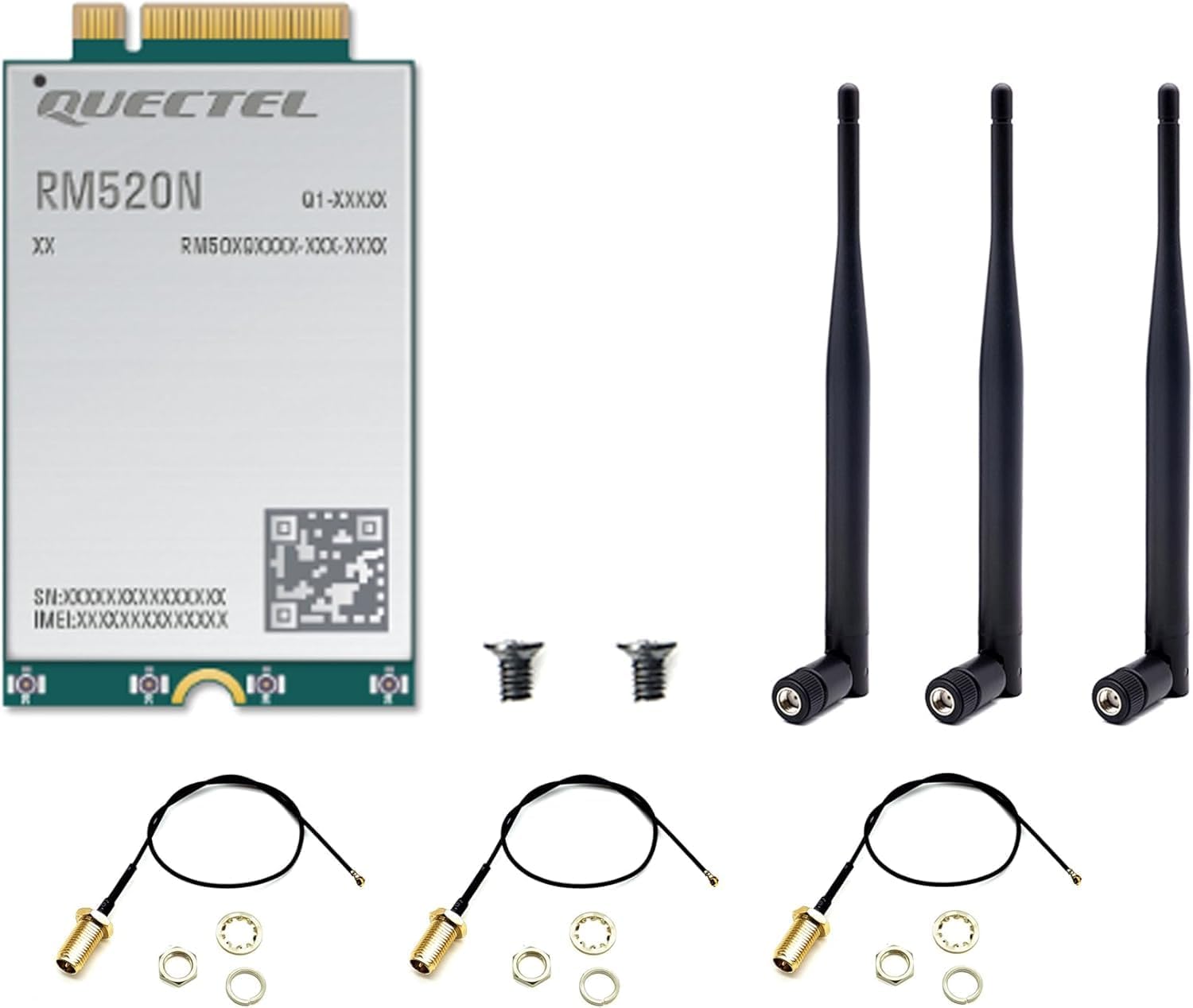
The RM520N-GL module shown with included antennas and connection cables, providing a complete view of the package contents.
- 1 x 5G RM520N-GL Module
- 2 x Antenna
- Additional accessories such as IPEX to SMA cables and mounting screws may be included depending on the specific kit.
3. Setup and Installation
The RM520N-GL module is designed for integration into devices with an M.2 slot. Proper installation is crucial for optimal performance.
3.1 Physical Installation
- Prepare Your Device: Ensure your host device (e.g., industrial router, laptop, embedded system) is powered off and disconnected from any power source. Refer to your device's manual for instructions on accessing the M.2 slot.
- Insert the Module: Carefully align the RM520N-GL module with the M.2 slot on your device. Gently push the module into the slot at an angle until the gold contacts are fully seated.
- Secure the Module: Press the module down towards the motherboard. Secure it with the provided screw(s) into the designated standoff.
- Connect Antennas: Attach the included antennas to the module's U.FL/IPEX connectors. Ensure a firm connection. The module typically has multiple antenna ports for main, diversity, and GNSS. Refer to the module's pinout diagram for specific antenna port assignments.
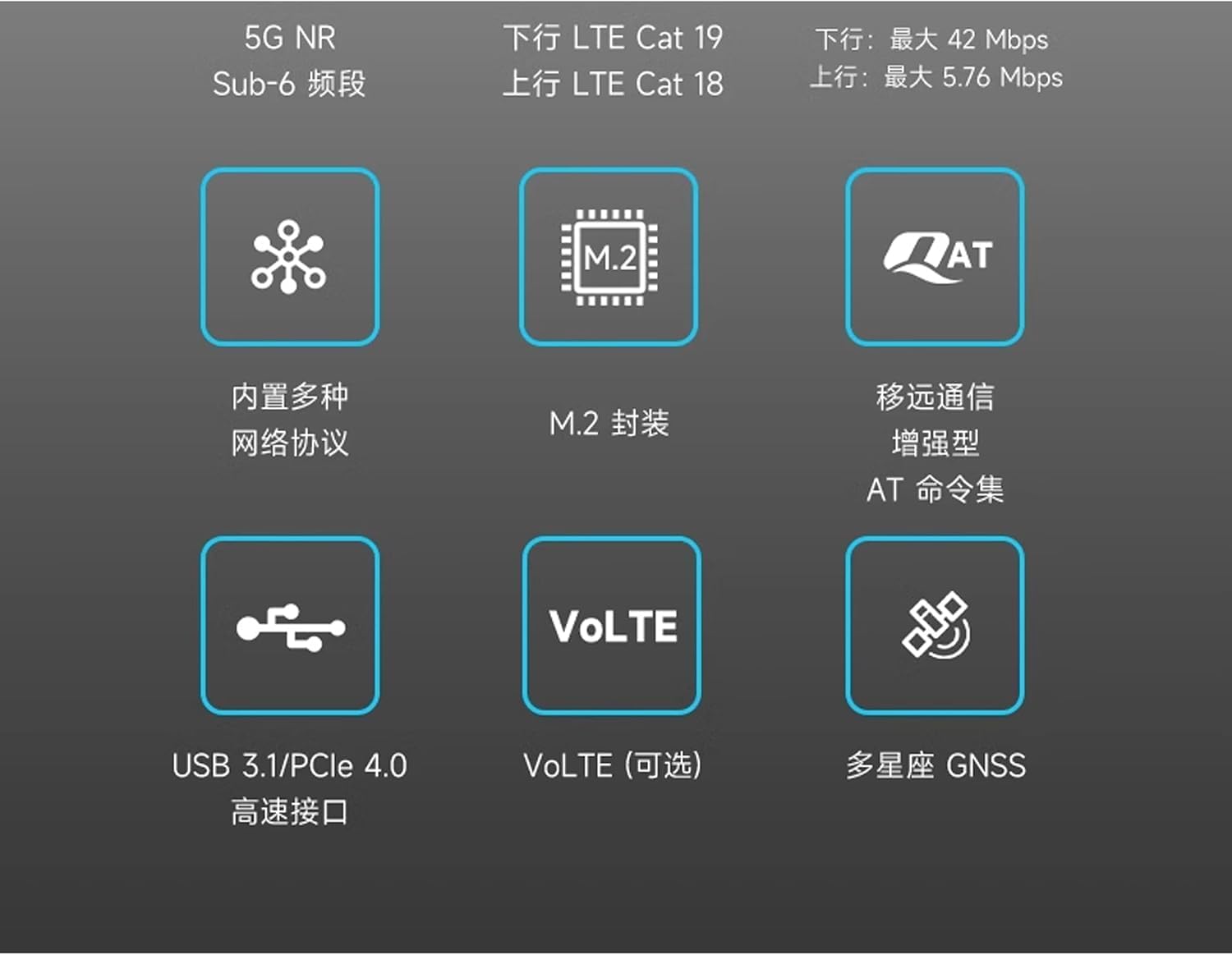
Illustration of the RM520N-GL module being inserted into a compatible M.2 slot on a circuit board, demonstrating the physical installation process.

Detailed pinout diagram for the RM520N-GL module, showing the various pin names and their corresponding numbers for proper connection and integration.
3.2 Driver Installation
After physical installation, drivers must be installed on the host operating system for the module to function correctly. The RM520N-GL supports various operating systems.
- Windows: USB and PCIe drivers are available for Windows 7, 8, 8.1, and 10.
- Linux: Compatible drivers are provided for Linux-based systems.
- Android: Drivers are also available for Android platforms.
Refer to the official WayPonDEV or Quectel documentation for specific driver downloads and installation guides. A wiki for getting started is available at docs.banana-pi.org/en/BPI-R4/GettingStarted_BPI-R4#_4g_5g_module.
4. Operating the Module
Once installed and drivers are configured, the RM520N-GL module will enable 5G cellular data connectivity and GNSS capabilities on your host device.
4.1 Network Connectivity
- SIM Card: Ensure a valid and activated Nano-SIM card (4FF) is inserted into the host device's SIM card slot, if applicable. The module requires a SIM card to connect to cellular networks.
- Network Modes: The module automatically supports both 5G NSA (Non-Standalone) and SA (Standalone) modes, depending on network availability and configuration.
- Data Connection: Use your operating system's network settings or specific modem management software to establish a cellular data connection. This typically involves selecting the cellular network and configuring APN settings if required by your carrier.
4.2 GNSS Functionality
The integrated GNSS receiver provides precise positioning data. This functionality is typically accessed via specific software applications or APIs on the host device that can interface with the module's GNSS capabilities.
- Ensure the GNSS antenna (if separate from cellular antennas) is properly connected and has a clear view of the sky for optimal satellite reception.
- Supported constellations include GPS, GLONASS, BDS, and Galileo.

Conceptual image showing the RM520N-GL module integrated within a larger electronic device, illustrating its role as an internal component for connectivity.
5. Maintenance
The RM520N-GL module is designed for robust and reliable operation with minimal maintenance. However, following these general guidelines can help ensure its longevity and performance:
- Environmental Conditions: Operate the module within its specified temperature range of -40°C to +85°C. Avoid exposing the module to extreme humidity, dust, or corrosive environments.
- Physical Handling: Handle the module with care. Avoid dropping it or subjecting it to strong impacts. When installing or removing, use proper anti-static precautions.
- Ventilation: Ensure the host device provides adequate ventilation to prevent overheating, especially during prolonged high-data usage.
- Software Updates: Keep the drivers and firmware of the module updated. Check the manufacturer's website for the latest versions to ensure optimal performance and compatibility.
6. Troubleshooting
If you encounter issues with your RM520N-GL module, consider the following troubleshooting steps:
6.1 No Network Connection
- Check SIM Card: Ensure the SIM card is correctly inserted, activated, and has an active data plan.
- Antenna Connection: Verify that all antennas are securely connected to the module's ports. Loose connections can significantly impact signal strength.
- Driver Installation: Confirm that the correct drivers for your operating system are installed and up to date. Check Device Manager (Windows) or equivalent for any driver errors.
- Signal Strength: Check the cellular signal strength in your location. Poor signal can prevent connection.
- APN Settings: Verify that the Access Point Name (APN) settings in your device's network configuration match those required by your cellular carrier.
- Module Seating: Ensure the module is properly seated in the M.2 slot. Re-seat it if necessary.
6.2 Slow Data Speeds
- Signal Quality: Weak cellular signal or high network congestion can lead to slow speeds. Try moving to a location with better coverage.
- Antenna Placement: Ensure antennas are positioned optimally and not obstructed.
- Network Mode: Confirm the module is operating in 5G mode if available in your area.
- Driver/Firmware: Ensure drivers and module firmware are the latest versions.
6.3 GNSS Not Functioning
- GNSS Antenna: If a dedicated GNSS antenna is used, ensure it is connected and has a clear view of the sky.
- Software Support: Verify that your host device's software or application supports and is configured to use the module's GNSS capabilities.
If issues persist after attempting these steps, please contact customer support.
7. Specifications

The RM520N-GL module with its physical dimensions indicated: 30.0mm width, 52.0mm length, and 2.3mm thickness.

Front view of the RM520N-GL module, displaying the Quectel branding and model number.
| Feature | Description |
|---|---|
| Model Number | 5G RM520N-GL Module |
| Form Factor | M.2 |
| Dimensions (L x W x H) | 52mm x 30mm x 2.3mm |
| Weight | Approximately 2.12 ounces (60 grams) |
| Connectivity Technology | 5G NR Sub-6GHz (NSA & SA), LTE-A, GNSS |
| Data Transfer Rate (Max) | NSA: 3.4Gbps (DL) / 550Mbps (UL) SA: 2.4Gbps (DL) / 900Mbps (UL) |
| GNSS Support | GPS, GLONASS, BDS, Galileo, QZSS (IZat location technology Gen9C Lite) |
| Interfaces | USB, PCIe |
| Operating Temperature | -40°C to +85°C |
| Compatible Devices | Laptop, Personal Computer, Router, Tablet |
| Color | Black |
8. Warranty and Support
This product is manufactured by WayPonDEV. For any after-sales questions, technical support, or warranty inquiries, please contact WayPonDEV directly.
- Online Support: Visit the WayPonDEV store on Amazon or refer to the official product page for support options.
- Email Support: You can reach out via email at wpd@youyeetoo.com.
- Wiki/Documentation: Additional technical documentation and getting started guides can be found at docs.banana-pi.org/en/BPI-R4/GettingStarted_BPI-R4#_4g_5g_module.
Please retain your proof of purchase for any warranty claims.