
EZVALO EZL2401A-20
Contents
EZVALO Under Cabinet Lighting User Manual
Model: EZL2401A-20
Introduction
Thank you for choosing EZVALO Under Cabinet Lighting. This manual provides detailed instructions for the proper installation, operation, and maintenance of your new motion sensor lights. Please read this manual thoroughly before use to ensure optimal performance and longevity of the product.
What's in the Box
Carefully unpack your EZVALO Under Cabinet Lighting and verify that all components are present:
- 2 x 8-inch Motion Sensor Lights
- 4 x Adhesive Iron Sheets
- 2 x USB-C Fast Charging Cables
- 1 x Instruction Manual
Setup
Initial Charging
Before first use, fully charge the lights. Connect the provided USB-C charging cable to the light's charging port and to a standard USB power adapter (not included). The light will indicate charging status (e.g., a blue light will flash during charging and remain solid when fully charged). A full charge typically takes approximately 2.5 hours.
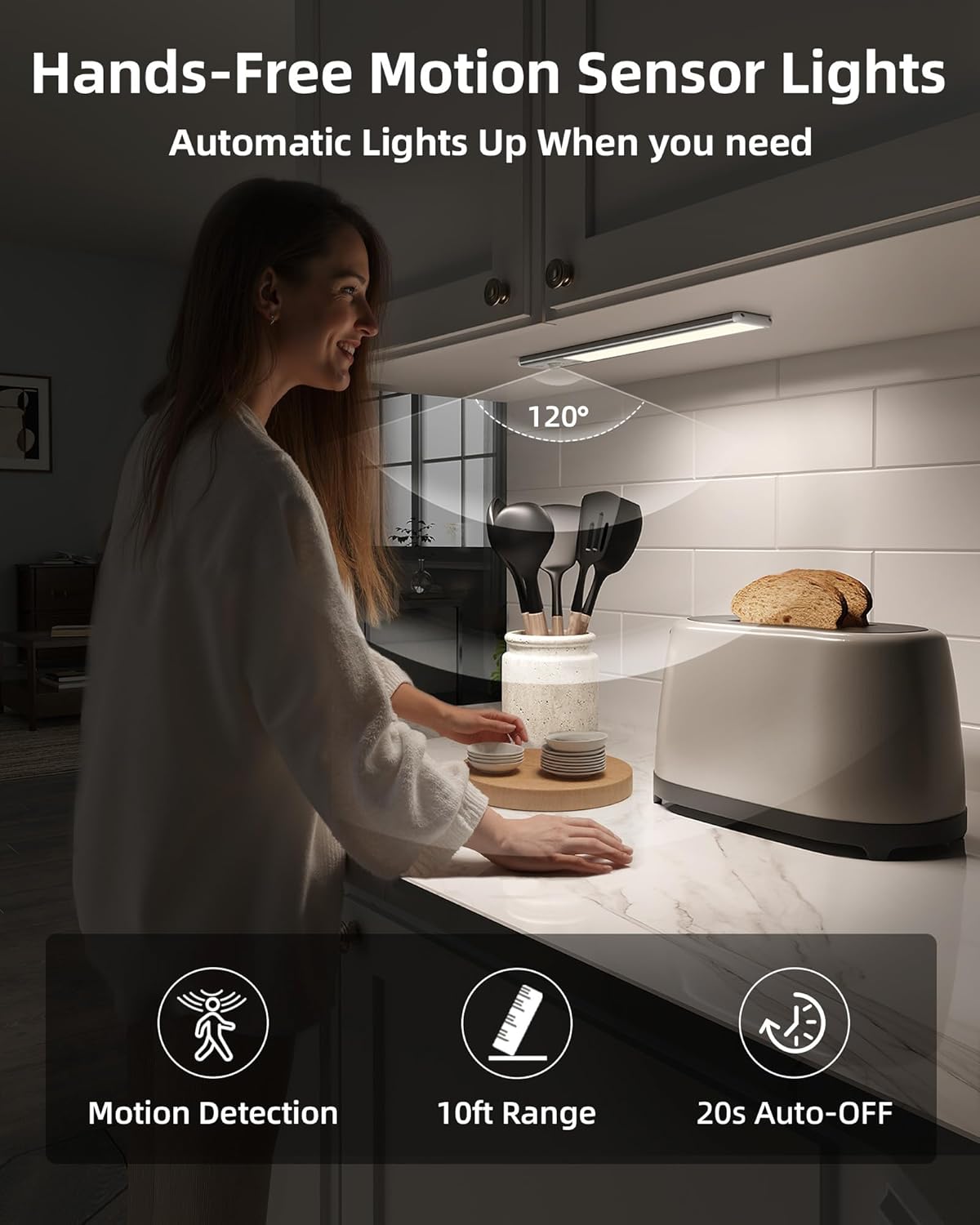
Image: The light's charging port and battery indicator. A blue light indicates charging status.
Installation
The EZVALO Under Cabinet Lights offer two installation methods: magnetic attachment or adhesive mounting.
- Magnetic Attachment: The lights have built-in magnets. If your desired surface is metallic (e.g., a refrigerator or metal shelf), simply place the light directly onto the surface.
- Adhesive Mounting: For non-metallic surfaces (e.g., wood cabinets, glass), use the included adhesive iron sheets.
- Clean the smooth surface thoroughly where you intend to install the light. Ensure it is dry and free of dust or grease.
- Peel the protective film from one side of an adhesive iron sheet and stick it firmly to the desired location.
- Attach the light to the iron sheet using its built-in magnets.
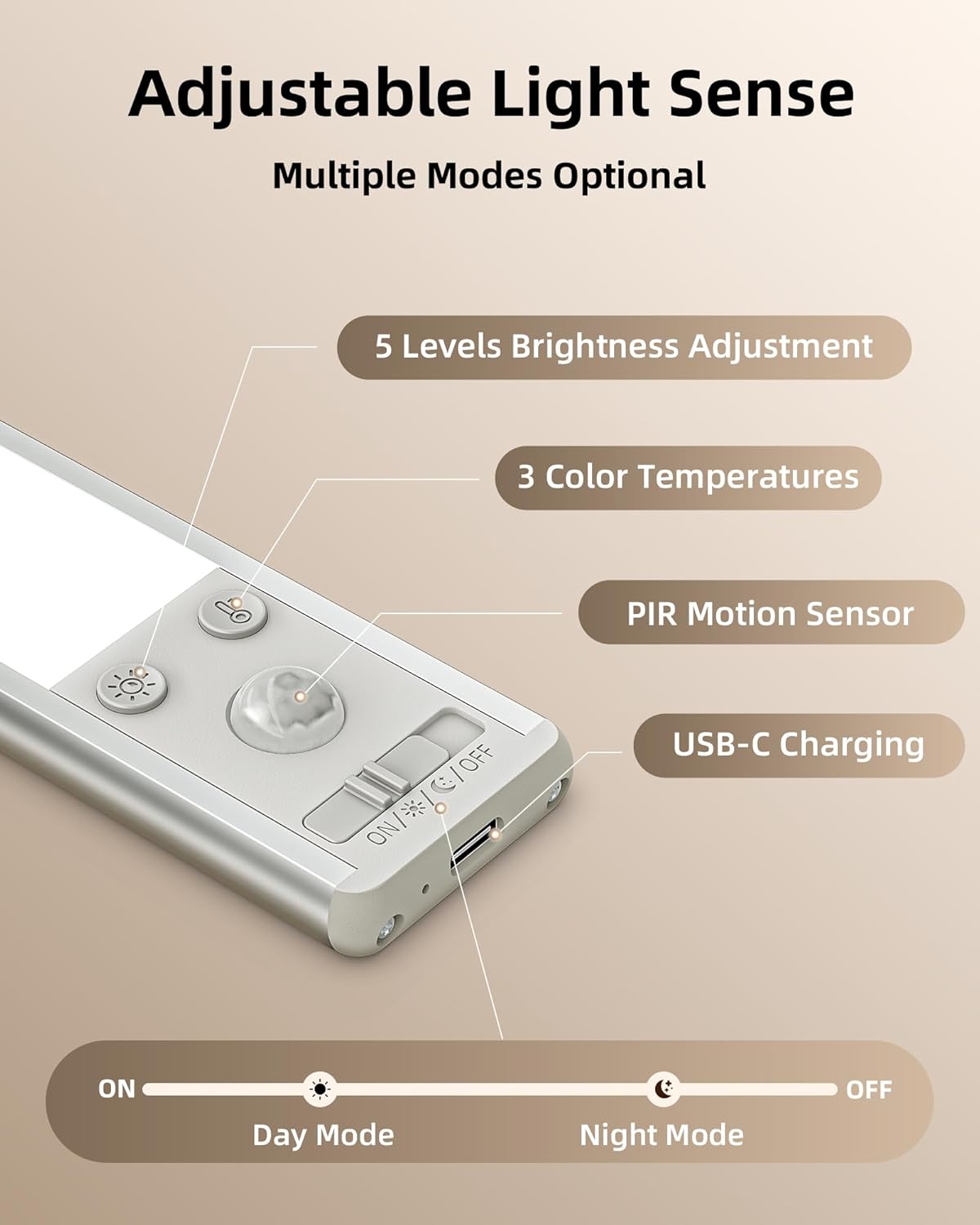
Image: Visual guide for easy installation, showing the light's dimensions (8"L x 1.5"W x 0.55"H) and the use of adhesive iron plates.

Image: Detailed steps for adhesive installation (clean, stick, press) and a crucial note about maintaining a minimum 20-inch distance between lights in 'AUTO' mode to prevent interference.
Important Note:
To ensure proper motion sensing, maintain a minimum distance of 20 inches (approximately 50 cm) between two lights during installation. Placing lights too close in 'AUTO' mode may cause mutual interference, leading to erratic behavior.
Operating Instructions
Your EZVALO light features multiple modes and adjustable settings for various lighting needs.
Motion Sensor Modes
The light has an upgraded motion sensor that detects movement within 10 feet (3 meters) and a 120° angle. It automatically turns off after 20 seconds of no movement. Use the switch on the light to select your desired mode:
- Auto Day Mode (ON): The light will activate automatically when motion is detected, regardless of ambient light conditions (day or night).
- Auto Night Mode (Night Icon): The light will activate automatically only when motion is detected in dark environments.
- Always-On Mode (Light Bulb Icon): The light remains continuously on, bypassing the motion sensor.
- OFF: The light is turned off.

Image: Illustration of Day Mode, where the light activates in any environment upon motion, and Night Mode, where it activates only in dark environments upon motion.
Color Temperature Adjustment
The light offers three color temperature options to suit different tasks and preferences. Use the dedicated button (often marked with a sun or color temperature icon) to cycle through the options:
- Warm White (3000K): Provides a soft, cozy light, ideal for ambient or night lighting.
- Natural White (4500K): A balanced white light, suitable for daily tasks like cooking.
- Cool White (6500K): A crisp, bright light, excellent for detailed work, organizing, or cleaning.

Image: Examples of the three available color temperatures: 6500K (Cool White), 4500K (Natural White), and 3000K (Warm White).
Brightness Adjustment
The light features five dimmable brightness levels (20% to 100%). Use the dimming switch (often marked with a brightness icon) to adjust the intensity:
- 20% Brightness: Low light for accent or subtle illumination.
- 40% Brightness: Moderate light.
- 60% Brightness: Enhanced visibility.
- 80% Brightness: Bright illumination.
- 100% Brightness: Maximum illumination for high visibility tasks.

Image: Visual representation of the five brightness levels (20%, 40%, 60%, 80%, 100%) and the dimming switch on the light.
Maintenance
Charging
The EZVALO light is equipped with a 2400mAh rechargeable battery. When the battery is low, the light's performance may diminish. Recharge the light using the provided USB-C cable. A full charge takes approximately 2.5 hours. In motion-activated Auto Mode, each light can last 15–40 days per charge, depending on usage frequency. In Always-On Mode at 100% brightness, it can last up to 11.5 hours.
Cleaning
To clean the light, gently wipe the surface with a soft, dry cloth. Avoid using abrasive cleaners, solvents, or excessive moisture, as these can damage the product.
Troubleshooting
- Light does not turn on:
- Ensure the light is charged. Connect it to a USB-C charger and check the charging indicator.
- Verify the mode switch is not set to 'OFF'.
- In 'Auto Night Mode', ensure the environment is sufficiently dark for activation.
- Motion sensor is not working or is too sensitive:
- Check the selected motion sensor mode (Auto Day vs. Auto Night).
- Ensure there are no obstructions blocking the sensor.
- If multiple lights are installed, ensure they are at least 20 inches apart to prevent interference.
- Avoid placing the light near heat sources or air vents, which can cause false triggers.
- Battery life is shorter than expected:
- Frequent activation in motion sensor modes or continuous use in 'Always-On Mode' will deplete the battery faster.
- Ensure the light is fully charged before use.
- Lowering the brightness level can extend battery life.
Specifications
| Feature | Detail |
|---|---|
| Brand | EZVALO |
| Model Number | EZL2401A-20 |
| Size | 8 inch (8"L x 1.5"W x 0.55"H) |
| Color | Silver |
| Material | Aluminum |
| Power Source | Battery Powered |
| Battery Capacity | 2400 mAh Lithium Ion |
| Charging Time | Approx. 2.5 hours |
| Light Source Type | LED (62 LEDs) |
| Brightness | 120 Lumens (Max) |
| Color Temperatures | 3000K (Warm White), 4500K (Natural White), 6500K (Cool White) |
| Dimmable Levels | 5 levels (20%-100%) |
| Motion Sensor Range | 10 ft / 120° |
| Auto-Off Time | 20 seconds (after no movement) |
| Installation Type | Surface Mount (Magnetic/Adhesive) |
| Indoor/Outdoor Usage | Indoor |
| Voltage | 3.7 Volts |
| Item Weight | 5.4 ounces (154 Grams) |
Warranty and Support
EZVALO provides a 24-month warranty for this product, covering manufacturing defects and malfunctions under normal use. If you encounter any issues or have questions regarding your EZVALO Under Cabinet Lighting, please contact our customer service team. We are committed to providing friendly and helpful support.
For support, please refer to the contact information provided on the product packaging or visit the official EZVALO website.
Ask a question about this manual
Ask about setup, troubleshooting, compatibility, parts, safety, or missing instructions. Manuals+ will review the question and use this page’s manual context to help answer it.