1. Product Overview
The EZVALO Motion Sensor Under Cabinet Light provides versatile and convenient illumination for various indoor spaces. Designed for easy installation, it features an updated motion sensor, multiple lighting modes, adjustable color temperatures, and dimmable brightness. Its rechargeable battery ensures wireless operation, making it ideal for kitchens, closets, stairs, and more.

Image 1.1: Two EZVALO Motion Sensor Under Cabinet Lights, their packaging, and USB-C charging cables. The image also displays examples of the three available color temperatures.
2. Package Contents
Please check the package to ensure all items are present:
- 2 x EZVALO Motion Sensor Lights (20.3 cm / 8 inches each)
- 1 x USB-C Fast Charging Cable
- 4 x Adhesive Iron Sheets
- 1 x Instruction Manual
3. Specifications
| Attribute | Detail |
|---|---|
| Brand | EZVALO |
| Model Number | EZL2401A-20 |
| Product Dimensions (L x W x H) | 20.32 x 3.81 x 1.4 cm (8 x 1.5 x 0.55 inches) |
| Item Weight | 240 g |
| Material | Aluminum |
| Color | Black |
| Battery Type | 1 Lithium-ion (included) |
| Battery Capacity | 1600 mAh |
| Charging Time | Approximately 2 hours |
| Bulb Type | LED (62 bulbs) |
| Luminous Flux | 100 lm |
| Wattage | 10 Watts |
| Voltage | 3 Volts (DC) |
| Special Features | Dimmable, Motion Sensor |
| Installation Type | Under Cabinet Mount |
4. Features
- Updated Motion Sensor & 4 Lighting Modes: The lights automatically activate when motion is detected within a 120-meter range. Choose between:
- Day Mode: Lights activate with motion at any time.
- Night Mode: Lights activate with motion only in dark environments.
- Always-On Mode: Provides continuous illumination.
- OFF Mode: Turns the light off.
- 3 Color Temperatures & Dimmable: Adjust the lighting to suit your needs with three color temperature options:
- Warm Light (3000K)
- Natural Light (4200K)
- Cool White (6500K)
- Enhanced 1600 mAh Battery & Fast Charging: Equipped with a powerful 1600 mAh battery, providing up to 6.5 hours of use in Always-On mode (at 100% brightness) or 8-30 days in auto modes (depending on frequency of activation). The lights recharge fully in approximately 2 hours via USB-C.
- Effortless Installation: Strong built-in magnets allow for quick attachment to metallic surfaces. For non-metallic surfaces, adhesive iron plates are provided to secure the lights in place. No tools are required for installation.

Image 4.1: Illustration of the three work modes: Always On for continuous lighting, Day Mode for automatic activation with motion, and Night Mode for automatic activation with motion only in dark environments.

Image 4.2: Visual representation of the three adjustable color temperatures: Cool White (6500K), Natural White (4200K), and Warm White (3000K), shown in different settings.
5. Setup and Installation
The EZVALO Motion Sensor Under Cabinet Light is designed for quick and easy installation without the need for tools.
5.1 Initial Charging
Before first use, fully charge the light using the provided USB-C cable. Connect the cable to the light's charging port and a standard USB power adapter (not included). The charging indicator will show the charging status.
5.2 Mounting the Light
- Prepare the Surface: Ensure the desired installation surface is clean, dry, and smooth.
- For Metallic Surfaces: The light has strong built-in magnets. Simply place the light directly onto any metallic surface.
- For Non-Metallic Surfaces:
- Peel off the protective film from one side of an adhesive iron sheet.
- Firmly press the adhesive side of the iron sheet onto the desired installation surface.
- Allow the adhesive to set for a few minutes for optimal adhesion.
- Attach the light to the iron sheet using its built-in magnets.

Image 5.1: Visual guide demonstrating the easy installation process, highlighting the use of adhesive iron sheets for non-metallic surfaces and the strong built-in magnets.
6. Operating Instructions
The EZVALO light features intuitive controls for mode selection, color temperature, and brightness.
6.1 Control Panel Overview

Image 6.1: Detailed view of the light's control panel, indicating the PIR Motion Sensor, USB-C Charging port, and the ON/OFF/Day Mode/Night Mode switch, along with brightness and color temperature adjustment buttons.
6.2 Switching Modes (ON/OFF/Day/Night)
Locate the main switch on the light. Toggle it to select between the following modes:
- OFF: The light is completely off.
- Day Mode: The motion sensor is active, and the light will turn on when motion is detected, regardless of ambient light conditions.
- Night Mode: The motion sensor is active, and the light will turn on only when motion is detected in a dark environment.
- Always-On Mode: The light remains continuously on.
6.3 Adjusting Color Temperature
Press the color temperature button (often indicated by a sun or color spectrum icon) to cycle through the three available color temperatures: Warm Light (3000K), Natural Light (4200K), and Cool White (6500K).
6.4 Adjusting Brightness
Press the brightness adjustment button (often indicated by a light bulb icon or +/- symbols) to cycle through the 3 levels of brightness. Select the desired intensity for your activity.
6.5 Recharging the Battery
When the light's brightness diminishes or it stops functioning, it indicates a low battery. Connect the light to a USB power source using the provided USB-C cable. The charging indicator will confirm it is charging. A full charge takes approximately 2 hours.
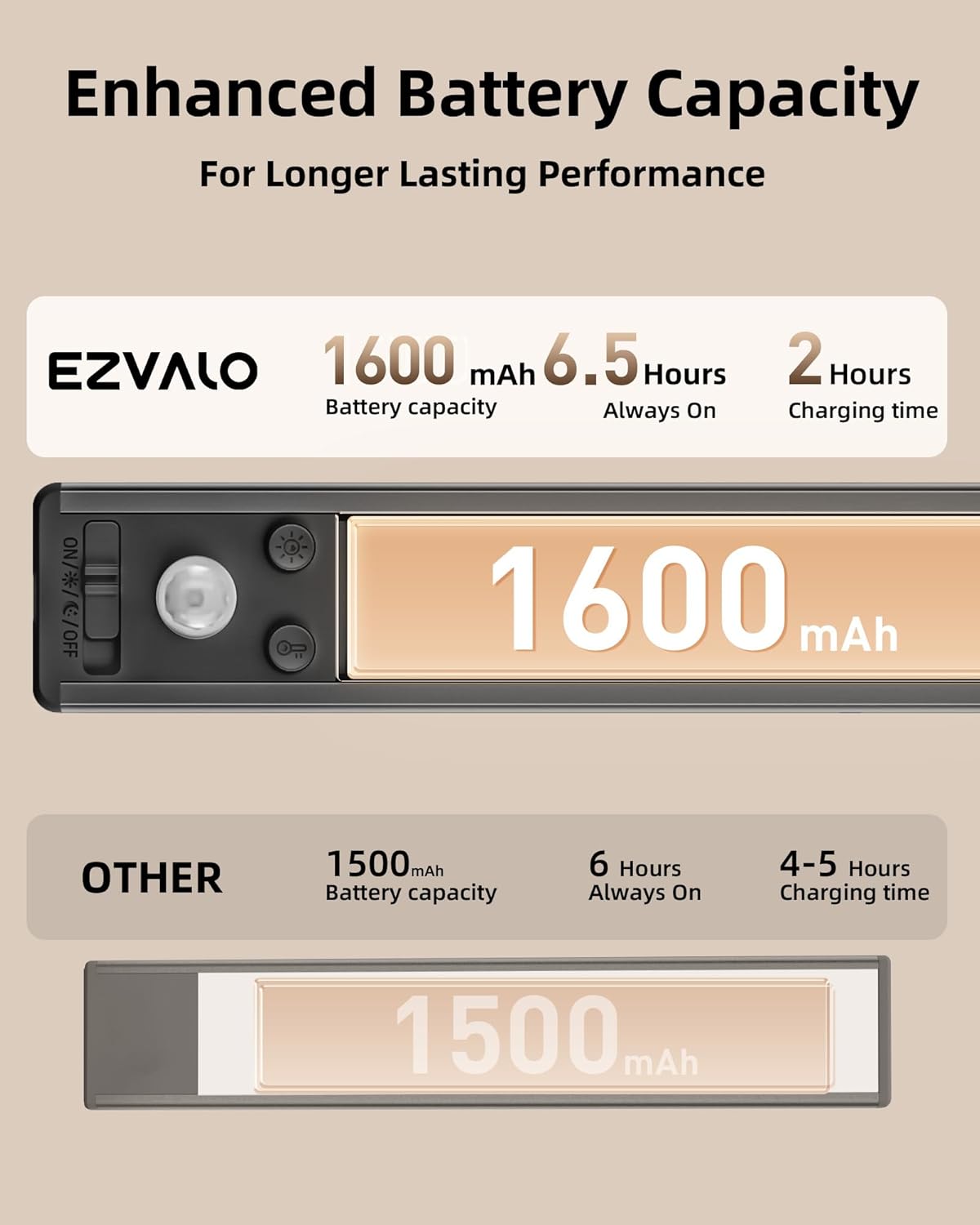
Image 6.2: Diagram illustrating the enhanced battery capacity of 1600 mAh, providing 6.5 hours in Always-On mode and a fast 2-hour charging time, compared to other products.
7. Maintenance
To ensure the longevity and optimal performance of your EZVALO Motion Sensor Under Cabinet Light, follow these simple maintenance guidelines:
- Cleaning: Gently wipe the light's surface with a soft, dry, or slightly damp cloth. Avoid using abrasive cleaners, solvents, or harsh chemicals, as these can damage the finish or electronic components.
- Battery Care: For best battery life, avoid fully discharging the battery frequently. Recharge the light when the brightness noticeably decreases. If storing the light for an extended period, charge it to about 50% every few months.
- Storage: Store the light in a cool, dry place away from direct sunlight and extreme temperatures.
- Avoid Water Exposure: This product is designed for indoor use only and is not waterproof. Avoid exposing it to water or high humidity.
8. Troubleshooting
If you encounter any issues with your EZVALO Motion Sensor Under Cabinet Light, please refer to the following common solutions:
- Light does not turn on:
- Ensure the battery is charged. Connect the light to a USB power source to charge.
- Check the mode switch. Make sure it is set to Day Mode, Night Mode, or Always-On Mode, not OFF.
- In Night Mode, ensure the environment is sufficiently dark for the sensor to activate.
- Motion sensor is not working:
- Verify the light is in Day Mode or Night Mode.
- Ensure there are no obstructions blocking the motion sensor.
- Confirm the light is within the 120-meter detection range.
- Light flickers or is dim:
- The battery may be low. Recharge the light fully.
- Ensure the brightness level is set to your desired intensity.
- Light falls off the surface:
- For non-metallic surfaces, ensure the adhesive iron sheets were applied to a clean, dry surface and allowed to set properly. Replace adhesive sheets if necessary.
- Ensure the magnetic connection is secure.
If these steps do not resolve the issue, please contact customer support.
9. Safety Information
Please read and follow these safety instructions to prevent injury or damage:
- Do not disassemble, repair, or modify the product. This may cause electric shock, fire, or damage to the product.
- Keep the product away from water, moisture, and high humidity. This product is for indoor use only.
- Do not expose the product to direct sunlight, high temperatures, or open flames.
- Use only the provided USB-C charging cable or a certified equivalent.
- Keep out of reach of children.
- Dispose of the product and its battery responsibly according to local regulations. Do not dispose of batteries in household waste or fire.
10. Warranty and Support
EZVALO is committed to ensuring your complete satisfaction with our products. If you encounter any problems with your EZVALO Under Cabinet Lights, including damaged or defective items, please do not hesitate to contact us.
We are dedicated to providing prompt resolution to any issues and ensuring a positive experience with our products. Your satisfaction is our top priority.
For support, please refer to the contact information provided with your purchase or visit the official EZVALO website.


