
1. Introduction
This manual provides essential information for the proper setup, operation, and maintenance of your viqee S24U Cell Phone. Please read it thoroughly before using your device to ensure optimal performance and longevity.
The viqee S24U is a 5G unlocked smartphone featuring a large display, high-resolution cameras, ample storage, and a long-lasting battery, designed for a comprehensive mobile experience.
2. What's in the Box
Upon unboxing your viqee S24U, please verify that all the following items are included:
- viqee S24U Cell Phone
- USB OTG Adapter
- Mobile Phone Cases
- Date line (USB Cable)
- Charger (Choose one of four: US, UK, AU, EU)
- Screen protector
- Mobile manual
- Headset
- Needle (SIM Ejector Tool)

Image: Contents of the viqee S24U retail package, including the phone, charger, cables, and accessories.
3. Product Overview
The viqee S24U features a sleek design with a 6.8-inch display and a multi-camera system on the rear. It is designed for comfortable handling and visual appeal.

Image: Front and rear view of the viqee S24U Cell Phone, showcasing its display and camera module, alongside the included stylus.
4. Setup
4.1 Inserting SIM Cards
The viqee S24U supports Dual SIM Dual Standby 5G connectivity. Use the provided needle to open the SIM card tray. Insert your 5G compatible SIM cards into the designated slots. Ensure the tray is securely reinserted.

Image: Close-up of the viqee S24U's SIM card tray, illustrating how to insert two SIM cards and a dedicated micro SD card for expandable storage.
4.2 Initial Power On
Press and hold the power button located on the side of the device until the viqee logo appears. Follow the on-screen prompts to complete the initial setup, including language selection, Wi-Fi connection, and Google account setup.
5. Operating Instructions
5.1 Display
The device features a 6.8-inch FHD+ display with a resolution of 2340 x 1080. Adjust brightness and display settings in the 'Settings' menu for optimal viewing.

Image: The viqee S24U displaying the Android 14 user interface with multiple application icons.
5.2 Performance
Powered by Android 14, the viqee S24U offers 6GB of RAM and 256GB of internal storage, ensuring smooth multitasking and ample space for applications and media. The device is designed for fast transmission speeds and low latency, enhancing the overall user experience.

Image: A graphic illustrating the Snapdragon 8 Gen 3 processor, highlighting the phone's powerful internal components.
5.3 Camera
Capture high-quality photos and videos with the 50MP front camera and 108MP rear camera, featuring a 200MP sensor and Adaptive Pixel Technology for optimized performance in various lighting conditions.

Image: The rear camera setup of the viqee S24U, emphasizing its 108MP HD capabilities and fast focusing features.
5.4 S-Pen Functionality
The built-in pen is ready to meet your every need, whether you're jotting down inspiration, sketching, or signing documents. The pen tip is designed for accurate screen interaction, providing a smooth and natural writing experience.

Image: A hand demonstrating the use of the E-Pen on the viqee S24U's screen for creative tasks.

Image: A detailed view of the E-Pen being stored within the viqee S24U, highlighting its integrated design.
5.5 Battery
Equipped with a 6800mAh battery, the S24U offers long-lasting power, with a standby time of up to 6 days. It supports fast charging to keep you connected throughout the day.
5.6 Face Recognition
The device features zero-light face recognition for accurate and secure unlocking, even in low-light conditions, utilizing hidden infrared light.

Image: A user unlocking the viqee S24U using its zero-light face recognition technology.
5.7 GPS Navigation
Utilize the integrated GPS navigation for accurate positioning and indoor navigation functions, useful in various locations like high-speed rail stations, shopping malls, and other public places.
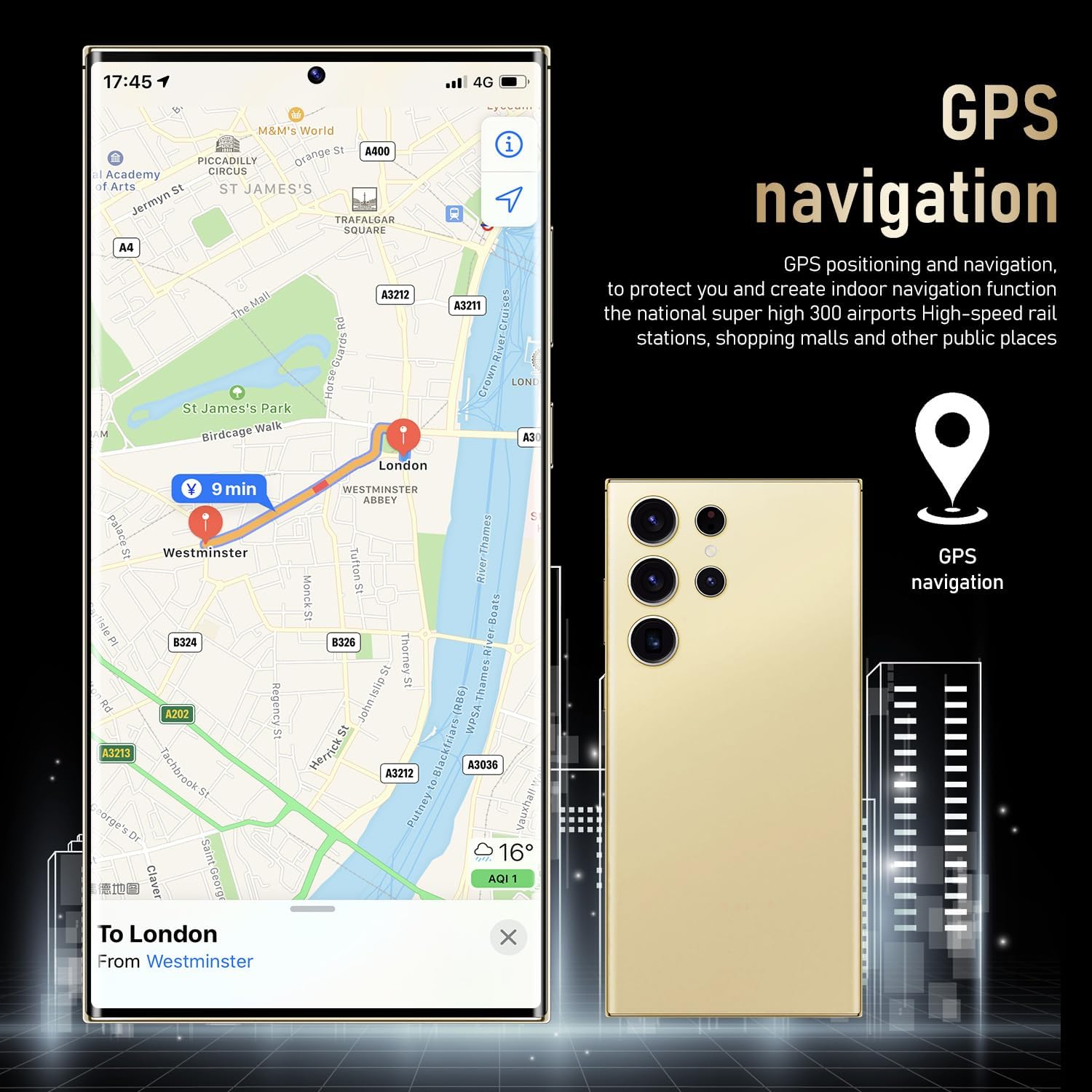
Image: The viqee S24U showing a map with GPS navigation active, indicating its location tracking capabilities.
6. Maintenance
To ensure the longevity and optimal performance of your viqee S24U, follow these maintenance guidelines:
- Keep the device clean by wiping it with a soft, dry cloth.
- Avoid exposing the phone to extreme temperatures, direct sunlight, or excessive moisture.
- Regularly back up your data to prevent loss.
- Install software updates as they become available to ensure your device has the latest features and security patches.
7. Troubleshooting
If you encounter any issues with your viqee S24U, please refer to the following common troubleshooting steps:
- Device not responding: Press and hold the power button for about 10 seconds to force restart the device.
- Battery draining quickly: Check background app usage in settings, reduce screen brightness, or enable power-saving mode.
- Network connectivity issues: Ensure your SIM card is properly inserted, restart the device, or check your network settings.
- Apps crashing: Clear the cache of the problematic app or reinstall it. Ensure your device software is up to date.
For more complex issues, please contact viqee customer support.
8. Specifications
| Feature | Specification |
|---|---|
| Model Name | S24U |
| Brand | viqee |
| Operating System | Android 14 |
| Screen Size | 6.8 Inches |
| Resolution | 2340 x 1080 |
| RAM Memory Installed Size | 6 GB |
| Memory Storage Capacity | 256 GB |
| Connectivity Technology | 5G |
| Battery Capacity | 6800 Amp Hours |
| Front Camera | 50MP |
| Rear Camera | 108MP with 200MP Sensor |
| Item Weight | 4.8 ounces |
| Color | Black |
9. Warranty and Support
For warranty information and technical support, please refer to the documentation provided with your purchase or visit the official viqee website. Keep your proof of purchase for warranty claims.