1. Introduction
This manual provides essential instructions for the safe and efficient use of your Reality Leuchten MORENO LED Floor Lamp, model R44561107. This cordless floor lamp features a nickel matte finish, flexible joints, a touch sensor for continuous dimming, and adjustable light color temperature. Please read this manual thoroughly before operating the device and retain it for future reference.

Image 1.1: The Reality Leuchten MORENO LED Floor Lamp, showcasing its sleek design and nickel matte finish.
2. Safety Instructions
- Ensure the lamp is placed on a stable, level surface to prevent tipping.
- This product is designed for indoor use only. Do not expose to moisture or extreme temperatures.
- Do not attempt to disassemble or modify the lamp. Refer all servicing to qualified personnel.
- Keep the charging station and lamp away from water and other liquids.
- Use only the provided charging station and USB-C cable.
- Do not cover the lamp while it is in operation or charging to ensure proper ventilation.
- The integrated LED light source is not replaceable.
3. Package Contents
Verify that all items are present in the package:
- 1 x MORENO LED Floor Lamp (R44561107)
- 1 x Charging Station with USB-C port
- Mounting Material (if required for base stability)
4. Setup and Assembly
- Carefully remove all components from the packaging.
- Place the lamp base on a flat, stable surface.
- If any assembly is required for the base or pole, follow the included diagram. The lamp is designed for floor mounting.
- Adjust the lamp head using the two flexible joints to your desired position. The maximum display extension is 51 cm.

Image 4.1: Technical drawing illustrating the dimensions and adjustable features of the MORENO LED Floor Lamp.

Image 4.2: Close-up view of the stable round base of the MORENO LED Floor Lamp.
5. Charging the Lamp
The MORENO LED Floor Lamp is equipped with a rechargeable Lithium-ion battery. To charge the lamp:
- Connect the charging station to a suitable power source using a USB-C cable (not explicitly stated if cable is included, but implied by USB-C port).
- Place the lamp onto the charging station. Ensure proper contact between the lamp's base and the charging station's contacts.
- A full charge takes approximately 6 hours.
- Once fully charged, the lamp provides approximately 8 hours of illumination.

Image 5.1: The charging station with a USB-C port, designed to recharge the lamp's internal battery.
6. Operating Instructions
The lamp features a touch sensor for controlling its functions.
6.1 Power On/Off and Dimming
- To turn on/off: Briefly touch the sensor located on the lamp pole.
- To dim: Touch and hold the sensor. The brightness will adjust continuously. Release the sensor when the desired brightness is reached.
6.2 Adjusting Color Temperature
- While the lamp is on, briefly touch the sensor repeatedly to cycle through the available color temperatures:
- 2700 Kelvin: Warm white light, ideal for relaxation.
- 4000 Kelvin: Neutral white light, suitable for general tasks.
- 6000 Kelvin: Cool white light, good for focused work.

Image 6.1: Close-up of the integrated touch sensor on the lamp pole for controlling light functions.
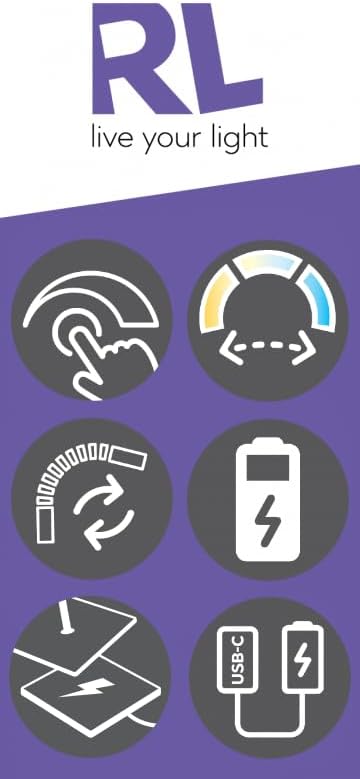
Image 6.2: Visual representation of the lamp's key features, including touch control, adjustable light color, flexible design, battery operation, and USB-C charging.
7. Maintenance
- Cleaning: Disconnect the lamp from the charging station before cleaning. Use a soft, dry cloth to wipe the lamp. Do not use abrasive cleaners or solvents.
- Storage: If storing the lamp for an extended period, ensure the battery is partially charged (around 50%) and store in a cool, dry place. Recharge periodically to maintain battery health.
8. Troubleshooting
| Problem | Possible Cause | Solution |
|---|---|---|
| Lamp does not turn on. | Battery is depleted. | Place the lamp on the charging station for at least 30 minutes. |
| Lamp does not charge. | Charging station not powered or poor contact. | Ensure the USB-C cable is securely connected to the charging station and power source. Verify the lamp is correctly seated on the charging station. |
| Light flickers or is unstable. | Low battery or electrical interference. | Charge the lamp fully. Move the lamp away from other electronic devices that might cause interference. |
| Cannot adjust brightness or color temperature. | Touch sensor malfunction or dirty sensor. | Clean the touch sensor area with a dry cloth. If the issue persists, contact customer support. |
9. Specifications
| Feature | Detail |
|---|---|
| Model Number | R44561107 |
| Brand | RL LIVE YOUR LIGHT |
| Manufacturer | Trio Leuchten |
| Dimensions (L x W x H) | 51 x 22 x 160.5 cm (Max Height: 160 cm, Min Height: 137 cm) |
| Weight | 4.3 kg |
| Material | Metal (Nickel Matte Finish) |
| Light Source | Integrated LED |
| Power Consumption | 3 Watts |
| Luminous Flux | 300 lm |
| Color Temperature | Adjustable (2700K Warm White, 4000K Neutral White, 6000K Cool White) |
| Battery Type | 1 x Lithium-ion (included) |
| Charging Time | Approx. 6 hours |
| Operating Time (Full Charge) | Approx. 8 hours |
| Switch Type | Touch Sensor |
| Installation Type | Floor Mounting |
| Energy Efficiency Class | F |
10. Warranty and Support
For warranty information, technical support, or service inquiries, please refer to the documentation provided with your purchase or contact the manufacturer directly. Keep your proof of purchase for warranty claims.
Manufacturer: Trio Leuchten
Brand: RL LIVE YOUR LIGHT


