
1. Introduction
The viqee S24 Ultra is a 5G unlocked smartphone designed for high performance and versatility. Running on Android 14.0, it offers a seamless user experience with its powerful features, including a high-resolution camera system, a large display, and an integrated tool pen. This manual provides essential information to help you get started and make the most of your device.
2. Setup
2.1. Inserting SIM Card(s) and MicroSD Card
- Locate the SIM tray on the side of your device.
- Insert the provided SIM ejector tool into the small hole next to the tray and push gently until the tray pops out.
- Place your 5G Nano-SIM card(s) into the designated slots. The viqee S24 Ultra supports Dual SIM Dual Standby.
- If you wish to expand storage, insert a MicroSD card into the dedicated MicroSD card slot.
- Carefully reinsert the tray into the phone until it clicks into place.
2.2. Powering On and Initial Setup
- Press and hold the Power button (located on the right side of the device) until the viqee logo appears.
- Follow the on-screen prompts to select your language, connect to a Wi-Fi network, and agree to the terms and conditions.
- Sign in with your Google account to access apps and services.
- Complete any remaining setup steps, such as setting up a screen lock or transferring data from a previous device.
3. Operating Instructions
3.1. Basic Navigation
- Touchscreen Gestures: Swipe up, down, left, or right to navigate through menus and home screens. Tap to select items.
- Home Screen: Access your favorite apps and widgets.
- App Drawer: Swipe up from the home screen to view all installed applications.
- Notification Panel: Swipe down from the top of the screen to view notifications and quick settings.
3.2. Using the Built-in Pen
The viqee S24 Ultra features a built-in pen for enhanced interaction. To use the pen:
- Gently press the top of the pen to release it from its slot at the bottom of the phone.
- Use the pen to navigate, write notes, sketch, or interact with applications that support pen input. The pen tip is designed for accurate and natural screen interaction.
- When finished, reinsert the pen into its slot until it clicks securely.

A hand using the built-in E Pen on the viqee S24 Ultra screen for drawing, demonstrating its precise input capabilities. The pen is designed for a smooth and natural writing experience.
4. Features
4.1. Display
- Size: 6.8 Inches
- Resolution: 2340 x 1080
- Other Display Features: Wireless
4.2. Camera System
- Rear Camera: 108MP with 200MP Sensor, featuring Upgradable Adaptive Pixel Technology for optimized imaging in various light conditions.
- Front Camera: 50MP
- Features: WIFI+BT+FM+GPS.

Rear camera module of the viqee S24 Ultra, highlighting the 108MP main sensor and additional lenses. The phone uses dual-core sensor technology and AI for optimized imaging.
4.3. Performance
- Operating System: Android 14
- RAM: 6GB
- Internal Storage: 256GB (expandable)

Image showing a Snapdragon 8 Gen 3 chip, indicating high-performance processing for the viqee S24 Ultra. This processor is designed to reduce stagnation and crashes, improving network speed, frame rate, and picture smoothness for demanding applications and gaming.
4.4. Battery
- Capacity: 6800mAh
- Standby Time: Up to 6 days
- Charging: Fast Charging supported.
4.5. Connectivity
- Cellular Technology: 5G (Global Band, Dual SIM Dual Standby)
- Other Connectivity: Wi-Fi, Bluetooth, FM, GPS.
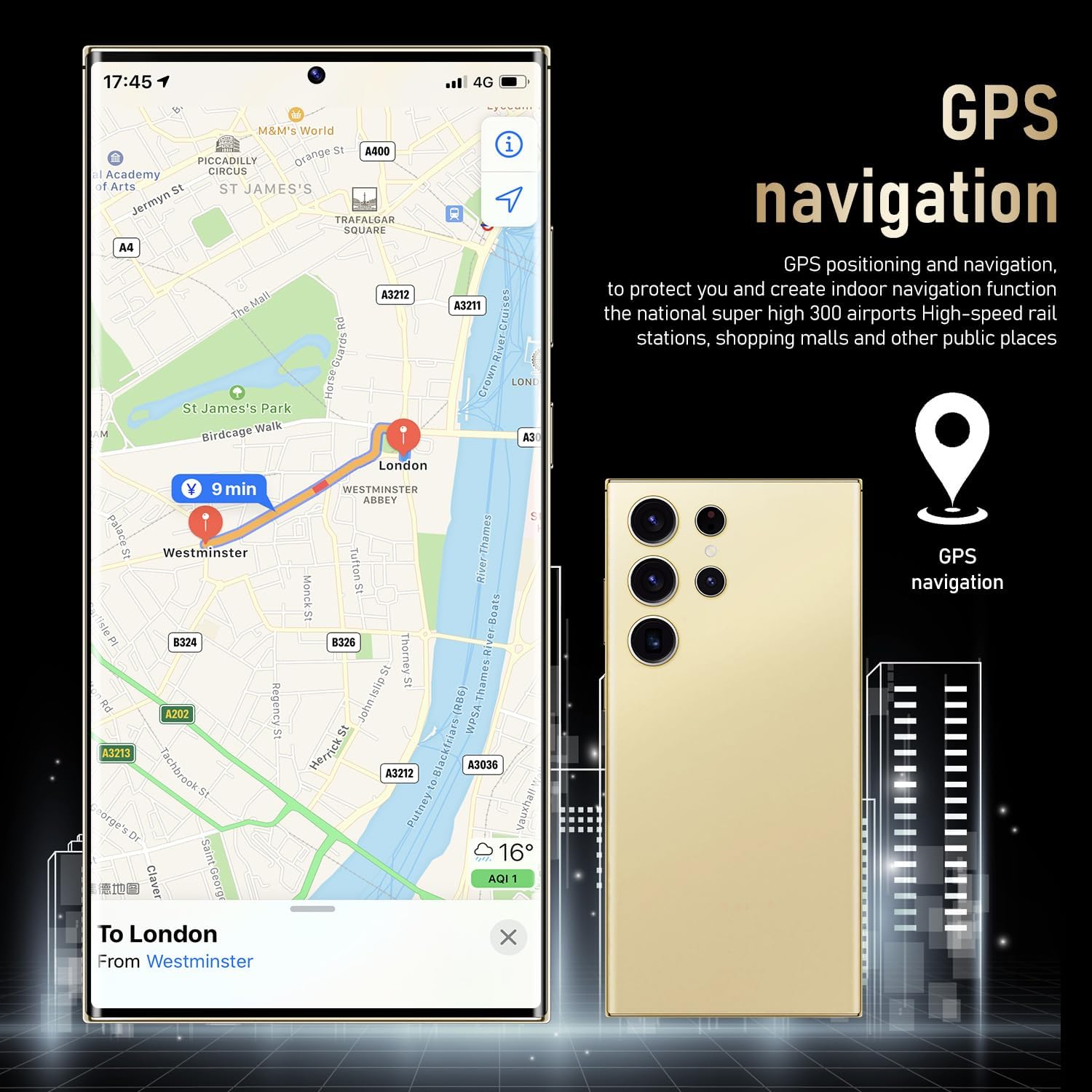
The viqee S24 Ultra displaying a GPS navigation map, illustrating its high positioning accuracy and indoor navigation function for various locations.

The viqee S24 Ultra showing its dual SIM and dedicated micro SD card slot, allowing for simultaneous use of two SIM cards and expandable data storage.
4.6. Security
- Face Recognition: Zero-light face recognition with hidden infrared light for secure unlocking in various conditions.

A user unlocking the viqee S24 Ultra using zero-light face recognition, which accurately recognizes the user even in dark environments with hidden infrared light.
5. Maintenance
- Cleaning: Use a soft, lint-free cloth to clean the screen and body of the phone. Avoid harsh chemicals.
- Software Updates: Regularly check for and install software updates to ensure optimal performance and security. Go to Settings > Software Update.
- Battery Care: To prolong battery life, avoid extreme temperatures and fully discharging the battery frequently.
- Storage Management: Periodically clear unnecessary files and apps to maintain device speed and free up storage space.
6. Troubleshooting
6.1. Common Issues and Solutions
- Device Not Responding: If your phone is unresponsive, press and hold the Power button for about 10 seconds to force a restart.
- Battery Draining Quickly: Check background app usage, reduce screen brightness, and disable unnecessary features like GPS or Wi-Fi when not in use. Ensure you are using the recommended charger.
- Apps Crashing/Freezing: Clear the cache and data for the problematic app (Settings > Apps > [App Name] > Storage > Clear Cache/Clear Data). If the issue persists, uninstall and reinstall the app.
- Connectivity Issues (Wi-Fi/5G): Try toggling Wi-Fi or mobile data off and on. Restart your phone. If Wi-Fi issues persist, restart your router.
- Phone Heating: Excessive heating can occur during intensive tasks like gaming or prolonged video recording. Close background apps and reduce screen brightness. If heating is persistent and severe, contact support.
7. Specifications
| Feature | Specification |
|---|---|
| Model Name | S24U |
| Operating System | Android 14 |
| Screen Size | 6.8 Inches |
| Resolution | 2340 x 1080 |
| RAM | 6 GB |
| Memory Storage Capacity | 256 GB |
| Rear Camera | 108MP (with 200MP Sensor) |
| Front Camera | 50MP |
| Battery Capacity | 6800 mAh |
| Connectivity Technology | 5G |
| Item Weight | 4.8 ounces |
| Package Dimensions | 0.5 x 0.4 x 0.35 inches |
8. What's in the Box
The viqee S24 Ultra package includes the following items:
- viqee S24 Ultra Smartphone
- USB OTG Adapter
- Mobile Phone Cases
- Data Line
- Charger (Choose one of four types: US, UK, AU, EU)
- Screen Protector
- Mobile Manual
- Headset
- SIM Ejector Tool (Needle)

An image detailing the contents of the viqee S24 Ultra retail box, including the phone, mobile phone cases, data line, charger (choice of four types), screen protector, mobile manual, headset, and SIM ejector tool.
9. Warranty and Support
For warranty information and customer support, please refer to the documentation included in your product packaging or visit the official viqee website. Keep your proof of purchase for any warranty claims.