
Garmin ECHOMAP Ultra 2 106sv
Contents
Garmin ECHOMAP Ultra 2 106sv Fish Finder User Manual
Model: 010-02880-00
Introduction
The Garmin ECHOMAP Ultra 2 106sv is a versatile 10-inch chartplotter designed to enhance your fishing and navigation experience. Featuring a crisp, sunlight-readable touchscreen display, this unit provides advanced fishfinding capabilities, including support for LiveScope™ sonar and Ultra High-Definition scanning sonars when paired with compatible transducers. It comes preloaded with Garmin Navionics+™ mapping for detailed U.S. inland and coastal coverage.
This manual provides essential information for setting up, operating, maintaining, and troubleshooting your ECHOMAP Ultra 2 106sv to ensure optimal performance and longevity.
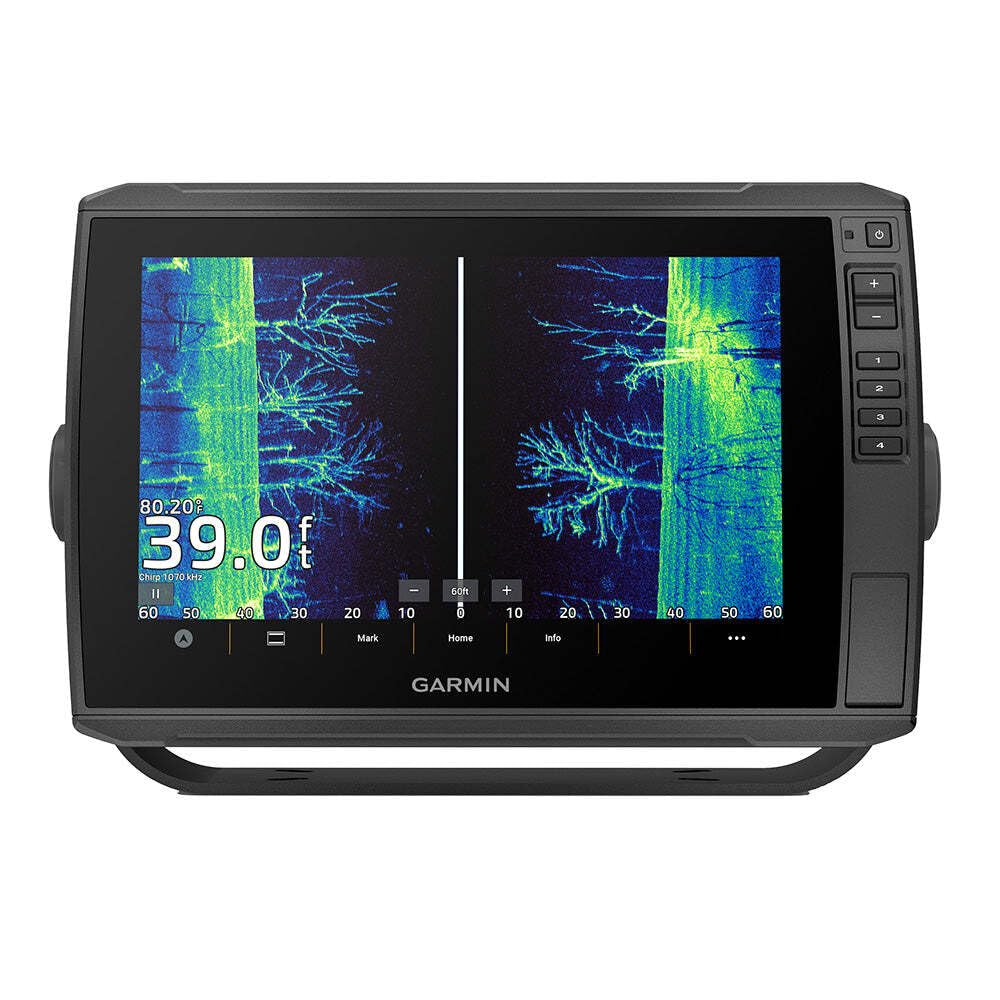
The image displays the Garmin ECHOMAP Ultra 2 106sv chartplotter. The screen shows a detailed sonar view, likely SideVü or ClearVü, with distinct underwater structures and potential fish targets. The display is bright and clear, indicating its sunlight readability. On the right side of the unit, there are physical buttons for power, zoom (+/-), and programmable shortcuts (1-4). The bottom of the screen shows navigation controls and the Garmin logo.
Setup
1. Unpacking and Inspection
Carefully remove all components from the packaging. Verify that all listed items are present and undamaged. The package typically includes the ECHOMAP Ultra 2 106sv unit, a power cable, and mounting hardware. Transducers and premium mapping upgrades are sold separately.
2. Mounting the Device
The ECHOMAP Ultra 2 106sv is designed for transom mounting. Select a secure location on your vessel that provides clear visibility and easy access to the controls. Ensure the mounting surface is strong enough to support the unit's weight and withstand marine conditions. Refer to the included mounting template for precise drilling locations.
3. Power Connection
Connect the power cable to a 12V DC power source on your boat. Ensure proper polarity (red to positive, black to negative) and use an inline fuse (not included) for circuit protection. The unit is battery-powered, requiring a stable power supply for operation.
4. Transducer Installation (Sold Separately)
For sonar functionality, a compatible transducer (e.g., GT56 or LiveScope™ system) must be installed and connected. Follow the specific installation instructions provided with your transducer. Proper transducer placement is critical for accurate sonar readings.
5. Initial Power-On and Setup Wizard
After connecting power, press the power button to turn on the device. The unit will guide you through an initial setup wizard, allowing you to configure language, units of measure, and other basic settings.
Operating Instructions
1. Powering On/Off
Press and hold the power button located on the right side of the unit to turn the device on or off. A quick press of the power button will bring up the system menu for backlight adjustment and other quick settings.
2. Touchscreen and Button Controls
The ECHOMAP Ultra 2 106sv features a responsive touchscreen for intuitive navigation. You can tap, swipe, and pinch-to-zoom. Physical buttons on the right side provide quick access to zoom functions (+/-) and programmable shortcuts (1-4) for frequently used features.
3. Sonar Functionality
- Traditional CHIRP Sonar: Provides clear target separation and definition.
- Ultra High-Definition ClearVü™ and SideVü™: Offers photo-like images of fish and structure below and to the sides of your boat. Utilize the vivid color palettes for enhanced distinction.
- LiveScope™ Sonar (with compatible transducer): Delivers real-time, live-scanning sonar images of fish swimming and reacting to your lure.
Access sonar views from the home screen. Adjust gain, range, and frequency settings as needed for optimal performance in different water conditions.
4. Chartplotter and Navigation
The unit comes with preloaded Garmin Navionics+™ U.S. Inland & Coastal mapping. Navigate charts by panning and zooming. You can create and manage waypoints, routes, and tracks directly on the device. The multi-band GPS provides improved position accuracy for precise navigation.
5. Wireless Connectivity and Sharing
The ECHOMAP Ultra 2 106sv supports wireless networking with other compatible ECHOMAP Ultra 2 or ECHOMAP UHD2 chartplotters. This allows for wireless sharing of sonar data, waypoints, and routes between units. For advanced features and software updates, pair your chartplotter with the ActiveCaptain® app on your compatible smartphone.
6. Screen Recording
The device allows you to capture screen recordings of your sonar views or chartplotter screen. This feature is useful for reviewing fishing spots or sharing your catches. Refer to the on-screen menu for recording options and storage management.
Maintenance
1. Cleaning the Display
To clean the screen, use a clean, soft, lint-free cloth and a mild glass cleaner. Avoid abrasive cleaners or solvents that could damage the display coating. Gently wipe the screen to remove smudges and dirt.
2. Software Updates
Garmin regularly releases software updates to improve performance and add new features. It is recommended to keep your device's software up to date. You can typically update the software wirelessly via the ActiveCaptain® app or by downloading updates from the Garmin website and loading them onto an SD card.
3. Cable and Connection Inspection
Periodically inspect all cables and connections for signs of wear, corrosion, or damage. Ensure all connections are secure to prevent intermittent power or data loss.
Troubleshooting
1. Device Does Not Power On
- Check the power cable connection to the unit and the power source.
- Verify that the power source (battery) is charged and providing adequate voltage.
- Inspect the inline fuse for the power cable; replace if blown.
2. No Sonar Data Displayed
- Ensure the transducer is properly connected to the chartplotter.
- Verify that the correct transducer type is selected in the unit's sonar settings.
- Check for obstructions or air bubbles around the transducer face.
- Adjust sonar gain and range settings.
3. GPS Signal Loss
- Ensure the unit has a clear view of the sky.
- Move away from large metal objects or other electronic devices that may cause interference.
For more complex issues or persistent problems, refer to the comprehensive troubleshooting section in the full Garmin ECHOMAP Ultra 2 series manual available on the Garmin support website, or contact Garmin customer support.
Specifications
| Feature | Specification |
|---|---|
| Model Name | ECHOMAP Ultra 2 106sv |
| Part Number | 010-02880-00 |
| Dimensions (Unit) | 11.6 x 7.7 x 3.9 inches (29.5 x 19.5 x 9.8 cm) |
| Weight | 4.42 Kilograms (approx. 9.74 lbs) |
| Screen Size | 11.6 Inches |
| Display Type | LCD |
| Power Source | Battery Powered (12V DC) |
| Mounting Type | Transom Mount |
| Preloaded Maps | Garmin Navionics+™ U.S. Inland & Coastal |
| Sonar Support | LiveScope™, CHIRP Traditional, UHD ClearVü, UHD SideVü (transducers sold separately) |
| UPC | 753759325510 |
Warranty and Support
Warranty Information
Garmin products are backed by a limited warranty. For specific details regarding the warranty period and coverage for your ECHOMAP Ultra 2 106sv, please refer to the warranty card included with your product or visit the official Garmin website.
Customer Support
If you encounter any issues or have questions not covered in this manual, Garmin provides comprehensive customer support. You can find FAQs, detailed manuals, software updates, and contact information for technical support on the official Garmin support website (www.garmin.com/support). Please have your model number (010-02880-00) and serial number ready when contacting support.
Documents and downloads
Ask a question about this manual
Ask about setup, troubleshooting, compatibility, parts, safety, or missing instructions. Manuals+ will review the question and use this page’s manual context to help answer it.