
1. Introduction
Welcome to the user manual for your new viqee C24U 5G Unlocked Smartphone. This device combines advanced technology with user-friendly features, including a powerful 5G connection, a versatile tool pen, high-resolution cameras, and a long-lasting battery. This manual provides essential information for setting up, operating, maintaining, and troubleshooting your smartphone to ensure optimal performance and a seamless user experience.

The viqee C24U smartphone, showcasing its large display and sleek design.
2. Setup
2.1. Unboxing and Package Contents
Before you begin, please ensure all items are present in your package. Refer to the packing list image below for a visual guide.

An illustration of the items included in the viqee C24U smartphone package: Phone, Mobile Phone Cases, Data Line, Charger (US, UK, AU, EU options), Screen Protector, Mobile Manual, Headset, and Needle.
2.2. SIM Card Installation
- Locate the SIM card tray on the side of your device.
- Insert the provided SIM ejector tool (needle) into the small hole on the SIM card tray.
- Gently push until the tray pops out.
- Place your Nano-SIM card(s) into the tray with the gold contacts facing down.
- Carefully reinsert the tray into the phone.
2.3. Powering On/Off
- To Power On: Press and hold the Power/Lock button on the right side of the device until the viqee logo appears.
- To Power Off: Press and hold the Power/Lock button, then select 'Power Off' from the options on the screen.
2.4. Initial Configuration
Upon first power-on, follow the on-screen prompts to select your language, connect to Wi-Fi, sign in to your Google account, and set up security features like face recognition.
3. Operating Your Device
3.1. Basic Navigation
The viqee C24U features a responsive touchscreen and physical buttons for easy navigation:
- Touchscreen: Tap, swipe, pinch-to-zoom for interacting with apps and content.
- Power/Lock Button: Located on the right side, used for power on/off and screen lock/unlock.
- Volume Rockers: Located on the right side, used to adjust media and call volume.

A user holding the viqee C24U smartphone, demonstrating its ergonomic design and screen size.
3.2. Camera Functions
Capture stunning photos and videos with the advanced camera system:
- Rear Camera: 108MP main camera with a 200MP sensor and Upgradable Adaptive Pixel Technology for optimized performance in various lighting conditions.
- Front Camera: 50MP for high-quality selfies and video calls.
3.3. Using the Tool Pen
The built-in tool pen offers enhanced functionality for productivity and creativity:
- Access: Press the end of the pen to eject it from its slot at the bottom of the phone.
- Functions: Use it for precise note-taking, sketching, navigating the interface, and quick actions. The pen tip is designed for a smooth and natural writing experience.

The viqee C24U smartphone displaying a drawing application, highlighting the precision of the integrated tool pen.
3.4. Security Features
The device includes advanced security options:
- Face Recognition: Zero-light face recognition accurately identifies you in various lighting conditions, including dark environments, for secure unlocking.

The viqee C24U smartphone using its zero-light face recognition feature to unlock the device.
3.5. Connectivity and Navigation
- 5G Network: Experience fast transmission speeds and low latency with 5G connectivity.
- GPS: Utilize the integrated GPS for accurate positioning and navigation, ideal for mapping and location-based services.
- Wi-Fi, Bluetooth, FM: Standard wireless connectivity options are available.
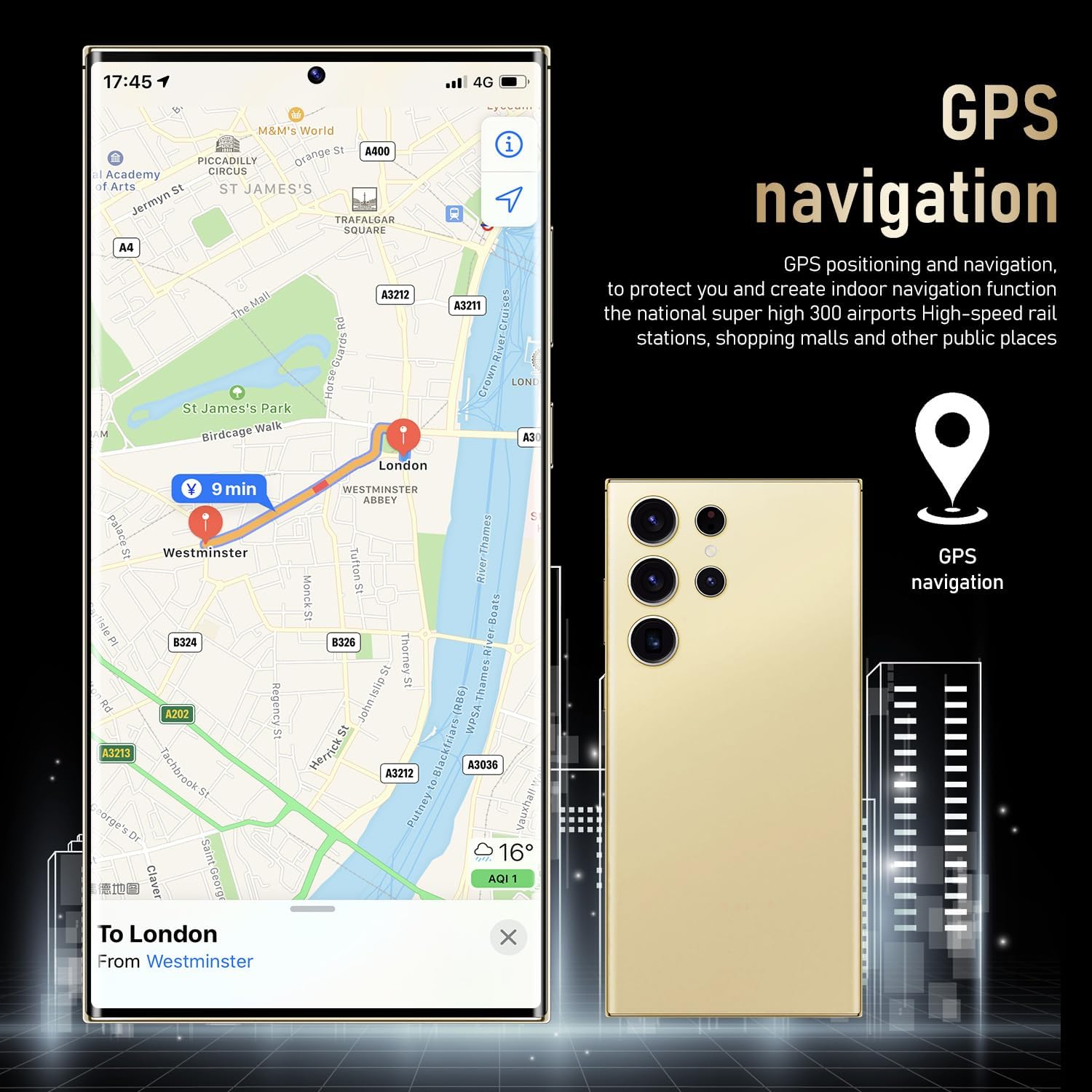
The viqee C24U smartphone showing a map application, illustrating its GPS navigation capabilities.
3.6. Storage and Battery
- Storage: 256GB of internal storage provides ample space for apps, photos, and files.
- Battery: A 6800mAh battery offers extended usage, with standby time up to 6 days, ensuring you stay connected throughout the day. Fast charging capabilities are also supported.
3.7. Android 14 Operating System
The viqee C24U runs on Android 14, leveraging AI to provide a smarter, more efficient, and convenient user experience with new and redesigned applications.

The viqee C24U smartphone displaying the Android 14 operating system interface with various applications.
4. Maintenance
4.1. Battery Care
- Avoid extreme temperatures (hot or cold) as they can degrade battery life.
- Use only the recommended charger and cables.
- For optimal long-term health, avoid consistently draining the battery to 0% or charging it to 100%.
4.2. Cleaning Your Device
- Use a soft, lint-free cloth to clean the screen and body of the phone.
- For stubborn smudges, slightly dampen the cloth with water or a screen cleaner.
- Avoid harsh chemicals or abrasive materials.
4.3. Software Updates
Regularly check for and install software updates to ensure your device has the latest features, security patches, and performance improvements. You can usually find this option in your phone's 'Settings' menu under 'Software Update'.
5. Troubleshooting
5.1. Common Issues
- Device Not Powering On: Ensure the battery is charged. Connect to the charger and wait a few minutes before attempting to power on again.
- Screen Unresponsive: Try restarting the device by holding the Power/Lock button for about 10-15 seconds until it reboots.
- Network Connectivity Issues: Check if your SIM card is properly inserted. Toggle Airplane Mode on and off. Restart your device. If issues persist, contact your mobile carrier.
5.2. Factory Reset
WARNING: A factory reset will erase all data from your device. Please back up important data before proceeding.
- Go to 'Settings' > 'System' > 'Reset options'.
- Select 'Erase all data (factory reset)'.
- Confirm your decision and enter your PIN/password if prompted.
- The device will restart and begin the reset process.
6. Specifications
| Feature | Specification |
|---|---|
| Model Name | C24U |
| Brand | viqee |
| Operating System | Android 14 |
| Screen Size | 6.8 Inches |
| Resolution | 2340 x 1080 |
| RAM Memory Installed Size | 6 GB |
| Memory Storage Capacity | 256 GB |
| Rear Camera | 108MP (with 200MP Sensor) |
| Front Camera | 50MP |
| Battery Capacity | 6800 Amp Hours |
| Connectivity Technology | 5G |
| Audio Jack | 3.5 mm |
| Item Weight | 7.1 ounces |
| Color | Gray |
7. What's in the Box
- viqee C24U 5G Unlocked Smartphone
- Mobile Phone Cases
- Data Line (USB-C to USB-C)
- Charger (Region-specific options: US, UK, AU, EU)
- Screen Protector
- Mobile Manual
- Headset
- SIM Ejector Tool (Needle)
- USB OTG Adapter
8. Warranty and Support
Your viqee C24U Smartphone is covered by a manufacturer's warranty. Please refer to the warranty card included in your package for specific terms and conditions. For technical support, service, or further assistance, please visit the official viqee website or contact their customer service department.