Introduction
This manual provides detailed instructions for the installation, operation, and maintenance of your Junsun Car Radio. Designed specifically for Toyota Tacoma models from 2005 to 2015, this unit enhances your driving experience with advanced features including Wireless CarPlay/Android Auto, GPS navigation, DSP, RDS, Bluetooth 5.0, WiFi 5G, and a high-definition backup camera. Please read this manual thoroughly before installation and use to ensure optimal performance and safety.
Key Features
- Genuine Plug & Play Installation: Vehicle-specific harness for direct connection to factory wiring, eliminating complex modifications. Supports factory JBL Premium Sound System.
- Integrated Wireless and Wired CarPlay/Android Auto: Seamless smartphone integration for navigation, music, and calls. Includes screen mirroring for media projection.
- 1080P AHD Backup Camera Ready: Comes with a Junsun HD 1080P rearview camera (HS19) for enhanced reversing safety.
- Portable GPS Navigation: Powerful GPS module with online navigation support and live traffic updates.
- Integrated Steering Wheel Functionality: Control audio and settings directly from your steering wheel for improved safety and convenience.
- Preserve OEM Features: Retains essential factory features like steering wheel controls and driving information displays.
- Upgraded Bluetooth 5.0: Supports hands-free calling, contact synchronization, and audio streaming with an external microphone for clear calls.
- Premium FM/AM Radio: Stay connected with the latest news and traffic updates.
- 9" IPS HD Touchscreen: Delivers vibrant visuals (1280x720 resolution) for effortless navigation and entertainment.
- 2GB RAM and 32GB ROM: Ensures fast functionality and ample storage for apps.
- Software Update Support: Wireless updates for Android 13 head unit to address bugs and boost security.
What's in the Box
- Head unit
- Wire cables
- Crowbar (for panel removal)
- Frame
- Backup camera (HS19)
Note: Additional accessories like a car powered subwoofer are not included.
Setup and Installation
The Junsun Car Radio is designed for genuine plug-and-play installation, minimizing the need for complex wiring. Follow these general steps for a smooth setup.
1. Initial Connections Overview
Before installing the head unit into the dashboard, connect the necessary cables as shown in the wiring diagrams. Ensure all connections are secure.
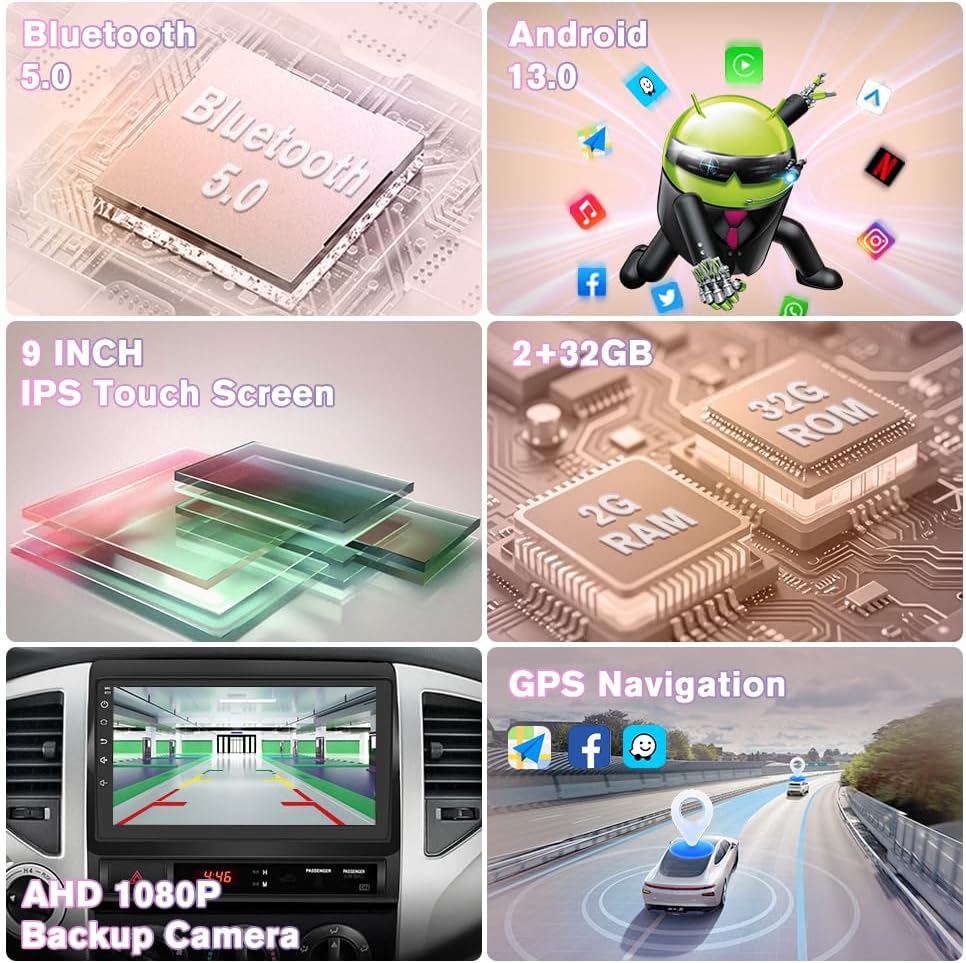
Image: Overview of the Junsun Car Radio's key features including Bluetooth 5.0, Android 13.0, 9-inch IPS Touch Screen, 2GB RAM + 32GB ROM, AHD 1080P Backup Camera, and GPS Navigation.
2. Removing the Factory Radio
Use the provided crowbar or a plastic opening tool to carefully pry open the dashboard panel surrounding the factory radio. Disconnect all wiring harnesses from the old unit.

Image: A visual comparison of a Toyota Tacoma dashboard before and after the Junsun Car Radio installation, highlighting the seamless fit and integrated appearance.
3. Wiring Diagram and Connections
Connect the vehicle-specific harness to the new Junsun head unit. Ensure all corresponding plugs are securely connected. The system is designed to retain factory features like steering wheel controls.

Image: A detailed wiring diagram showing the connections for the Junsun Car Radio, including the main unit, various wire cables, and the CANBUS module for specific Tacoma models.
4. Backup Camera Installation
The included HS19 backup camera provides 1080P AHD visuals. Connect the red cable to the backup light's positive (+) terminal and the black cable to the ground (GND). Route the video signal cable to the head unit's rear camera input.

Image: A diagram illustrating the connection of the aftermarket rear camera to the Junsun Car Radio, showing the red cable to the backup light and the black cable to ground.
5. Final Installation
Once all connections are made, carefully slide the new head unit into the dashboard opening until it clicks into place. Reattach any removed trim panels.
Installation Videos (Seller Provided)
Car Stereo Radio for Toyota Tacoma 2005-2015
Video: This video demonstrates the features and user interface of the Junsun Car Stereo Radio installed in a Toyota Tacoma, showing car settings, CarPlay/Android Auto, DSP, and compatibility with 2005-2015 models.
android carplay radio for toyota tacoma 2005 to 2015
Video: This video provides an unboxing and overview of the components included with the Android CarPlay radio for Toyota Tacoma 2005-2015, detailing the main unit, wiring harness, and various cables.
Radio Upgrade For Toyota Tacoma(2005-2015)
Video: This video demonstrates the installation process of a radio upgrade for Toyota Tacoma (2005-2015), including removal of the old unit, wiring connections, and fitting the new head unit.
Install video for Tacoma
Video: This video shows the installation of a head unit in a Toyota Tacoma, including the removal of the old radio, mounting the new unit, and connecting the wiring harnesses.
Jingelsye Wiring Video
Video: This video provides a step-by-step guide on connecting the various cables and components for the Jingelsye car stereo, including the 4G antenna, GPS antenna, camera signal wire, and USB cables.
Operating Instructions
Your Junsun Car Radio features an intuitive Android 13 interface with a responsive 9-inch IPS HD touchscreen. Here's how to get started:
1. Power On/Off
Press and hold the power button (usually located on the side panel) to turn the unit on or off. A short press typically mutes/unmutes audio.
2. Touchscreen Navigation
Navigate through menus and applications by tapping and swiping on the touchscreen. The interface is designed to be user-friendly.

Image: A visual representation of the CarPlay and Android Auto interfaces on the Junsun Car Radio, demonstrating wireless and wired connection options for smartphones.
3. Wireless CarPlay & Android Auto
Connect your iPhone or Android device via Bluetooth for wireless CarPlay or Android Auto. This allows access to navigation, music, and communication apps directly on the head unit's screen. Wired connections are also supported via USB.
4. GPS Navigation
Utilize the built-in GPS module for accurate positioning. Access online navigation apps for real-time traffic information and route guidance.
5. Audio and DSP Settings
Adjust audio settings using the built-in DSP (Digital Signal Processor) and 48-band EQ to customize your sound experience. Access these settings through the main menu.
6. Steering Wheel Controls
The unit is compatible with your vehicle's factory steering wheel controls. This allows you to manage volume, tracks, and calls without taking your hands off the wheel.
7. Bluetooth Connectivity
Pair your phone via Bluetooth 5.0 for hands-free calling and audio streaming. The external microphone ensures clear call quality.
8. Radio (FM/AM)
Tune into your favorite FM/AM radio stations. The RDS feature provides additional station information where available.
Maintenance
To ensure the longevity and optimal performance of your Junsun Car Radio, follow these maintenance guidelines:
- Screen Cleaning: Use a soft, lint-free cloth to gently wipe the touchscreen. For stubborn smudges, slightly dampen the cloth with a screen cleaner designed for electronics. Avoid harsh chemicals or abrasive materials.
- Software Updates: Keep your Android 13 head unit updated wirelessly. Regular updates help address software bugs, improve security, and enhance overall usability. Check for updates periodically through the system settings.
- Cable Connections: Periodically check all cable connections behind the unit to ensure they are secure and free from damage. Loose connections can lead to intermittent issues.
- Environmental Care: Avoid exposing the unit to extreme temperatures, direct sunlight for prolonged periods, or excessive moisture.
Troubleshooting
If you encounter any issues with your Junsun Car Radio, refer to the following common troubleshooting tips:
- Unit Not Powering On: Check the power cable connections and ensure the vehicle's ignition is on. Verify the fuse for the radio is intact.
- No Sound: Check volume levels, ensure speakers are properly connected, and verify audio settings (e.g., DSP equalizer).
- CarPlay/Android Auto Not Connecting: Ensure Bluetooth is enabled on both the phone and the head unit. For wired connections, try a different USB cable. Restart both devices.
- GPS Signal Issues: Ensure the GPS antenna is properly installed and has a clear line of sight to the sky.
- Backup Camera Not Displaying: Verify the camera's power and video signal connections. Ensure the vehicle is in reverse gear.
- Touchscreen Unresponsive: Try restarting the unit. If the issue persists, a factory reset might be necessary (note: this will erase personal settings).
For persistent issues or advanced troubleshooting, please contact our professional after-sales support team.
Specifications
| Feature | Specification |
|---|---|
| Item Weight | 4.16 pounds |
| Package Dimensions | 13.19 x 11.42 x 4.61 inches |
| Item Model Number | JS-US-XT892CTacoma515-HS19-FX |
| Display Size | 9 Inches |
| Voice Command | Microphone, Touchscreen |
| Operating System | Android 13 |
| RAM | 2GB |
| ROM | 32GB |
| Connectivity Technology | Bluetooth 5.0, Ethernet, USB, Wi-Fi 5G |
| Screen Resolution | 1280x720 |
| Map Type | North America (Online Navigation Support) |
| Audio Output Mode | Stereo |
| Mounting Type | Dashboard Mount |
Warranty
The Junsun Car Radio comes with a 1-year warranty from the date of purchase, covering manufacturing defects. Please retain your proof of purchase for warranty claims.
Support
Our dedicated professional after-sales support team is available 24/7, ready to assist you with any inquiries or issues. Trained in product knowledge, we ensure quick responses to your needs even on weekdays. For assistance, please refer to the contact information provided with your product packaging or visit the Junsun official website.


