
Introduction
The Godox AD200Pro II is a powerful and versatile 200Ws TTL pocket flash designed for professional photographers. This upgraded model features enhanced heat dissipation, a vibrant TFT color screen, and a bi-color modeling light, offering superior performance and user experience. It provides precise output control and seamless integration with the Godox X3 trigger system, making it an ideal solution for various lighting scenarios.
Setup
What's in the Box:
- AD200Pro II Strobe Flash
- Bare Bulb Flash Head (H200J II)
- Speedlite Flash Head (H200 II)
- Lithium Battery (14.4V/2980mAh)
- Battery Charger
- Carry Case
Battery Installation and Charging:
Insert the provided 14.4V/2980mAh lithium battery into the battery compartment of the AD200Pro II. Ensure it clicks securely into place. For initial use, fully charge the battery using the included battery charger. The charger supports quick charging via USB. A fully charged battery provides approximately 500 full-power flashes.
For extended shooting sessions, the AD200Pro II is compatible with the optional Godox PB960 Power Box, which connects via a dedicated port to provide additional power and faster recycling times.
Attaching Flash Heads:
The AD200Pro II comes with two interchangeable flash heads: the Bare Bulb Flash Head (H200J II) and the Speedlite Flash Head (H200 II). To attach a flash head, align the head with the mounting slot on the flash body and push until it locks into place. To remove, press the release button and pull the head away.

Image: The Godox AD200Pro II with its two interchangeable flash heads: the bare bulb head and the speedlite head.
Operating Instructions
TFT Color Screen and Controls:
The AD200Pro II features a bright TFT color screen that offers enhanced visibility and ease of navigation, even in harsh lighting conditions. All settings and modes are displayed clearly on this screen. Use the control dial and buttons to navigate menus and adjust parameters.

Image: A close-up view of the AD200Pro II's TFT color screen, showing flash power settings and other indicators.
Precise Output Control:
Adjust the flash power output from 1/512 to full power (1/1) in 0.1 increments. This allows for finer tuning of light output, enabling precise exposure in various lighting conditions.

Image: The AD200Pro II displaying its precise 1/512 power output setting on the TFT screen.
Bi-Color LED Modeling Lamp:
Both upgraded flash heads (H200J II and H200 II) include a brighter bi-color modeling lamp with adjustable brightness and color temperature (2800K-6000K). This lamp delivers up to 1400 Lux at 1 meter, useful for pre-visualizing lighting setups or as a continuous LED light source.
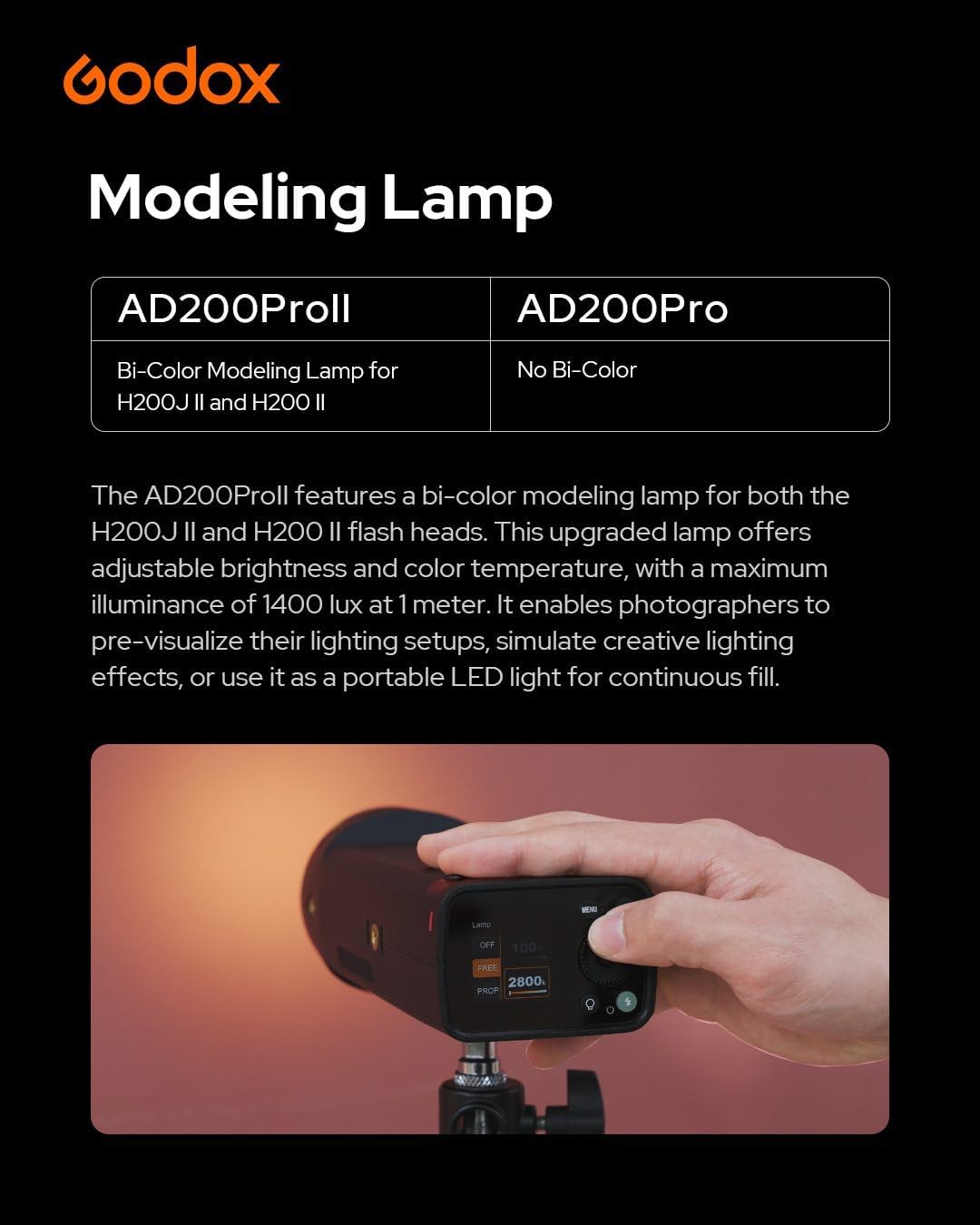
Image: A hand adjusting the color temperature of the bi-color modeling lamp on the AD200Pro II.
Stable Color Temperature Mode:
Activate the Stable Color Temperature Mode to maintain a variance within ±100K across the entire power range. This feature is crucial for color-critical shooting, minimizing the need for post-processing and ensuring consistent color accuracy.
Wireless Sync with X3 Trigger:
The AD200Pro II supports one-tap wireless sync with the Godox X3 trigger. Simply tap the X3 wireless sync button and the AD200Pro II sync icon to effortlessly synchronize your devices. This streamlines setup, especially in fast-paced environments.
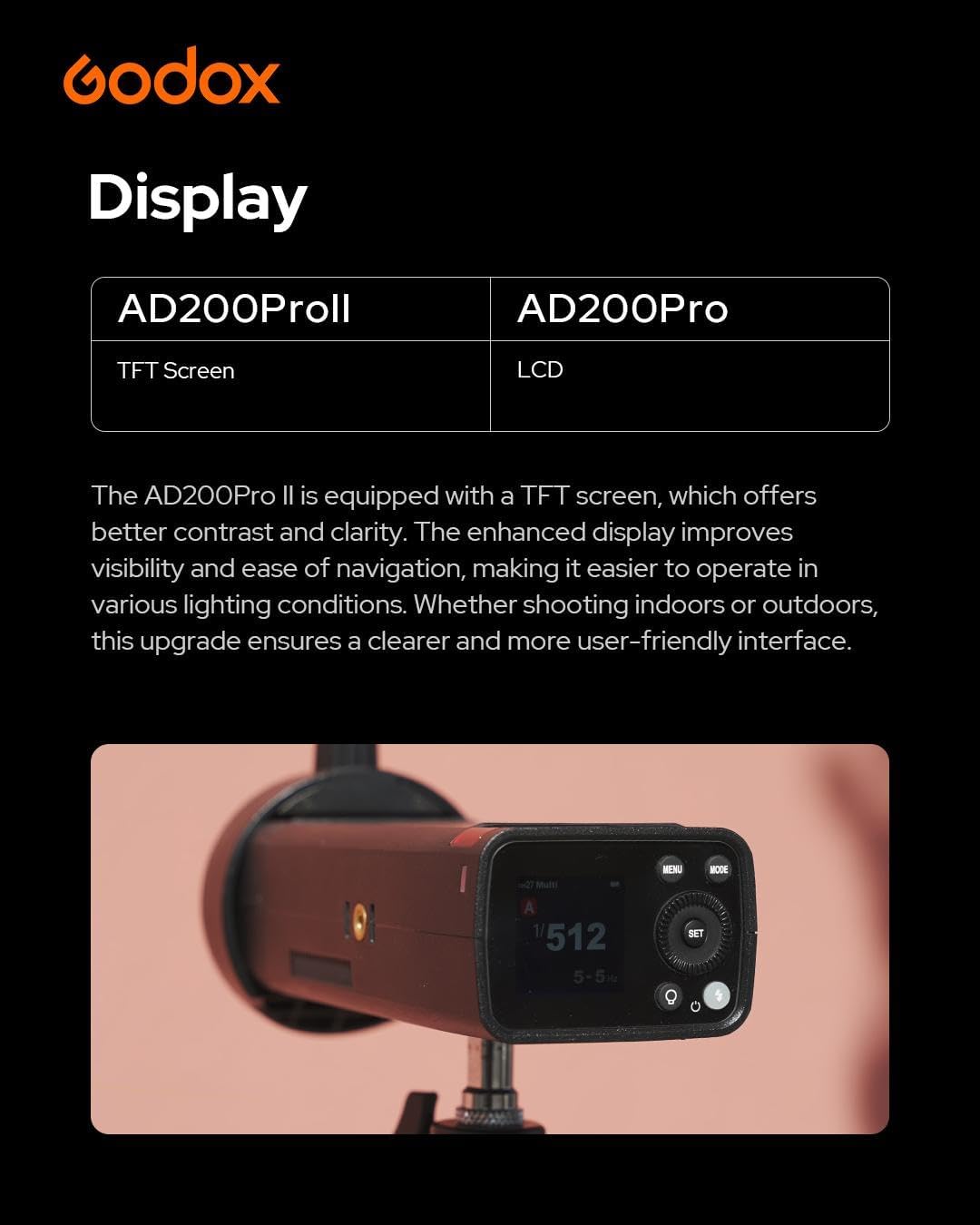
Image: The Godox AD200Pro II displaying its wireless sync status, ready for pairing with an X3 trigger.
Group Color Indicator:
The AD200Pro II supports up to 16 groups, each identified by distinct color indicators on the flash body. These color indicators simplify managing and identifying different lighting setups at a glance, reducing errors during complex shoots.
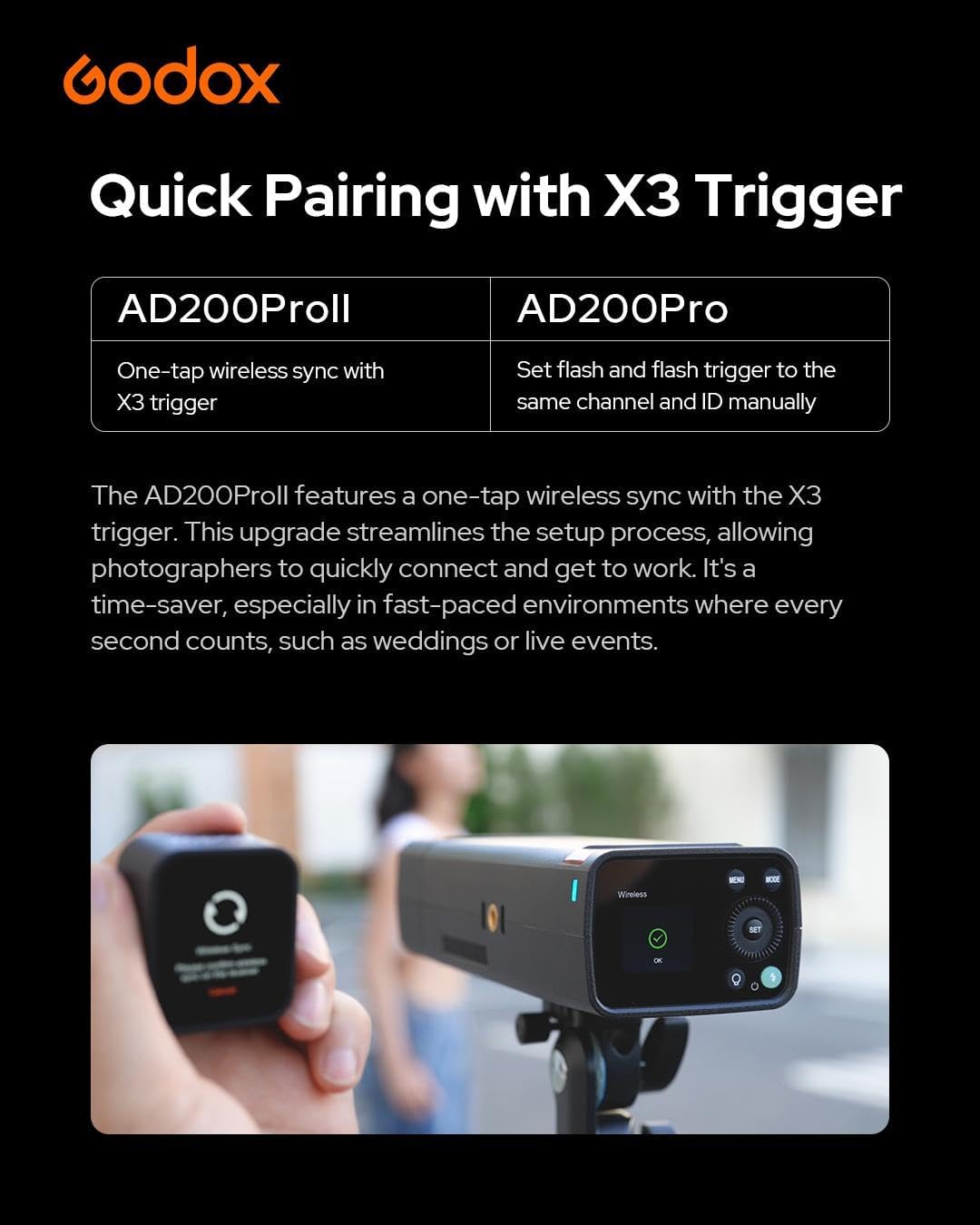
Image: The AD200Pro II displaying a colored light on its body, indicating the assigned group.
Flash Duration Display:
The device offers improved flash duration, with timing information displayed directly on the screen. This enhancement helps photographers capture fast-moving subjects with greater precision, minimizing the risk of motion blur.
Supported Sync Modes:
The flash supports various sync modes including High-Speed Sync (HSS), TTL, First-Curtain Sync, and Rear-Curtain Sync. For certain camera brands like Sony, Rear-Curtain Sync may need to be enabled in the camera's menu.
Video: An official product video demonstrating the features and usage of the Godox AD200Pro II Flash Strobe, including its screen, flash heads, and various sync modes.
Maintenance
Battery Care:
- Always use the original Godox battery and charger.
- Avoid fully discharging the battery to prolong its lifespan.
- Store the battery in a cool, dry place when not in use.
Cleaning:
Use a soft, dry cloth to clean the flash body and screen. For flash tubes and modeling lamps, use a lint-free cloth. Avoid using harsh chemicals or abrasive materials.
General Handling:
Handle the flash strobe with care. Avoid dropping it or exposing it to extreme temperatures or moisture. Ensure proper ventilation during prolonged use to prevent overheating.
Troubleshooting
- Flash not firing: Check battery level, ensure flash head is properly attached, verify trigger connection and settings.
- Overheating: Allow the unit to cool down. The improved heat dissipation helps, but continuous full-power flashes can still cause temporary slowdowns.
- Inconsistent color: Ensure Stable Color Temperature Mode is enabled. If using HSS, remember to disable color temperature mode as they are mutually exclusive.
- Sync issues: Verify X3 trigger pairing. Check camera flash settings for front-curtain, rear-curtain, or HSS compatibility.
If problems persist, refer to the detailed troubleshooting section in the full product manual or contact Godox customer support.
Specifications
| Feature | Detail |
|---|---|
| Product Dimensions | 2.9 x 2.1 x 6.7 inches |
| Item Weight | 4.2 pounds |
| Item Model Number | GODOX AD200Pro II |
| Batteries | 1 Lithium Ion batteries required (included) |
| Battery Life | 3 years (typical usage) |
| Flash Sync Speed | Up to 1/18000s (HSS) |
| Compatible Mountings | Nikon, Canon, Sony, Fujifilm, Olympus, Panasonic, Pentax |
| Power Output Range | 1/512 to 1/1 (10 steps) |
| Full Power Flashes | Approx. 500 |
Safety Information
No specific warnings provided by the manufacturer beyond standard electronic device safety precautions. Always handle the flash with care, avoid exposure to water or extreme temperatures, and do not attempt to disassemble the unit.
Warranty and Support
For detailed warranty information and customer support, please refer to the official Godox website or contact the retailer where you purchased the product. You can also visit the GODOX Store on Amazon for more information and product resources.


