1. Introduction
Thank you for choosing the HOOBRO WT160UDBZ01 Nightstand. This nightstand is designed to provide convenient storage and charging capabilities for your bedroom or living space. It features a built-in charging station with AC outlets and USB ports, an LED light strip with customizable settings, and two fabric drawers for organized storage. This manual provides detailed instructions for assembly, operation, maintenance, and troubleshooting to ensure optimal use of your product.
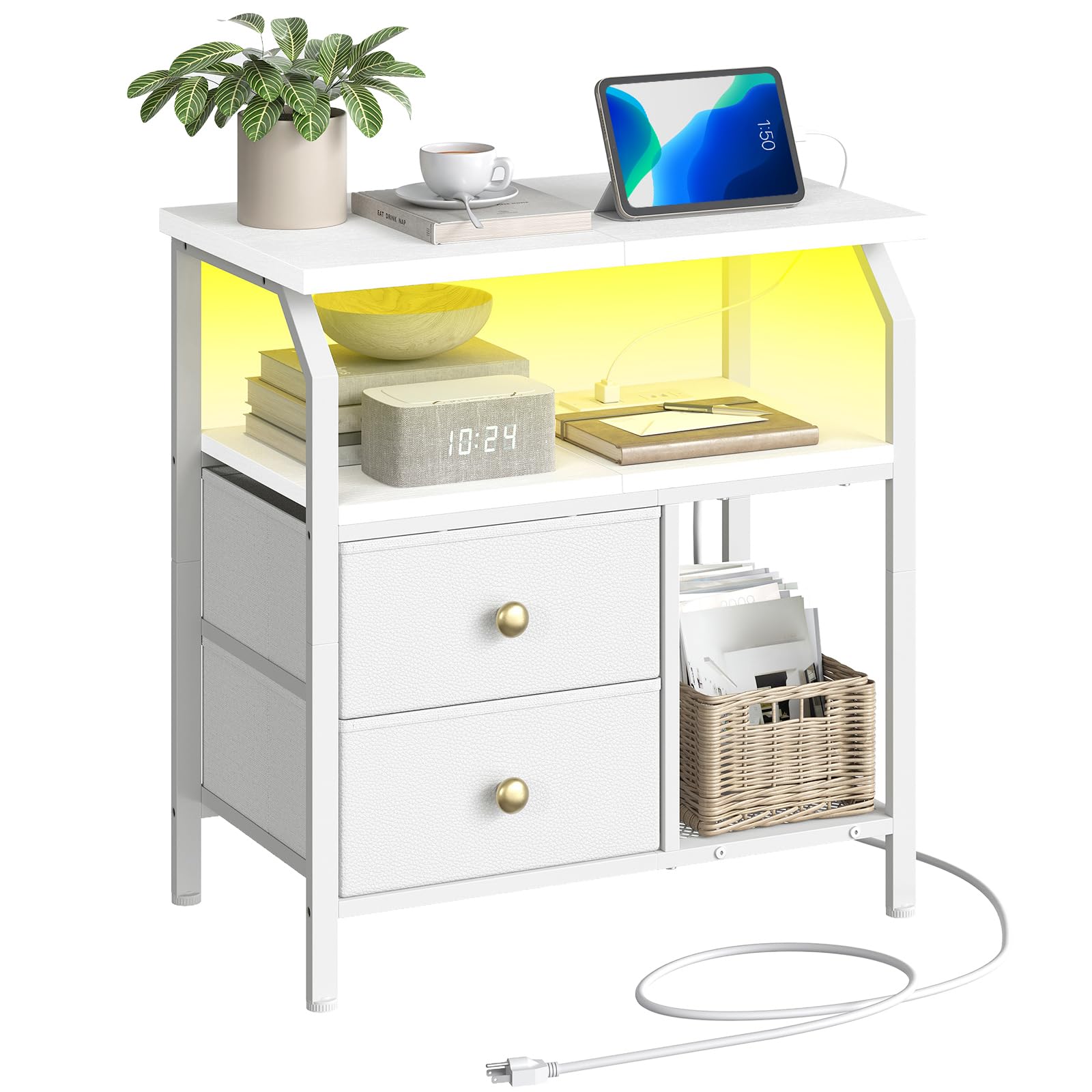
Image: The HOOBRO WT160UDBZ01 Nightstand in a living room, showcasing its design and functionality.
2. Safety Information
Please read and understand all safety instructions before assembling or using this product. Keep this manual for future reference.
- Use on level surfaces only to prevent tipping.
- Do not exceed the specified weight limits:
- Top surface: 70 lb (31.75 kg)
- Each fabric drawer: 20 lb (9.07 kg)
- Middle shelf: 70 lb (31.75 kg)
- Ensure all connections for the charging station and LED light are secure before plugging into a power source.
- Keep liquids away from the charging station to prevent electrical hazards.
- Do not allow children to climb on or play with the nightstand.
3. Package Contents
Before assembly, verify that all parts listed in the assembly instructions are present and undamaged. Refer to the included assembly manual for a complete list of components and hardware.
4. Setup & Assembly
Assembly of the HOOBRO WT160UDBZ01 Nightstand is required. Follow the step-by-step instructions provided in the separate assembly manual included with your product. A screwdriver is recommended for assembly.
Key Assembly Steps:
- Unpack all components and lay them out on a clean, soft surface to prevent scratches.
- Identify all parts and hardware using the provided list.
- Assemble the metal frame structure according to the diagrams.
- Attach the wooden panels for the top and middle shelves.
- Install the charging station unit into the designated slot.
- Insert the fabric drawers into their compartments.
- Attach the LED light strip as instructed.
- Adjust the four adjustable feet to ensure stability on uneven floors.
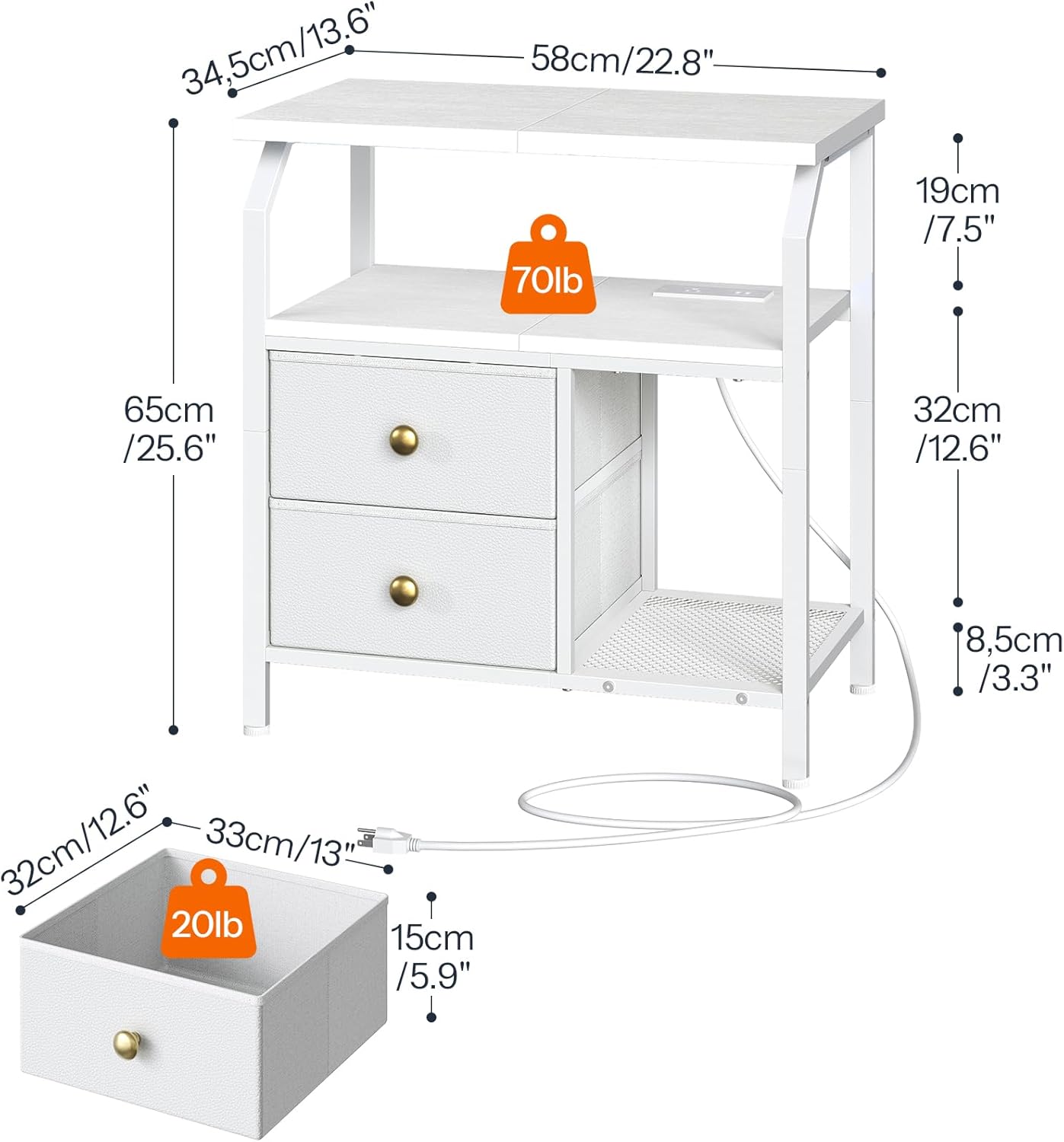
Image: Detailed dimensions and weight capacities for the nightstand and its drawers.
For a visual guide to assembly and features, please watch the official product video:
Video: Official HOOBRO product overview and feature demonstration for the WT160UDBZ01 Nightstand.
5. Operating Instructions
5.1. Charging Station
The integrated charging station provides convenient power access for your electronic devices.
- Plug the nightstand's 4.9-foot power cord into a standard wall outlet.
- The charging station includes one standard AC outlet (120V 12A) and two USB ports (5V 2A).
- Connect your devices to the appropriate ports for charging.

Image: Detail of the integrated charging station with AC outlet and USB ports.
5.2. LED Light Strip
The LED light strip offers customizable ambiance for your space.
- Use the included remote control to operate the LED light strip.
- Choose from 20 colors and 21 lighting modes.
- Adjust the brightness level with 8 available settings.

Image: The nightstand with its LED light strip active, demonstrating color options and remote control functionality.
5.3. Storage Features
The nightstand provides ample storage options:
- Top Surface: Use for lamps, alarm clocks, or other frequently accessed items.
- Open Storage Shelf: Ideal for books, magazines, or decorative items.
- Fabric Drawers: Two small fabric drawers are perfect for storing personal items, keeping your space tidy.

Image: The nightstand's storage capabilities, highlighting the fabric drawers and open shelf.
6. Maintenance
Proper care will extend the life and appearance of your nightstand.
- Cleaning: Wipe surfaces with a soft, damp cloth. Avoid harsh chemicals or abrasive cleaners.
- Spills: Clean up spills immediately to prevent staining, especially on the engineered wood surfaces.
- Dusting: Regularly dust all surfaces to maintain cleanliness.
- Drawer Care: The fabric drawers can be spot cleaned with a mild detergent if necessary. Ensure they are completely dry before reinserting.
- Electrical Components: Ensure the charging station and LED light strip remain dry. Do not attempt to disassemble or repair electrical components yourself.
7. Troubleshooting
If you encounter issues with your HOOBRO WT160UDBZ01 Nightstand, refer to the following common problems and solutions:
| Problem | Possible Cause | Solution |
|---|---|---|
| Charging station not working. | Power cord not fully plugged in; wall outlet not active; device not compatible. | Check power cord connection to both nightstand and wall outlet. Test wall outlet with another device. Ensure your device is compatible with 120V AC or 5V 2A USB. |
| LED light strip not turning on or changing colors. | Remote control battery depleted; remote not pointed at receiver; LED strip connection loose. | Replace remote control battery. Ensure clear line of sight between remote and LED receiver. Check all connections to the LED strip. |
| Nightstand is wobbly. | Adjustable feet not properly adjusted; loose assembly screws. | Adjust the four adjustable feet on the bottom of the nightstand to stabilize it. Tighten all assembly screws. |
| Drawers do not slide smoothly. | Drawers are overloaded; fabric is catching. | Reduce the weight in the drawers, ensuring it does not exceed 20 lb per drawer. Check for any fabric obstructions. |
If the problem persists after attempting these solutions, please contact HOOBRO customer support.
8. Specifications
| Feature | Detail |
|---|---|
| Brand | HOOBRO |
| Model Number | WT160UDBZ01 |
| Product Dimensions (D x W x H) | 13.6" x 22.8" x 25.6" (34.5 cm x 58 cm x 65 cm) |
| Color | White |
| Frame Material | Metal |
| Top Material Type | Engineered Wood |
| Drawer Material | Non-Woven Fabric |
| Number of Drawers | 2 |
| Charging Station | 1 AC Outlet (120V 12A), 2 USB Ports (5V 2A) |
| Power Cord Length | 4.9 feet |
| LED Light Strip | 20 Colors, 21 Lighting Modes, 8 Brightness Levels (Remote Controlled) |
| Maximum Weight Recommendation (Top) | 70 Pounds (31.75 kg) |
| Maximum Weight Recommendation (Each Drawer) | 20 Pounds (9.07 kg) |
| Maximum Weight Recommendation (Middle Shelf) | 70 Pounds (31.75 kg) |
| Assembly Required | Yes |
| Tools Recommended for Assembly | Screwdriver |
9. Warranty & Support
9.1. Warranty Information
HOOBRO products are manufactured with quality and care. For specific warranty details regarding your WT160UDBZ01 Nightstand, please refer to the warranty card included in your product packaging or visit the official HOOBRO website. Keep your proof of purchase for warranty claims.
9.2. Customer Support
If you have any questions, require assistance with assembly, or need to report a damaged part, please contact HOOBRO customer support. You can find contact information on the HOOBRO official website or through the retailer where you purchased the product.
Visit the HOOBRO Store for more information and products.


