
1. Introduction
The GetD AI Glasses GD04 are advanced smart eyewear designed to integrate artificial intelligence, real-time translation, and high-quality audio into a stylish and comfortable form factor. These glasses offer features such as real-time translation in 145 languages, an AI assistant powered by ChatGPT, Bluetooth 5.4 connectivity for music and calls, and polarized lenses for eye protection. This manual provides detailed instructions for setting up, operating, and maintaining your GetD AI Glasses.
2. What's in the Box
- GetD AI Glasses (J-Polished Black Frame + Dark Gray Polarized Lens)
- Charging Cable
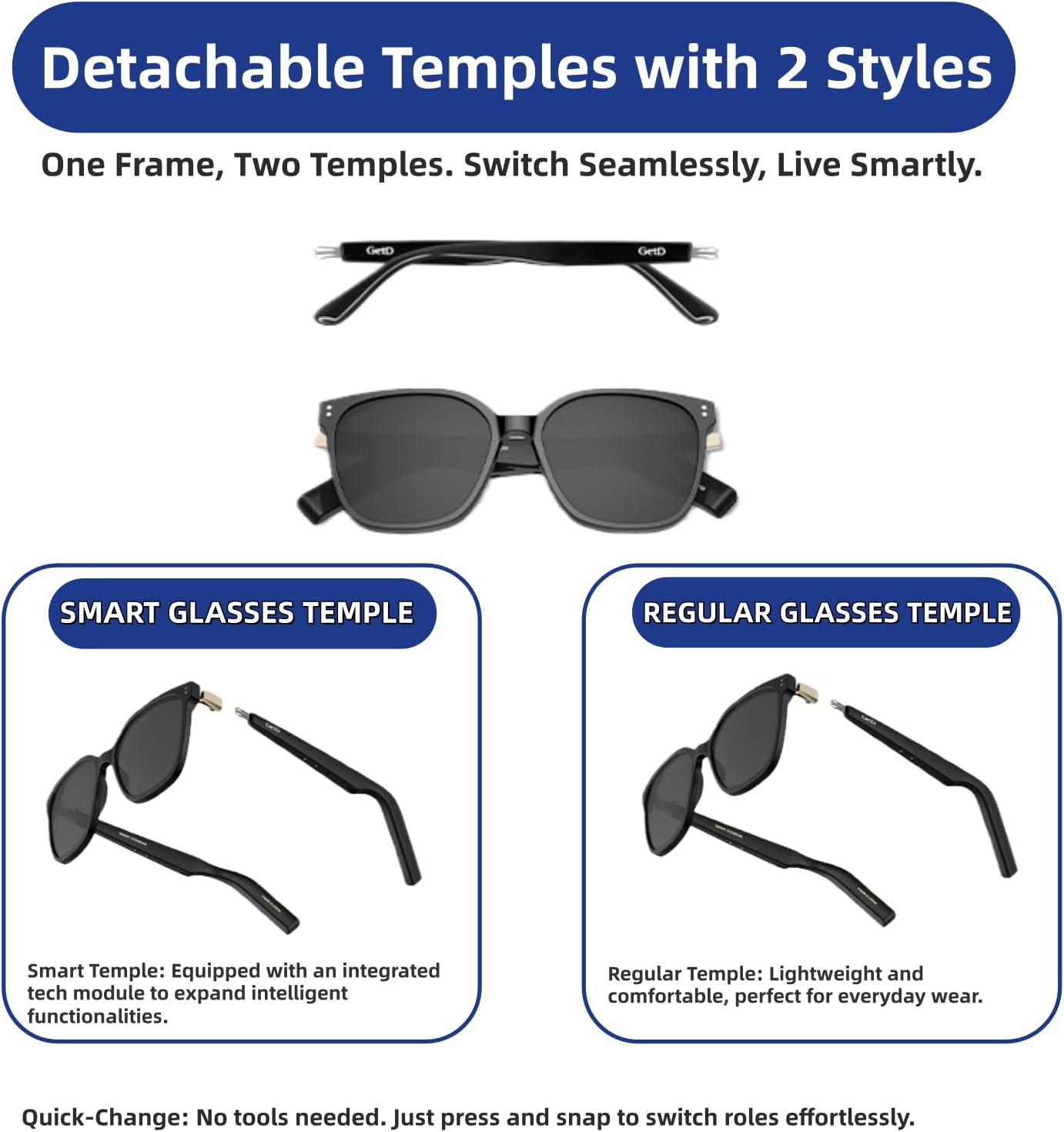
- 2 Extra Temples (Standard and Smart designs)
- Carry Case
- Cleaning Cloth
- User Guide

The package includes your GetD AI Glasses, a magnetic charging cable, two additional temple designs for customization, a protective carry case, a cleaning cloth, and this user guide.
3. Setup
3.1 App Download
To unlock the full potential of your GetD AI Glasses, download the 'GetD' app from your device's app store (available for iOS and Android). You can also scan the QR code provided in the quick start guide or visit http://download.igetd.com.
3.2 Bluetooth Pairing
- Turn on your GetD AI Glasses by pressing and holding the power buttons on both temples for 3 seconds.
- Enable Bluetooth on your smartphone or tablet.
- In your device's Bluetooth settings, select 'GetD Eyewear' from the list of available devices to pair.
- Open the GetD app and select your model (GD04) to connect.
- Once connected, your glasses are ready for use.

For a visual guide on the registration process, please refer to the video below:
4. Operating Instructions
4.1 Power On/Off
To power on your glasses, press and hold the power buttons located on the underside of both temples for approximately 3 seconds. To power off, repeat the process. The glasses will also automatically power off after 3 minutes if removed from your head to conserve battery.
4.2 AI Assistant
Activate the AI Assistant via voice command or a quick touch on the temple. The AI Assistant, powered by ChatGPT, can answer questions, provide information, and assist with various tasks. Your queries and the AI's responses will be communicated through the open-ear speakers.

4.3 Real-Time Translation
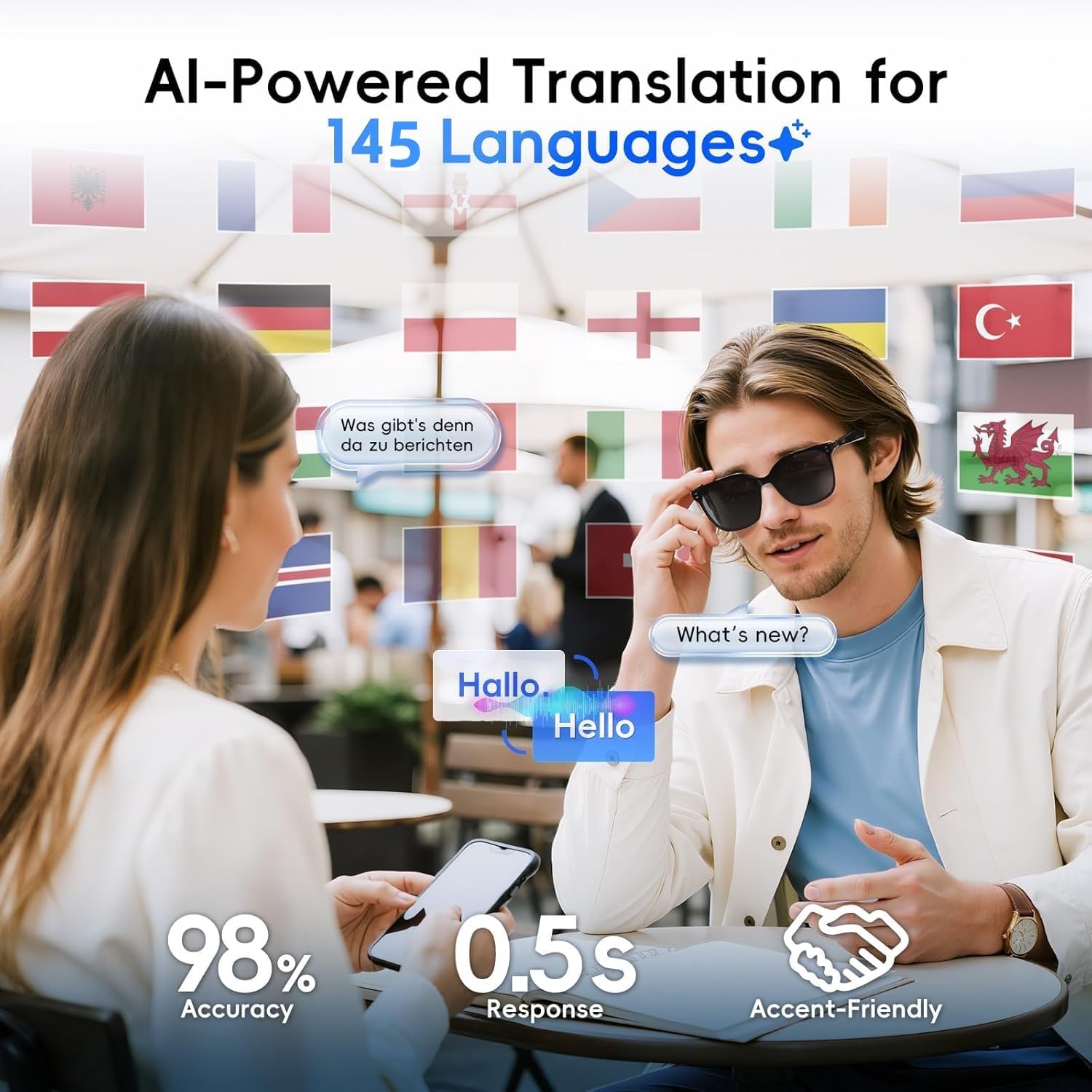
The GetD AI Glasses support real-time translation in 145 languages. Use the companion app to select your desired languages for translation. The glasses can facilitate face-to-face conversations, simultaneous translation, and even translate text from photos.
- Simultaneous Mode: Speak your language, and the glasses will translate and play it through your phone's speaker for the other person. Their response will be translated and played through your glasses' speakers.
- Photo Translation: Use the app to take a picture of text, and the glasses will translate it for you.
- Offline Translation: Download language packs in advance to use translation features without an internet connection.


4.4 Audio Playback & Calls
Connect your GetD AI Glasses to your device via Bluetooth 5.4 for stable, interference-resistant audio. Enjoy music, podcasts, and take calls through the open-ear speakers. The glasses feature a noise-canceling microphone for clear calls.
- Volume Control: Swipe forward on the left temple to increase volume, swipe backward to decrease.
- Track Control: Swipe forward on the right temple for the next track, swipe backward for the previous track.
- Answer/Reject Calls: Tap once on either temple to answer a call, tap twice to hang up. Hold for 2 seconds to reject a call.
4.5 AI Voice Recorder
The AI Voice Recorder feature allows for advanced transcription with accent correction and 17-language support. This is particularly useful for generating meeting notes and tasks, enhancing productivity.

5. Features
5.1 Battery Life
The GetD AI Glasses are equipped with a robust 260mAh battery, providing up to 11 hours of continuous music playback or 9 hours of call time. On standby, the battery can last up to 15 days. The glasses feature chip-level protection and convenient magnetic charging, ensuring years of reliable power.

5.2 Lenses
The lenses are 100% UV400 polarized, offering anti-glare properties and full UV protection. This variant features dark gray polarized lenses. The lightweight TR90 frame ensures comfortable wear.

5.3 Design
Crafted from lightweight, scratch-resistant materials, the GetD AI Glasses offer a modern, gender-neutral look. The design includes detachable temples, allowing users to switch between classic Standard and enhanced Smart temple designs to match their style.
6. Specifications
| Feature | Specification |
|---|---|
| Model Number | GD04 |
| Connectivity Technology | Bluetooth 5.4 |
| Battery Capacity | 260 mAh |
| Music Playback Time | Up to 11 hours |
| Call Time | Up to 9 hours |
| Standby Time | Up to 15 days |
| Lens Type | 100% UV400 Polarized |
| Frame Material | Lightweight, scratch-resistant (TR90) |
| AI Assistant | Powered by ChatGPT |
| Translation Languages | 145 languages |
| Operating System Compatibility | iOS & Android |
| Item Weight | 12.6 ounces |
| Package Dimensions | 7.4 x 3.31 x 3.19 inches |
7. Maintenance
7.1 Cleaning
Use the provided microfiber cloth to gently clean the lenses and frame. Avoid harsh chemicals or abrasive materials that could damage the lenses or electronic components.
7.2 Charging
Connect the magnetic charging cable to the charging ports on both temples of the glasses. Plug the USB-A end into a compatible power source. A full charge typically takes approximately 3 hours. Ensure both temples are properly connected for simultaneous charging.

8. Troubleshooting
- Pairing Issues: Ensure Bluetooth is enabled on your device and the glasses are powered on. If issues persist, try restarting both devices and attempting to pair again.
- One-Sided Audio: Check the GetD app settings to ensure both left and right audio channels are enabled. If using only one temple, ensure it is properly powered on and connected.
- AI Assistant/Translation Accuracy: Ensure a clear and stable internet connection for optimal performance. Speak clearly and at a moderate pace. Update the app to the latest version.
- Battery Not Charging: Verify that the magnetic charging cable is securely attached to both temples and the USB-A end is connected to a working power source.
9. Warranty and Support
GetD offers various protection plans for your AI Glasses, including 2-Year and 3-Year Protection Plans, as well as a Complete Protect monthly plan. For detailed information on warranty coverage, product support, or to purchase a protection plan, please refer to the official GetD website or contact customer service.
