Introduction
Thank you for choosing the Aiwa Exos 5 Wireless Speaker. This manual provides essential information for setting up, operating, and maintaining your device. Please read it thoroughly to ensure proper use and to maximize your listening experience.
Product Overview
The Aiwa Exos 5 is a versatile wireless speaker featuring Bluetooth connectivity, FM radio, USB and AUX playback, an LCD display with clock, and alarm functionality. It delivers 20W RMS audio output and offers both battery and AC power options.
Package Contents
- Aiwa Exos 5 Wireless Speaker
- Remote Control
- USB-C Power Cable and Adapter
- FM Antenna
Speaker Components

Figure 1: Front view of the Aiwa Exos 5 Wireless Speaker with the included remote control. The speaker features a central LCD display and speaker grilles on both sides.

Figure 2: Rear panel connections including FM antenna input, AUX input, USB port, and DC 5V power input.

Figure 3: Top panel controls for power, mode selection (Bluetooth, FM, Menu, Back), volume/tuning knob, and track navigation.
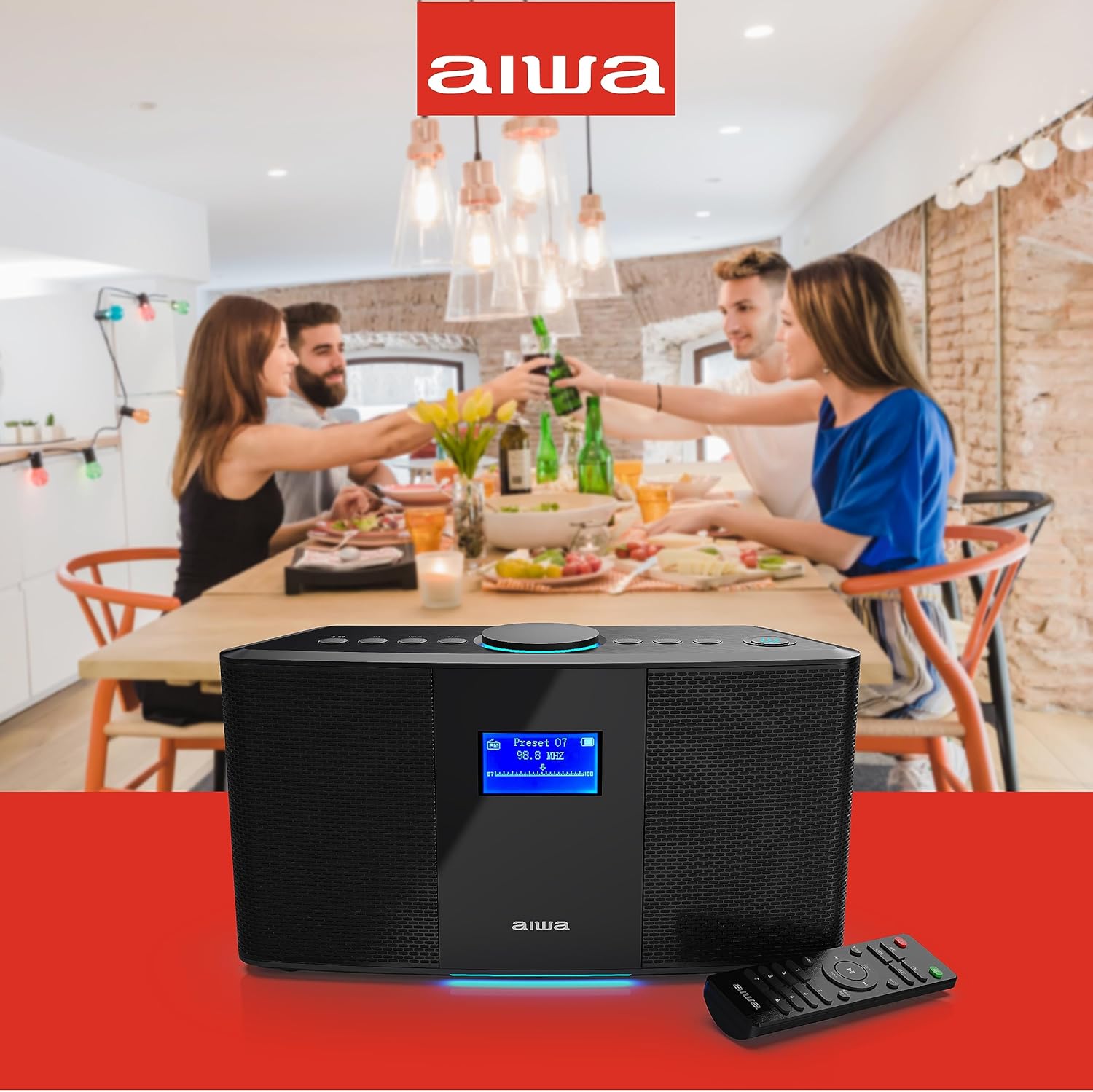
Figure 4: The included infrared remote control for convenient operation of the speaker's functions.
Controls and Indicators
- LCD Display: Shows time, radio frequency, mode, and alarm settings.
- Power Button: Turns the speaker on or off.
- Mode Buttons (BT, FM, USB, AUX): Selects the desired audio source.
- Menu/Back Buttons: Navigates through settings and menus.
- Volume/Tuning Knob: Adjusts volume or tunes FM radio frequencies.
- Track Navigation Buttons (Rewind, Forward): Skips tracks in Bluetooth/USB mode or adjusts tuning.
- FM Antenna Port: Connects the external FM antenna.
- AUX Input: Connects external audio devices via a 3.5mm cable.
- USB Port: For USB drive playback.
- DC 5V Input: Connects the power adapter for charging and continuous power.
Setup
Powering the Speaker
- AC Power: Connect the provided USB-C power cable to the DC 5V input port on the rear of the speaker and plug the adapter into a wall outlet.
- Battery Power: The speaker has a built-in rechargeable Lithium Ion battery. Fully charge the speaker before first use. A full charge provides up to 6 hours of playtime.
Initial Power On
Press and hold the Power button on the top panel to turn the speaker on. The LCD display will illuminate.
Operating Instructions
Bluetooth Pairing
- Press the BT button on the top panel or remote control to select Bluetooth mode. The LCD display will show "Pairing" and the Bluetooth indicator will flash.
- On your smartphone, tablet, or other Bluetooth-enabled device, enable Bluetooth and search for available devices.
- Select "Aiwa Exos 5" from the list of devices.
- Once paired, the speaker will emit a confirmation sound, and the Bluetooth indicator will remain solid.
- You can now stream audio wirelessly from your device to the speaker.
FM Radio Operation
- Connect the supplied FM antenna to the FM ANT. port on the rear panel. Extend the antenna for optimal reception.
- Press the FM button on the top panel or remote control to select FM radio mode.
- Manual Tuning: Use the Tuning knob or the Rewind/Forward buttons on the top panel to manually scan for stations.
- Auto Scan/Preset: Refer to the full user manual for detailed instructions on auto-scanning and saving preset stations. The remote control may offer direct preset access (buttons 1-8).
USB Playback
- Insert a USB flash drive containing MP3 audio files into the USB port on the rear panel.
- Press the USB button on the remote control to select USB mode.
- The speaker will automatically begin playing audio files from the USB drive.
- Use the track navigation buttons on the top panel or remote to skip tracks.
AUX Input
- Connect an external audio device (e.g., MP3 player, CD player) to the AUX input port on the rear panel using a 3.5mm audio cable (not included).
- Press the AUX button on the remote control to select AUX mode.
- Audio from your connected device will now play through the speaker. Control playback from your external device.
Setting Clock and Alarms
The built-in LCD displays the time and supports up to four alarms. Use the Menu and Back buttons, along with the Volume/Tuning knob, to navigate the settings. Refer to the full user manual for specific steps on setting the clock and configuring alarms.
Using the Remote Control
The included IR remote control provides convenient access to all speaker functions from a distance. Ensure there is a clear line of sight between the remote and the speaker's IR receiver.
- Power Button: On/Off.
- Mode Buttons (BT, FM, USB, AUX): Select audio source.
- Volume Up/Down: Adjust volume.
- Track Skip/Tuning: Navigate tracks or fine-tune FM stations.
- Menu/Back: Navigate settings.
- Tone: Adjust bass/treble.
- Numeric Buttons (1-8): For direct FM preset selection.
Maintenance
- Cleaning: Wipe the speaker with a soft, dry cloth. Do not use abrasive cleaners or solvents.
- Storage: Store the speaker in a cool, dry place away from direct sunlight and extreme temperatures.
- Battery Care: To prolong battery life, avoid fully discharging the battery frequently. Recharge the speaker regularly, even if not in use for extended periods.
Troubleshooting
| Problem | Possible Cause | Solution |
|---|---|---|
| No power | Battery is depleted; Power adapter not connected or faulty. | Charge the speaker using the power adapter. Ensure the power adapter is securely connected to both the speaker and a working power outlet. |
| No sound | Volume is too low; Incorrect input mode selected; Device not properly connected. | Increase the volume on both the speaker and the connected device. Select the correct input mode (BT, FM, USB, AUX). Ensure Bluetooth is paired or cables are securely connected. |
| Bluetooth pairing fails | Speaker not in pairing mode; Device too far; Interference. | Ensure the speaker is in Bluetooth pairing mode (flashing indicator). Move your device closer to the speaker. Turn off other Bluetooth devices to reduce interference. Try unpairing and re-pairing. |
| Poor FM reception | Antenna not connected or extended; Weak signal; Interference. | Connect and fully extend the FM antenna. Adjust the antenna position. Try moving the speaker to a different location. |
| Remote control not working | Battery depleted; Obstruction; Not pointing at IR receiver. | Replace the remote control battery. Ensure no objects are blocking the line of sight between the remote and the speaker. Point the remote directly at the speaker's front panel. |
Specifications
- Model: AI6008N
- Brand: Aiwa
- Audio Output: 20W RMS (40W Peak Power)
- Connectivity: Bluetooth, USB, AUX (3.5mm)
- Radio: FM Tuner
- Display: LCD with Clock and Alarm functions
- Power Source: Battery Powered (1 Lithium Ion battery included), AC Power (DC 5V)
- Battery Life: Up to 6 hours (on battery)
- Product Dimensions: 13.58"L x 9.06"W x 14.8"H
- Item Weight: 7.32 pounds
- Included Components: Wireless Speaker, Remote
Warranty and Support
For warranty information, please refer to the documentation included with your product packaging or visit the official Aiwa website. If you encounter any issues not covered in this manual, please contact Aiwa customer support for assistance.
Online Support: Visit the Aiwa Store on Amazon


