
1. Introduction
This manual provides instructions for the ECONTROLLY RAV576 VDM8710 infrared remote control. This remote is designed as a replacement for specific Yamaha AV Receiver models, offering straightforward operation without the need for programming. Please read this manual thoroughly before use to ensure proper functionality.
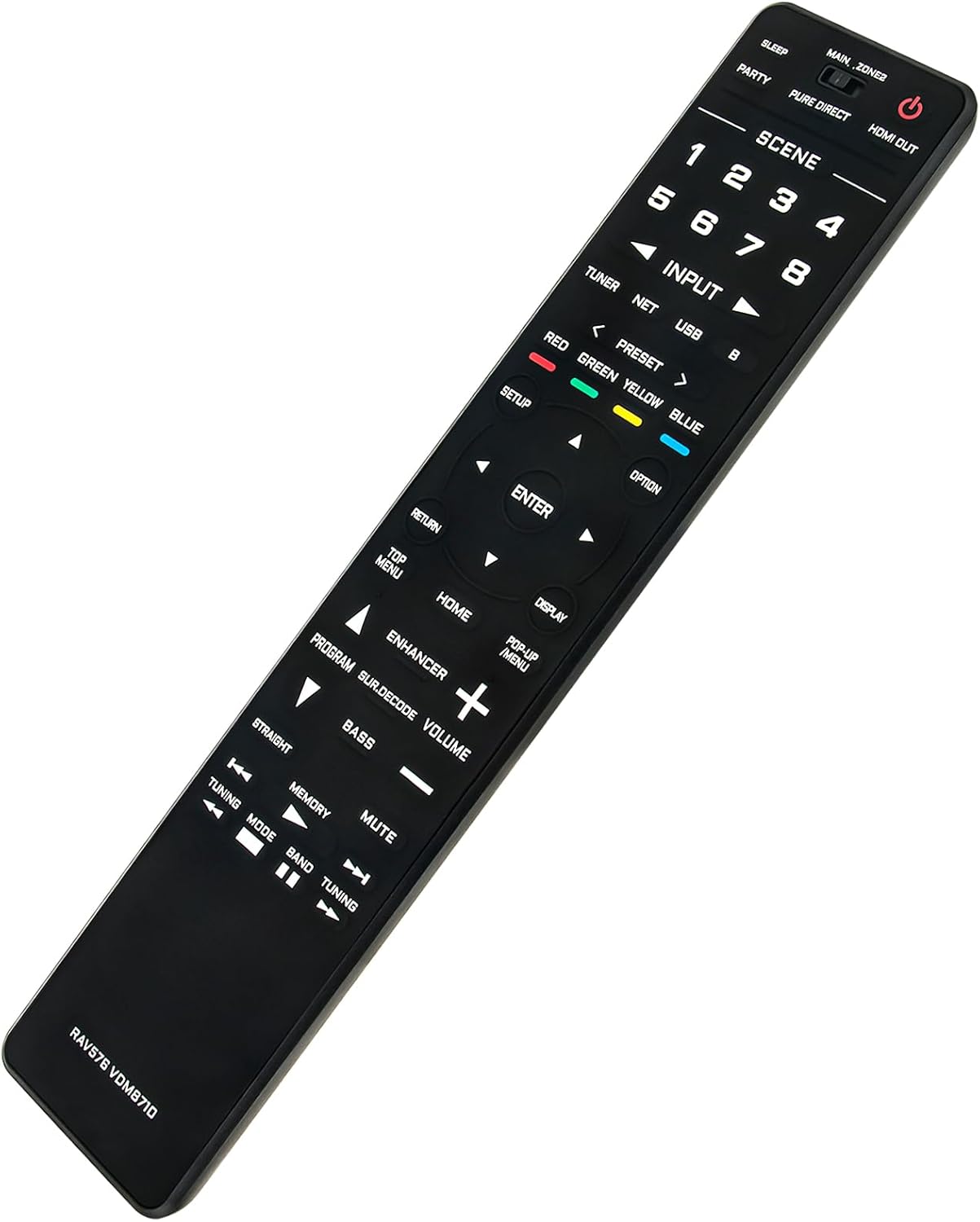
Image 1.1: Angled view of the RAV576 VDM8710 remote control.
2. Package Contents
Please check the package for the following item:
- 1 x ECONTROLLY RAV576 VDM8710 Remote Control
Note: Batteries and additional instructions are not included in the package.
3. Setup
3.1 Battery Installation
The remote control requires AAA ALKALINE batteries for operation. Follow these steps to install the batteries:
- Locate the battery compartment cover on the back of the remote control.
- Slide the cover downwards or press the latch (if present) to open the compartment.
- Insert two (2) AAA ALKALINE batteries, ensuring the positive (+) and negative (-) terminals align correctly with the markings inside the compartment.
- Close the battery compartment cover by sliding it back into place until it clicks securely.
Important: Do not use rechargeable batteries. Only AAA ALKALINE batteries are recommended for optimal performance and to prevent potential damage.
3.2 Initial Use
This remote control is pre-programmed and does not require any additional setup or programming. Once batteries are installed, it is ready for use with compatible Yamaha AV Receivers.

Image 3.1: Front view of the RAV576 VDM8710 remote control with button layout.
4. Operation
4.1 Compatibility
This remote control is compatible with the following Yamaha AV Receiver models:
- RX-A2A
- RX-A2ABL
4.2 Basic Functions
The remote control operates via infrared (IR) signals. Ensure a clear line of sight between the remote control and the AV receiver's IR sensor for proper communication.
Key functions include:
- Power Button: Turns the AV receiver on or off.
- Input Selection: Buttons for selecting various audio/video inputs (e.g., HDMI, TUNER, NET, USB).
- Volume Control: Adjusts the master volume level.
- Mute: Silences the audio output.
- Navigation Buttons: Up, Down, Left, Right, and ENTER buttons for menu navigation.
- Scene Buttons (1-4): Recall pre-registered settings for specific listening environments.
- Number Buttons (1-8): For direct input selection or other numerical entries.
- Home/Menu: Accesses the receiver's main menu or home screen.

Image 4.1: Remote control in use with a home theater system.
5. Maintenance
5.1 Cleaning
To clean the remote control, use a soft, dry cloth. For stubborn dirt, slightly dampen the cloth with water or a mild, non-abrasive cleaner. Avoid using harsh chemicals, solvents, or abrasive materials, as these can damage the remote's surface or internal components.
5.2 Storage
When not in use for extended periods, store the remote control in a cool, dry place away from direct sunlight and extreme temperatures. If the remote will not be used for several weeks or months, it is advisable to remove the batteries to prevent leakage and potential damage to the battery compartment.
6. Troubleshooting
6.1 Remote Not Responding
- Check Batteries: Ensure the batteries are inserted correctly with the correct polarity (+/-). Replace old or depleted batteries with fresh AAA ALKALINE batteries.
- Line of Sight: Verify there is a clear path between the remote control and the AV receiver's infrared sensor. Obstructions can block the signal.
- Distance: Ensure you are within the effective operating range of the remote control.
6.2 Remote Not Controlling Device
- Compatibility: Confirm that your AV receiver model (RX-A2A or RX-A2ABL) is listed as compatible. This remote is specifically designed for these models.
- Receiver Power: Ensure the AV receiver is powered on.
7. Specifications
| Model | RAV576 VDM8710 |
| Brand | ECONTROLLY |
| Compatible Devices | Yamaha AV Receivers (RX-A2A, RX-A2ABL) |
| Special Feature | Pre-programmed, no setup required |
| Color | Black |
| Power Source | 2 x AAA ALKALINE Batteries (not included) |
| Product Dimensions | 9.73 x 2 x 0.56 inches |
| Item Weight | 1.76 ounces |
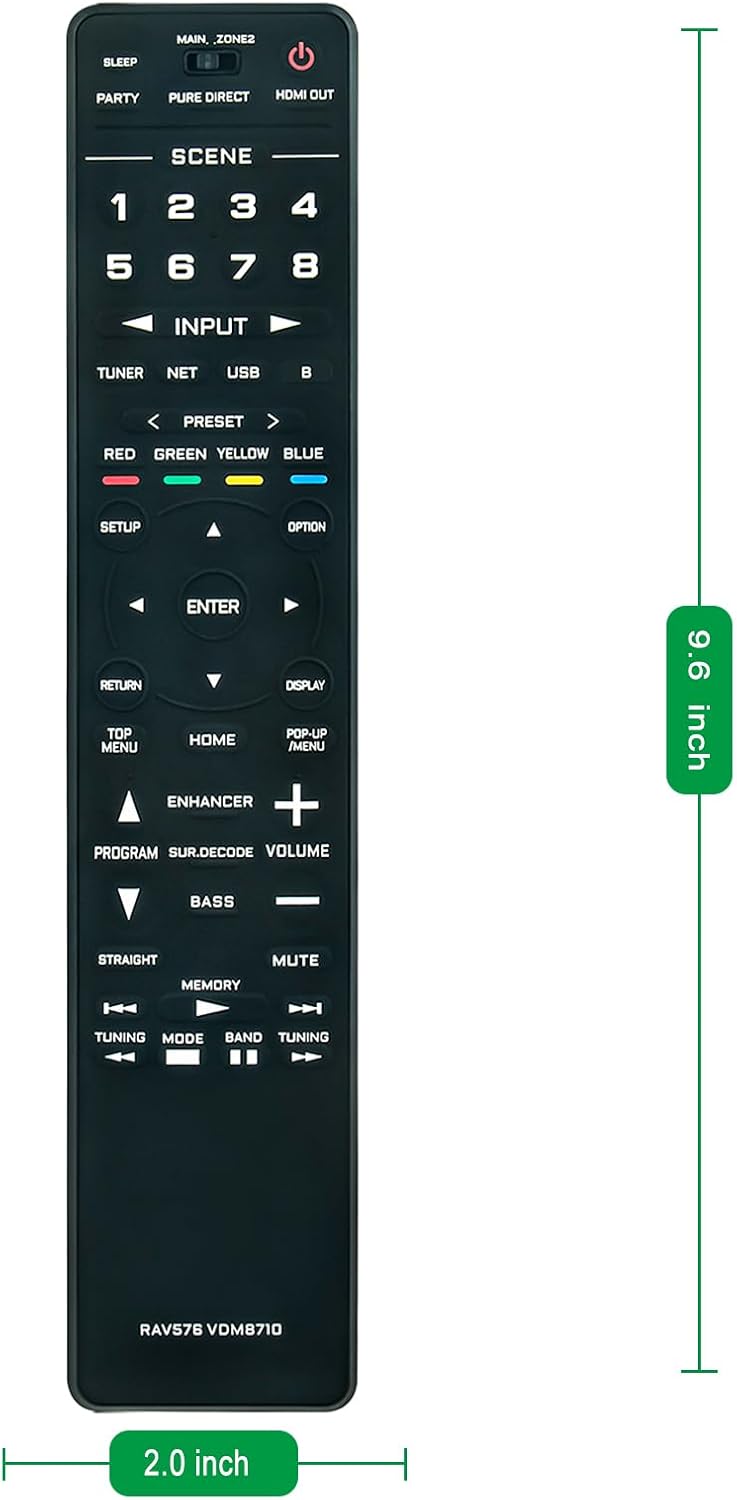
Image 7.1: Dimensions of the RAV576 VDM8710 remote control.
8. Warranty and Support
Warranty and customer support information for the ECONTROLLY RAV576 VDM8710 remote control is not provided within the product details. Please refer to your purchase documentation or contact the seller directly for any warranty claims or support inquiries.
